功能說明
One press to start, one press to stop: a plank timer that remembers every hold and shows your week at a glance.
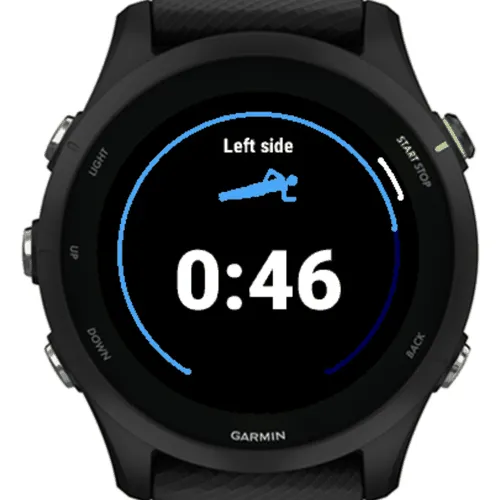
Plank Tracker is built for a short daily core routine. Pick a regular plank, a left side plank, or a right side plank, get a short countdown, and hold. The timer runs as long as you do. Press Start when you drop, and the set is saved. No menus during the hold, no Save or Discard prompt.
DURING THE HOLD • Big open-ended timer, readable at arm's length • Get-ready countdown: off, 3, 5, or 10 seconds • Optional minute buzz, so you know each minute without looking • Back, Up, and Down do nothing during a hold, and neither does the touchscreen: only Start stops it • After a side plank, Start goes straight into the other side
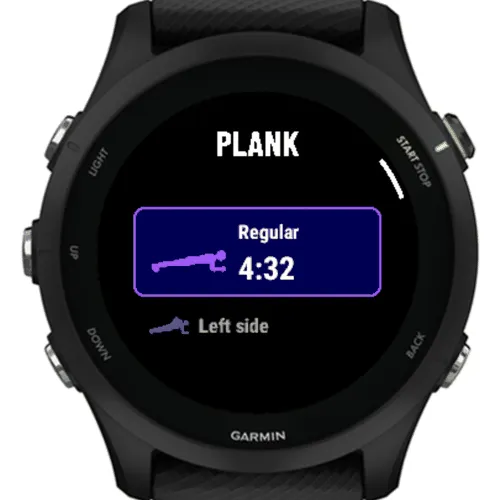
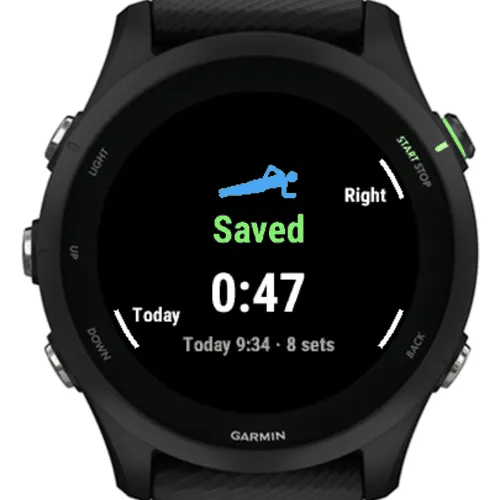
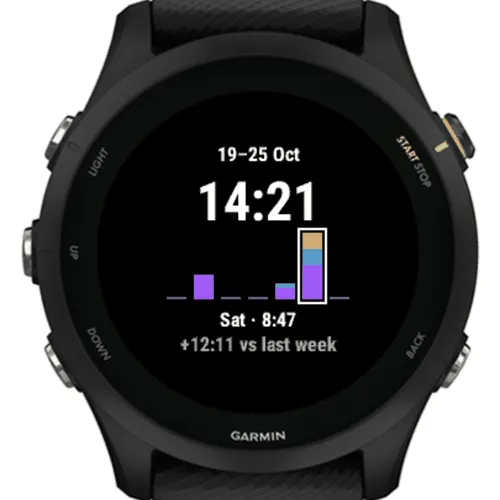
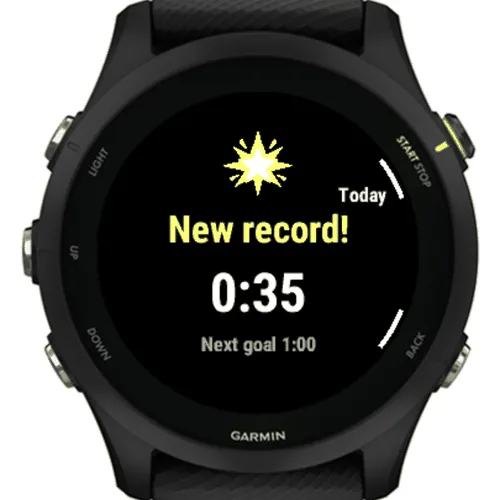
AFTER THE HOLD • Saved, New best, and New record screens; a record gets a longer vibration and its own tone • Best: your longest plank against the next goal (0:30, 1:00, 1:30 … up to 20:00) • Today: time and sets per plank type, and every set with its time of day • Week: Monday to Sunday bars by type, and how far ahead or behind last week you are • Records: longest plank, best week, most sets in a day
FROM THE WATCH FACE • A glance in your glance list: choose Best, Week, or Day in Settings
YOUR DATA • No account and no phone app. Your planks and your history stay on the watch: every set for 90 days, daily totals for two years • Does not record a Garmin Connect activity
Privacy: on the days you open it, Plank Tracker sends one anonymous usage report, at most once a day: watch model, firmware, language, app version, country, and the birth year and gender from your Garmin Connect profile if you entered them. No location, name or account. Your planks stay on the watch. Details and contact: https://api.julienpasset.com/privacy/
螢幕截圖
支援語言(1)
相容機型(65)
D2™ Air X15
D2™ Mach 1 Pro
Enduro™ 2
Enduro™ 3
epix™ (Gen 2)
epix™ (Gen 2)
epix™ Pro (42mm)
epix™ Pro (47mm)
epix™ Pro (51mm)
fēnix® 7
fēnix® 7
fēnix® 7 Pro – Solar Edition (No Wi-Fi®)
fēnix® 7S
fēnix® 7S
fēnix® 7S Pro
fēnix® 7X
fēnix® 7X
fēnix® 7X Pro
fēnix® 7X Pro No Wi-Fi
fēnix® 8 AMOLED (43mm)
fēnix® 8 AMOLED (47mm/51mm)
fēnix® 8 Pro
fēnix® 8 Solar (47mm)
fēnix® 8 Solar (51mm)
fēnix® E
Forerunner® 165
Forerunner® 165 Music
Forerunner® 170
Forerunner® 170 Music
Forerunner® 255
Forerunner® 255 Music
Forerunner® 255S
Forerunner® 255S Music
Forerunner® 265
Forerunner® 265S
Forerunner® 570 - 42mm
Forerunner® 570 - 47mm
Forerunner® 70
Forerunner® 70
Forerunner® 955 Dual Power
Forerunner® 965
Forerunner® 970
MARQ® (Gen 2)
MARQ® Commander (Gen 2) – Carbon Edition
MARQ™ Aviator (Gen 2)
Mercedes-Benz Venu® 2
Mercedes-Benz Venu® 2
Mercedes-Benz Venu® 2S
Mercedes-Benz Venu® 2S
tactix® 7
tactix® 7 – AMOLED Edition
tactix® 8 – 47 mm, AMOLED
tactix® 8 – 51 mm, Solar
Venu® 2
Venu® 2
Venu® 2 Plus
Venu® 2 Plus
Venu® 2S
Venu® 2S
Venu® 3
Venu® 3S
Venu® 4 – 41 mm
Venu® 4 – 45 mm
vívoactive® 5
vívoactive® 6
最近指標趨勢
評分
評論
快照日期
2026-10-27 → 2026-11-05