功能說明
NEXUS — Every metric. One command center.
Get FREE matching wallpapers for your phone and desktop at teccy.us/watchfaces, plus all our other Teccy designs.
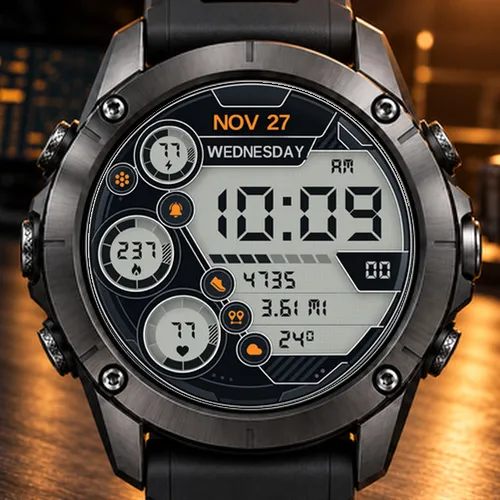
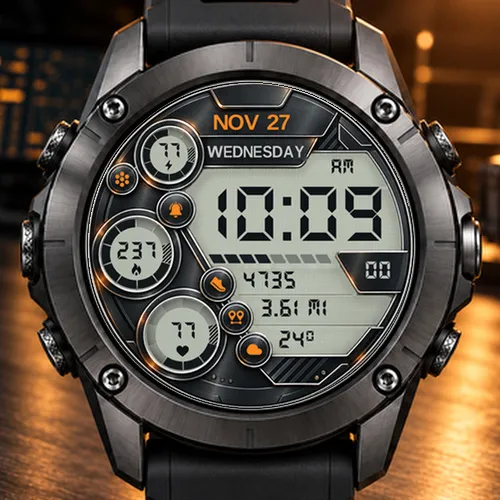
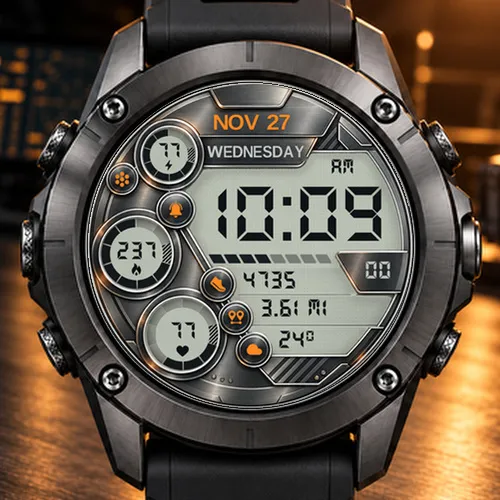
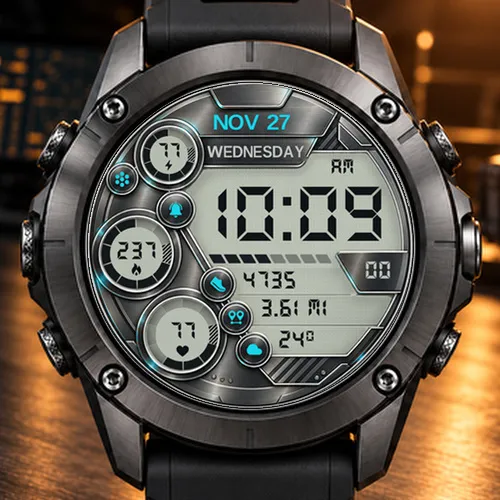
Nexus turns your Garmin into a tactical instrument panel. A dark, machined graphite frame surrounds a crisp light LCD panel with a classic dot-matrix texture, giant 7-segment digits and three segmented gauges. Everything you need is on one screen, with nothing to scroll and nothing to dig for.
WHAT YOU SEE AT A GLANCE
- Large 7-segment LCD time with AM/PM, plus a live seconds counter in its own display window
- Date (NOV 27) in your accent color and the full day of the week, in your watch's language
- 8-segment progress bar right under the time
- 3 data rows with color-coded icons
- 3 round gauges with segmented rings that fill as you progress
- Notification and alarm indicators that light up in your accent color when active
5 ACCENT COLORS
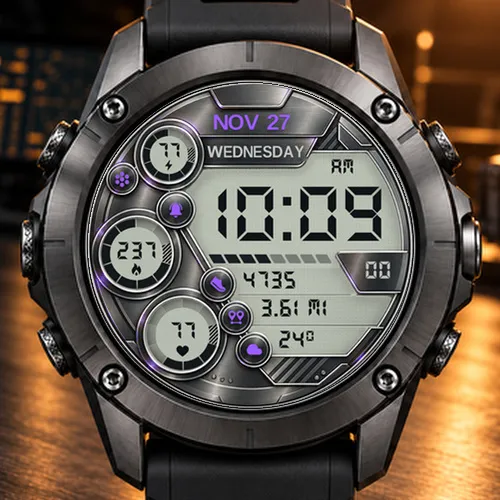
Orange (default), Blue, Cyan, Violet and Green. The accent color is applied to the date, the indicators and the data icons, while the LCD panel keeps its authentic instrument look.
CUSTOM GAUGES & DATA
Make Nexus yours. Every gauge, every row and the progress bar can be changed.
3 Gauges (value + segmented ring), choose from:
Battery, Calories, Heart Rate, Steps, Body Battery, Stress, Floors Climbed, Active Minutes
3 Data rows, choose from:
Steps, Distance, Temperature, Heart Rate, Battery, Calories, Floors Climbed, Active Minutes, Body Battery, Stress, Altitude, Next Sunrise/Sunset, or Off
Progress bar, choose from:
Steps Goal (default), Day Progress, Battery, Move Bar, or Off
SMART BATTERY DISPLAY
- Battery icon fills by charge level (3, 2, 1 or 0 bars)
- Lightning bolt while charging
- Turns red below 20% and blinks at 10% or less, so you never get caught out
UNITS AND FORMATS THAT FOLLOW YOUR WATCH
- 12-hour or 24-hour time, based on your watch settings
- Distance in km or mi, temperature in °C or °F, altitude in m or ft
- Day and month names come from your watch's language
ALWAYS-ON READY (AMOLED)
In Always-On mode Nexus switches to a clean, low-power layout: time, AM/PM, date and day of the week on a pure black background, dimmed and gently shifted every minute to protect your AMOLED screen.
36 LANGUAGES
Arabic, Bulgarian, Chinese (Simplified), Chinese (Traditional), Croatian, Czech, Danish, Dutch, English, Estonian, Finnish, French, German, Greek, Hebrew, Hungarian, Indonesian, Italian, Japanese, Korean, Latvian, Lithuanian, Malay, Norwegian, Polish, Portuguese, Romanian, Russian, Slovak, Slovenian, Spanish, Swedish, Thai, Turkish, Ukrainian and Vietnamese.
HOW TO CUSTOMIZE
- On your phone: open the Connect IQ app, go to My Device, Watch Faces, Nexus, then Settings
- On the watch: press and hold the watch face (or open the watch face menu), then choose Customize
COMPATIBILITY
Designed exclusively for round AMOLED Garmin watches, so every detail stays sharp and every color stays vivid. Please check the compatible device list on this page before purchasing.
NOTES
- Some metrics depend on your watch model and sensors. If a value is not available, Nexus shows "--".
- Temperature and sunrise/sunset come from Garmin weather data, which requires your watch to be connected to your phone.
- The calories gauge uses a 2,500 kcal reference, because Garmin does not provide a calorie goal to watch faces.
Designed and crafted with care by Teccy.
更新記錄
Now by Teccy (formerly Oliverx). Updated store description, with FREE matching wallpapers for your phone and desktop at teccy.us/watchfaces.
螢幕截圖
支援語言(1)
相容機型(55)
Approach® S50
Approach® S70 (42mm)
Approach® S70 (47mm)
D2™ Air X10
D2™ Air X15
D2™ Mach 1
D2™ Mach 1 Pro
D2™ Mach 2
D2™ Mach 2 Pro
Descent™ MK3 - 43mm
Descent™ MK3i - 51mm
epix™ (Gen 2)
epix™ (Gen 2)
epix™ Pro (42mm)
epix™ Pro (47mm)
epix™ Pro (51mm)
fēnix® 8 AMOLED (43mm)
fēnix® 8 AMOLED (47mm/51mm)
fēnix® 8 Pro
fenix® 9 - 43 mm
fenix® 9 – 47 mm
fenix® 9 Pro - 43 mm
fenix® 9 Pro - 47 mm
fenix® 9 Pro - 51 mm
fēnix® E
Forerunner® 170
Forerunner® 170 Music
Forerunner® 265
Forerunner® 265S
Forerunner® 570 - 42mm
Forerunner® 570 - 47mm
Forerunner® 965
Forerunner® 970
MARQ® (Gen 2)
MARQ® Adventurer (Gen 3)
MARQ® Commander (Gen 2) – Carbon Edition
MARQ™ Aviator (Gen 2)
Mercedes-Benz Venu® 2
Mercedes-Benz Venu® 2
Mercedes-Benz Venu® 2S
Mercedes-Benz Venu® 2S
tactix® 7 – AMOLED Edition
tactix® 8 – 47 mm, AMOLED
Venu® 2
Venu® 2
Venu® 2 Plus
Venu® 2 Plus
Venu® 2S
Venu® 2S
Venu® 3
Venu® 3S
Venu® 4 – 41 mm
Venu® 4 – 45 mm
vívoactive® 5
vívoactive® 6
最近指標趨勢
評分
評論
快照日期
2026-10-27 → 2026-10-30