功能說明
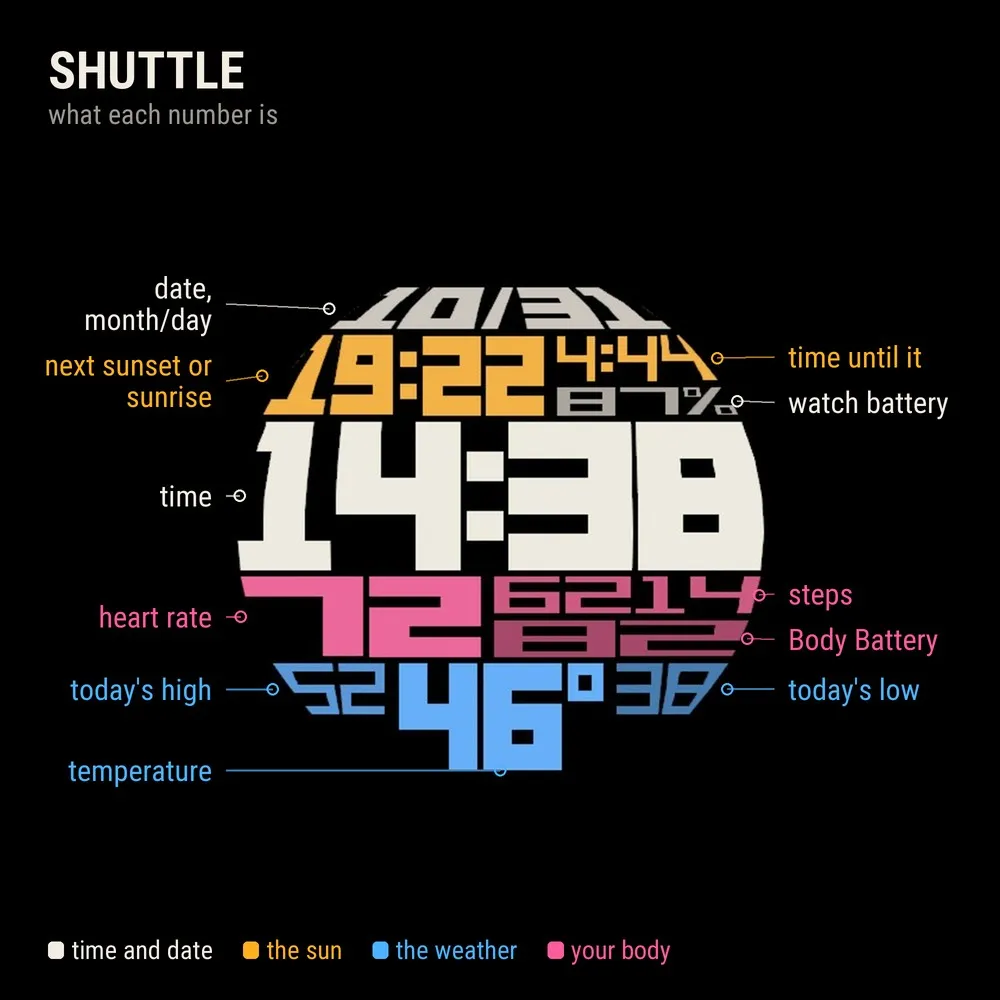
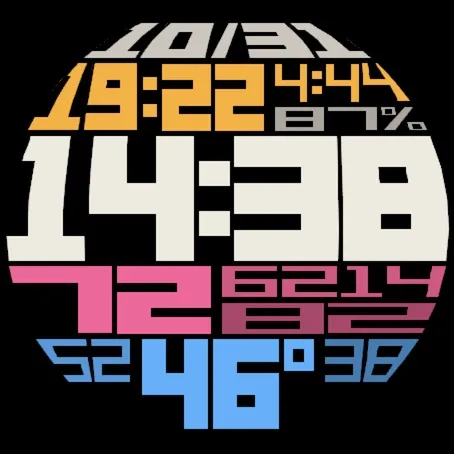
Rows of numbers stacked like a wood-type poster,
reaching the edge of the screen all the way round, in block numerals whose
end digits bend to follow the circle. When a number has changed since you
last looked, only its changed digits move: each slides sideways out of its
own slot as the new one slides in behind it, units first, the rows
alternating direction. If nothing changed, nothing moves. No labels: the
key image among the screenshots names every number; here it is in words,
top to bottom.
The date as month/day.
The next sunset or sunrise, with the time left until it beside it and the
watch's battery (the percentage) under that.
The time across the middle.
Your heart rate, with your steps beside it and Body Battery under them.
Today's high, the temperature now, and today's low.
The colours group the numbers by what they are about: white for the time
and date, amber for the sun, blue for the weather, rose for your body.
Learn the four and the face reads at a glance with no labels at all.
"Sliding digits" in the phone app turns the motion off. Press and hold a
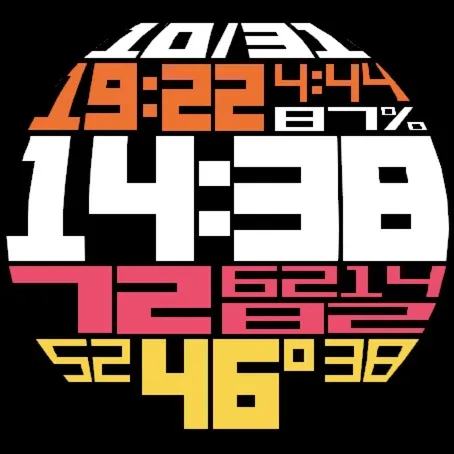
reading to open it. To change the look, press and hold the time (the big numbers). Each hold moves to the next look
and shows its name for a moment: your own colours, high visibility in
orange, then blue, then green, low light for a dark room, a new look each
day, and back to your own. The Look setting in the phone app picks one too. Choose your own look's colours as a set that keeps the four families apart (Classic, Gold, Ember, Orchard, Dusk, Sage, Smoke or Slate) and a colour for the time and date (Bone, Silver, Sand, Ice or Blush), in the watch's own face editor, the face's settings on the watch or the phone app. Every other week, from Monday, the daily look turns muted: seven softer sets in the same four families. Turn off Muted weeks in the phone app to keep the bright ones.
Built for Garmin's round AMOLED watches (fēnix 8 and 9, epix, Forerunner, Venu, vívoactive and more), with a dim always-on mode
that draws the date, the sun, the time and the temperature as outlines and
shifts each minute.
更新記錄
Starts faster: the watch's settings are read once at a start, not again for every reading.
螢幕截圖
支援語言(1)
相容機型(48)
Approach® S70 (42mm)
Approach® S70 (47mm)
Approach® S72 - 43 mm
Approach® S72 - 47 mm
D2™ Air X15
D2™ Mach 1
D2™ Mach 1 Pro
D2™ Mach 2
D2™ Mach 2 Pro
Descent™ MK3 - 43mm
Descent™ MK3i - 51mm
epix™ (Gen 2)
epix™ (Gen 2)
epix™ Pro (42mm)
epix™ Pro (47mm)
epix™ Pro (51mm)
fēnix® 8 AMOLED (43mm)
fēnix® 8 AMOLED (47mm/51mm)
fēnix® 8 Pro
fenix® 9 - 43 mm
fenix® 9 – 47 mm
fenix® 9 Pro - 43 mm
fenix® 9 Pro - 47 mm
fenix® 9 Pro - 51 mm
fēnix® E
Forerunner® 165
Forerunner® 165 Music
Forerunner® 170
Forerunner® 170 Music
Forerunner® 265
Forerunner® 265S
Forerunner® 570 - 42mm
Forerunner® 570 - 47mm
Forerunner® 70
Forerunner® 70
Forerunner® 965
Forerunner® 970
MARQ® (Gen 2)
MARQ® Adventurer (Gen 3)
MARQ® Commander (Gen 2) – Carbon Edition
MARQ™ Aviator (Gen 2)
tactix® 7 – AMOLED Edition
tactix® 8 – 47 mm, AMOLED
Venu® 3
Venu® 3S
Venu® 4 – 41 mm
Venu® 4 – 45 mm
vívoactive® 6
最近指標趨勢
評分
評論
快照日期
2026-11-17 → 2026-11-29