Beschrijving
Is your watch battery really dying faster than it used to? Stop guessing. Battery Drain measures it and keeps the history for years, so you can compare this month with the same month last year and see exactly what changed.
WHY YOU WILL LIKE IT
- One glance answers the question: battery level, time since the last charge and how many hours 1% lasts. Once a year of data exists: idle drain now versus a year ago.
- Finds the cause, not just the number. The diagnosis tells a sudden jump in the last 30 days (something changed: firmware, a watch face, an app, a setting) from a slow rise over the year (normal cell wear), and shows how much of your battery goes to activities.
- Fair comparisons. Activities are tracked separately, so a week of long runs does not make your battery look worse. Idle drain is the honest health indicator.
- Practical tips that keep your watch a watch: Pulse Ox mode, watch faces, background apps, SatIQ, backlight, notifications, sensors. No "turn off GPS" nonsense.
- Practically free on battery: one tiny background check per hour, no GPS, no sensors, no Bluetooth, no internet. A few hundredths of a percent per week.
- Private by design: all data stays on your watch. The app has no internet access and sends nothing.
WHAT YOU GET
- Glance: battery %, time since charge, hours per 1%, now versus a year ago.
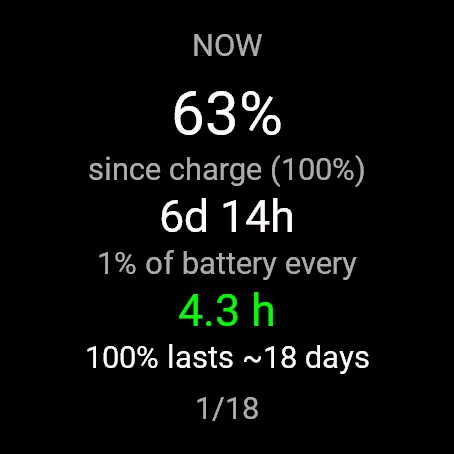
- Now: current cycle, hours per 1%, how long a full charge lasts at this rate.
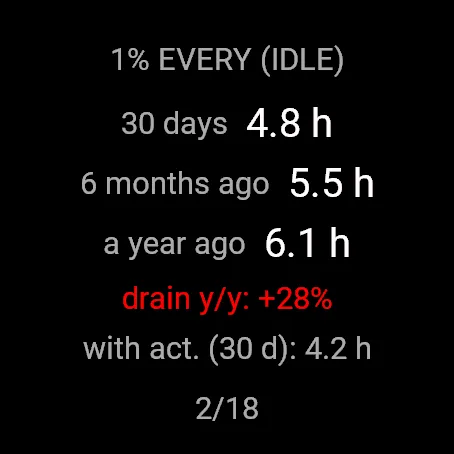
- Idle rate: last 30 days, 6 months ago, a year ago, with the year-over-year change.
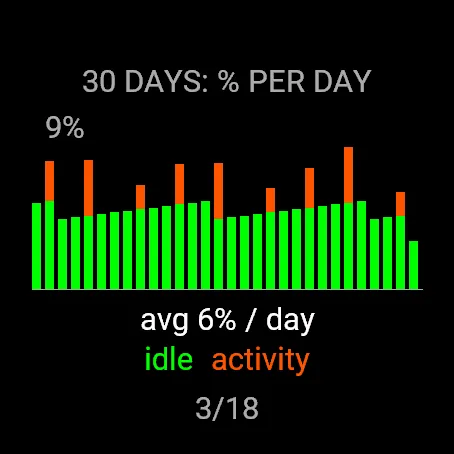
- 30 days: battery used per day, idle and activities stacked.
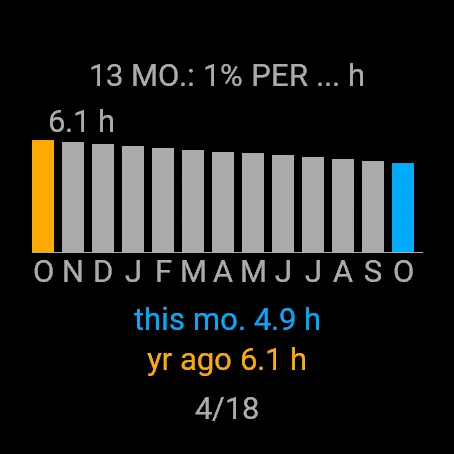
- 13 months: monthly idle rate, this month next to the same month last year.
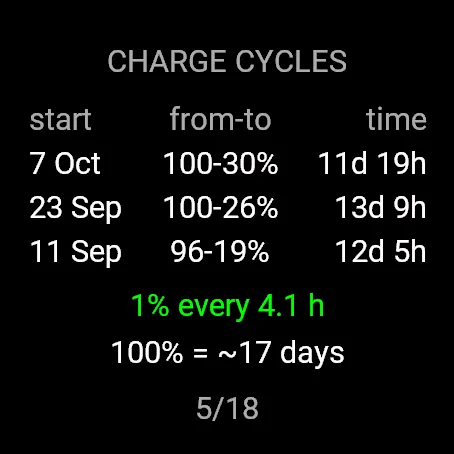
- Charge cycles: start, from-to percent, duration and the average.
- Diagnosis and 10+ battery tips.
- English and Polish, following your watch language. Layout made for every supported screen, MIP and AMOLED.
GOOD TO KNOW
- History starts when you install the app: watches do not keep past battery levels. Install it now and you will have your year-over-year comparison next year.
- Connect IQ does not tell apps how much battery each feature uses, so no app can list per-app usage. The idle versus activity split and the diagnosis are the closest you can get.
GETTING STARTED
After installing, add the glance and scroll to it once (or open the app once). That starts the hourly sampling.
fenix 7X Pro: hold MENU, Appearance, Glances, Add.
fenix 8 and fenix E: on the watch face press DOWN, Edit, Add.
Watches: fenix 7X Pro (Solar, Sapphire Solar, no Wi-Fi), fenix 8 (AMOLED 43/47/51 mm, Pro, Solar 47/51 mm), fenix E.
OPEN SOURCE
Free and open source (MIT): https://github.com/JanKazWasilewski/garmin-battery-drain
Ideas, bug reports, translations and support for more watches are welcome on GitHub. If the app helps you, a rating in the store helps others find it.
Author: Jan Wasilewski. Built in collaboration with Claude Code by Anthropic.
Wat is nieuw
First public release: glance and full app, English and Polish, fenix 7X Pro, fenix 8 family and fenix E.
Schermafbeeldingen
Ondersteunde talen (2)
Compatibele toestellen (10)
Recente trend
Beoordeling
Reviews
Snapshot-datums
2026-10-27 → 2026-10-29