Descripción
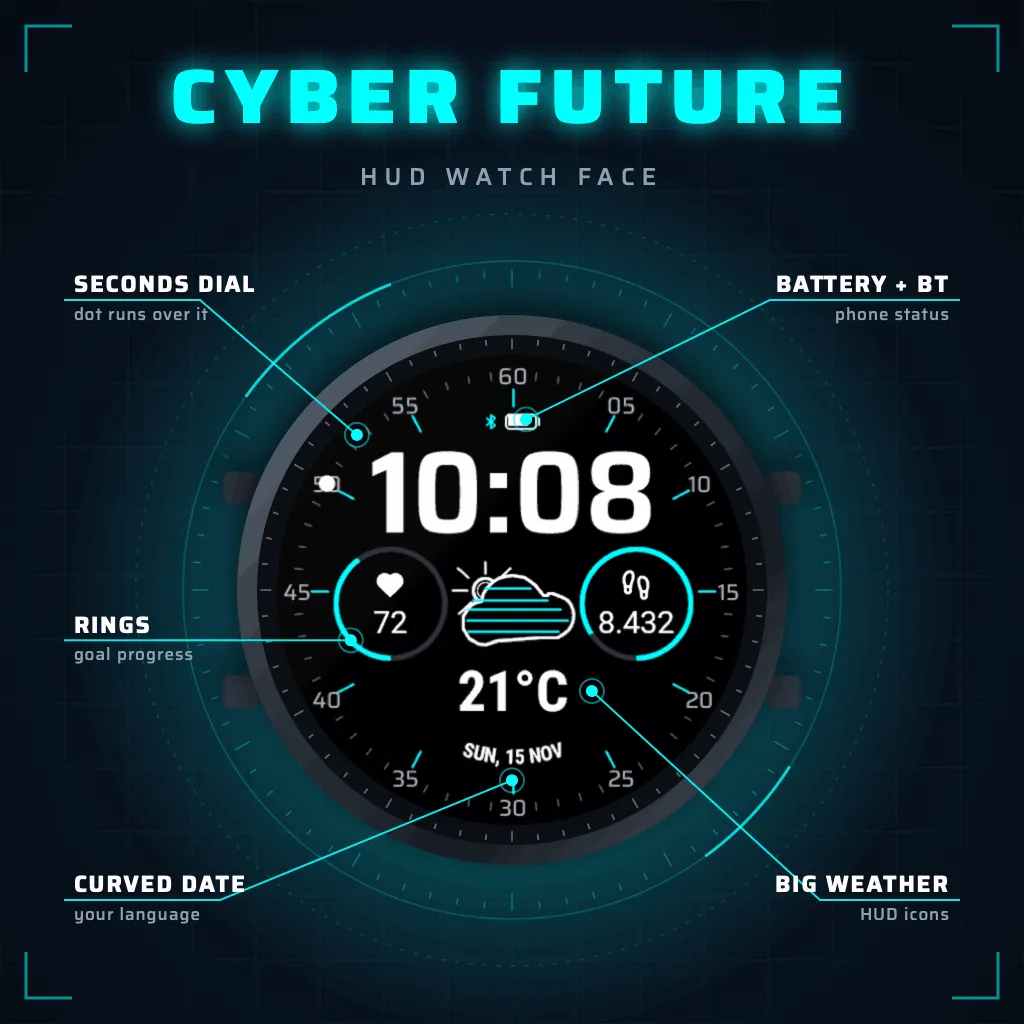
A clean, futuristic face in head-up-display style: a seconds dial frames the edge, a dot runs over it with the seconds, the time sits large in the middle and the weather gets a big place below it.
Features (depending on watch support):
- Large time in a bold digital font, 12 or 24 hours as set on your watch.
- Seconds dial with the numbers 05 to 60, fine ticks for every second and accent ticks every five. One dot moves over the dial: its position is the current second. The dot is hidden in low-power mode to save battery.
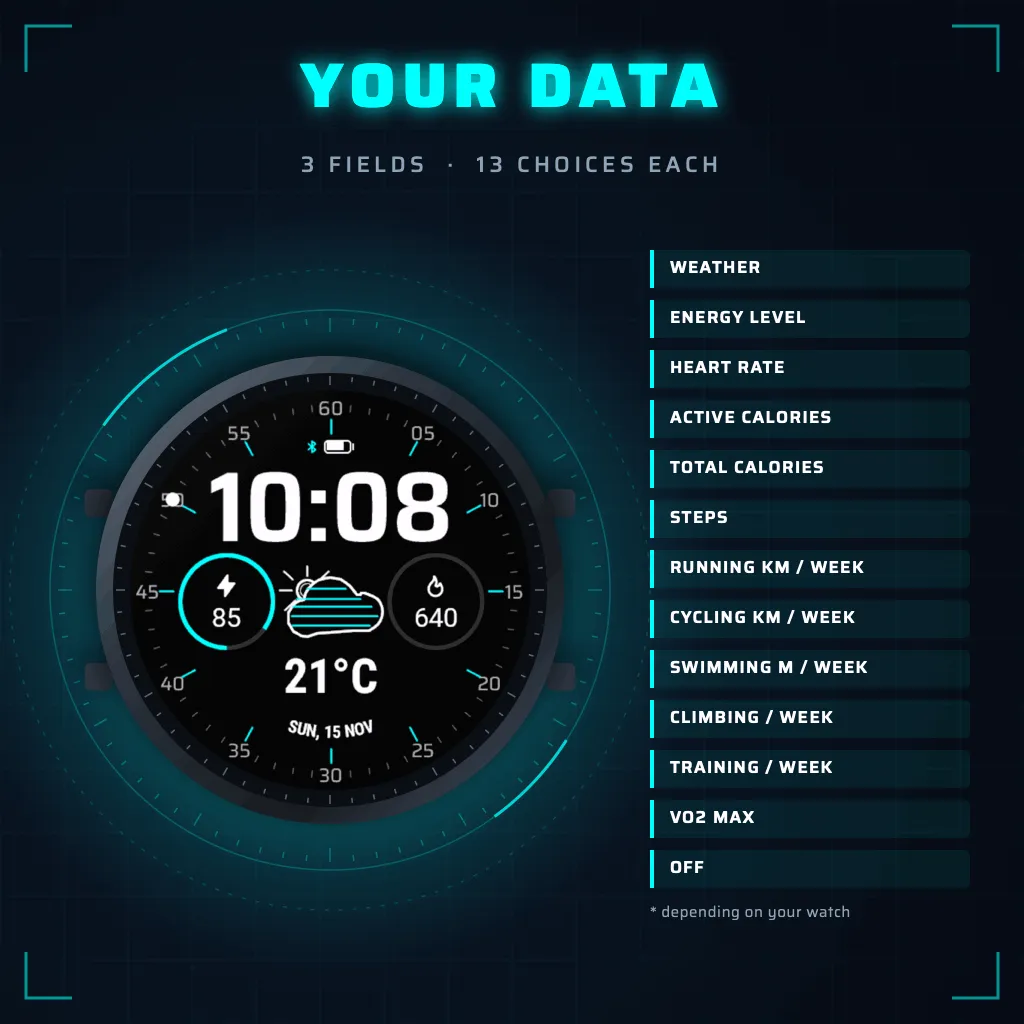
- Three data fields below the time. Choose for each: weather, energy level, heart rate, active calories, total calories, steps, weekly running km, weekly cycling km, weekly swimming metres, weekly climbing time, weekly training time, VO2 max, or off. Default: heart rate, weather, steps. The middle field is large; weather uses HUD-style icons.
- A slim ring around the left and the right field fills up with heart rate (of your maximum), steps (of your daily goal) or energy level.
- Battery symbol and Bluetooth status icon at the top (lit while your phone is connected), date curved along the bottom, in the language of your watch.
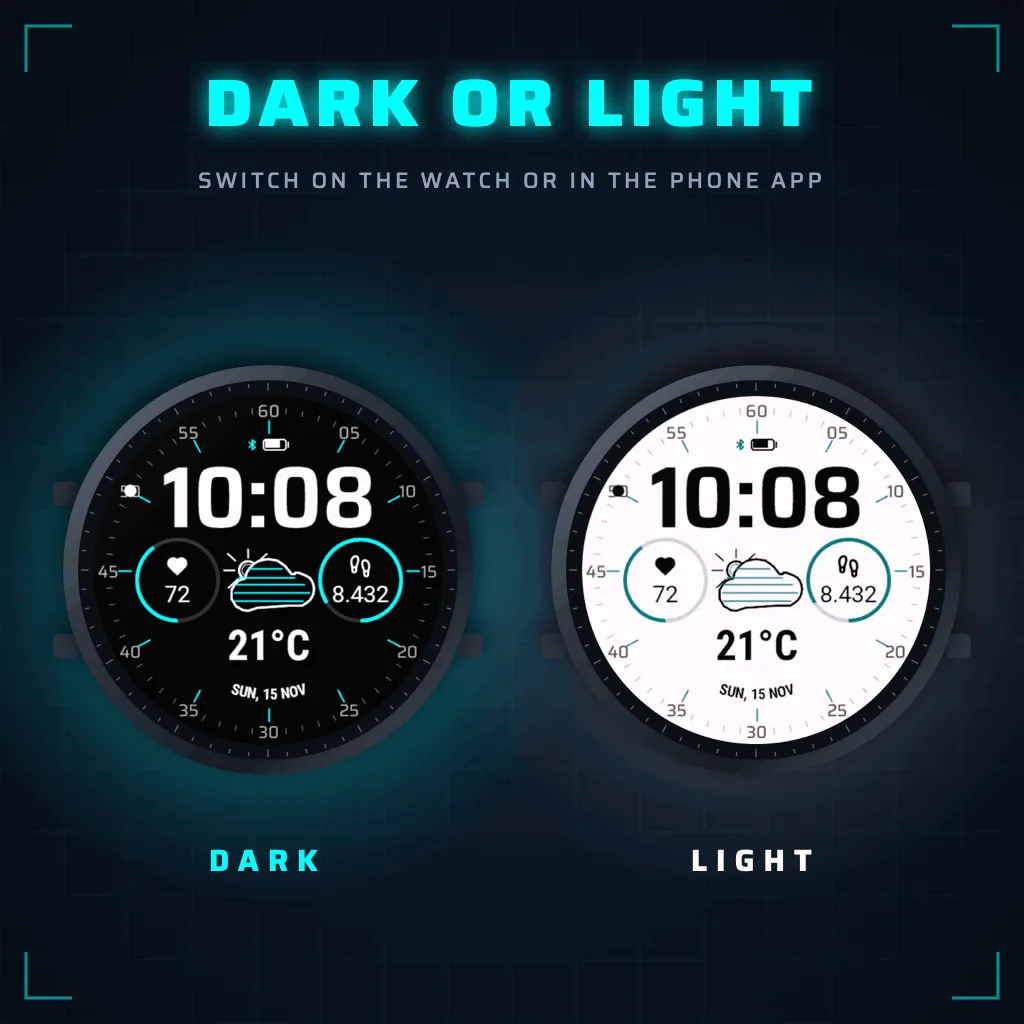
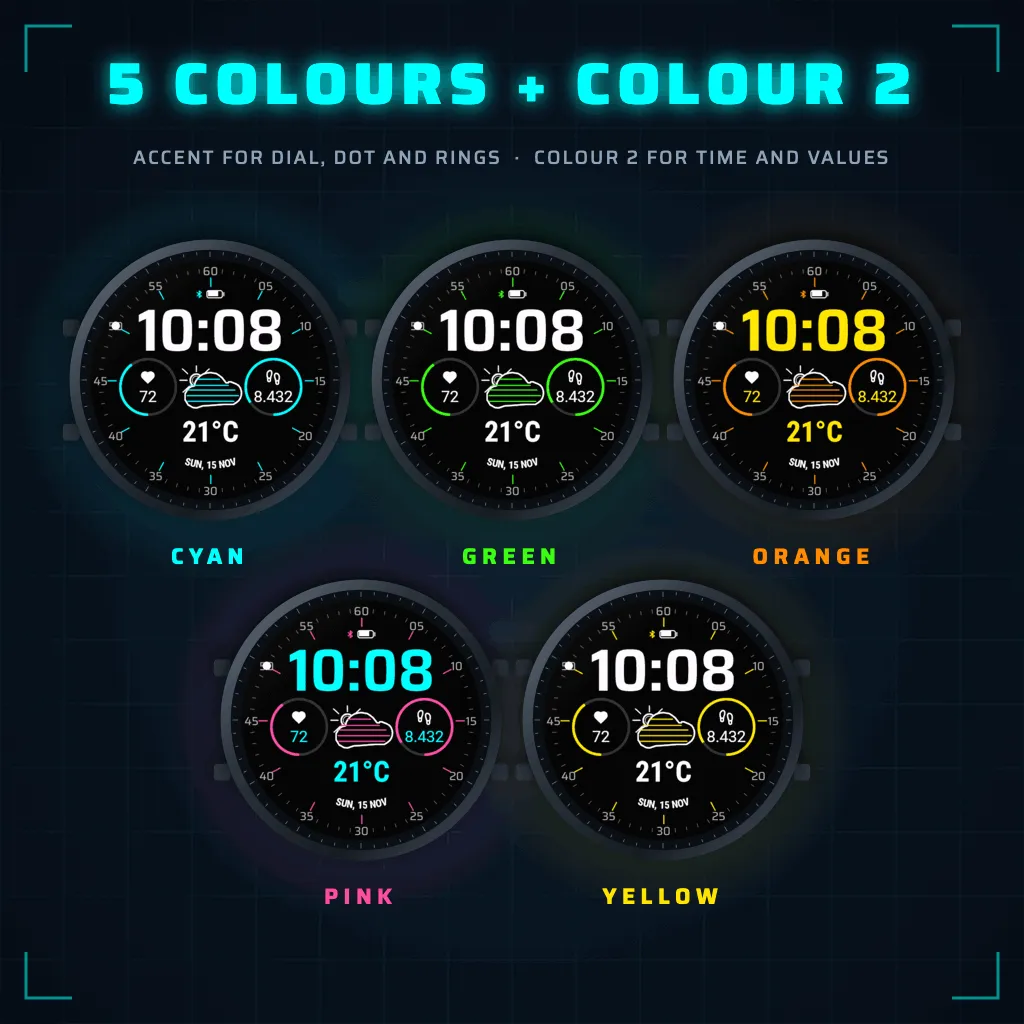
- Dark or light background, 5 accent colours (cyan, green, orange, yellow, pink) and "Colour 2" for the time and the values: white/black or one of the accent colours. Change everything on the watch (watch face menu) or in the phone app.
- Always-on view on AMOLED watches: time and date only, dimmed and moved slightly every minute.
Values come from your watch. If a value is not available, the field shows "--". Weekly climbing time is only offered on watches that record climbing. Values are for information only and are not medical advice.
Novedades
- New seconds dial with numbers and ticks; the second dot runs over it.
- Larger time and a weather field twice the size.
- Slim rings around the side fields replace the two arcs.
- Battery and Bluetooth moved to the top.
- Sharper icons and smooth edges everywhere.
Your settings stay as they were; the new look appears as soon as the update is installed.
Capturas
Idiomas compatibles (2)
Dispositivos compatibles (72)
Approach® S72 - 43 mm
Approach® S72 - 47 mm
D2™ Air X15
D2™ Mach 1
D2™ Mach 1 Pro
D2™ Mach 2
D2™ Mach 2 Pro
Enduro™ 2
Enduro™ 3
Enduro™ 4
epix™ (Gen 2)
epix™ (Gen 2)
epix™ Pro (42mm)
epix™ Pro (47mm)
epix™ Pro (51mm)
fēnix® 7
fēnix® 7
fēnix® 7 Pro
fēnix® 7 Pro – Solar Edition (No Wi-Fi®)
fēnix® 7S
fēnix® 7S
fēnix® 7S Pro
fēnix® 7X
fēnix® 7X
fēnix® 7X Pro
fēnix® 7X Pro No Wi-Fi
fēnix® 8 AMOLED (43mm)
fēnix® 8 AMOLED (47mm/51mm)
fēnix® 8 Pro
fēnix® 8 Solar (47mm)
fēnix® 8 Solar (51mm)
fenix® 9 - 43 mm
fenix® 9 – 47 mm
fenix® 9 Pro - 43 mm
fenix® 9 Pro - 47 mm
fenix® 9 Pro - 51 mm
fenix® 9 Pro - Solar 47 mm
fenix® 9 Pro - Solar 51 mm
fēnix® E
Forerunner® 165
Forerunner® 165 Music
Forerunner® 170
Forerunner® 170 Music
Forerunner® 255
Forerunner® 255 Music
Forerunner® 255S
Forerunner® 255S Music
Forerunner® 265
Forerunner® 265S
Forerunner® 570 - 42mm
Forerunner® 570 - 47mm
Forerunner® 70
Forerunner® 70
Forerunner® 955 Dual Power
Forerunner® 965
Forerunner® 970
Instinct® 3 – 45 mm, AMOLED
Instinct® 3 – 50 mm, AMOLED
MARQ® (Gen 2)
MARQ® Adventurer (Gen 3)
MARQ® Commander (Gen 2) – Carbon Edition
MARQ™ Aviator (Gen 2)
tactix® 7
tactix® 7 – AMOLED Edition
tactix® 8 – 47 mm, AMOLED
tactix® 8 – 51 mm, Solar
Venu® 3
Venu® 3S
Venu® 4 – 41 mm
Venu® 4 – 45 mm
vívoactive® 5
vívoactive® 6
Tendencia reciente
Valoración
Reseñas
Fechas de instantáneas
2026-11-17 → 2026-11-28