Descripción
A clear workout screen for runners. See your target, your effort and whether to push or ease, with hills counted.
Pace Lock replaces the standard workout screen on your Forerunner with one you can read at a glance.
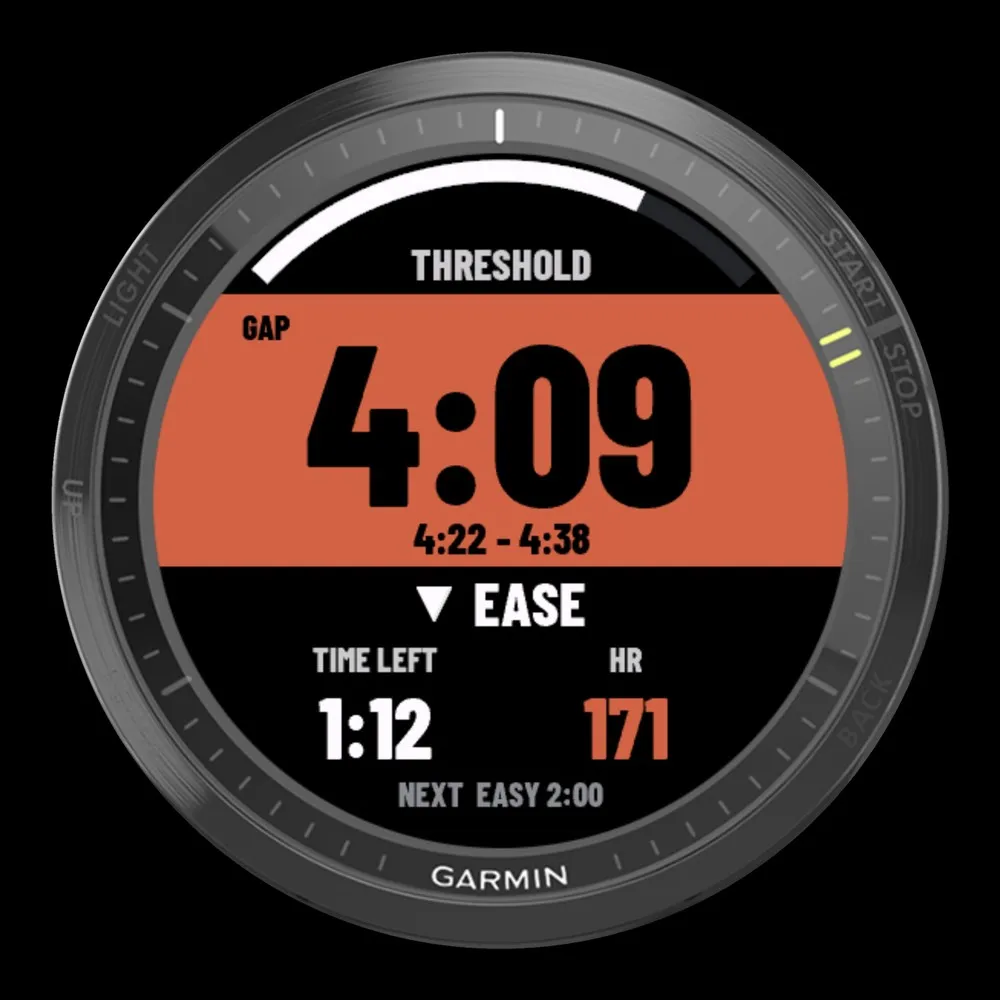
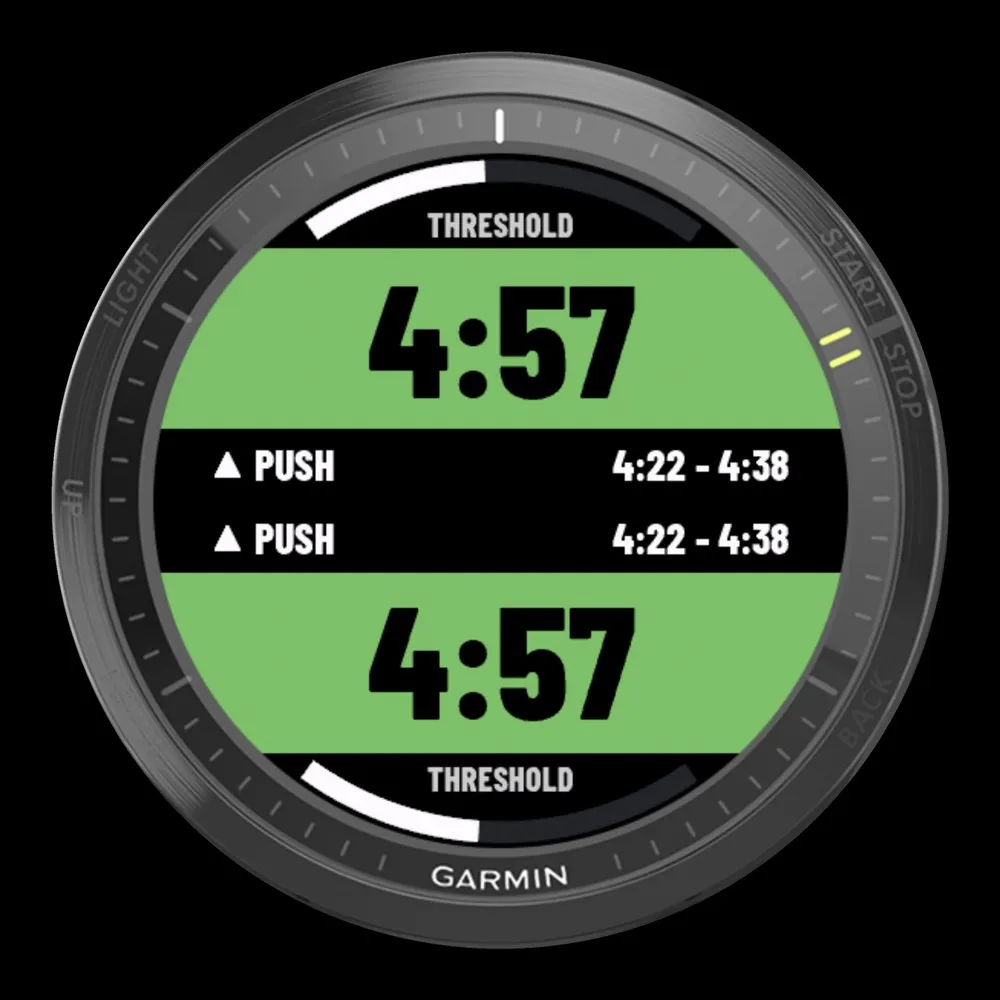
Load a structured run workout and Pace Lock shows the current step, your target, and one word when you drift: PUSH or EASE. On target, it stays quiet.
Effort is judged on grade-adjusted pace (GAP). A climb that slows your ground pace does not trigger a false PUSH, and a descent does not hide that you are running too hard.
What you see
- Your pace as GAP, on a band coloured by your current zone
- The step's target range
- PUSH or EASE when you are outside it
- Time or distance left in the step, with a progress arc
- Heart rate in its zone colour
- The next step
Works with
- Pace targets: judged on GAP
- Heart rate targets: the screen switches to heart rate for long steps
- Timed steps, distance steps and open steps
- Workouts sent to the watch from TrainingPeaks
Built for real sessions
- No PUSH during warm-ups, recoveries and cool-downs
- No banner in the first seconds of a step, while your pace settles
- No banner while the timer is paused
- Short heart rate steps (under 3 minutes) are not judged on heart rate, because heart rate cannot respond that fast
Layouts
- One field: the full workout screen
- Two fields: pace, target, and time left or PUSH and EASE
- Smaller fields: pace in its zone colour
Settings
- Critical speed pace, in seconds per km. Example: 4:36/km is 276. Sets your zone colours
- Target band: 3% (default), 5%, or the workout's own range
- Diagnostics: shows the raw workout values, for support
Finding your critical speed
Calculate your critical speed pace with the free tools at enhancedendurance.com (Tools), then enter it in the settings.
Supported watches
Forerunner 970, Forerunner 570 (42 mm and 47 mm).
Made by Enhanced Endurance.
Also for running: Pace Battery, Decouple Run.
For cycling on Edge: Target Lock, Watt Battery, Decouple, Fuel My Ride.
Enhancedendurance.com
Capturas
Idioma compatible (1)
Dispositivos compatibles (3)
Tendencia reciente
Valoración
Reseñas
Fechas de instantáneas
2026-11-17 → 2026-11-28