Beskrivelse
Triathlon: swim, bike and run on one face

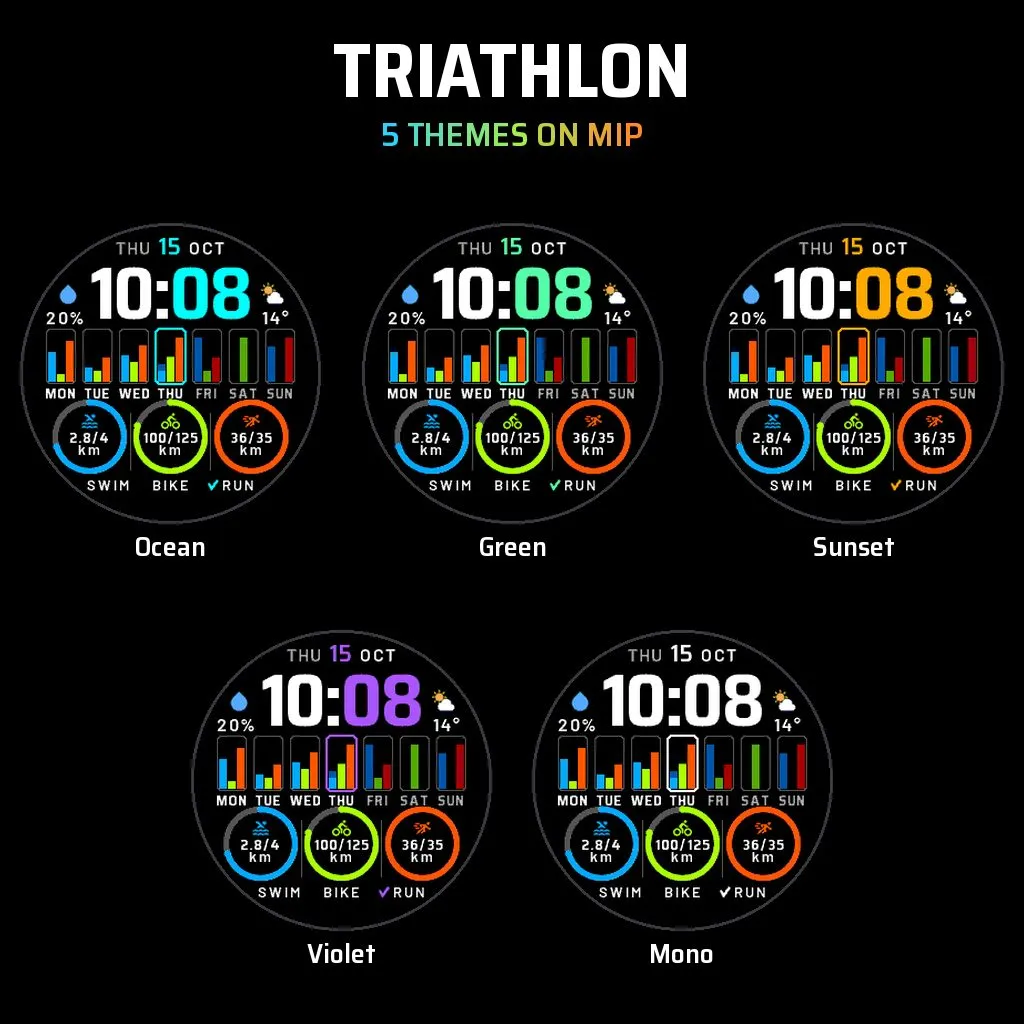
See your whole training week at a glance. Every day of the week shows three mini bars for swim, bike and run distance, and three goal rings track your weekly swim, bike and run targets, with a check mark when you hit one.
AT A GLANCE
- Large two-tone time with the date
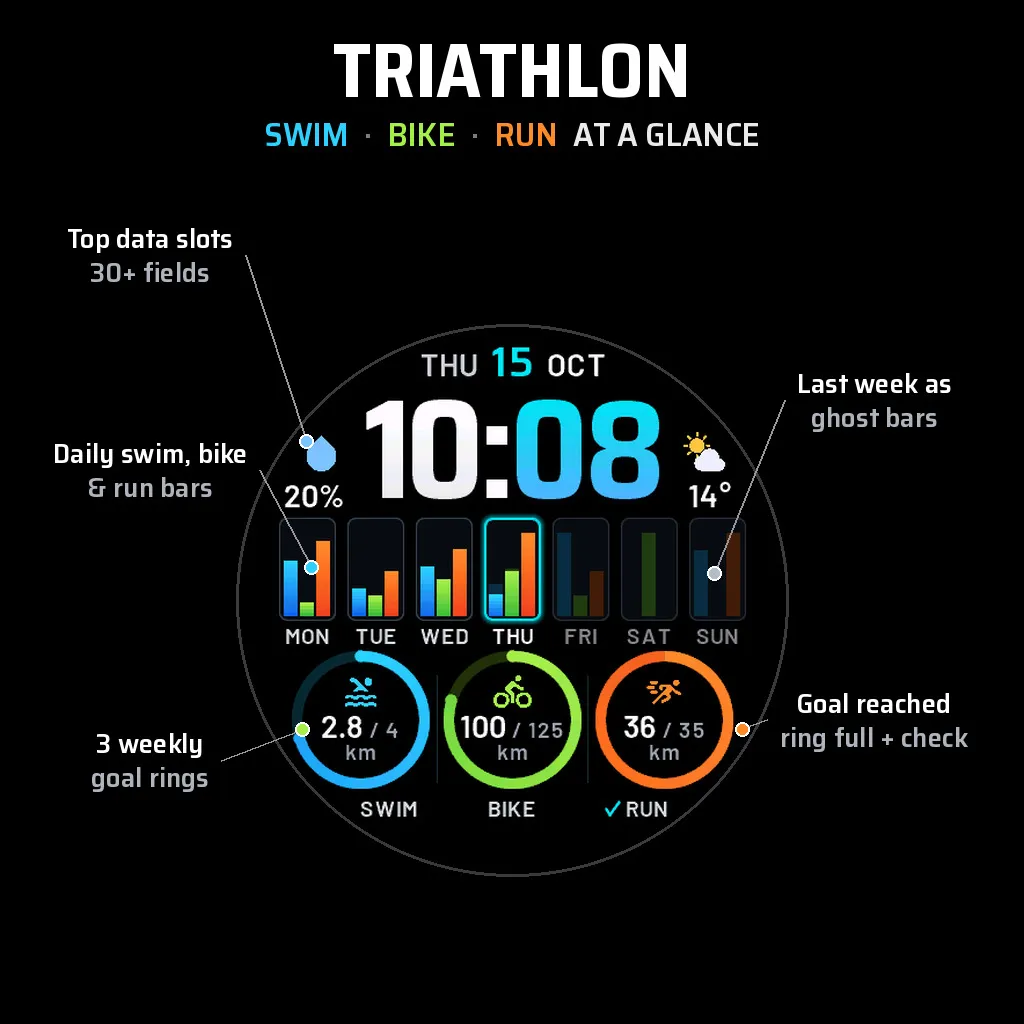
- Two customizable top slots beside the time (default: chance of rain on the left, weather icon and temperature on the right)
- Seven day columns, each with a swim (blue), bike (green) and run (orange) bar from your recorded activities
- Today highlighted, future days shown as empty tracks
- This week vs last week: last week's values appear as ghost bars on the days still to come and behind today's bar
- Three weekly goal rings SWIM / BIKE / RUN showing total / goal, with a check mark when the goal is met
WEEKLY GOALS
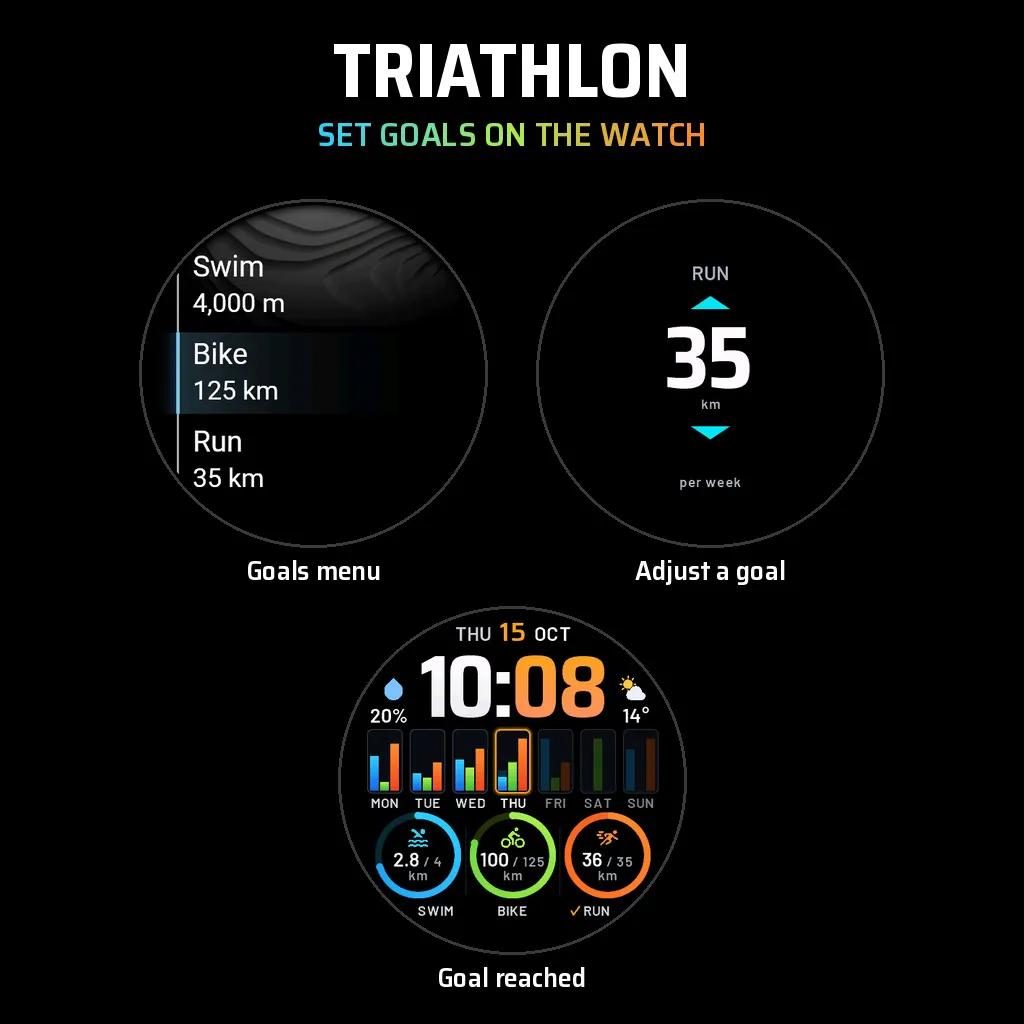
Set a weekly goal for each sport on the watch under Goals, or in the phone app settings. Swim goals are in meters or yards, bike and run goals in kilometers or miles, following your distance units.
WEEK START
Default is Auto: the face follows your watch's own Start of Week setting. Many watches default to Sunday. To change it on the watch: Menu, System, Format, Start of Week. In the Garmin Connect app: profile, Settings, User Settings, First Day of Week. Or pick Monday or Sunday directly in the face settings.
ON-WATCH CUSTOMIZATION
Open the watch face settings on the watch:
- Theme: swipe or press UP/DOWN through the live preview (theme name shown in a pill), SELECT or BACK to apply
- Data: choose what the two top slots show, on a live preview of the face
- Goals: set the weekly swim, bike and run goals
- Week Start, Show Last Week, Highlight Today, Units, Time Format and Second Time Zone
Every setting is available on the watch as well as in the phone app.
5 COLOR THEMES
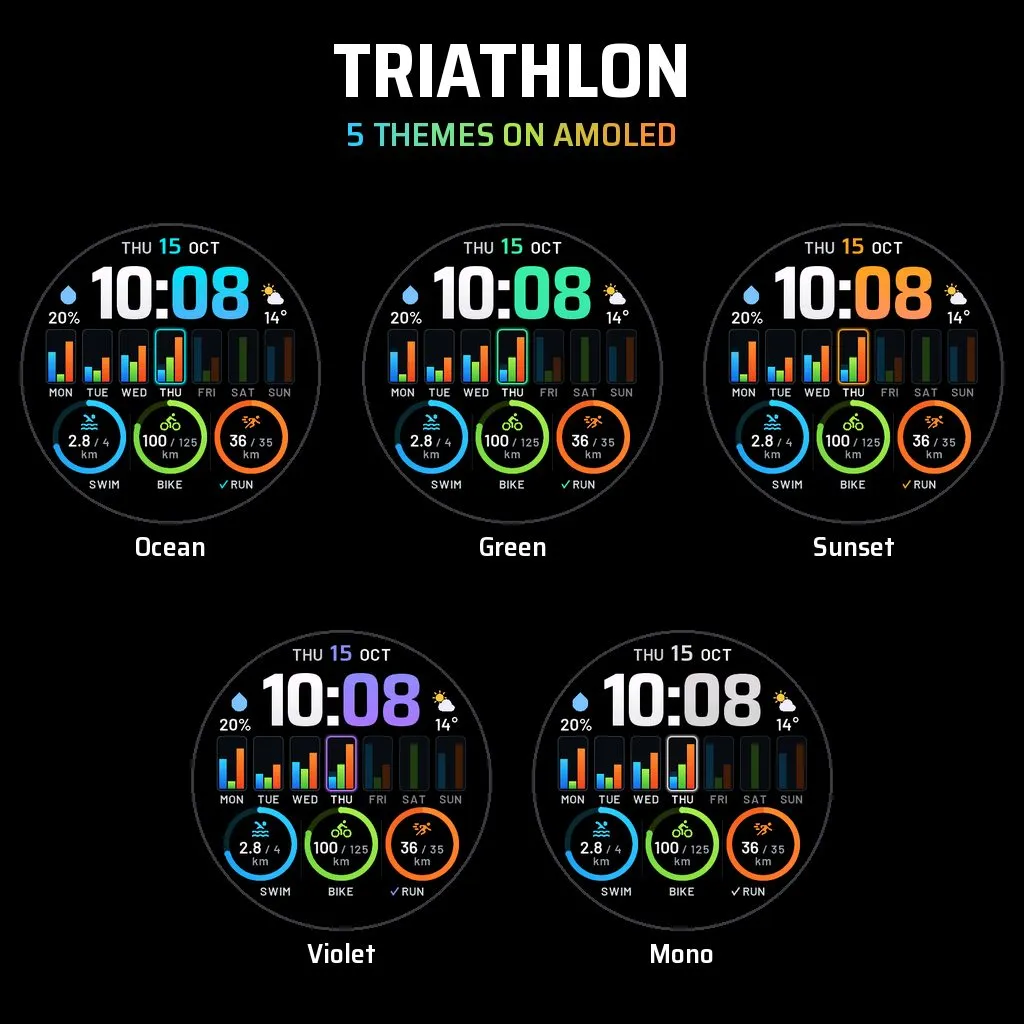
Ocean, Green, Sunset, Violet and Mono. The theme colors the date, minutes, today's column and the check marks; swim, bike and run keep their own colors in every theme. On AMOLED the bars use soft gradients and last week's ghost bars are dimmed; on MIP everything is solid and saturated for outdoor readability, with ghost bars one shade darker.
MORE SETTINGS
- Week starts on: Auto, Monday or Sunday
- Show Last Week (ghost bars) and Highlight Today, both on by default
- Time format: Auto (follows the watch), 12-hour or 24-hour
- Units: Distance (Kilometers / Miles), Temperature (Celsius / Fahrenheit) and Elevation (Meters / Feet), each set separately, default Auto (follows your watch)
- Top slots: weather (icon + temperature), steps today, active minutes (week or today), distance today, calories, heart rate, battery, floors climbed, Second Time Zone (one of 66 cities with automatic daylight saving time, or a custom UTC offset), Body Battery, recovery time, stress, Pulse Ox, altitude, notifications, weather temperature, chance of rain, VO2 max (running or cycling), weekly run / bike / swim / walk distance and time, activities this week, sunrise, sunset, or none
MADE FOR YOUR SCREEN
Works on AMOLED and MIP watches, with compact values on small screens so nothing is dropped. Sunrise and sunset use the weather location or the last known position (no GPS is started), so the face asks for location permission. Always-on display uses a dimmed, static outline layout, in the same place as the normal face.
Skærmbilleder
Understøttet sprog (1)
Kompatible enheder (68)
D2™ Air X15
D2™ Mach 1
D2™ Mach 1 Pro
D2™ Mach 2
D2™ Mach 2 Pro
Enduro™ 2
Enduro™ 3
Enduro™ 4
epix™ (Gen 2)
epix™ (Gen 2)
epix™ Pro (42mm)
epix™ Pro (47mm)
epix™ Pro (51mm)
fēnix® 7
fēnix® 7
fēnix® 7 Pro
fēnix® 7 Pro – Solar Edition (No Wi-Fi®)
fēnix® 7S
fēnix® 7S
fēnix® 7S Pro
fēnix® 7X
fēnix® 7X
fēnix® 7X Pro
fēnix® 7X Pro No Wi-Fi
fēnix® 8 AMOLED (43mm)
fēnix® 8 AMOLED (47mm/51mm)
fēnix® 8 Pro
fēnix® 8 Solar (47mm)
fēnix® 8 Solar (51mm)
fenix® 9 - 43 mm
fenix® 9 – 47 mm
fenix® 9 Pro - 43 mm
fenix® 9 Pro - 47 mm
fenix® 9 Pro - 51 mm
fenix® 9 Pro - Solar 47 mm
fenix® 9 Pro - Solar 51 mm
fēnix® E
Forerunner® 165
Forerunner® 165 Music
Forerunner® 170
Forerunner® 170 Music
Forerunner® 255
Forerunner® 255 Music
Forerunner® 255S
Forerunner® 255S Music
Forerunner® 265
Forerunner® 265S
Forerunner® 570 - 42mm
Forerunner® 570 - 47mm
Forerunner® 70
Forerunner® 70
Forerunner® 955 Dual Power
Forerunner® 965
Forerunner® 970
MARQ® (Gen 2)
MARQ® Commander (Gen 2) – Carbon Edition
MARQ™ Aviator (Gen 2)
tactix® 7
tactix® 7 – AMOLED Edition
tactix® 8 – 47 mm, AMOLED
tactix® 8 – 51 mm, Solar
Venu® 3
Venu® 3S
Venu® 4 – 41 mm
Venu® 4 – 45 mm
Venu® X1
vívoactive® 5
vívoactive® 6