Beskrivelse
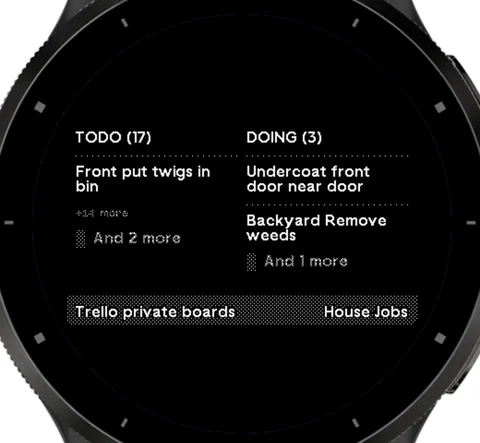
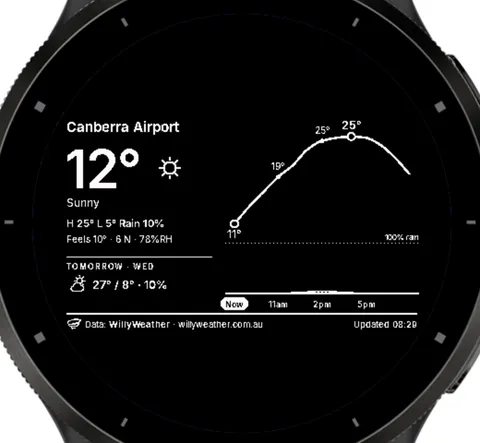
Shows the screens from your TRMNL account on your watch: weather, calendars, to-dos, quotes, or any
other plugin in your playlist, drawn by TRMNL for the watch's screen size.
- Opens on the current screen. Tap, press the button or swipe up for the next one; swipe down to go
back through the last 5 screens instantly, without fetching.
- Touch and hold to zoom in: it shows the left side, pauses so you can read it, then moves across
to the right. Drag or swipe to move around yourself, hold again to zoom further, tap to zoom out.
- Hold the menu button (lower right on Venu; Up, middle left, on fenix, epix and Forerunner) for the
menu: dark mode (white on black, the default; easy on the eyes on AMOLED), open
on phone, details, and about (with buttons to reload TRMNL and clear the kept screens).
- Open on phone: shows a QR code of the current screen's image; scan it to see that screen bigger on
your phone. The link expires after 5 minutes and contains no device key.
- A glance shows when the last screen was loaded.
What you need:
1. A TRMNL account with a BYOD (bring your own device) licence for the watch.
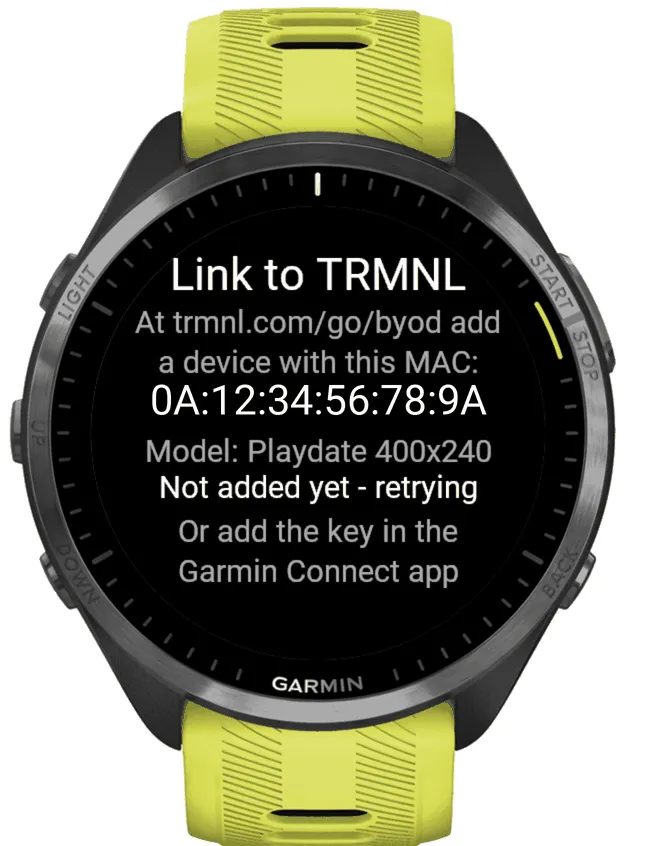
2. Open the app: it shows a MAC address for the watch. Go to trmnl.com/go/byod and add a device with
that MAC address, model "Playdate - 400x240" (the same shape as the original TRMNL, at the size the
watch shows best). Add plugins to its playlist, or mirror your main device's playlist.
3. The watch links by itself within 15 seconds (tap to check now). Keep that MAC address to yourself:
it is what links a watch to the device. Changing it in TRMNL unlinks the watch (it shows the link
screen again).
Or, instead of linking: copy the device's API key (in the device's settings, under Developer perks)
into this app's settings in the Garmin Connect app. A key there always wins.
Tested on a Venu 3. It should also work on the other watches listed (same kind of touch screen); if
something looks wrong on yours, please let me know via the contact link.
Screens come through your phone, so it needs to be connected. The app talks only to trmnl.com, using
your device key; like a TRMNL device, it reports the watch's battery level and the app version so
they show on your device page in TRMNL, and notes any problem it works around (with the watch model
and firmware) in that device's log in TRMNL. It stores nothing else.
Not affiliated with or endorsed by TRMNL.
Nyheder
Initial version. May have bugs. Please report any issues and I will attempt to address.
Skærmbilleder
Understøttet sprog (1)
Kompatible enheder (10)
Seneste målingsudvikling
Bedømmelse
Anmeldelser
Datoer for øjebliksbilleder
2026-11-19 → 2026-11-25