Beskrivelse
- Donation https://pay.cloudtips.ru/p/142588d1
- Cover author http://elenabocharova.ru/?utm_source=garmin
- Operational information on the application https://t.me/traxx_for_garmin (@traxx_for_garmin)
- Join the Telegram group: https://t.me/garmin_instruction (@garmin_instruction)
- Shop with a wide range of Garmin products with delivery across Russia: https://aatown.ru
Contact: [email protected]
Listen to your favorite music on your watch. Download the app and enjoy VK Music/Yandex Music service during walks and workouts.
~ Yandex Music ~
This instruction explains how to connect "Yandex Music" in the TRAXX app using an alternative login method with an authorization token in the settings.
To obtain an authorization token and connect "Yandex Music," follow these steps:
1. Log in to your Yandex Music account on your computer.
2. In your browser, go to the link https://oauth.yandex.ru/authorize?response_type=token&client_id=23cabbbdc6cd418abb4b39c32c41195d.
3. Copy the character string that appears during the auto-redirect from the browser address bar. It should look something like this: y0_AgAAAAfADBnz-AAG8XgAAAADZdiE_EO7_JoFQdTgqBZXkmGOSZeRjVlYM, and save it in your notes or send it to yourself via email. You will need this string on your phone.
4. Open the Garmin Connect IQ app on your phone and go to the "settings" of the TRAXX app.
5. Select your "Yandex Music" subscription from the dropdown menu and paste the previously obtained authorization token into the field labeled "[Yandex Music] Authorization Token." Click "Save."
6. The watch will automatically link your Yandex Music account in the TRAXX app.
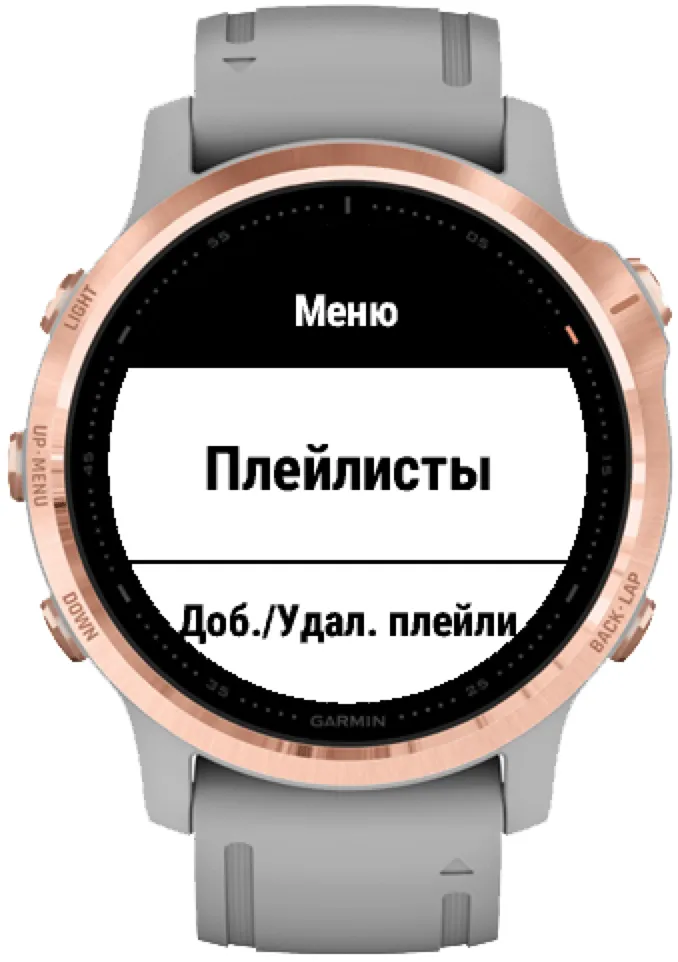
7. Once the "Menu" is displayed on the watch, go to the "Add/Delete Playlists" section and download them to your watch.
8. After that, you can play them in the "My Playlists" section.
~ VK Music ~
• During playlist synchronization, your VK profile must be public, and in the privacy settings, "Who can see the list of my audio recordings" should be set to "All users."
• Garmin Connect IQ (TRAXX app settings) or VK Mobile authorization or numeric VK ID [idXXXXXXX] (only available on watches with physical buttons) is used for login. (Service for obtaining an ID: https://regvk.com/id/).
• The Garmin Connect and Garmin Connect IQ apps must be installed and running on your phone.
- Download the TRAXX app from the Connect IQ store to your Garmin device.
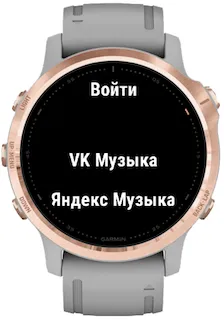
- On your Garmin device, go to the media player and navigate to Manage | Music Sources | TRAXX.
- Log in to your VK profile or enter your VK ID.
- Go to the "Add/Delete Playlists" section on your watch to select playlists for synchronization.
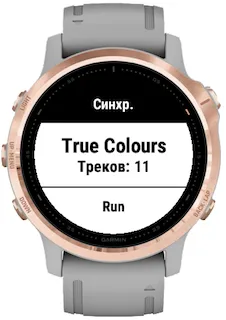
- Start synchronization by pressing "Done."
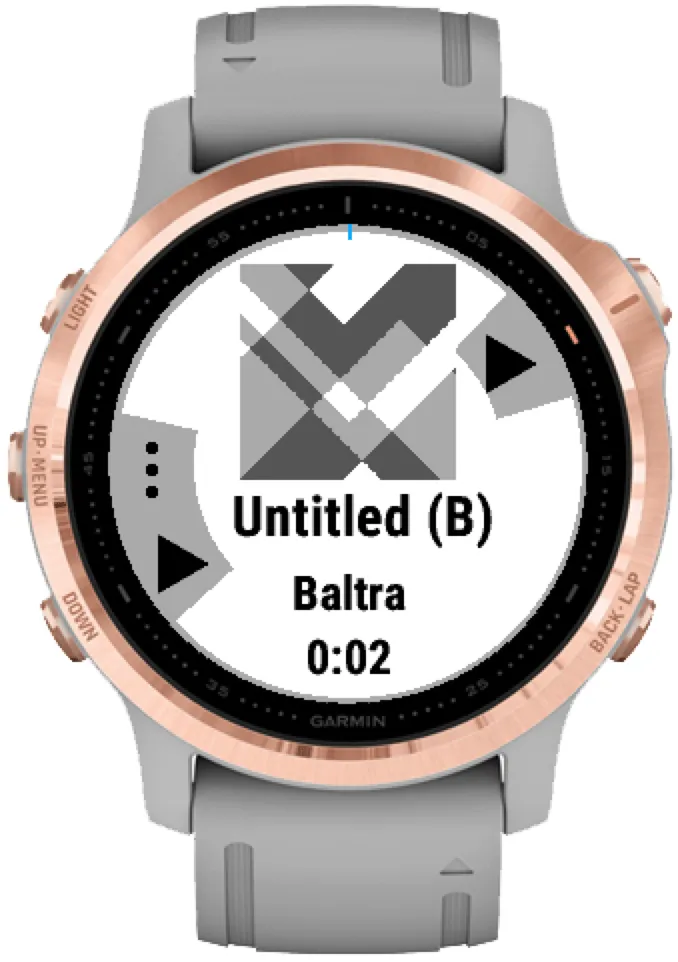
- Your music will be downloaded from VK Music to your watch and will be available in the "Playlists" section for listening.
Nyheder
Hi, everyone!
1. Support for the Fenix 9
Skærmbilleder
Understøttede sprog (2)
Kompatible enheder (140)
Approach® S50
Approach® S70 (42mm)
Approach® S70 (47mm)
D2™ Air
D2™ Air X10
D2™ Air X15
D2™ Mach 1
D2™ Mach 1 Pro
D2™ Mach 2
D2™ Mach 2 Pro
Descent™ MK2
Descent™ MK2
Descent™ Mk2S
Descent™ Mk2S
Descent™ MK3 - 43mm
Descent™ MK3i - 51mm
Enduro™ 2
Enduro™ 3
epix™ (Gen 2)
epix™ (Gen 2)
epix™ Pro (42mm)
epix™ Pro (47mm)
epix™ Pro (51mm)
fēnix® 5 Plus
fēnix® 5 Plus
fēnix® 5S Plus
fēnix® 5S Plus
fēnix® 5X Plus
fēnix® 5X Plus
fēnix® 6 Pro
fēnix® 6 Pro
fēnix® 6 Pro Dual Power
fēnix® 6 Pro Solar
fēnix® 6S Pro
fēnix® 6S Pro
fēnix® 6S Pro Dual Power
fēnix® 6S Pro Solar
fēnix® 6X Pro
fēnix® 6X Pro
fēnix® 7
fēnix® 7
fēnix® 7 Pro
fēnix® 7S
fēnix® 7S
fēnix® 7S Pro
fēnix® 7X
fēnix® 7X
fēnix® 7X Pro
fēnix® 8 AMOLED (43mm)
fēnix® 8 AMOLED (47mm/51mm)
fēnix® 8 Pro
fēnix® 8 Solar (47mm)
fēnix® 8 Solar (51mm)
fenix® 9 - 43 mm
fenix® 9 – 47 mm
fenix® 9 Pro - 43 mm
fenix® 9 Pro - 47 mm
fenix® 9 Pro - 51 mm
fenix® 9 Pro - Solar 47 mm
fenix® 9 Pro - Solar 51 mm
fēnix® E
ForeAthlete 245 Music
ForeAthlete 645 Music
ForeAthlete 745
Forerunner® 165 Music
Forerunner® 170 Music
Forerunner® 245 Music
Forerunner® 245 Music
Forerunner® 255 Music
Forerunner® 255S Music
Forerunner® 265
Forerunner® 265S
Forerunner® 570 - 42mm
Forerunner® 570 - 47mm
Forerunner® 645 Music
Forerunner® 745
Forerunner® 945
Forerunner® 945
Forerunner® 945 LTE
Forerunner® 955 Dual Power
Forerunner® 965
Forerunner® 970
MARQ® (Gen 2)
MARQ® Adventurer (Gen 3)
MARQ® Commander (Gen 2) – Carbon Edition
MARQ™ Adventurer
MARQ™ Adventurer
MARQ™ Athlete
MARQ™ Athlete
MARQ™ Aviator
MARQ™ Aviator
MARQ™ Aviator (Gen 2)
MARQ™ Captain
MARQ™ Captain
MARQ™ Commander
MARQ™ Commander
MARQ™ Driver
MARQ™ Driver
MARQ™ Expedition
MARQ™ Expedition
MARQ™ Golfer
MARQ™ Golfer
Mercedes-Benz Venu®
Mercedes-Benz Venu®
Mercedes-Benz Venu® 2
Mercedes-Benz Venu® 2
Mercedes-Benz Venu® 2S
Mercedes-Benz Venu® 2S
quatix® 6
quatix® 6X
tactix® 7
tactix® 7 – AMOLED Edition
tactix® 8 – 47 mm, AMOLED
tactix® 8 – 51 mm, Solar
Venu®
Venu®
Venu® 2
Venu® 2
Venu® 2 Plus
Venu® 2 Plus
Venu® 2S
Venu® 2S
Venu® 3
Venu® 3S
Venu® 4 – 41 mm
Venu® 4 – 45 mm
Venu® Sq. 2 Music
Venu® Sq. Music
Venu® Sq. Music
Venu® Sq. Music
Venu® Sq. Music
Venu® X1
vívoactive® 3 Music
vívoactive® 3 Music
vívoactive® 4
vívoactive® 4
vívoactive® 4S
vívoactive® 4S
vívoactive® 5
vívoactive® 6