该条目当前未在商店返回(状态:delisted),数据为最近一次成功抓取结果。
功能说明
Sidecountry Ski acts just like your Garmin's native Ski activity, but keeps GPS recording during bootpacks, hikes, and traverses. No more gaps in your track when you hike off Chair 6 at Crystal or traverse to a sidecountry zone.
Features:
• Continuous GPS — never pauses, even when you're hiking uphill
• Auto run detection — counts each descent as a "run" using the barometric altimeter
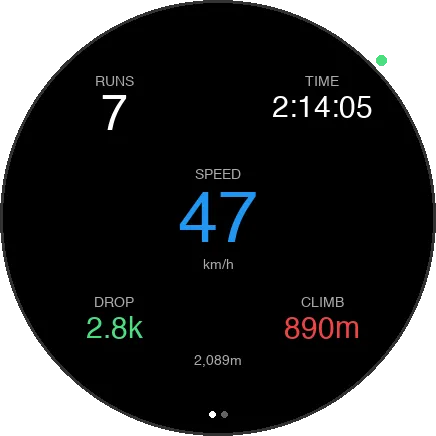
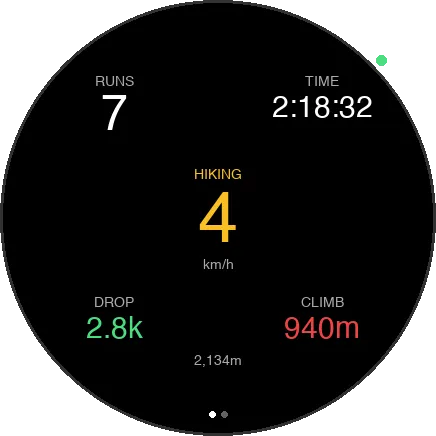
• Ski metrics — runs, elapsed time, speed, vertical drop, vertical climb, altitude
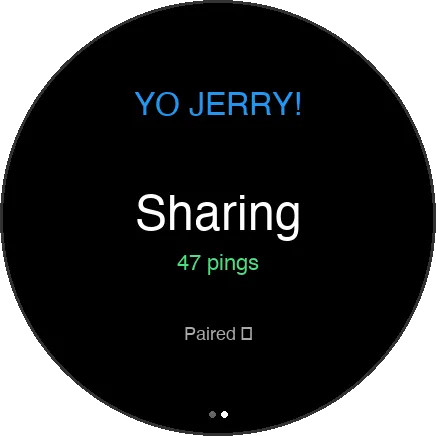
• Yo Jerry integration — share your real-time location with your ski crew on yojerry.fyi
• Saves as Alpine Ski — syncs correctly to Garmin Connect and Strava
• Two display pages — swipe for ski stats or Yo Jerry status
Perfect for:
• Sidecountry skiing (bootpack access from the resort)
• Slackcountry zones
• Any ski day where you leave the groomed runs
• Ski touring from a resort base
Controls:
• START → begin recording
• START → pause/resume
• BACK (when paused) → save & exit
• UP/DOWN → switch display pages
Yo Jerry Setup:
1. Create an account at yojerry.fyi
2. Generate a pairing code on the website
3. Enter it in the app settings (Connect IQ → Sidecountry → Settings)
4. Your crew will see you on the live map!
Keywords: skiing, sidecountry, backcountry, bootpack, GPS, location sharing, ski tracker
更新日志
More native Ski app parity, including a native-style pre-start screen, new run/totals data pages, improved distance and elevation tracking, clearer Yo Jerry re-pair messaging, and bug fixes.
截图

支持语言(1)
兼容机型(35)
D2™ Mach 2 Pro
Enduro™ 2
Enduro™ 3
epix™ (Gen 2)
epix™ (Gen 2)
fēnix® 7
fēnix® 7
fēnix® 7 Pro
fēnix® 7S
fēnix® 7S
fēnix® 7X
fēnix® 7X
fēnix® 8 AMOLED (43mm)
fēnix® 8 AMOLED (47mm/51mm)
fēnix® 8 Pro
fēnix® 8 Solar (47mm)
fēnix® 8 Solar (51mm)
fenix® 9 - 43 mm
fenix® 9 – 47 mm
Forerunner® 265
Forerunner® 265S
Forerunner® 955 Dual Power
Forerunner® 965
Instinct® 2
Instinct® 2S
Mercedes-Benz Venu® 2
Mercedes-Benz Venu® 2
tactix® 7
tactix® 8 – 47 mm, AMOLED
tactix® 8 – 51 mm, Solar
Venu® 2
Venu® 2
Venu® 3
Venu® 3S
vívoactive® 5