Beskrivelse
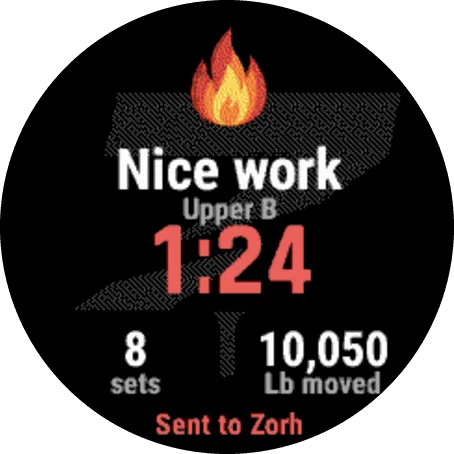
Your Zorh workout, on your wrist.
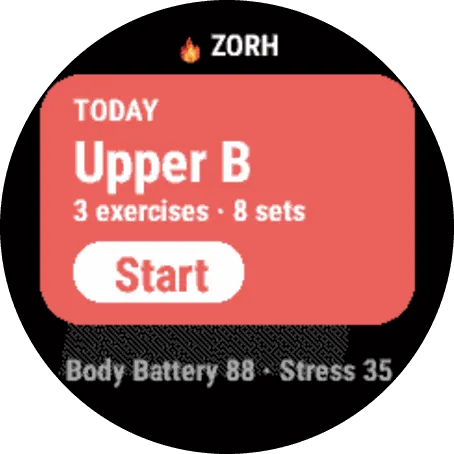
Zorh plans your training around you (your goals, schedule and injuries) on your iPhone. This app puts that day's workout on your Garmin, so you can train without your phone.
REQUIRES the free Zorh iPhone app and Zorh Pro.
HOW TO LINK
1. Open Zorh on your watch. It shows a 6-letter code.
2. On your iPhone, open Zorh › Settings › Workouts › Garmin watch and type the code.
3. Done. Your plan loads on the watch every day.
LIFTING
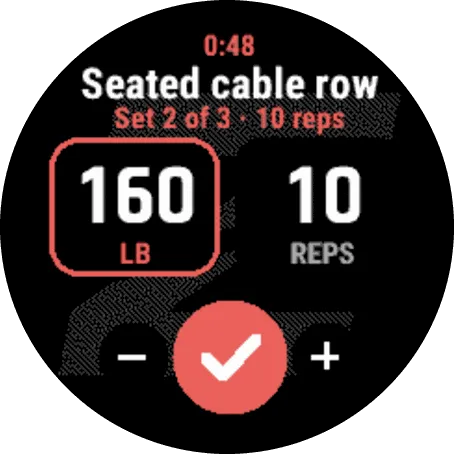
- Today's exercises with your plan's sets, reps and weights
- Log each set in a couple of presses, change weight or reps on the spot
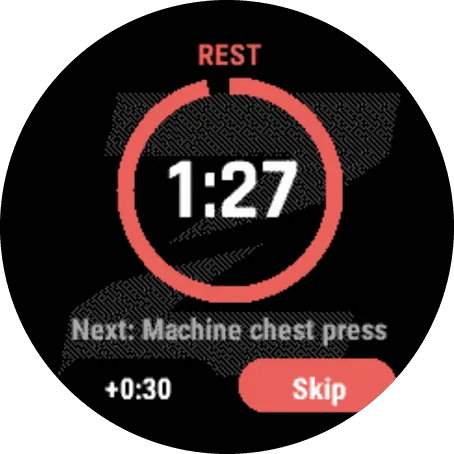
- Rest timer between sets
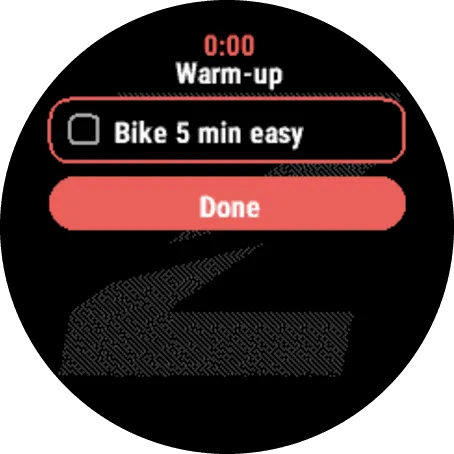
- Warm-up checklist
CARDIO
- GPS runs, walks and rides with distance, pace and heart rate zones
- Your route on the map (map watches) or drawn on screen
- Cardio checklists
AND MORE
- Saves to Garmin Connect with weight and reps for every set
- Everything syncs back to Zorh, so your streaks and progress stay right
- Glance shows today's workout at a quick look
- Works offline, sends when your phone is back
- English and Spanish
Get the free Zorh iPhone app: https://apps.apple.com/app/zorh-workout-meal-planner/id6824584914
Questions: [email protected]
zorh.app
Nyheter
New look to match Zorh 1.2 on the phone. The rest timer now shows your next lift, the set and the weight. New Zorh logo and icon, square buttons.
Skjermbilder
Støttet språk (1)
Kompatible enheter (41)
D2™ Mach 1 Pro
Enduro™ 2
epix™ (Gen 2)
epix™ (Gen 2)
epix™ Pro (42mm)
epix™ Pro (47mm)
epix™ Pro (51mm)
fēnix® 7
fēnix® 7
fēnix® 7 Pro
fēnix® 7S
fēnix® 7S
fēnix® 7S Pro
fēnix® 7X
fēnix® 7X
fēnix® 7X Pro
Forerunner® 255
Forerunner® 255 Music
Forerunner® 255S
Forerunner® 255S Music
Forerunner® 265
Forerunner® 265S
Forerunner® 955 Dual Power
Forerunner® 965
Mercedes-Benz Venu® 2
Mercedes-Benz Venu® 2
Mercedes-Benz Venu® 2S
Mercedes-Benz Venu® 2S
tactix® 7
tactix® 7 – AMOLED Edition
Venu® 2
Venu® 2
Venu® 2 Plus
Venu® 2 Plus
Venu® 2S
Venu® 2S
Venu® 3
Venu® 3S
vívoactive® 4
vívoactive® 4
vívoactive® 5
Siste måleutvikling
Vurdering
Omtaler
Datoer for øyeblikksbilder
2026-11-07 → 2026-11-23