Beskrivelse
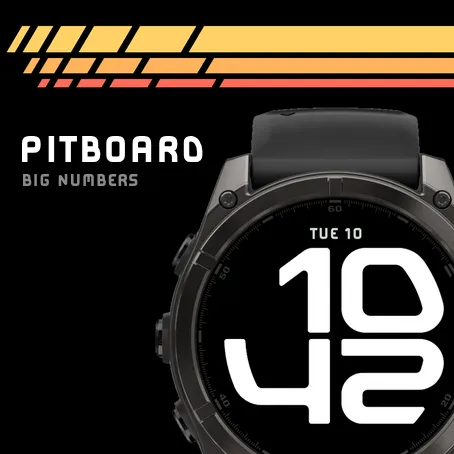
Pitboard fills the screen with four big digits. The outer side of each digit follows the curve of the bezel, so the time takes up the whole round dial and still reads at a glance.
Choose from seven letterform styles: Squared, Outline, Stencil, Inline, Light, Stripes and Segment. Segment can show its unlit segments, dim or medium.
There are sixteen colourways. Some use one colour: White, Titanium, Polar, Bone, Gold, Amber, Rosso and Mint. Others give the hours and the minutes a colour each: Ice, Lilac, Neon, Sunset, Endurance, Racing and Rally. Sun tint changes colour through the day, from blue at dawn to warm white by day, orange at sunset and red at night, timed to the real sunrise and sunset where you are. Every colourway is tuned so the time stays easy to read.
One more colourway, Histogram, turns the digits into a chart of the last four hours: heart rate, steps or stress, one line every five minutes, with thicker lines when you were more active.
Data stays inside the design. Four bars along the edge, one beside each digit, can each show battery, steps, active minutes, Body Battery, floors or stress. The digits can also fill up like a gauge, the top pair with one value and the bottom pair with another. The bars and the gauge switch on separately.
Above and below the digits there is room for a line of data each, in the same squared letters. The top shows the date to begin with and the bottom is off. Choose from 25 fields, among them heart rate, steps, Body Battery, the weather, the next sunrise or sunset, and a battery gauge.
On AMOLED watches you can set up the always-on mode on its own: its letterforms, colours, bars, gauge and data lines. By default it shows a clean outline of the digits, or the chart a little dimmer with the Histogram colours. Anything solid is dimmed to stay within the watch's always-on limit, and the face moves a few pixels each minute to protect the screen.
On touchscreen watches, touch and hold a data line, a bar or the gauge to open the watch's own page for it.
Change everything in the face's settings on the watch or in Connect IQ on your phone, sorted into the same sections.
Nyheter
Camber is now called Pitboard. The face and your settings stay as they are.
Skjermbilder
Støttet språk (1)
Kompatible enheter (18)
Approach® S70 (47mm)
D2™ Air X15
D2™ Mach 1 Pro
D2™ Mach 2
D2™ Mach 2 Pro
Descent™ MK3i - 51mm
epix™ Pro (51mm)
fēnix® 8 AMOLED (47mm/51mm)
fēnix® 8 Pro
fenix® 9 – 47 mm
fenix® 9 Pro - 47 mm
Forerunner® 570 - 47mm
Forerunner® 965
Forerunner® 970
tactix® 7 – AMOLED Edition
tactix® 8 – 47 mm, AMOLED
Venu® 3
Venu® 4 – 45 mm