Beskrivelse
Free for 24 hours. Then USD 2.99, paid through KiezelPay. The price is for this watch face only.
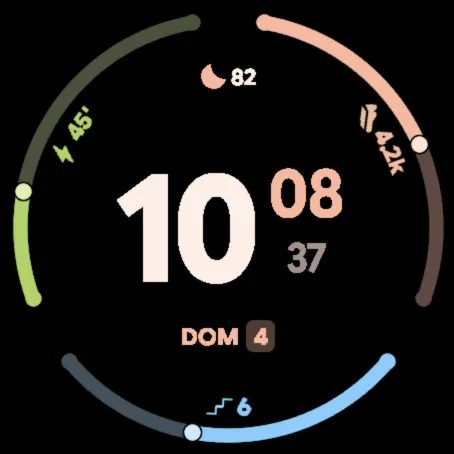
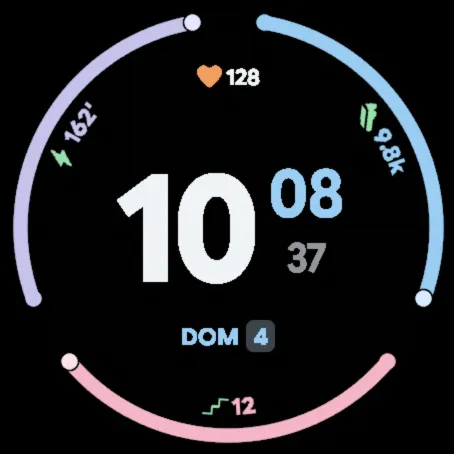
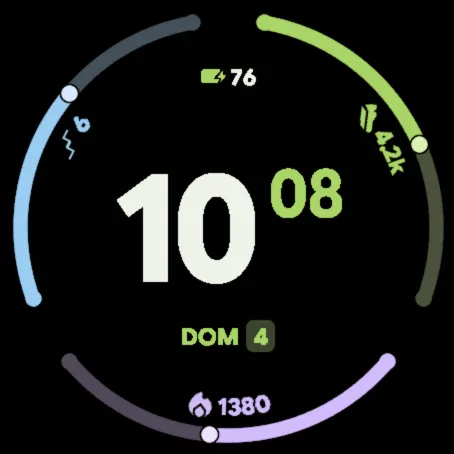
The edge split into three goal arcs, each with its own colour, icon and value written along the curve. In the centre, large hour digits with the minutes and seconds stacked beside them, a data field above and the date in a chip.
- Three goals chosen from steps, calories, floors and intensity minutes (by default: steps, floors and weekly intensity minutes). The target is the watch's own or one you set yourself; calories only show progress if you set a goal for them.
- Configurable top data field; by default: heart rate.
- Data by time of day (on by default, can be turned off): the top data field shows sleep score 5–11 h, steps 11–18 h, calories 18–22 h and Body Battery 22–5 h; if that reading is already one of the goals, the one you chose is kept.
- When you raise your wrist, the arcs fill with a small bounce; the minutes roll when they change.
- With or without seconds.
- Colours: its own combination or five more, with one colour for each goal.
- Colours that react to your data: icons turn greener as you approach a goal and green when you reach it, amber and then red with low battery or Body Battery, and zone colours for high heart rate.
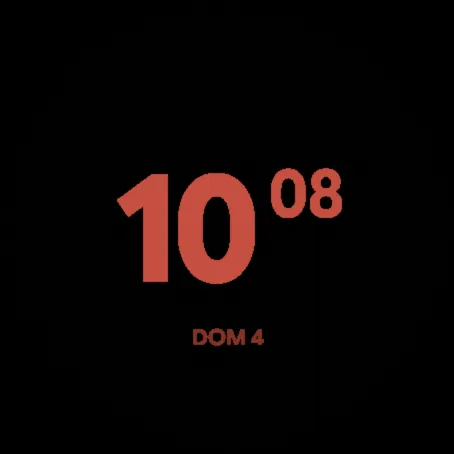
- Automatic night mode: between 19:00 and 11:00, while Do Not Disturb is on (sleep mode turns it on), the face switches to a minimal view in dim red that does not dazzle and returns to the normal view when Do Not Disturb ends. It can be turned off in the settings.
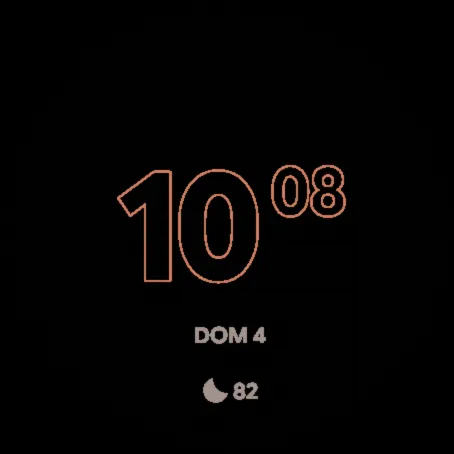
- Full or minimal always-on mode with outlined time, date and the top data field; in colour with very low brightness (you can switch back to grey); position shifts every minute.
- Long press the top data field to open its information when supported.
- 12- or 24-hour time, as set on the watch.
- Watch and phone settings in English, Spanish, German, French, Italian and Portuguese.
- On watches with the built-in watch face editor you can also customise it on the watch itself.
Missing readings appear as dashes. Available readings depend on the watch, its sensors and providers. Images show example data.
Refunds: if the watch face does not work as described, request a refund within 30 days of purchase through KiezelPay support. KiezelPay handles refunds. Policy and contact: https://kiezelpay.com/faq/faq-refund .
Third-party notices and the complete license texts accompany the delivery.
More information: https://dot-watchfaces.vercel.app/#triada
Skjermbilder
Støttede språk (6)
Kompatible enheter (32)
D2™ Air X15
D2™ Mach 1 Pro
D2™ Mach 2
D2™ Mach 2 Pro
epix™ Pro (42mm)
epix™ Pro (47mm)
epix™ Pro (51mm)
fēnix® 8 AMOLED (43mm)
fēnix® 8 AMOLED (47mm/51mm)
fēnix® 8 Pro
fenix® 9 - 43 mm
fenix® 9 – 47 mm
fenix® 9 Pro - 43 mm
fenix® 9 Pro - 47 mm
Forerunner® 165
Forerunner® 165 Music
Forerunner® 170
Forerunner® 170 Music
Forerunner® 265
Forerunner® 570 - 42mm
Forerunner® 570 - 47mm
Forerunner® 965
Forerunner® 970
MARQ® (Gen 2)
MARQ® Commander (Gen 2) – Carbon Edition
tactix® 7 – AMOLED Edition
tactix® 8 – 47 mm, AMOLED
Venu® 3
Venu® 3S
Venu® 4 – 41 mm
Venu® 4 – 45 mm
vívoactive® 6
Siste måleutvikling
Vurdering
Omtaler
Datoer for øyeblikksbilder
2026-11-06 → 2026-11-19