説明
Every minute, a little buddy walks off across your watch. One step per second, it reaches the end of the line right as the minute rolls over, then starts again.
Choose a look:
- 7 styles: Candy Pop, Classic, Neon Nights, Arcade, Chalkboard, Deep Sea, and Synthwave
- 14 color themes for Classic, including Paper, a light one
- 18 characters: cat, dog, bird, heart, rabbit, fish, turtle, penguin, duck, fox, frog, snail, squirrel, car, motorcycle, spaceship, dinosaur, and robot
- Character size from 70% to 130%, in its natural colors, the theme color or one of 18 colors
- Leave a trail (paw prints, feathers, petals, bubbles...) and show a finish object (fish, bone, nest, sun, carrot...)
Make the time yours:
- 11 clock fonts: each style's own, or Chunky, Neon tube, Pixel, Script, Future, Tall, Soft, Bubbly, Stencil and Retro
- Clock size from 30% to 150%, with the seconds, AM/PM, and date each sized on their own
- Clock color, leading zero on or off, and 7 date formats
Show what matters:
- The line can show the seconds, your step goal, your watch battery or the time of day
- 4 data fields (left, middle, right, and bottom), each with 41 choices or off
- Data labels (STEPS, HEART, KCAL...) under each value, and sizes for values, icons and labels
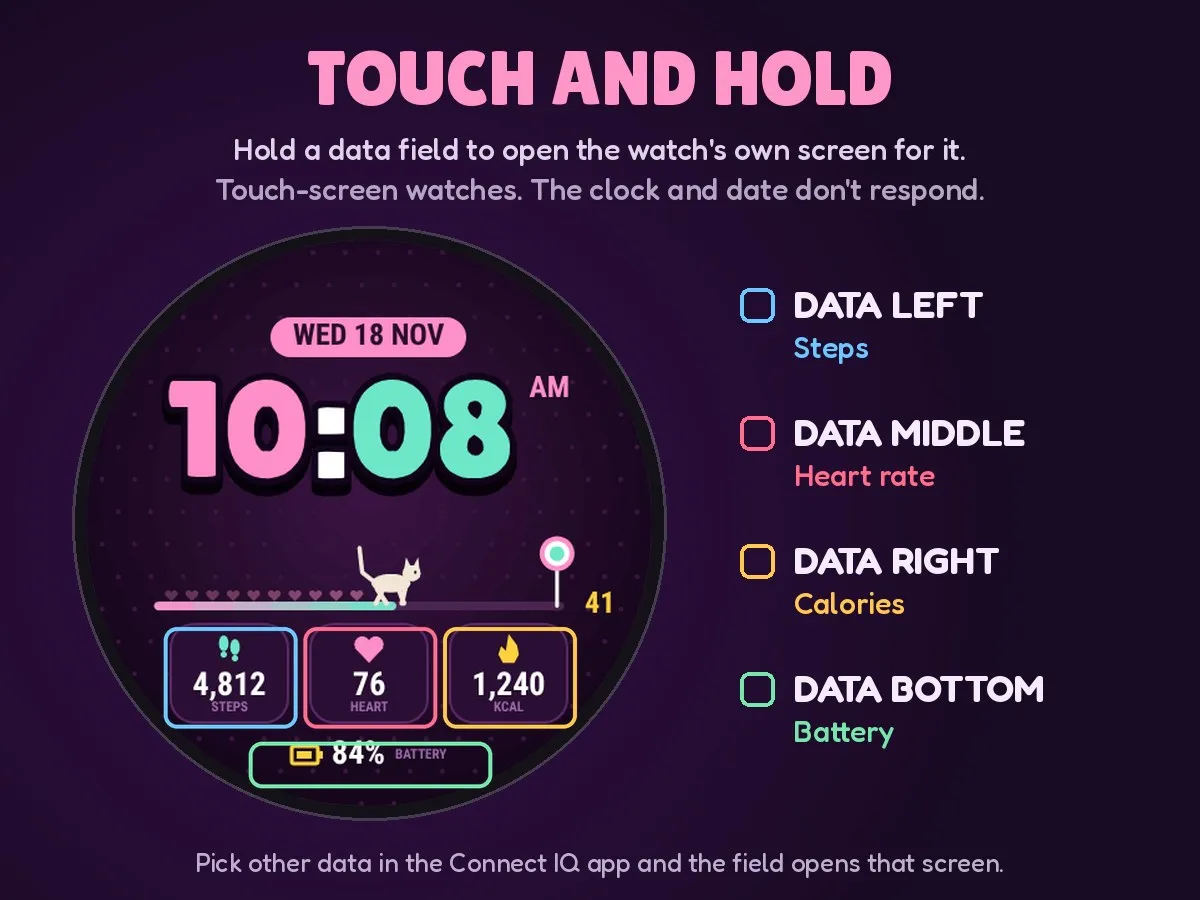
Touch and hold (touch-screen watches):
Touch and hold a data field to open the watch's own screen for it: steps, heart rate, calories, Body Battery, stress, battery, weather, sunrise and sunset, and more.
Data fields (41, or off):
Steps, steps to goal, step goal %, heart rate, resting heart rate, HRV, calories, distance, floors climbed and descended, active minutes (week and today), Body Battery, stress, watch battery, battery days, Pulse Ox, respiration, VO2 max, sleep score, recovery time, training readiness, temperature, feels like, today's high and low, rain chance, humidity, UV index, wind, elevation, pressure, sunrise, sunset, daylight left, moon, notifications, alarms, phone connection, day of year and week number.
Customize on the watch:
Touch and hold the watch face, then choose Customize: style, character, clock font, 3 saved looks (profiles) and reset.
Every setting in the Connect IQ app:
Open the Connect IQ app, go to My Watch Faces | Walking Buddy | Settings. The data fields are chosen here.
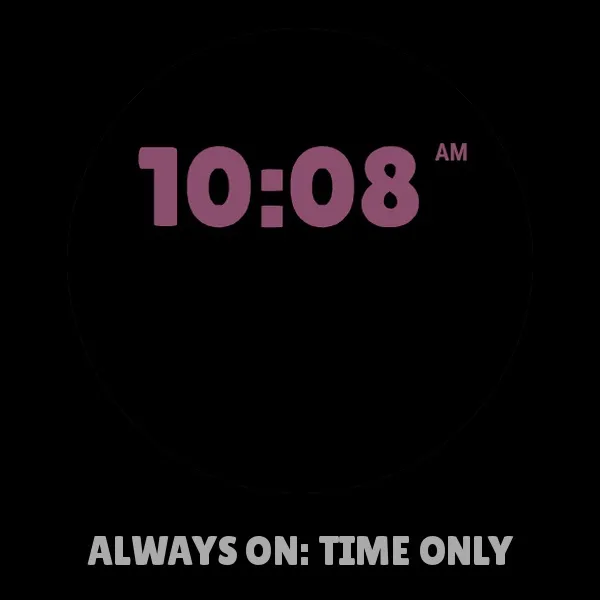
Always-on display (AMOLED): time only (the default), time and character, or off.
Works on round and rectangular screens. Units follow your watch settings (metric or imperial, 12 or 24 hour). Some fields depend on your watch's sensors; if a watch doesn't have one, that field shows "--".
更新履歴
Version 1.4.3 - Nothing overlaps or runs off the edge, at any size setting
- Smoother details and a rare crash fixed
Version 1.4.4 - Fixed: saving settings in the Connect IQ app could stop the face with an IQ! error
- 17 new data fields (41 in all): elevation, pressure, Pulse Ox, HRV, battery days, day of year, week number, phone connection, alarms, moon, sunrise, sunset, daylight left, today's high and low, floors descended and steps to goal
- Touch and hold a data field to open the watch's own screen for it (touch-screen watches)
- Smoother clock digits and icons
- A shorter list of 11 clock fonts. If yours was removed, the face switches to the closest one
- Simpler seconds and AM/PM colors: dim, theme accent or match the clock
- Data fields are now chosen in the Connect IQ app; the watch's Customize menu is shorter
- New installs start with data labels, the step goal celebration, and an always-on clock
- No longer supported: watches with 64-color screens, where the colors and smooth shapes could not show properly. These are the Enduro 3 and 4, fenix 7, 7S and 7X (and their Pro versions), fenix 8 Solar 47 mm and 51 mm, fenix 9 Pro Solar 47 mm and 51 mm, Forerunner 255, 255S, 255 Music, 255S Music and 955. If Minute Buddy is already on one of these watches, it stays on version 1.4.3 (or request a refund).
Version 1.4.5 - Minor improvements
Version 1.4.6 - Bug fixes
Version 1.4.7 - Fixed sizing issues
スクリーンショット
対応言語(1)
対応デバイス(66)
Approach® S50
Approach® S70 (42mm)
Approach® S70 (47mm)
Approach® S72 - 43 mm
Approach® S72 - 47 mm
D2™ Air X10
D2™ Air X15
D2™ Mach 1
D2™ Mach 1 Pro
D2™ Mach 2
D2™ Mach 2 Pro
Descent™ G2
Descent™ MK3 - 43mm
Descent™ MK3i - 51mm
epix™ (Gen 2)
epix™ (Gen 2)
epix™ Pro (42mm)
epix™ Pro (47mm)
epix™ Pro (51mm)
fēnix® 8 AMOLED (43mm)
fēnix® 8 AMOLED (47mm/51mm)
fēnix® 8 Pro
fenix® 9 - 43 mm
fenix® 9 – 47 mm
fenix® 9 Pro - 43 mm
fenix® 9 Pro - 47 mm
fenix® 9 Pro - 51 mm
fēnix® E
Forerunner® 165
Forerunner® 165 Music
Forerunner® 170
Forerunner® 170 Music
Forerunner® 265
Forerunner® 265S
Forerunner® 570 - 42mm
Forerunner® 570 - 47mm
Forerunner® 965
Forerunner® 970
Instinct® 3 – 45 mm, AMOLED
Instinct® 3 – 50 mm, AMOLED
Instinct® Crossover AMOLED
MARQ® (Gen 2)
MARQ® Adventurer (Gen 3)
MARQ® Commander (Gen 2) – Carbon Edition
MARQ™ Aviator (Gen 2)
Mercedes-Benz Venu® 2
Mercedes-Benz Venu® 2
Mercedes-Benz Venu® 2S
Mercedes-Benz Venu® 2S
tactix® 7 – AMOLED Edition
tactix® 8 – 47 mm, AMOLED
Venu® 2
Venu® 2
Venu® 2 Plus
Venu® 2 Plus
Venu® 2S
Venu® 2S
Venu® 3
Venu® 3S
Venu® 4 – 41 mm
Venu® 4 – 45 mm
Venu® Sq. 2
Venu® Sq. 2 Music
Venu® X1
vívoactive® 5
vívoactive® 6
最近の指標推移
評価
レビュー
スナップショット日付
2026-11-07 → 2026-11-19