説明
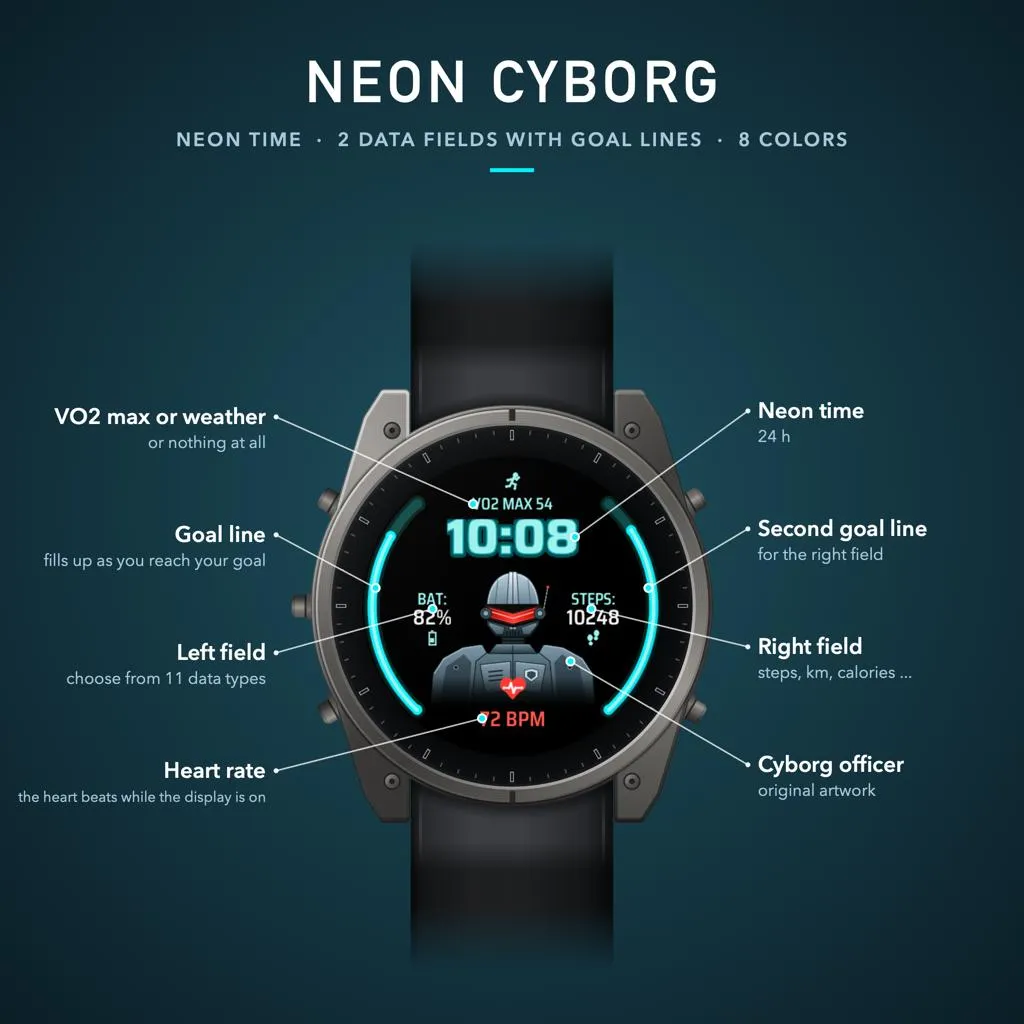
Neon Cyborg puts an armored cyborg officer in the middle of your watch face. The time glows above him, and a neon line on each side fills up as you get closer to a goal.
What you get (depending on your watch):
- The time in large neon digits, always 24 h.
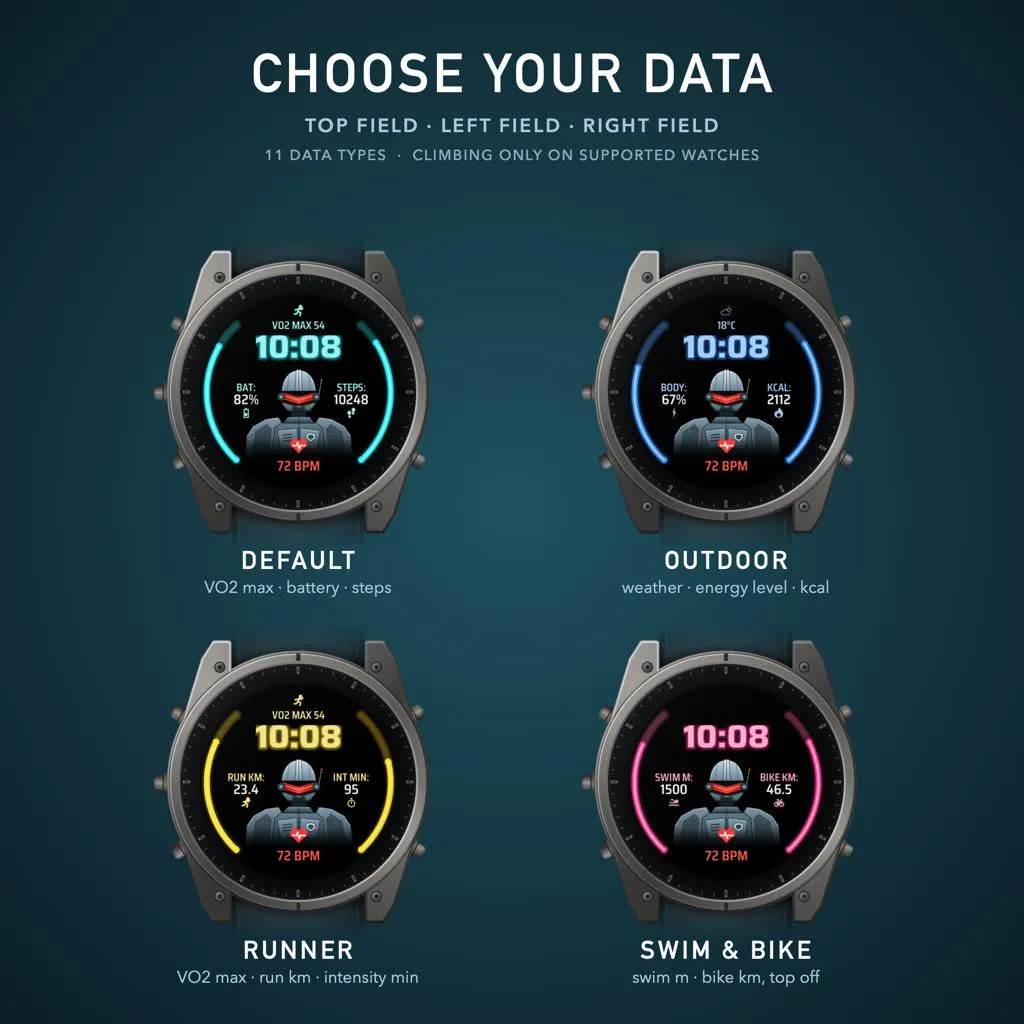
- A field above the time: VO2 max, the current weather with temperature in °C, or nothing.
- A field on the left and one on the right. Each shows one of 11 data types, or nothing: watch battery, energy level, steps, calories, floors climbed, intensity minutes, weekly running km, weekly cycling km, weekly swim metres, weekly climbing hours or weekly training hours. Default: battery on the left, steps on the right.
- A goal line beside each field. Steps, floors and intensity minutes fill up to the goals set on your watch. Battery and energy level fill up to 100 %. For calories and the weekly sums you set your own goal.
- Your heart rate at the bottom. The heart on the officer's chest beats while the display is on.
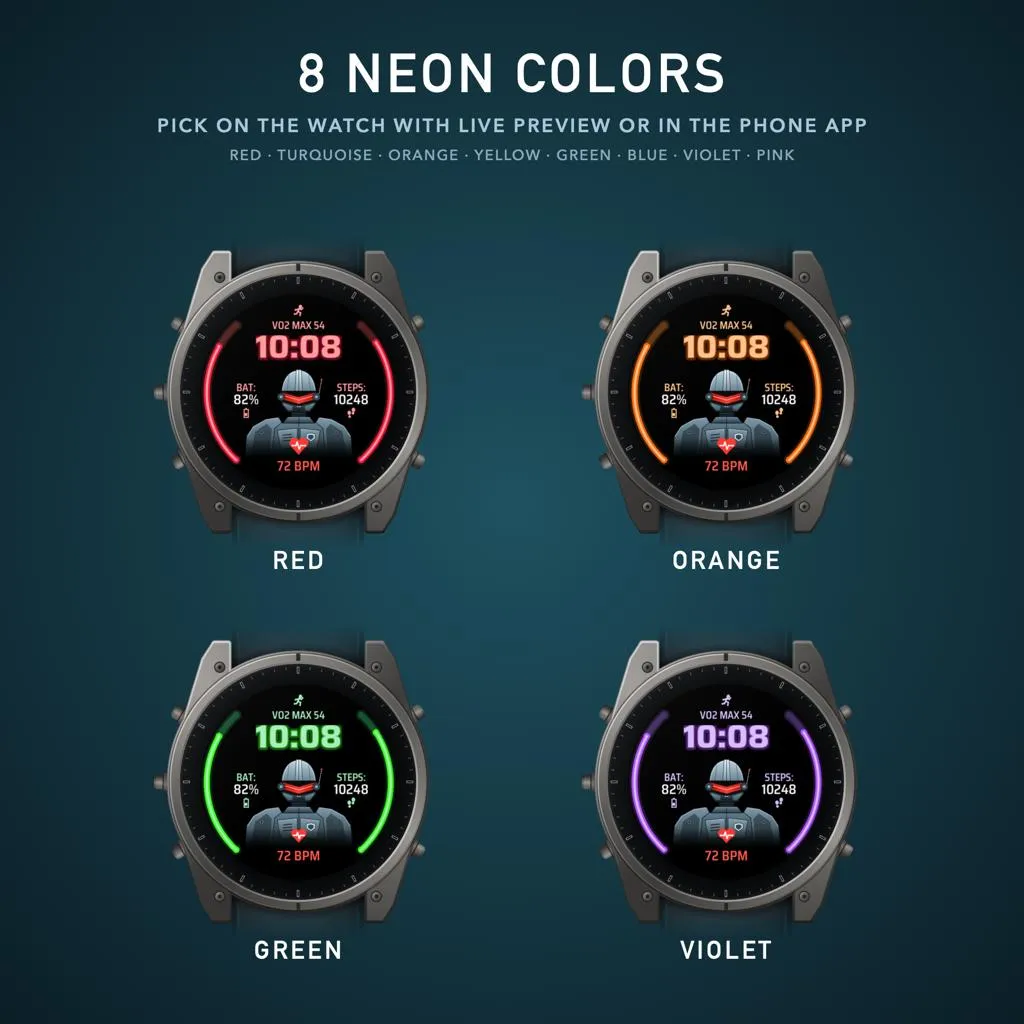
- 8 neon colors: red, turquoise, orange, yellow, green, blue, violet or pink. The heart and the visor always stay red.
- Touch and hold a field to open its page on the watch: weather, VO2 max, heart rate, battery, energy level, steps, calories, floors, intensity minutes, running and cycling distance. Works on watches with a touchscreen.
- Settings in two places. On the watch, open the watch face menu and choose Customize. The color page shows a live preview, press Up or Down to switch colors. On your phone, open the watch face settings in the Connect IQ app. The menu is in English, or in German on a watch set to German.
- With always-on active, the watch shows only the time in thin white digits and moves them a little every minute to protect the display.
The cyborg is original artwork. MIP watches get their own 64-color palette. Heart rate and VO2 max are for information only, not for medical use.
For round AMOLED and MIP watches. Free.
更新履歴
1.0.0
First release.
スクリーンショット
対応言語(2)
対応デバイス(72)
Approach® S72 - 43 mm
Approach® S72 - 47 mm
D2™ Air X15
D2™ Mach 1
D2™ Mach 1 Pro
D2™ Mach 2
D2™ Mach 2 Pro
Enduro™ 2
Enduro™ 3
Enduro™ 4
epix™ (Gen 2)
epix™ (Gen 2)
epix™ Pro (42mm)
epix™ Pro (47mm)
epix™ Pro (51mm)
fēnix® 7
fēnix® 7
fēnix® 7 Pro
fēnix® 7 Pro – Solar Edition (No Wi-Fi®)
fēnix® 7S
fēnix® 7S
fēnix® 7S Pro
fēnix® 7X
fēnix® 7X
fēnix® 7X Pro
fēnix® 7X Pro No Wi-Fi
fēnix® 8 AMOLED (43mm)
fēnix® 8 AMOLED (47mm/51mm)
fēnix® 8 Pro
fēnix® 8 Solar (47mm)
fēnix® 8 Solar (51mm)
fenix® 9 - 43 mm
fenix® 9 – 47 mm
fenix® 9 Pro - 43 mm
fenix® 9 Pro - 47 mm
fenix® 9 Pro - 51 mm
fenix® 9 Pro - Solar 47 mm
fenix® 9 Pro - Solar 51 mm
fēnix® E
Forerunner® 165
Forerunner® 165 Music
Forerunner® 170
Forerunner® 170 Music
Forerunner® 255
Forerunner® 255 Music
Forerunner® 255S
Forerunner® 255S Music
Forerunner® 265
Forerunner® 265S
Forerunner® 570 - 42mm
Forerunner® 570 - 47mm
Forerunner® 70
Forerunner® 70
Forerunner® 955 Dual Power
Forerunner® 965
Forerunner® 970
Instinct® 3 – 45 mm, AMOLED
Instinct® 3 – 50 mm, AMOLED
MARQ® (Gen 2)
MARQ® Adventurer (Gen 3)
MARQ® Commander (Gen 2) – Carbon Edition
MARQ™ Aviator (Gen 2)
tactix® 7
tactix® 7 – AMOLED Edition
tactix® 8 – 47 mm, AMOLED
tactix® 8 – 51 mm, Solar
Venu® 3
Venu® 3S
Venu® 4 – 41 mm
Venu® 4 – 45 mm
vívoactive® 5
vívoactive® 6
最近の指標推移
評価
レビュー
スナップショット日付
2026-11-17 → 2026-11-28