説明
GCast brings podcasts straight to your Garmin watch – no detour through an app on your phone or website required. Search for Podcasts, subscribe, download episodes to the watch, and listen offline with the native music player.
**Features**
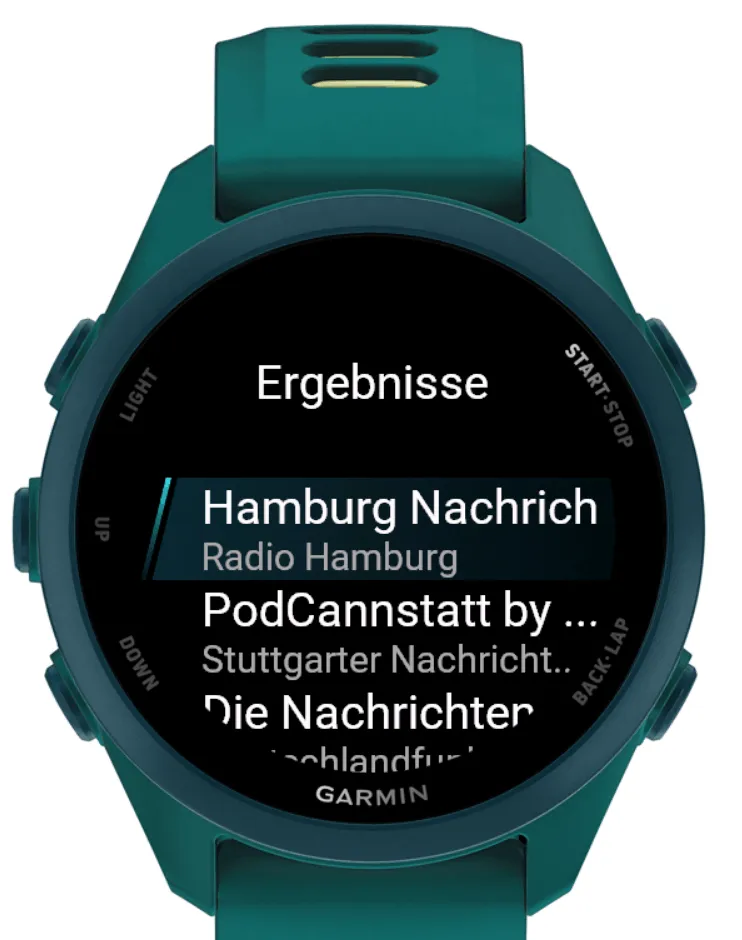
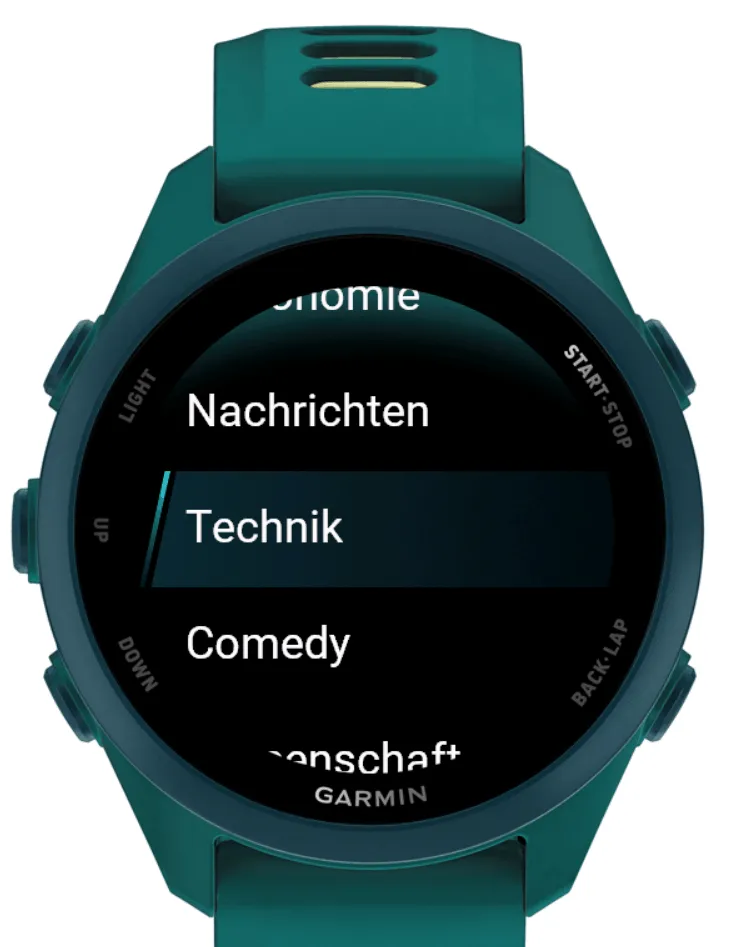
- Podcast search (free text, plus topic shortcuts)
- Two catalogs in parallel: Podcast Index and Apple Podcasts, for broader and more up-to-date coverage than either source alone
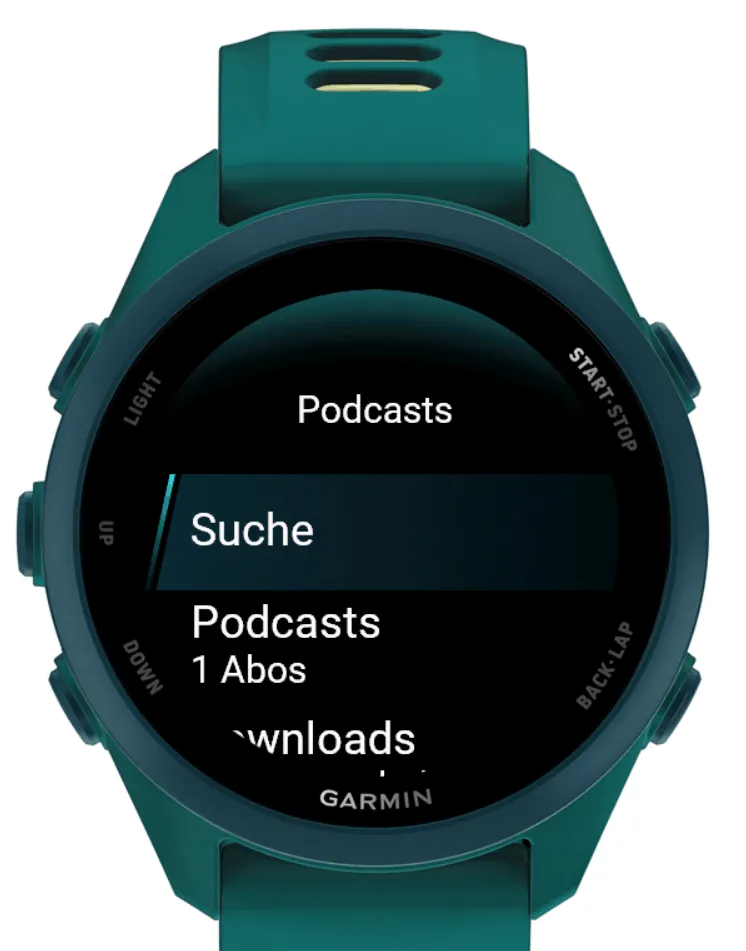
- Subscriptions saved on the watch, ready to reopen anytime
- Episode lists with the latest shows; older episodes load on demand
- Download to the watch for offline playback
- Playlist of downloaded episodes (newest first), with custom order and loop playback
- Double-tap a Playlist episode to reorder (on-screen ▲ / ▼); tap once to play
- Resume from the last listened position
- Podcast cover art cached on subscribe and shown in the player
- Storage tools: delete individual episodes or clear the cache
- Optional auto-download of the newest episode per subscription
- UI available in German and English
**Getting started**
1. Open GCast from music sources / podcast providers on the watch
2. Use Search to find and subscribe to a show
3. Select an episode to download – this requires an active Internet (WLAN) connection
4. Play and reorder downloaded episodes from Playlist, or play directly from the music player
**Notes**
- Requires a music-capable Garmin device and an internet (Wi‑Fi) connection.
- Already-downloaded episodes play back without a connection.
- While a download or sync is running, search and episode lists are unavailable until it finishes.
- If you cancel the sync screen, the transfer may still finish in the background; wait until the app confirms it is done before starting another download or search.
- Playback follows your Playlist order and continues from the top after the last episode.
- The app relies on the public Podcast Index and Apple catalogs; availability of individual shows and episodes depends on these sources.
- Watch storage is limited – remove old downloads when needed.
**Privacy**
Subscriptions, cover art and download metadata stay on the watch. Search and episode requests go to Podcast Index and Apple. No user accounts are created and no listening data is sent to the developer.
更新履歴
The menu has been adapted for 47mm and 51mm displays, and performance has been improved.
スクリーンショット
対応言語(2)
対応デバイス(78)
Approach® S50
Approach® S70 (42mm)
Approach® S70 (47mm)
D2™ Air X10
D2™ Air X15
D2™ Mach 1
D2™ Mach 1 Pro
D2™ Mach 2
D2™ Mach 2 Pro
Descent™ MK3 - 43mm
Descent™ MK3i - 51mm
Enduro™ 2
Enduro™ 3
Enduro™ 4
epix™ (Gen 2)
epix™ (Gen 2)
epix™ Pro (42mm)
epix™ Pro (47mm)
epix™ Pro (51mm)
fēnix® 7
fēnix® 7
fēnix® 7 Pro
fēnix® 7S
fēnix® 7S
fēnix® 7S Pro
fēnix® 7X
fēnix® 7X
fēnix® 7X Pro
fēnix® 8 AMOLED (43mm)
fēnix® 8 AMOLED (47mm/51mm)
fēnix® 8 Pro
fēnix® 8 Solar (47mm)
fēnix® 8 Solar (51mm)
fenix® 9 - 43 mm
fenix® 9 – 47 mm
fenix® 9 Pro - 43 mm
fenix® 9 Pro - 47 mm
fenix® 9 Pro - 51 mm
fenix® 9 Pro - Solar 47 mm
fenix® 9 Pro - Solar 51 mm
fēnix® E
Forerunner® 165 Music
Forerunner® 170 Music
Forerunner® 255 Music
Forerunner® 255S Music
Forerunner® 265
Forerunner® 265S
Forerunner® 570 - 42mm
Forerunner® 570 - 47mm
Forerunner® 955 Dual Power
Forerunner® 965
Forerunner® 970
MARQ® (Gen 2)
MARQ® Adventurer (Gen 3)
MARQ® Commander (Gen 2) – Carbon Edition
MARQ™ Aviator (Gen 2)
Mercedes-Benz Venu® 2
Mercedes-Benz Venu® 2
Mercedes-Benz Venu® 2S
Mercedes-Benz Venu® 2S
tactix® 7
tactix® 7 – AMOLED Edition
tactix® 8 – 47 mm, AMOLED
tactix® 8 – 51 mm, Solar
Venu® 2
Venu® 2
Venu® 2 Plus
Venu® 2 Plus
Venu® 2S
Venu® 2S
Venu® 3
Venu® 3S
Venu® 4 – 41 mm
Venu® 4 – 45 mm
Venu® Sq. 2 Music
Venu® X1
vívoactive® 5
vívoactive® 6
最近の指標推移
評価
レビュー
スナップショット日付
2026-10-29 → 2026-11-04