Leírás
Ever dreamed of having a dragon of your own? Raise your wrist and see who looks back.
Choose your dragon. Velgor the Magnificent smolders in red. Talgahar the Cunning watches in emerald green. Saren the Silent meets your gaze in icy blue.
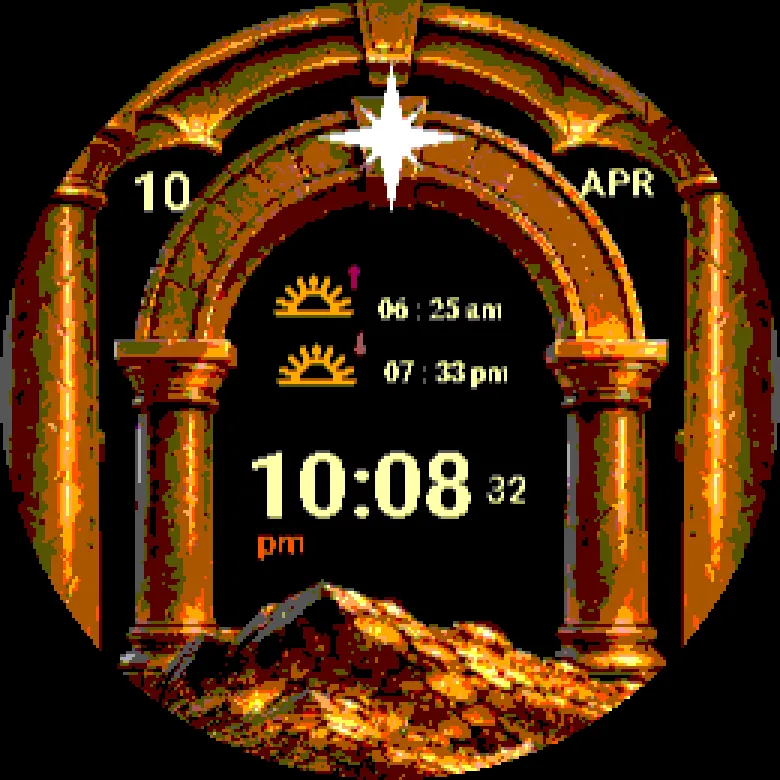
Press and hold the dragon's eye to enter its lair. Somewhere in the dark is an hourglass. Of all the treasures a dragon could hoard, yours has chosen the one you came to check.
The time.
THE EYE
A huge eye fills the whole face. It looks left, looks right, narrows, blinks and settles on you again, and it stays open and watching when your wrist is down. Press and hold the eyelid and the dragon closes its eye; hold again and it wakes.
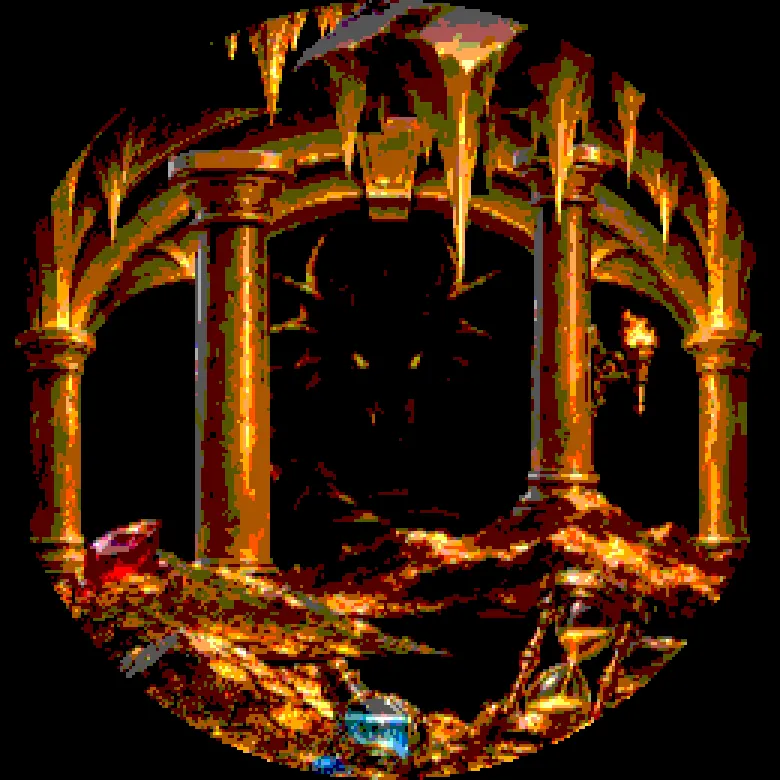
THE LAIR
Beyond the eye is a lair of gold, columns and torchlight, with the dragon asleep in the dark. Five treasures open five pages:
- The hourglass: Time. The hour, minutes, seconds, AM or PM, the date, and sunrise and sunset.
- The torch: Weather. Temperature, conditions, high and low, chance of rain and wind.
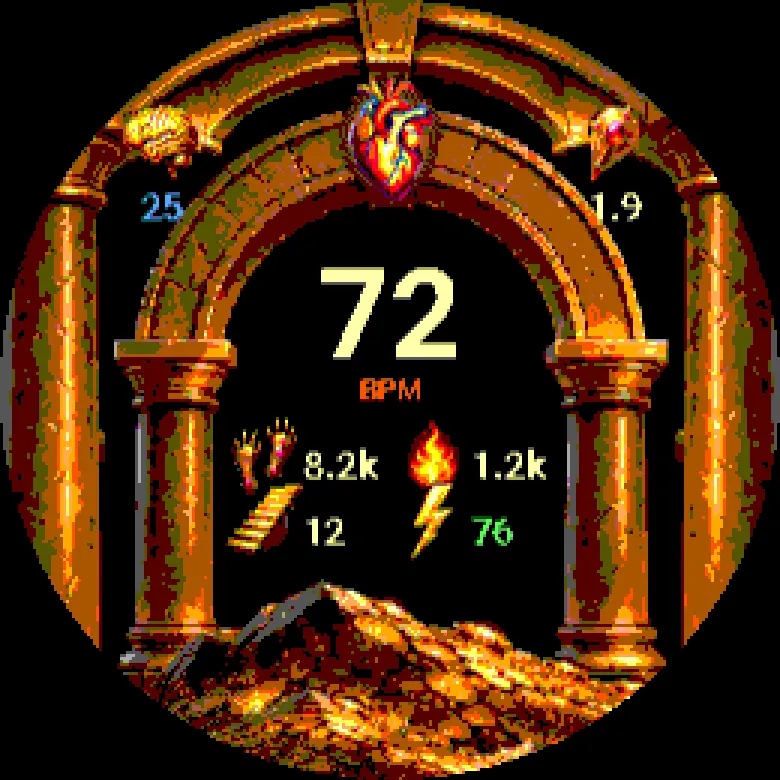
- The potion: Health. Heart rate, steps, calories, floors, Body Battery, stress and distance.
- The red gem: Battery. Percent, days left and solar charge.
- The lantern at the top of the arch: Location. Latitude, longitude, elevation and the military grid (MGRS).
PRESS AND HOLD
- Hold the center of the eye: enter the lair.
- Hold the upper or lower eyelid: close the eye, or wake it.
- In the lair, hold the hourglass, torch, potion, red gem or lantern: open that page.
- In the lair, hold the dragon: back to the eye.
- On any page, hold anywhere: back to the lair.
SETTINGS IN GARMIN CONNECT
- Dragon: Velgor the Magnificent (red), Talgahar the Cunning (green) or Saren the Silent (blue). The lids and scales change color; the eye stays fire.
- Time on the lair screen: Off, or On to show the hours and minutes beside the red gem and the seconds between the potion and the hourglass.
- Time format: Follow the watch settings, 12 hour (AM / PM) or 24 hour.
- Seconds: On or Off.
- Temperature: Follow the watch settings, Fahrenheit or Celsius.
- Distance, wind and elevation: Follow the watch settings, miles, mph and feet, or kilometers, km/h and meters.
ABOUT POSITION
Position is the last location your watch has available, not continuous navigation, and the face never starts GPS itself. To refresh it, record an outdoor activity such as a walk or a run and then return to the face. If the watch has no stored location, the reading is left off.
PRIVACY
Dragon's Lair uses the location your watch already has, only for sunrise and sunset, the Location page and the military grid. Nothing is sent anywhere. There is no account and no network use of its own.
Data availability varies by watch, sensors and Garmin Connect sync. Weather uses the data Garmin has already provided to your watch. Screenshots show sample values.
Made for fenix 7, fenix 7 Pro, fenix 7 Pro (no Wi-Fi), fenix 7X, fenix 7X Pro, fenix 7X Pro (no Wi-Fi), fenix 8 Solar 47mm, fenix 8 Solar 51mm, fenix 9 Pro Solar 47mm, fenix 9 Pro Solar 51mm, Forerunner 955, Enduro 3 and Enduro 4.
Újdonságok
Version 1.0.1: new settings in Garmin Connect. Choose 12 hour, 24 hour or follow the watch for the time format. Turn the seconds on or off. Everything follows your watch until you change a setting.
Képernyőképek

Támogatott nyelv (1)
Kompatibilis eszközök (18)
Enduro™ 2
Enduro™ 3
Enduro™ 4
fēnix® 7
fēnix® 7
fēnix® 7 Pro
fēnix® 7 Pro – Solar Edition (No Wi-Fi®)
fēnix® 7X
fēnix® 7X
fēnix® 7X Pro
fēnix® 7X Pro No Wi-Fi
fēnix® 8 Solar (47mm)
fēnix® 8 Solar (51mm)
fenix® 9 Pro - Solar 47 mm
fenix® 9 Pro - Solar 51 mm
Forerunner® 955 Dual Power
tactix® 7
tactix® 8 – 51 mm, Solar
Legutóbbi metrikatrend
Értékelés
Vélemények
Pillanatkép-dátumok
2026-11-17 → 2026-11-25