Description
Remember seeing Super FX graphics on the SNES for the first time and thinking, “Wow. Actual 3D polygons”?
Relive that feeling on a screen considerably smaller than your TV.
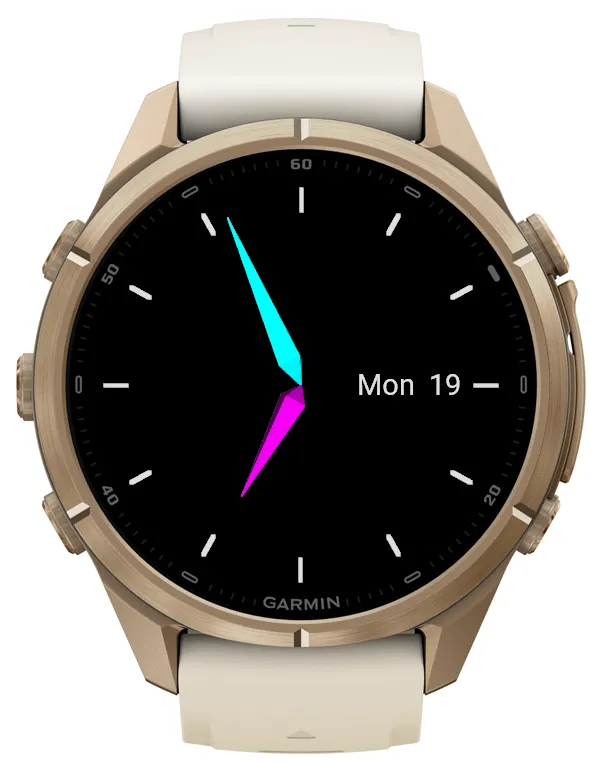
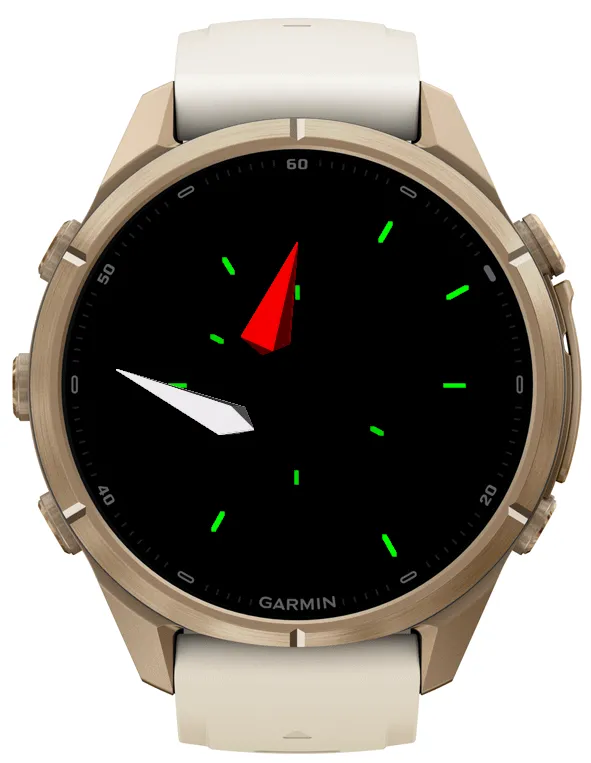
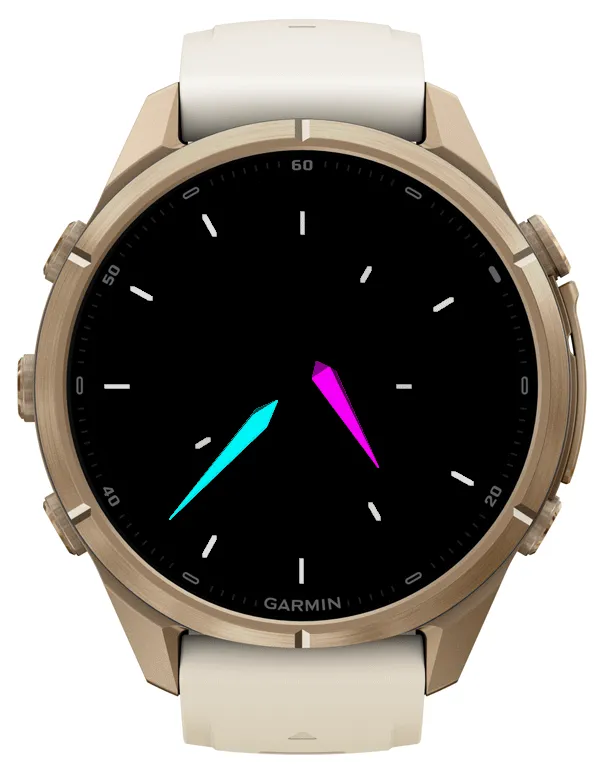
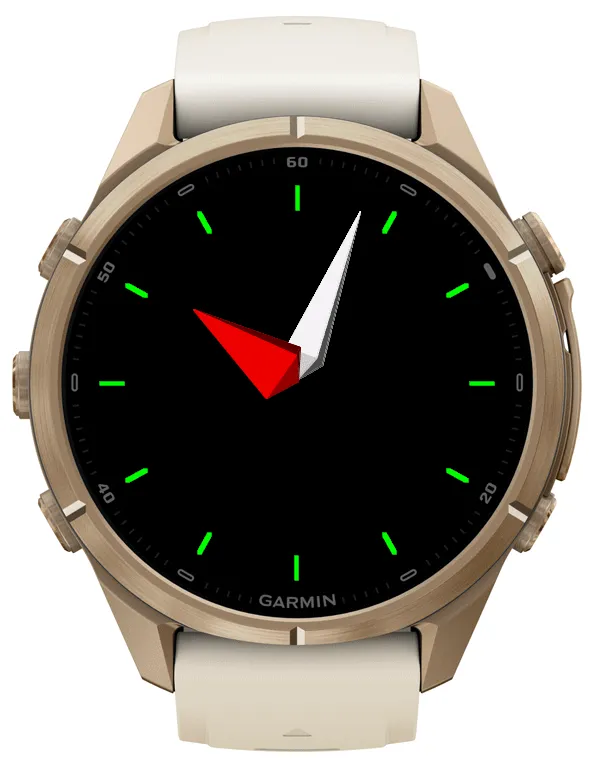
This watch face brings real-time polygon rendering to your wrist, powered by its own 3D graphics engine.
The hour and minute hands are shaded 3D shapes that spin, tumble and fly around the screen before smoothly returning to their proper positions to tell you the time. The hour markers can join in too, disappearing into the distance and returning as the clock reassembles.
• Colours: Choose independent colours for the hour hand, minute hand and hour markers. Pick from white, red, blue, green, cyan, magenta, yellow and grey.
• Hour markers: Show or hide them, and choose whether they animate or stay in place.
• Hand width: Go slim or chunky, from 60% to 180% of the default width.
• Hand shape: Adjust the rear tip length from 5% to 100% of the forward tip length, changing the proportions of the 3D hands.
• Day and date: Show or hide the weekday and day of the month.
• Animation speed: Choose Slow, Normal, Fast or Very Fast, depending on how much urgency you feel polygons should have.
• Animation length: Select a duration from 2 to 6 seconds.
• Start delay: Keep the hands in their time-telling positions for 0 to 5 seconds before the flying begins.
• Continuous animation: Repeat the flying sequence while the watch face is awake, or play it once per wake and let the hands settle back into telling the time. They’ll still rotate gently, because they have a graphics engine to show off.
Animation pauses when the watch face enters sleep mode, leaving the hands showing the time.
No cartridge required.
Nouveautés
• Colours: Choose independent colours for the hour hand, minute hand and hour markers. Pick from white, red, blue, green, cyan, magenta, yellow and grey.
• Hour markers: Show or hide them, and choose whether they animate or stay in place.
• Hand width: Go slim or chunky, from 60% to 180% of the default width.
• Hand shape: Adjust the rear tip length from 5% to 100% of the forward tip length, changing the proportions of the 3D hands.
• Day and date: Show or hide the weekday and day of the month.
• Animation speed: Choose Slow, Normal, Fast or Very Fast, depending on how much urgency you feel polygons should have.
• Animation length: Select a duration from 2 to 6 seconds.
• Start delay: Keep the hands in their time-telling positions for 0 to 5 seconds before the flying begins.
• Continuous animation: Repeat the flying sequence while the watch face is awake, or play it once per wake and let the hands settle back into telling the time. They’ll still rotate gently, because they have a graphics engine to show off.
Captures d'écran