รายละเอียด
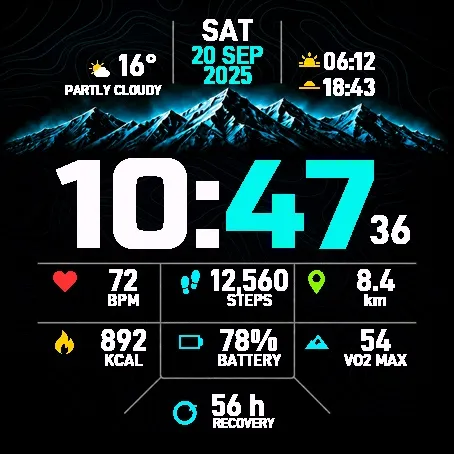
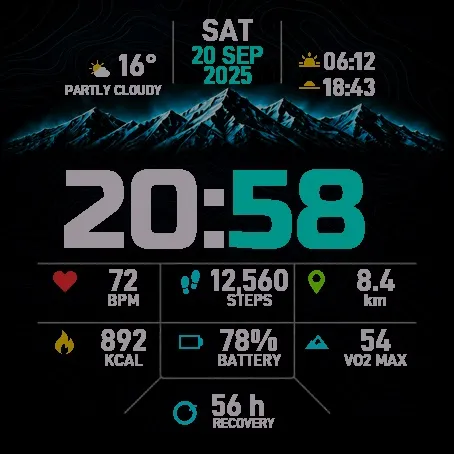
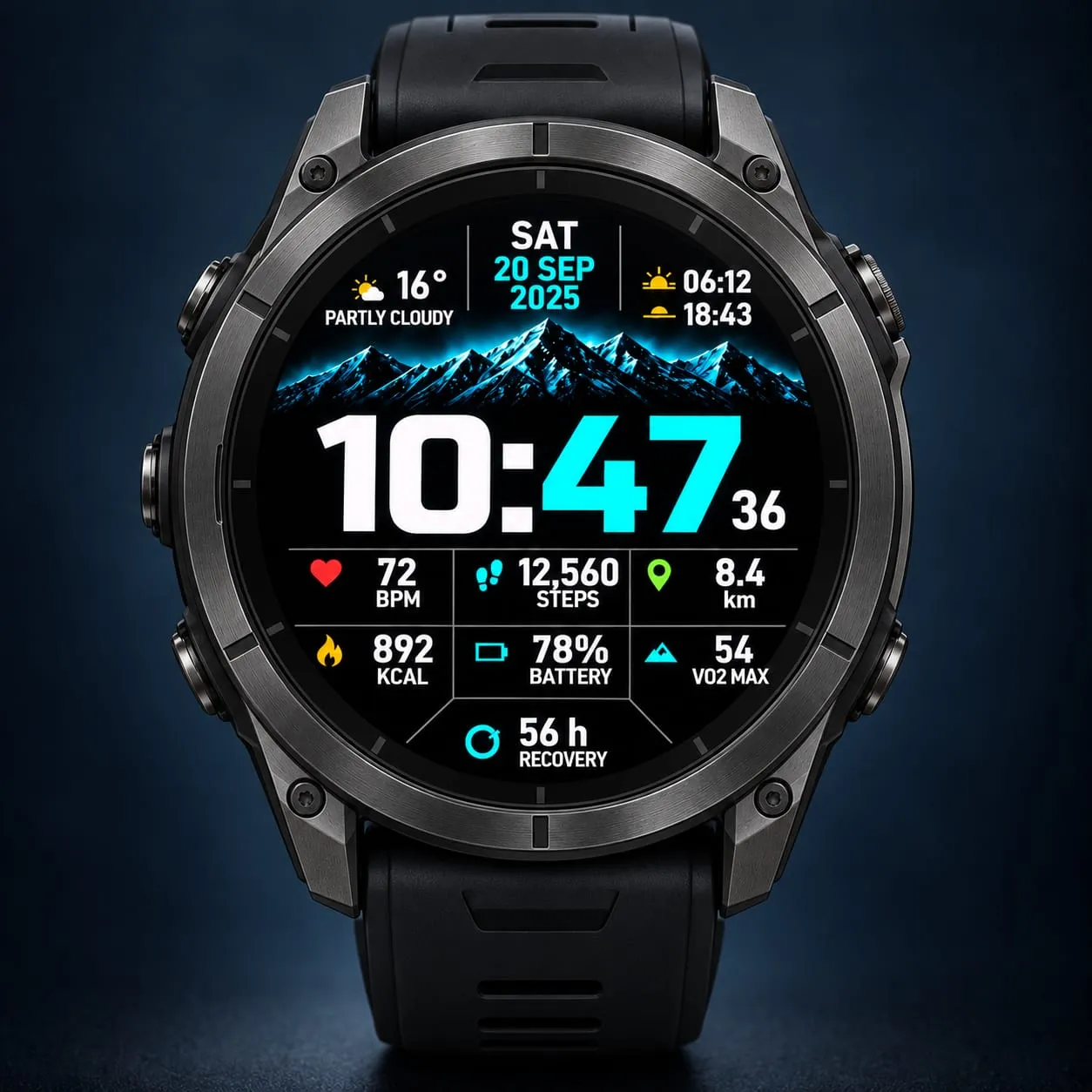
Neon Summit brings a bold digital clock, cyan mountain peaks and a subtle topographic background to your Garmin. Seven configurable fields keep your chosen activity and health data close at hand.
This watch face costs USD 4, a one-time payment.
How to purchase and activate:
1. Buy Neon Summit at https://athleteworld.store/en/themes/neon-summit
2. Complete checkout and copy the activation code from your Athlete World confirmation email.
3. Install Neon Summit from Connect IQ and open its Settings.
4. Paste the code into Activation code, tap Save, and keep your watch connected to your phone with internet access. The first attempt may wait for Garmin's background interval; temporary connection failures retry automatically.
One license supports up to three compatible watches. A connected phone and internet connection are needed for activation. Weather can also require a connection.
Features:
- 20 color themes with matching mountain artwork and clock accents.
- Seven independently configurable data fields with matching icons and labels.
- Weather, temperature, sunrise and sunset.
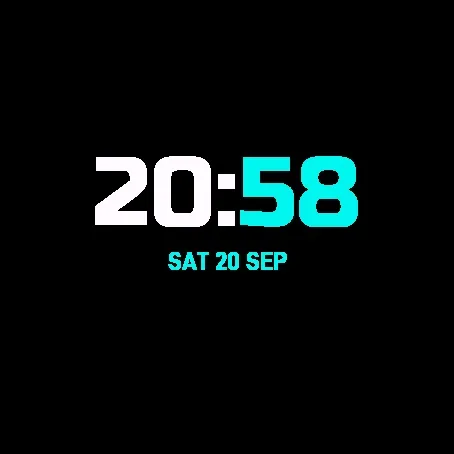
- Reduced color Always On or Full Always On with an adaptive luminance mask on AMOLED.
- Optional weekly calendar in place of the lower data panel.
- Seven languages for dates and labels: English, Spanish, French, German, Italian, Portuguese and Polish.
- System, 12-hour and 24-hour formats, selectable date formats and distance units.
- Optional seconds and touch shortcuts to compatible native complications.
Data availability depends on your watch and Garmin APIs. Unsupported or unavailable values show --. Sleep means sleep score. The recovery icon is decorative and does not show progress. Full Always On omits seconds; MIP watches keep the normal composition while sleeping.
Support: [email protected]
Promotional images are illustrations. Simulator screenshots show test data; appearance, colors and data availability may vary on the watch. No physical hardware testing is claimed.
Privacy policy: https://athleteworld.store/en/privacy
บันทึกการอัปเดต
Adds a selectable weekly ascent estimate based on daily floors climbed, including everyday movement. It respects the Monday/Sunday week setting and the watch's elevation units. Estimates use '~'; missing daily history shows '--'. Large estimates use 'k' for thousands when needed for readability.
This estimate is not the elevation gain of completed workouts in Garmin Connect or Strava. The existing current-activity Elevation Gain field remains unchanged.
ภาพหน้าจอ
ภาษาที่รองรับ (1)
อุปกรณ์ที่รองรับ (52)
Approach® S50
Approach® S70 (42mm)
Approach® S70 (47mm)
D2™ Air X15
D2™ Mach 1
D2™ Mach 1 Pro
D2™ Mach 2
D2™ Mach 2 Pro
Descent™ G2
Descent™ MK3 - 43mm
Descent™ MK3i - 51mm
epix™ (Gen 2)
epix™ (Gen 2)
epix™ Pro (42mm)
epix™ Pro (47mm)
epix™ Pro (51mm)
fēnix® 8 AMOLED (43mm)
fēnix® 8 AMOLED (47mm/51mm)
fēnix® 8 Pro
fenix® 9 - 43 mm
fenix® 9 – 47 mm
fenix® 9 Pro - 43 mm
fenix® 9 Pro - 47 mm
fenix® 9 Pro - 51 mm
fenix® 9 Pro - Solar 47 mm
fenix® 9 Pro - Solar 51 mm
fēnix® E
Forerunner® 165
Forerunner® 165 Music
Forerunner® 170
Forerunner® 170 Music
Forerunner® 265
Forerunner® 265S
Forerunner® 570 - 42mm
Forerunner® 570 - 47mm
Forerunner® 70
Forerunner® 70
Forerunner® 965
Forerunner® 970
Instinct® 3 – 45 mm, AMOLED
Instinct® 3 – 50 mm, AMOLED
MARQ® (Gen 2)
MARQ® Commander (Gen 2) – Carbon Edition
MARQ™ Aviator (Gen 2)
tactix® 7 – AMOLED Edition
tactix® 8 – 47 mm, AMOLED
Venu® 3
Venu® 3S
Venu® 4 – 41 mm
Venu® 4 – 45 mm
vívoactive® 5
vívoactive® 6