รายละเอียด
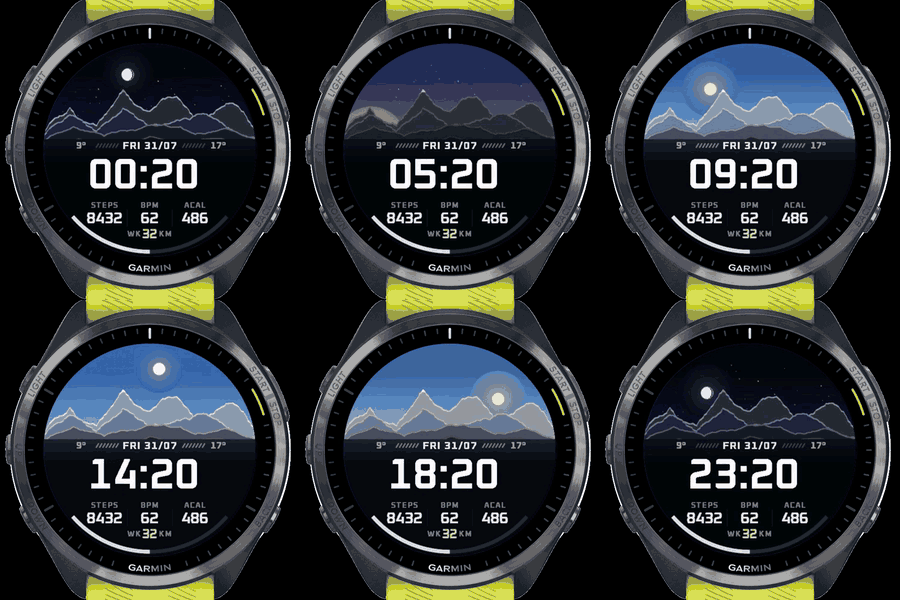
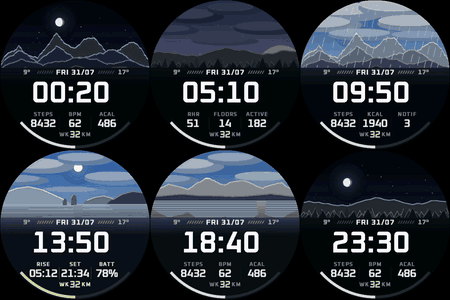
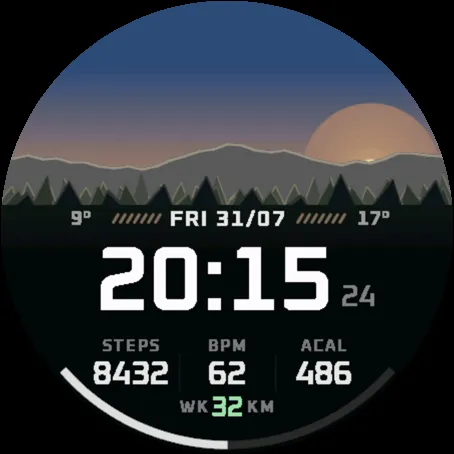
Dayfall draws a small landscape that follows your real day. The sun rises and sets when it actually does where you are, the moon shows tonight's phase, and when it's raining or cloudy, that's reflected in the scene. The light keeps shifting through dawn, day, dusk and night.
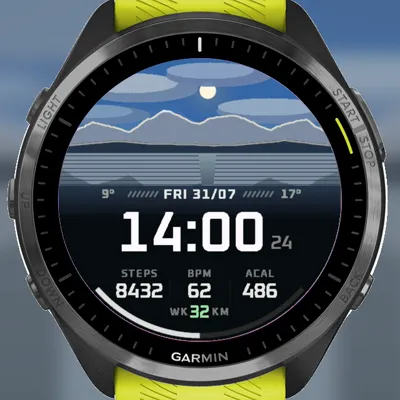
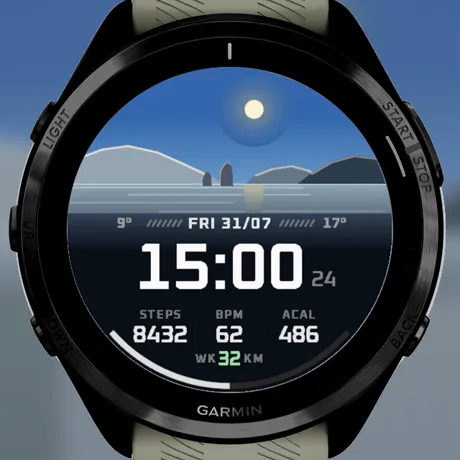
There are four scenes: mountains, coast, forest, and a lake with reflections. Pick one or let the face rotate through them daily. The Mountains scene is free forever; a one-time unlock adds the rest (details below).
Under the scene there's a data grid with three slots you can assign yourself: steps, heart rate, resting heart rate, calories (active or total), floors climbed, active minutes, notifications, sunrise/sunset times, or battery. Below the grid, a fourth row shows your weekly distance, and turns green on days you've been out. There's also a battery arc, optional seconds, high/low temperature, 12/24 h time and C/F units. Always-on display is supported with a dimmed version of the scene.
A couple of notes:
Weather comes from Garmin's weather service via your phone. If the watch hasn't synced in a while, or the service is having a bad day, the face quietly falls back to a clear sky instead of guessing. So if the scene says clear while it's pouring, sync your watch — it's the feed, not the face.
Privacy: the Positioning permission is used only to work out your local sunrise and sunset, on the watch. The face sends nothing anywhere. No account, no analytics, no network calls.
Free vs premium: free is the Mountains scene with everything working — the full sky, weather, and the data grid, with the weekly row showing your total activity distance. A one-time unlock (not a subscription) adds the other three scenes, daily rotation, accent colours, the configurable data slots and the choice of run or ride for the weekly distance. It costs $3.99 at https://payhip.com/b/vu1n0 — you'll get an ID and activation code to type into the watch face settings. Settings marked "(Premium)" open before you buy, but the face keeps the free look until a code is entered.
Settings are available in English, French, German, Spanish, Italian and Japanese.
If you have any questions, problems or suggestions for improvement: [email protected]
Numeric font: Oxanium by Severin Meyer, SIL Open Font License 1.1.
บันทึกการอัปเดต
1.4.0
Updated current scenes and added 2 new scenes
ภาพหน้าจอ
ภาษาที่รองรับ (1)
อุปกรณ์ที่รองรับ (53)
D2™ Air X15
D2™ Mach 1 Pro
Enduro™ 2
Enduro™ 3
epix™ (Gen 2)
epix™ (Gen 2)
epix™ Pro (42mm)
epix™ Pro (47mm)
epix™ Pro (51mm)
fēnix® 7
fēnix® 7
fēnix® 7 Pro
fēnix® 7 Pro – Solar Edition (No Wi-Fi®)
fēnix® 7S
fēnix® 7S
fēnix® 7S Pro
fēnix® 7X
fēnix® 7X
fēnix® 7X Pro
fēnix® 7X Pro No Wi-Fi
fēnix® 8 AMOLED (43mm)
fēnix® 8 AMOLED (47mm/51mm)
fēnix® 8 Pro
fēnix® 8 Solar (47mm)
fēnix® 8 Solar (51mm)
Forerunner® 165
Forerunner® 265
Forerunner® 265S
Forerunner® 955 Dual Power
Forerunner® 965
Forerunner® 970
Instinct® 3 – 45 mm, AMOLED
Instinct® 3 – 50 mm, AMOLED
Mercedes-Benz Venu® 2
Mercedes-Benz Venu® 2
Mercedes-Benz Venu® 2S
Mercedes-Benz Venu® 2S
tactix® 7
tactix® 7 – AMOLED Edition
tactix® 8 – 47 mm, AMOLED
tactix® 8 – 51 mm, Solar
Venu® 2
Venu® 2
Venu® 2 Plus
Venu® 2 Plus
Venu® 2S
Venu® 2S
Venu® 3
Venu® 3S
Venu® 4 – 41 mm
Venu® 4 – 45 mm
vívoactive® 5
vívoactive® 6
แนวโน้มตัวชี้วัดล่าสุด
คะแนน
รีวิว
วันที่ของสแนปช็อต
2026-10-27 → 2026-10-30