รายละเอียด
POLARIS — Four circular pods at the cardinal points, four gauges on the diagonals, and the time filling the centre. Everything you see can be set.
FOUR PODS, FOUR GAUGES
Four open circles sit at twelve, three, six and nine. Between them, four arcs carry a cursor: the icon of the measurement itself, riding the curve at the level it has reached, with the value written along the arc.
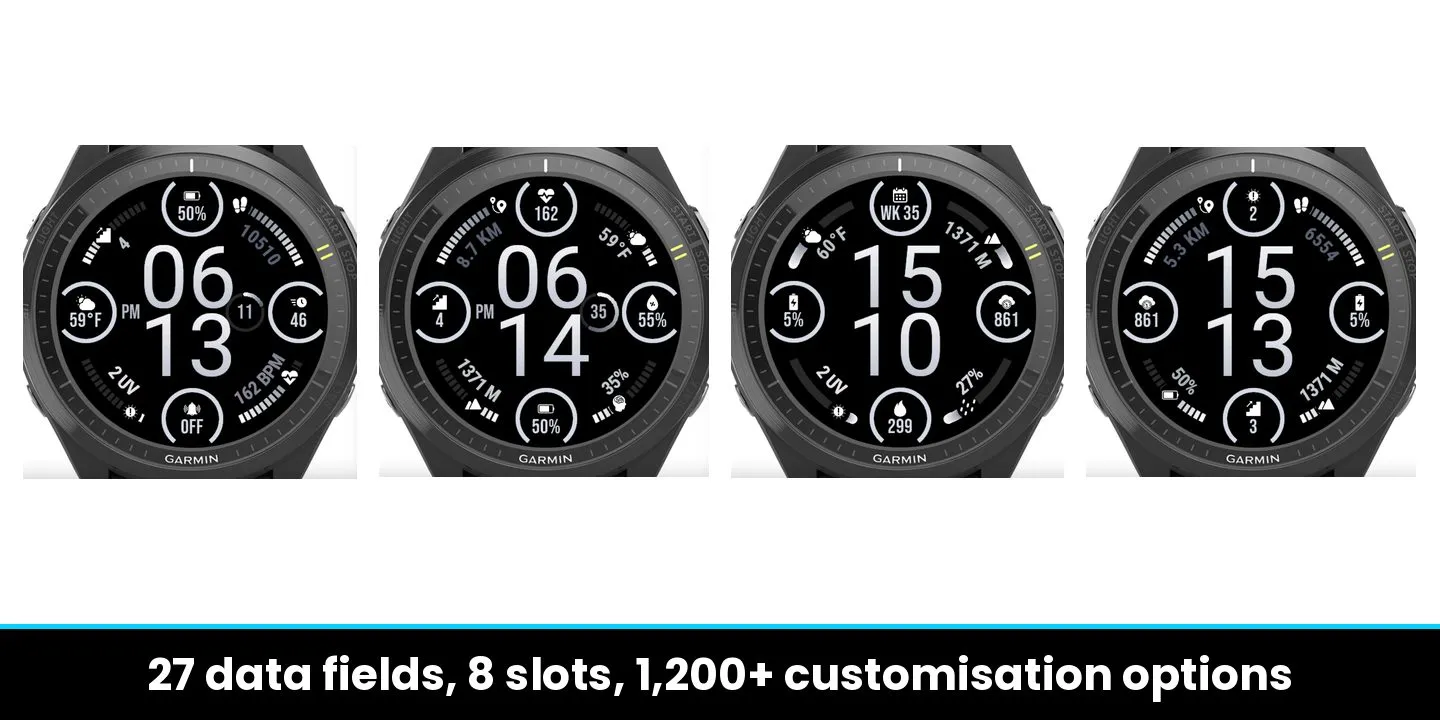
Eight slots, 33 measurements to put in them: steps, calories, active calories, distance, floors, intensity minutes, Body Battery, stress, battery, heart rate, Pulse Ox, respiration, altitude, pressure, humidity, UV, wind, precipitation, notifications, alarms, week number, second time zone, sunrise, sunset, date, weather. Any slot can be switched off.
LAST 7 DAYS ANALYSIS
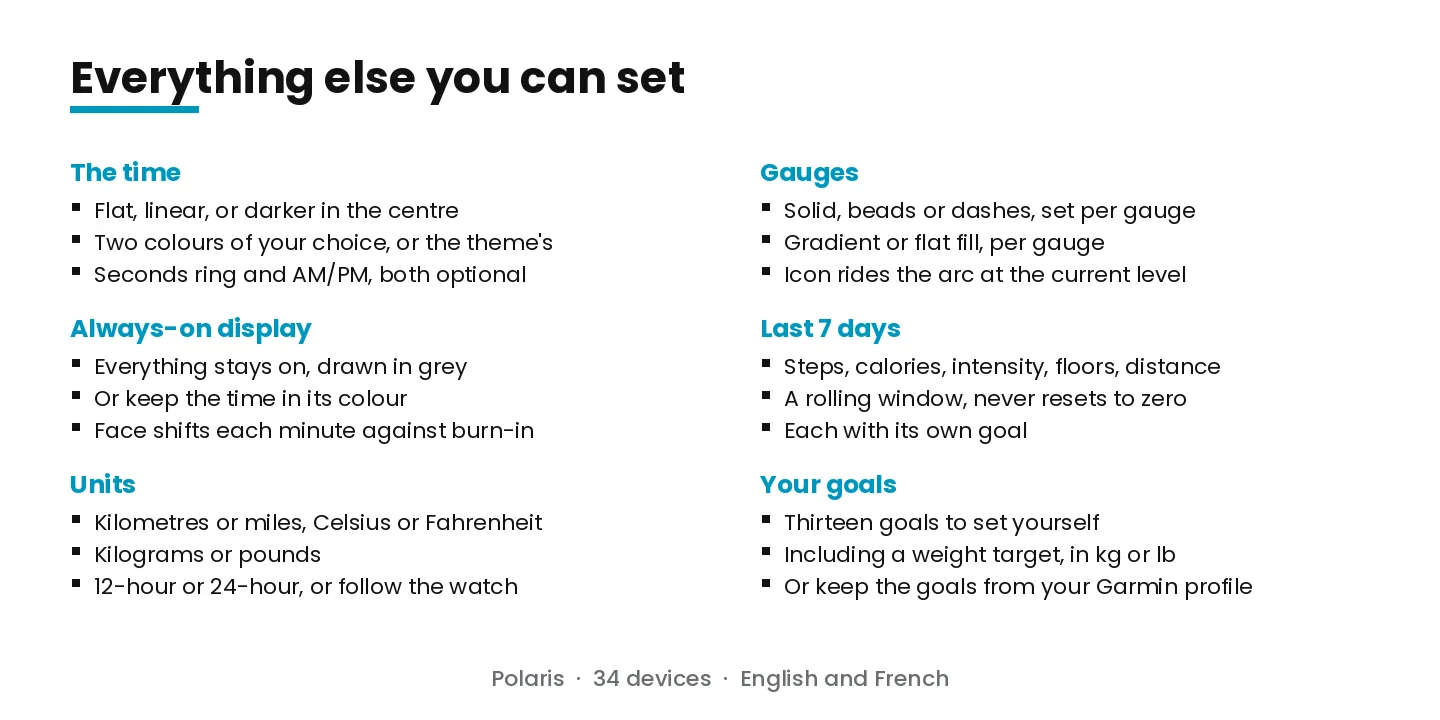
Steps, calories, intensity minutes, floors and distance also come as rolling seven-day totals. A calendar week resets every Sunday; these cover the last seven days whatever the date, so they never empty out. Each has its own goal.
YOUR WEIGHT, AGAINST A GOAL
Your profile weight — from an Index scale or from Garmin Connect — against a target you set, in kilograms or pounds. The gauge fills as you approach it, from either side.
1,500+ CUSTOMISATION OPTIONS — every list in the settings, added up.
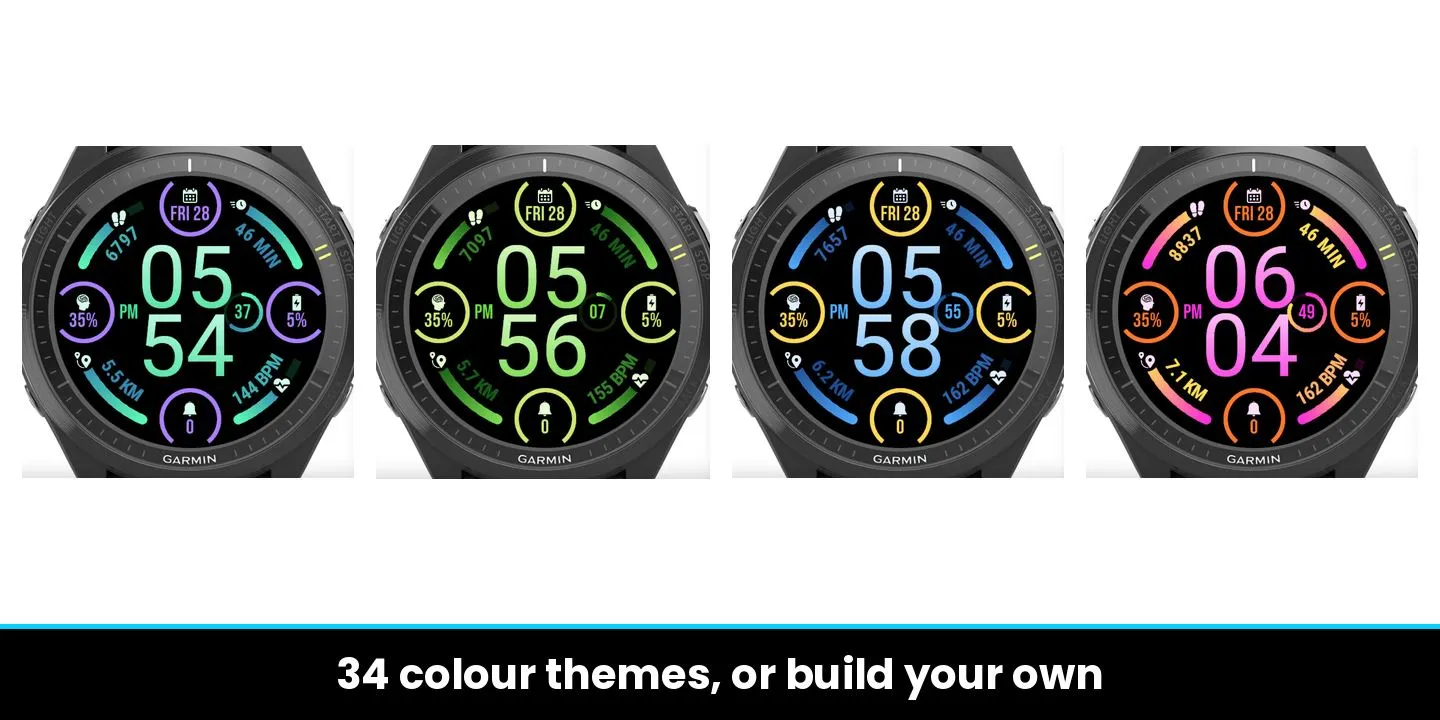
34 COLOUR THEMES
From Ember and Aurora to Voltage, Rave and Overdrive — warm, cold, vivid or plain. Each sets the hours, the minutes, the pods and the gauges at once.
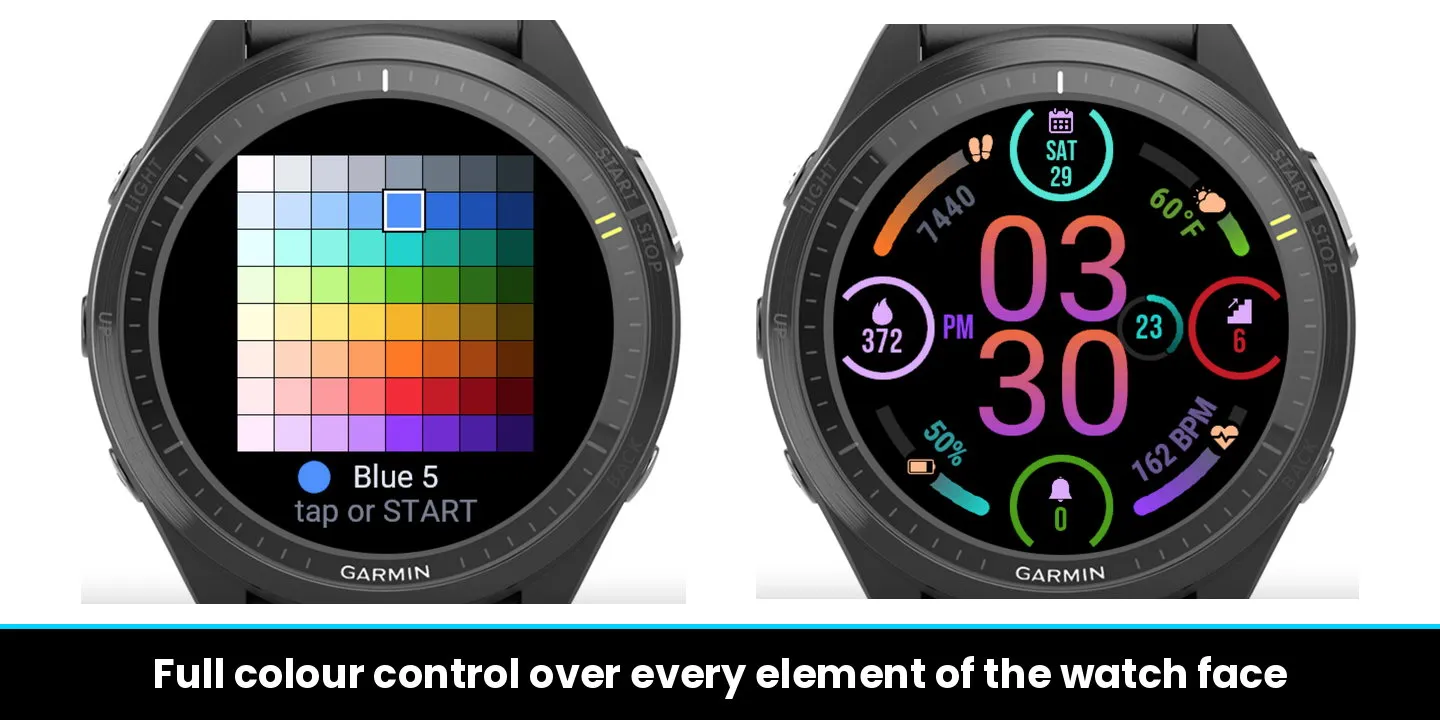
OR BUILD YOUR OWN
Thirteen zones, each with its own colour. A colour pad opens on the watch — eight families across, eight shades down, all 64 visible at once.
Touch a colour and only that zone changes; the theme keeps running the rest. Pick a theme afterwards and it takes over again. The last choice wins, and one tap resets the lot.
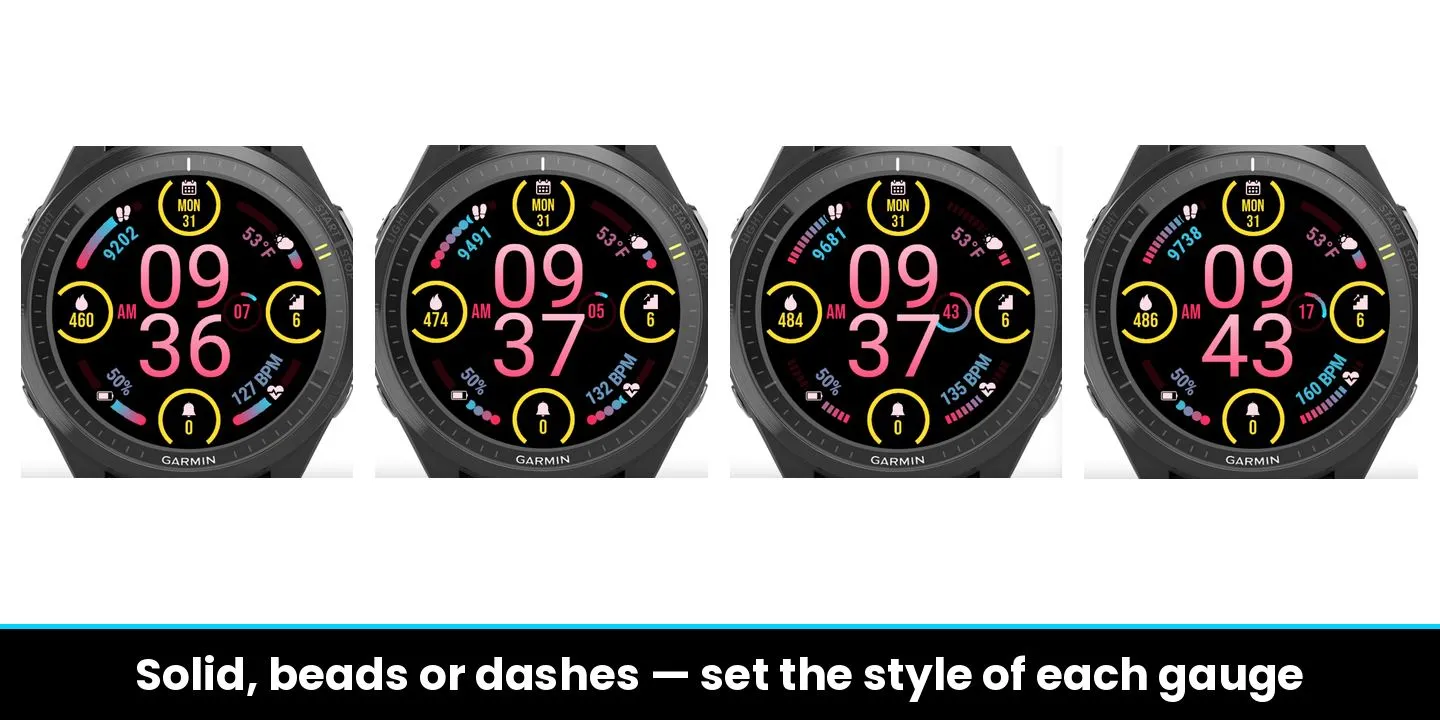
THREE GAUGE STYLES
Solid, beads or dashes — set on each gauge independently. Every gauge runs a gradient by default, and any one of them can switch to a flat fill instead.
THE TIME, YOUR WAY
Flat, linear, or darker in the centre. Two colours of your choice, or the theme's. A seconds ring beside the digits, an AM/PM marker on the other side, both optional.
A REAL ALWAYS-ON MODE
Not just the time. Gauges, pods, icons and values all stay on. Everything is drawn in grey — but you can keep the time in its colour, so it still reads at a glance. The face shifts slightly every minute to protect the screen, well under a tenth of maximum brightness.
SET IT ANYWHERE
Everything is adjustable on the watch, and appears again in the Connect IQ panel on your phone: same options, same order, same names.
YOUR GOALS
Set your own for steps, calories, active calories, distance, floors and intensity minutes, or keep those from your Garmin profile. Kilometres or miles, Celsius or Fahrenheit, 12 or 24-hour — or follow the watch.
MORE TO COME
New features and additions are already planned for the next updates.
34 AMOLED WATCHES
Venu 2, 2S, 2 Plus, 3, 3S, 4, Sq 2 · vívoactive 5, 6 · fēnix 8, 8 Pro, E · epix 2, Pro · Forerunner 165, 265, 570, 965, 970 · Instinct 3 AMOLED · Approach S50, S70 · D2 Air X10, Mach 1.
Keywords: polaris, north star, navigation, instrument, dashboard, cockpit, gauge, arc, pods, circular, cardinal, minimal, minimalist, clean, modern, elegant, tech, precision, customisable, colour themes, 34 themes, colour palette, gradient, flat, beads, dashes, complications, metrics, seven days, last 7 days, weight, weight goal, steps, heart rate, calories, active calories, distance, floors, intensity minutes, body battery, stress, spo2, pulse ox, respiration, battery, altitude, pressure, humidity, uv index, wind, precipitation, weather, sunrise, sunset, second time zone, week number, notifications, alarms, big numbers, large digits, legible, high contrast, amoled, always on display, aod, digital, seconds, am pm, free trial, venu, vivoactive, fenix, epix, forerunner, instinct, approach, d2
บันทึกการอัปเดต
Version 1.3.3
FIXED: After updating to 1.3.2, colours and customisations could be reset, and later changes (pods, gauges, colours) made from the phone could be undone. Your settings are now kept when you update and your changes stick.
FIXED: Loading a saved preset no longer erases the colour adjustments it contains.
FIXED: A theme setting left over from an older version is now handled safely.
1.3.0:
NEW: Dial background. Choose a plain black dial or soft "Light halos" that follow your colour theme (hour colours, pod icon colour, gauge icon colour).
NEW: Create your own theme. A colour editor right on the watch: tap any element (hours, minutes, seconds, AM/PM, gauges, pods, icons) and pick its colour. Predefined themes remain one tap away.
NEW: Time gradient. Flat (one uniform colour for hours, one for minutes), Linear or Darker centre (digits blend from colour 1 to colour 2).
NEW: Always-on menu. Two simple choices: Colours (Black and white or Keep its colour) and Content (Full data or Hour only). The always-on display is now noticeably brighter and easier to read.
IMPROVED: Gauge icons are now clean coloured icons with no black disc behind them, so they blend with the dial background.
IMPROVED: Seconds are shown as a simple number in the AM/PM colour. Gauge values use the brightest colour of their gauge.
IMPROVED: Units (temperature, weight, distance) are grouped in Display, Units. Picking "2nd time zone" as a pod measure opens the GMT picker automatically.
IMPROVED: Phone settings now mirror the watch menus, with the same lists and order.
Note: because the always-on options were reorganised, please check your always-on choices once after updating.
ภาพหน้าจอ
ภาษาที่รองรับ (2)
อุปกรณ์ที่รองรับ (51)
Approach® S50
Approach® S70 (42mm)
Approach® S70 (47mm)
D2™ Air X10
D2™ Air X15
D2™ Mach 1
D2™ Mach 1 Pro
epix™ (Gen 2)
epix™ (Gen 2)
epix™ Pro (42mm)
epix™ Pro (47mm)
epix™ Pro (51mm)
fēnix® 8 AMOLED (43mm)
fēnix® 8 AMOLED (47mm/51mm)
fēnix® 8 Pro
fenix® 9 - 43 mm
fenix® 9 – 47 mm
fenix® 9 Pro - 43 mm
fenix® 9 Pro - 47 mm
fenix® 9 Pro - 51 mm
fēnix® E
Forerunner® 165
Forerunner® 165 Music
Forerunner® 265
Forerunner® 265S
Forerunner® 570 - 42mm
Forerunner® 570 - 47mm
Forerunner® 965
Forerunner® 970
Instinct® 3 – 45 mm, AMOLED
Instinct® 3 – 50 mm, AMOLED
Mercedes-Benz Venu® 2
Mercedes-Benz Venu® 2
Mercedes-Benz Venu® 2S
Mercedes-Benz Venu® 2S
tactix® 7 – AMOLED Edition
tactix® 8 – 47 mm, AMOLED
Venu® 2
Venu® 2
Venu® 2 Plus
Venu® 2 Plus
Venu® 2S
Venu® 2S
Venu® 3
Venu® 3S
Venu® 4 – 41 mm
Venu® 4 – 45 mm
Venu® Sq. 2
Venu® Sq. 2 Music
vívoactive® 5
vívoactive® 6