รายละเอียด
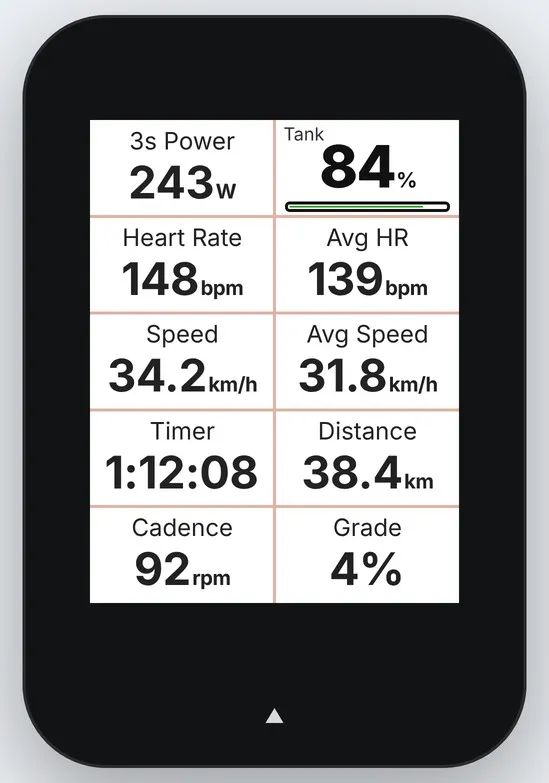
Your anaerobic tank, live on your Edge.
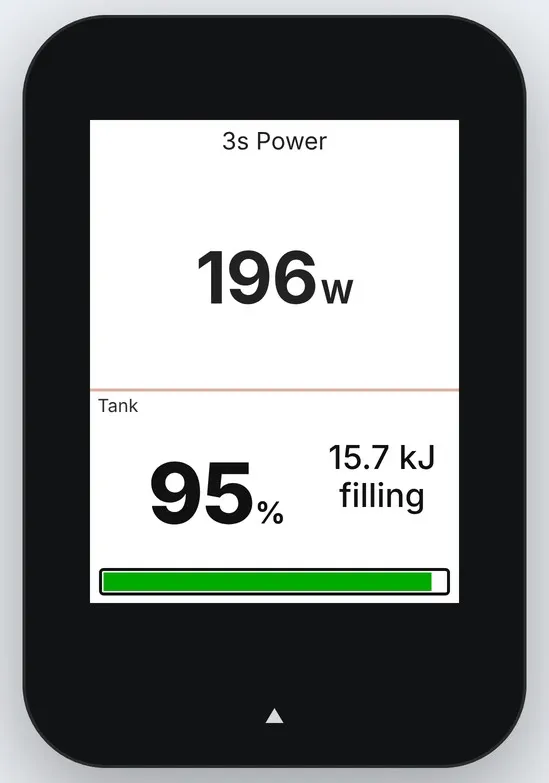
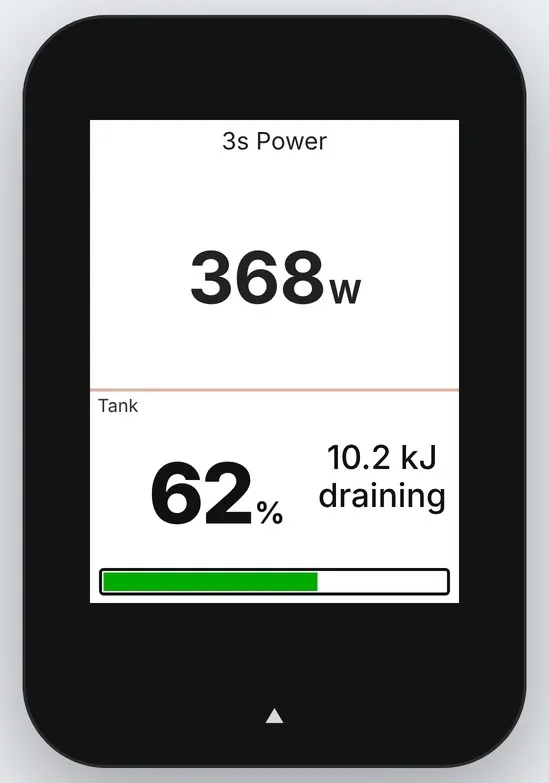
Onward Tank shows how much of your W′ (anaerobic work capacity) you have left – as a percentage, in kJ and as a bar. It drains when you ride above your critical power and refills when you ease off, using the Skiba W′-balance model with the Bartram recovery constant. Perfect for pacing climbs, attacks and intervals: you see the tank empty before your legs tell you.
How it works
Start every ride with a full tank. Above CP the tank drains, below CP it refills – also while you are stopped.
The field adapts to its size: percentage and bar in small fields; kJ left and "draining/filling" in full-width fields; CP, current power and trend on a full-screen page.
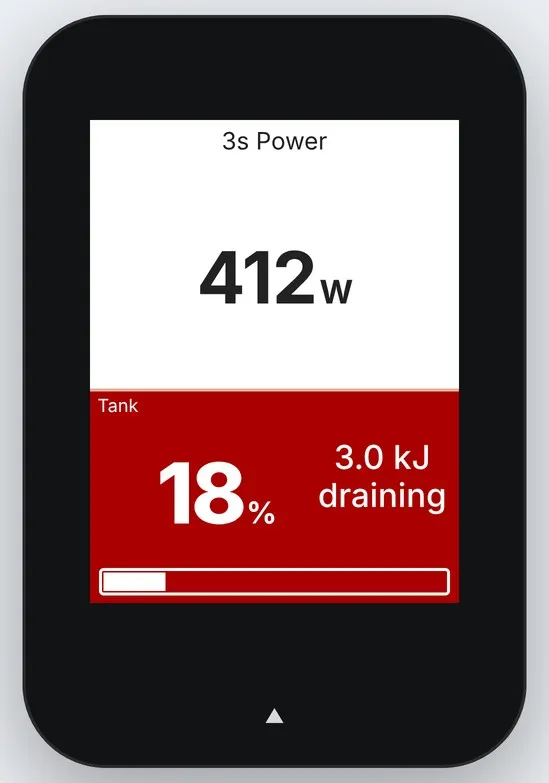
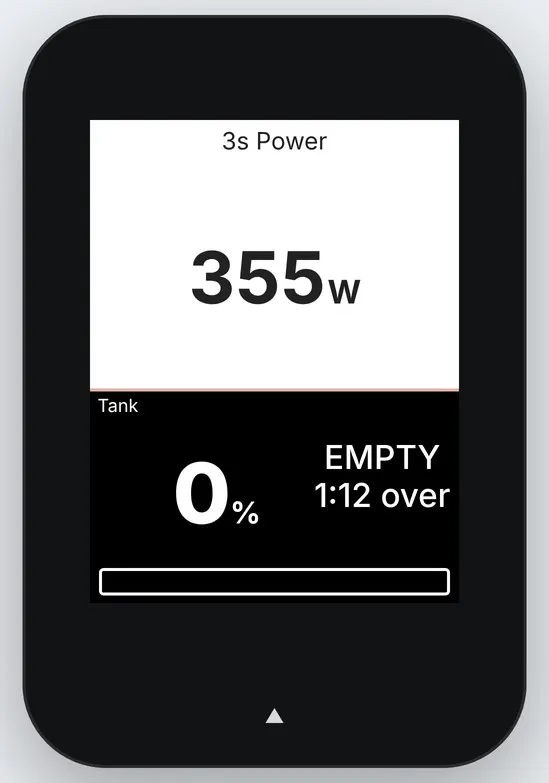
Below 25 % the field inverts so you notice it without reading. At 0 % it shows EMPTY and counts the time you keep going over the limit.
Your critical power and W′ come from Onward, calculated from your power curve and your real rides, and refresh automatically.
On long rides the tank adapts to fatigue: critical power and W′ shrink with the work you’ve done, as research on durability shows.
Requirements
A power meter paired with your Edge.
An Onward account with Onward Plus (subscription, 14-day free trial, auto-renews until cancelled; see rideonward.app for prices and refund terms). Onward is a cycling training app for iOS, Android and web.
A phone paired with Garmin Connect for the first fetch of your values (afterwards they are cached on the device and refreshed hourly when connected).
Setup
Install the field and add it to a data page on your Edge.
In Onward: Profile → Garmin field → copy your code.
Garmin Connect app → your Edge → Connect IQ → Data Fields → Onward Tank → Settings → paste the code. Without a valid code the field shows a short notice instead of the tank.
The field writes nothing to your activity file; Onward analyses the ride from your power data as usual. Onward Tank is an independent product by Apenticon AB and is not affiliated with Garmin.
Support: [email protected] – we normally reply within a couple of days.
บันทึกการอัปเดต
• Larger, easier-to-read text in all field sizes – matches Garmin’s own data fields.
• Durability: on long rides your critical power and W′ now shrink with the work you’ve done, so the tank stays honest late in the ride. 100 % means full of what you have left. The bar’s frame shrinks with a grey outline showing your fresh size, and the full-screen view shows your current CP, e.g. “CP 254 W (-6 %)”.
• Fixed: the bar was hard to see in small and half-width fields.
• Clearer trend text on the full-screen page (“full” / “steady” when the tank isn’t changing).
ภาพหน้าจอ
ภาษาที่รองรับ (1)
อุปกรณ์ที่รองรับ (14)
แนวโน้มตัวชี้วัดล่าสุด
คะแนน
รีวิว
วันที่ของสแนปช็อต
2026-10-27 → 2026-11-04