Описание
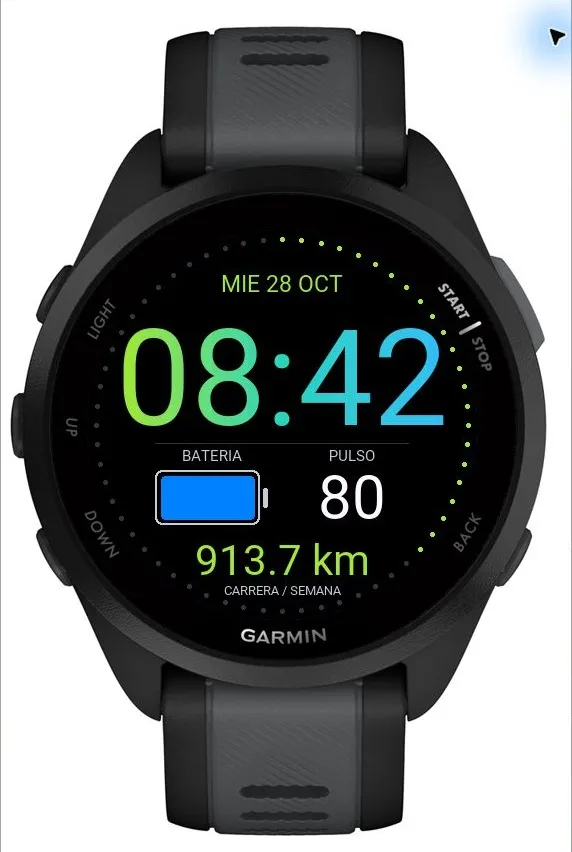
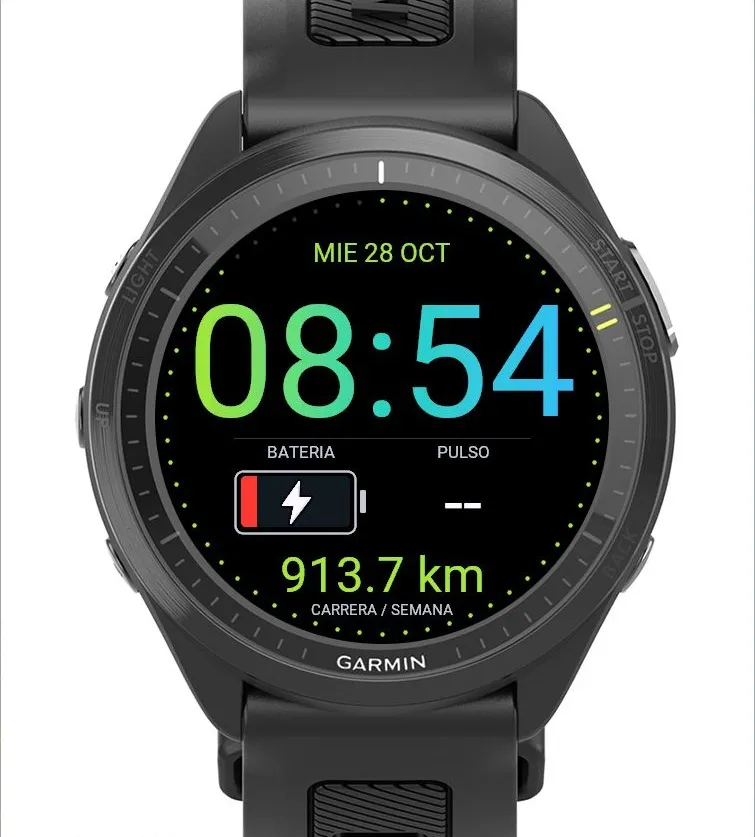
CromaFace is a customizable digital watch face in the Croma family for compatible Garmin Forerunner watches. Large time and data on a black background, designed to make good use of the round display and prioritize readability.
LARGE TIME, CLEAR DATA
• Time always uses 24-hour format. AM/PM is removed to make more room for the digits.
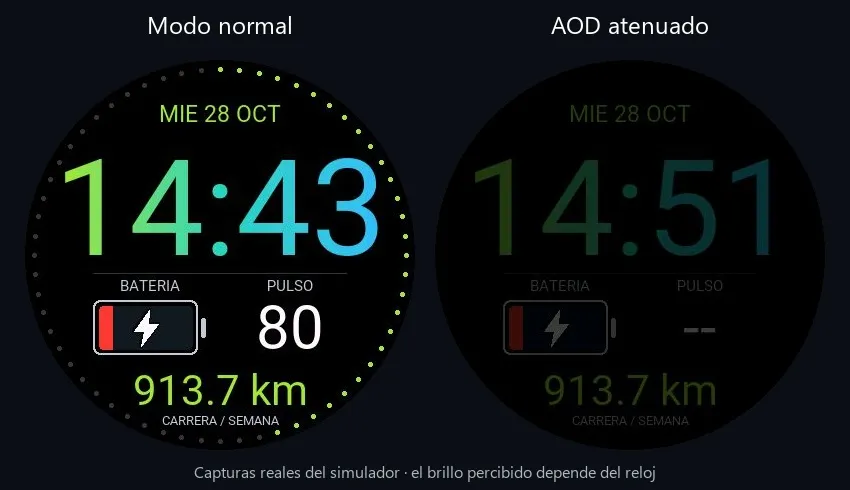
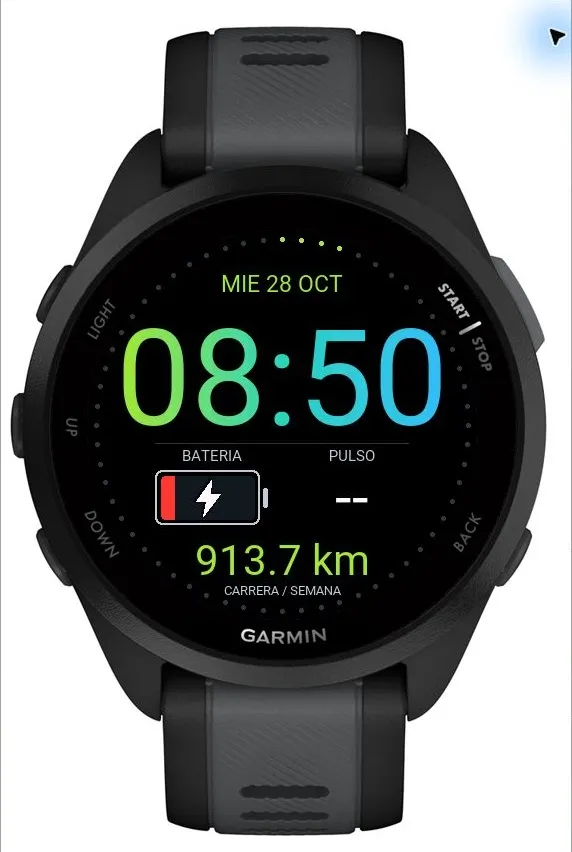
• Larger battery icon with fill proportional to remaining charge, without a numeric percentage. Color changes smoothly from blue at full charge through turquoise, green, yellow and orange to red at 20% or below. A white lightning bolt with a dark outline appears inside the icon when the watch detects a connected charger.
• Larger heart rate and side-field digits. Missing or invalid readings show dashes.
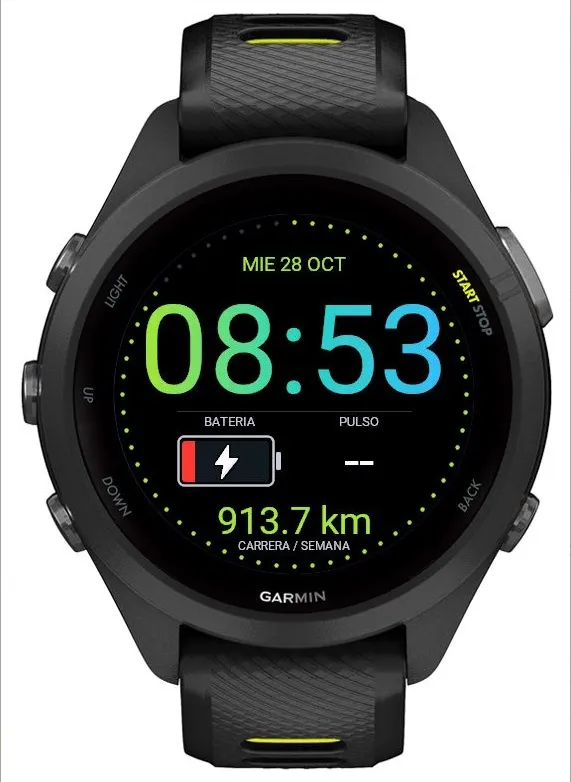
• Optional ring of 60 dots around the edge: dots light progressively clockwise with the seconds and reset each minute. At 00 there are no lit dots; at 59 there are 59. Dots advance while the face is in active mode, when you look at the watch.
MAKE IT YOURS
• Three layouts: Classic, Time Focus and Data Focus.
• Customizable three-color time gradient or solid color. Enter hexadecimal colors, such as A3E635.
• Three time sizes and three data sizes. Text fits the available space to avoid clipping.
• Choose each left, right and bottom field independently: battery, heart rate, steps, weekly running distance or hidden.
• Optional date, labels and seconds dots.
Configure these options in CromaFace settings in the Connect IQ app. On-watch text is in Spanish.
COMPATIBILITY
Forerunner 70, 165/165 Music, 170/170 Music, 265/265S, 570 42/47 mm, 965 and 970. Layouts adapt to 360, 390, 416 and 454-pixel displays. Example images are simulator captures with test data.
DATA AND SLEEP
Weekly distance adds saved runs from Monday to Sunday using the local start date and history available on the watch. Walking and unsaved activities are excluded. Totals may differ from Garmin Connect if local history is incomplete. Heart rate uses the latest valid sample from the past five minutes; missing data shows --.
COLOR AOD: when Always On Display is enabled on the watch, the face retains its layout, gradient and selected fields in dimmed colors. Choose AOD visibility: Dim, Normal or More Visible. Normal retains the dimming used in version 1.3.0. It updates once per minute and hides seconds in low-power mode. Waking restores the normal appearance. Disable CromaFace AOD in its settings to leave the screen blank in low-power mode. Brightness is limited for every element, including custom colors and the battery. AOD uses more battery than a blank display.
Local processing, without Internet access or data uploads. CromaFace and CromaRun form the Croma family: an everyday watch face and a running data field, installed separately.
Список изменений
Version 1.3.1
• New AOD visibility setting: Dim, Normal and More Visible (Tenue, Normal and Más visible in the Spanish settings).
• Normal is the default and retains the AOD appearance from version 1.3.0.
• The selected level applies to all colors, fields and icons in low-power mode; normal appearance on wake is unchanged.
• The blank-screen option remains available. Enable Always On Display for General Use on the watch and AOD in CromaFace settings.
• Levels adjust face colors, not physical panel brightness.
Скриншоты
Поддерживаемых языка (2)
Совместимых устройств (12)
Динамика метрики за период
Рейтинг
Отзывы
Даты снимков
2026-10-27 → 2026-11-01