Keterangan
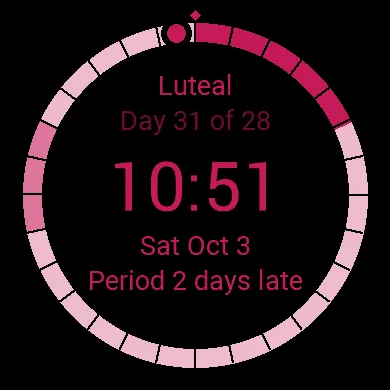
Know your cycle as well as the time - you'll see it every time you check your watch. No app to open and no account to create. Your cycle stays on your wrist - only available to you. Your data stays in your watch face settings.
You'll see,
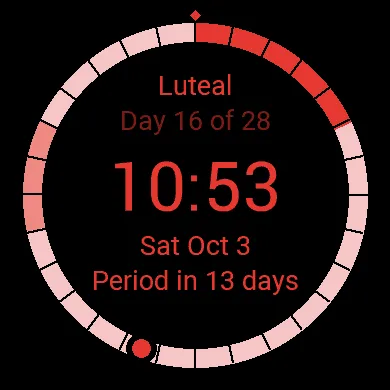
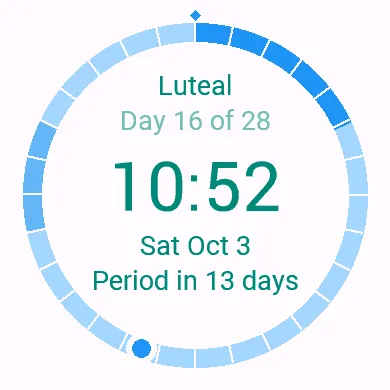
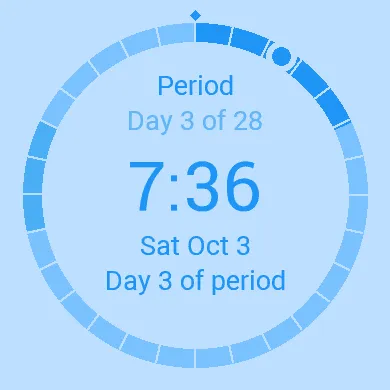
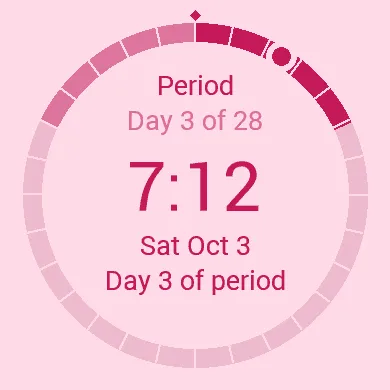
- Your current phase: Period, Follicular, Luteal or PMS
- Your cycle day: For example "Day 12 of 28"
- A period countdown: "Period in 6 days", "Period tomorrow", or how many days late you are
- A ring with one segment for each day of your cycle: Period days and PMS days are shaded in your color
Quick setup (open the face's settings in the Connect IQ app and enter:
- The first day of your last period
- Your cycle length (default 28 days)
- Your period length (default 5 days)
- When your PMS usually starts and how long it lasts (suggested: 8 days before your period, lasting 3 days. Set it to 0 to hide PMS)
- You'll enter the first day of your period once every cycle
You can customize it as you wish,
- Background: soft pink, purple, blue, teal, green, yellow, orange or red, plus white or black
- Accent color for the ring and labels
- Time and text color
Good for you to know,
- Cycle View does not sync with Garmin's built-in Menstrual Cycle Tracking
- It is private by design. Your dates stay in your watch face settings. The face needs no special permissions, has no account and sends nothing anywhere
- Phases and dates are estimates based on your settings
- Cycle View is not a medical device and must not be used for medical advice, contraception or fertility planning
Tangkapan skrin
Bahasa disokong (1)
Peranti serasi (37)
D2™ Air X15
D2™ Mach 1 Pro
epix™ (Gen 2)
epix™ (Gen 2)
epix™ Pro (42mm)
epix™ Pro (47mm)
epix™ Pro (51mm)
fēnix® E
Forerunner® 165
Forerunner® 165 Music
Forerunner® 170
Forerunner® 170 Music
Forerunner® 265
Forerunner® 265S
Forerunner® 570 - 42mm
Forerunner® 570 - 47mm
Forerunner® 70
Forerunner® 70
Forerunner® 965
Forerunner® 970
Mercedes-Benz Venu® 2
Mercedes-Benz Venu® 2
Mercedes-Benz Venu® 2S
Mercedes-Benz Venu® 2S
tactix® 7 – AMOLED Edition
Venu® 2
Venu® 2
Venu® 2 Plus
Venu® 2 Plus
Venu® 2S
Venu® 2S
Venu® 3
Venu® 3S
Venu® 4 – 41 mm
Venu® 4 – 45 mm
vívoactive® 5
vívoactive® 6
Trend metrik terkini
Penilaian
Ulasan
Tarikh snapshot
2026-10-27 → 2026-11-02