설명
Send the course you made on Ridingazua (ridingazua.cc) straight to your Garmin Edge.
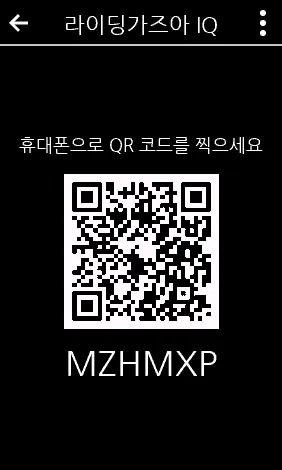
1. Open the app on your Edge. It shows a QR code and a link code.
2. Scan the QR code with your phone and sign in to Ridingazua to link the device. (One-time setup.)
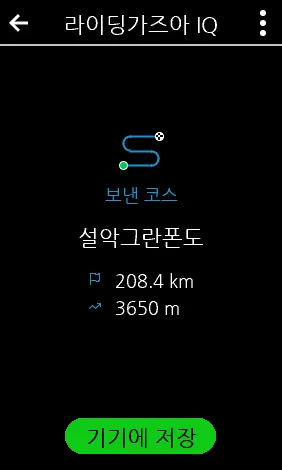
3. On ridingazua.cc, open a course and choose "Send to Garmin device".
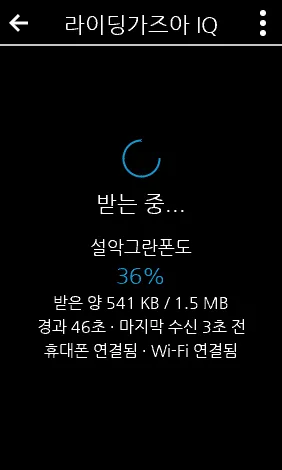
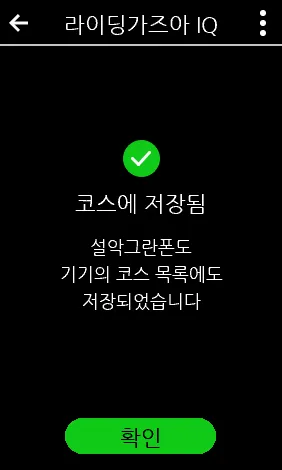
4. Open the app on your Edge and press "Save to device" or "Save and ride". The course is saved to the device's course list.
- Only the most recently sent course is delivered.
- Requires a Ridingazua account and an internet connection on the Edge (Wi-Fi, or a paired phone with Garmin Connect).
업데이트 노트
One 'Save to device' button (the Edge goes straight to riding after saving). If a download stops, a 'Download stuck?' button shows tips and lets you try again.
스크린샷
지원 언어 (2)
호환 기기 (41)
Edge® 1000
Edge® 1000
Edge® 1000
Edge® 1000
Edge® 1000
Edge® 1000
Edge® 1030
Edge® 1030
Edge® 1030 Plus
Edge® 1030 Plus
Edge® 1030, Bontrager
Edge® 1040
Edge® 1040
Edge® 1050
Edge® 1060
Edge® 520
Edge® 520
Edge® 520
Edge® 520 Plus
Edge® 520 Plus
Edge® 530
Edge® 530
Edge® 540
Edge® 550
Edge® 820
Edge® 820
Edge® 820
Edge® 820
Edge® 820
Edge® 820
Edge® 830
Edge® 830
Edge® 840
Edge® 850
Edge® Explore
Edge® Explore 1000
Edge® Explore 2
Edge® Explore 3
Edge® Explore 3 Plus
Edge® Explore 820
Edge® MTB
최근 지표 추세
평점
리뷰
스냅샷 날짜
2026-11-14 → 2026-11-23