설명
THE HOUR-BY-HOUR DETAIL FOR THE CLOUDSCAPES WATCH FACE
The CloudScapes face shows 16 days at a glance. This free app opens any of those days hour by hour, and has a page for each kind of weather.
NEEDS THE CLOUDSCAPES WATCH FACE
This app is a free companion to the paid CloudScapes watch face and only works with it: the forecast comes through the face.
• Install the CloudScapes face first
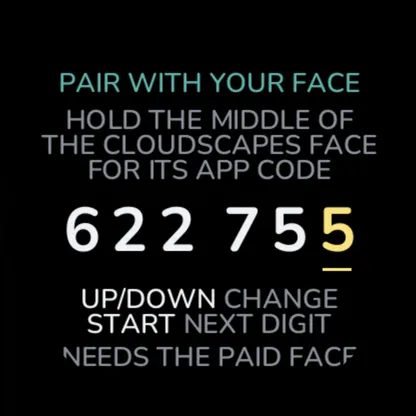
• The first time you open the app, it asks for a 6-digit app code
• To see the code: on the face, hold the middle of the screen while it shows today
• Enter it in the app (UP/DOWN change a digit, START moves on). You only do this once
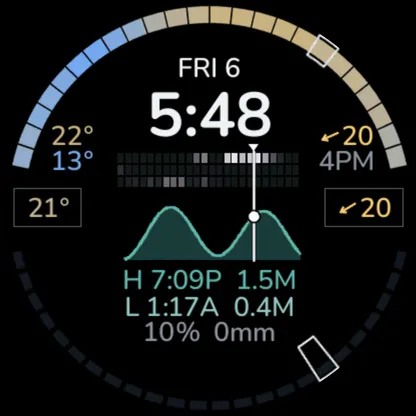
THE DAY PAGE
• Temperature for every hour round the top, rain for every hour round the bottom
• Cloud by the hour (high, mid and low), the tide curve, high and low tide
• The day's strongest wind: direction, speed and when
• On today: the temperature and wind right now, and the hour now framed
FIVE PAGES FOR EACH DAY
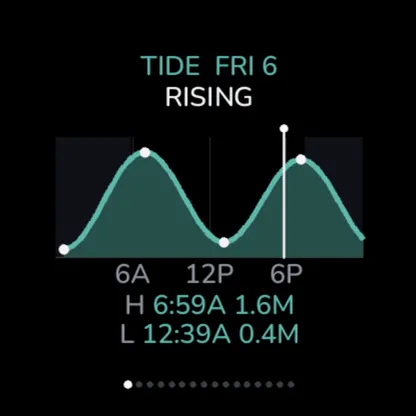
• Tide: the curve, highs and lows, rising or falling
• Temperature: each hour, feels-like, low and high, UV
• Rain: chance and amount each hour, the wettest hour, storm risk
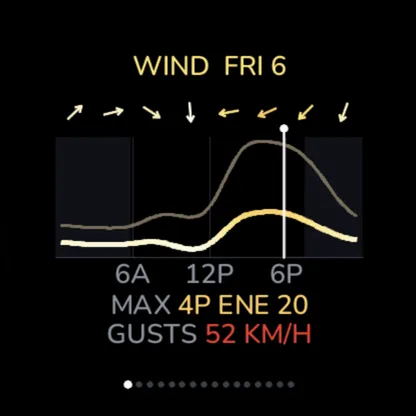
• Wind: speed and gusts as smooth curves, direction through the day
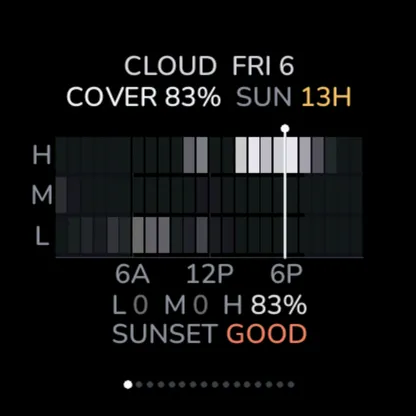
• Cloud: high, mid and low cloud each hour, sunshine hours, how good the sunset looks
GETTING AROUND
• Open it from its glance, or from the START list
• START or DOWN: the next page; UP: the one before
• It opens on today
• Swipe left or right: the same page, next or previous day, across all 16 days
• BACK: close the app
16-day forecast worldwide; tides where there is a tide station within 50 km. Needs your phone connected through Garmin Connect for the forecast, and your location.
업데이트 노트
1.0.2: fixed the day jumping to tomorrow when the app opened on a new day.
Pairs with the CloudScapes watch face using its 6-digit app code.
스크린샷
지원 언어 (1)
호환 기기 (30)
D2™ Air X15
D2™ Mach 1 Pro
epix™ (Gen 2)
epix™ (Gen 2)
epix™ Pro (42mm)
epix™ Pro (47mm)
epix™ Pro (51mm)
fēnix® 8 AMOLED (43mm)
fēnix® 8 AMOLED (47mm/51mm)
fēnix® 8 Pro
fēnix® E
Forerunner® 165
Forerunner® 165 Music
Forerunner® 265
Forerunner® 265S
Forerunner® 570 - 42mm
Forerunner® 570 - 47mm
Forerunner® 965
Forerunner® 970
MARQ® (Gen 2)
MARQ® Commander (Gen 2) – Carbon Edition
MARQ™ Aviator (Gen 2)
tactix® 7 – AMOLED Edition
tactix® 8 – 47 mm, AMOLED
Venu® 3
Venu® 3S
Venu® 4 – 41 mm
Venu® 4 – 45 mm
vívoactive® 5
vívoactive® 6
최근 지표 추세
평점
리뷰
스냅샷 날짜
2026-11-07 → 2026-11-09