설명
A grade data field with big, easy-to-read digits. Shows the current road grade (%) together with altitude, total ascent or lap ascent, and colors climbs and descents.
Built with the TitilliumWeb font for better readability on the move.
A rebuilt version of zzGrade.
[Grade]
- Calculated every 3 seconds from altitude change over distance ridden, then smoothed (averaging window 3 to 15 seconds, set in settings).
- Shows the real grade right after you start again, and keeps the last grade while you are stopped.
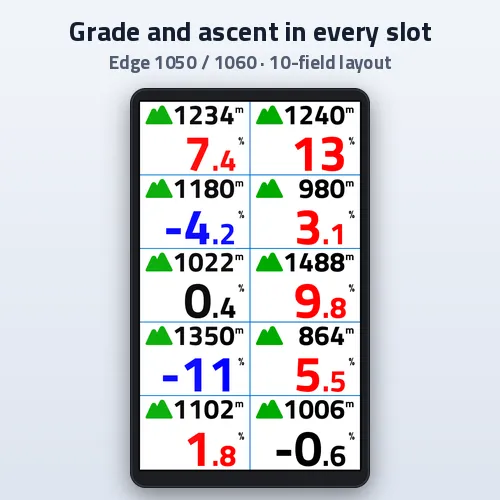
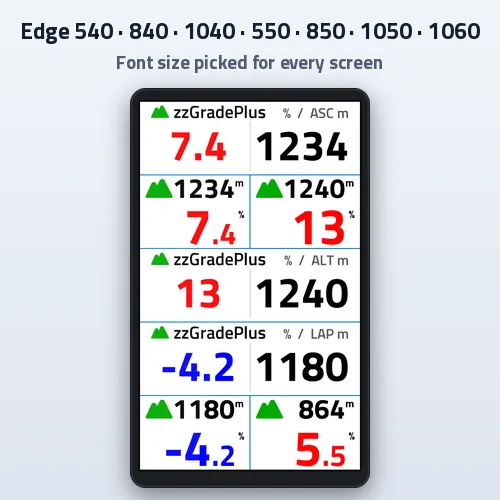
- Under 10%: one decimal. 10% and above: whole numbers.
- The grade is saved to your activity, so you can see it as a chart in Garmin Connect.
[Second value]
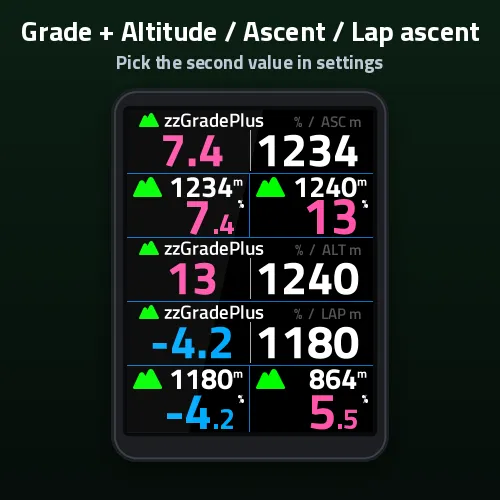
- Altitude / Total ascent / Lap ascent / None
- Units follow your device setting (m or ft).
[Colors]
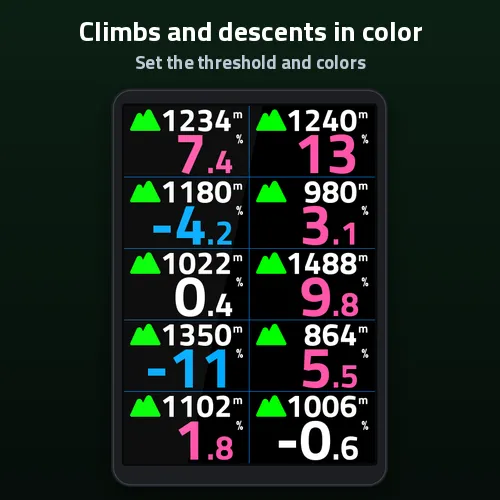
- Grade changes color above a set threshold (default 1%) for climbs and below its negative for descents.
- Pick separate climb and descent colors for day and night.
[Layouts, picked automatically]
- One slot of the 10-field layout: grade icon and second value on top, large grade below.
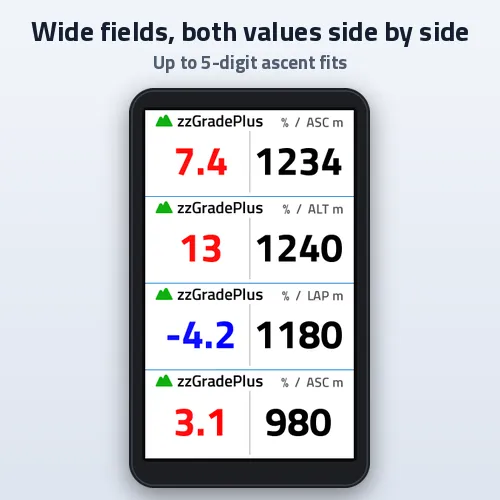
- Wide slots: zzGradePlus title with the active value on top, both values side by side below. 5-digit ascent fits.
- Same typeface, sizes and layout as the other Plus data fields, so they look consistent side by side.
[Supported devices]
Edge 540 / 550 / 840 / 850 / 1040 / 1050 / 1060
Change settings in the Garmin Connect IQ app or Garmin Express.
업데이트 노트
zzGrade+ rebuilt from the ground up
- Supports Edge 540, 840, 1040, 550, 850, 1050, 1060
- Keeps the last grade while stopped and shows the real grade right after restarting
- Uphill and downhill colors, with separate day and night colors
- Bigger, sharper digits with the TitilliumWeb typeface
- Ascent over 10,000 m shown in full
- Automatic layouts for 10-field slots and wide slots
스크린샷
지원 언어 (2)
호환 기기 (8)
최근 지표 추세
평점
리뷰
스냅샷 날짜
2026-11-20 → 2026-11-25