설명
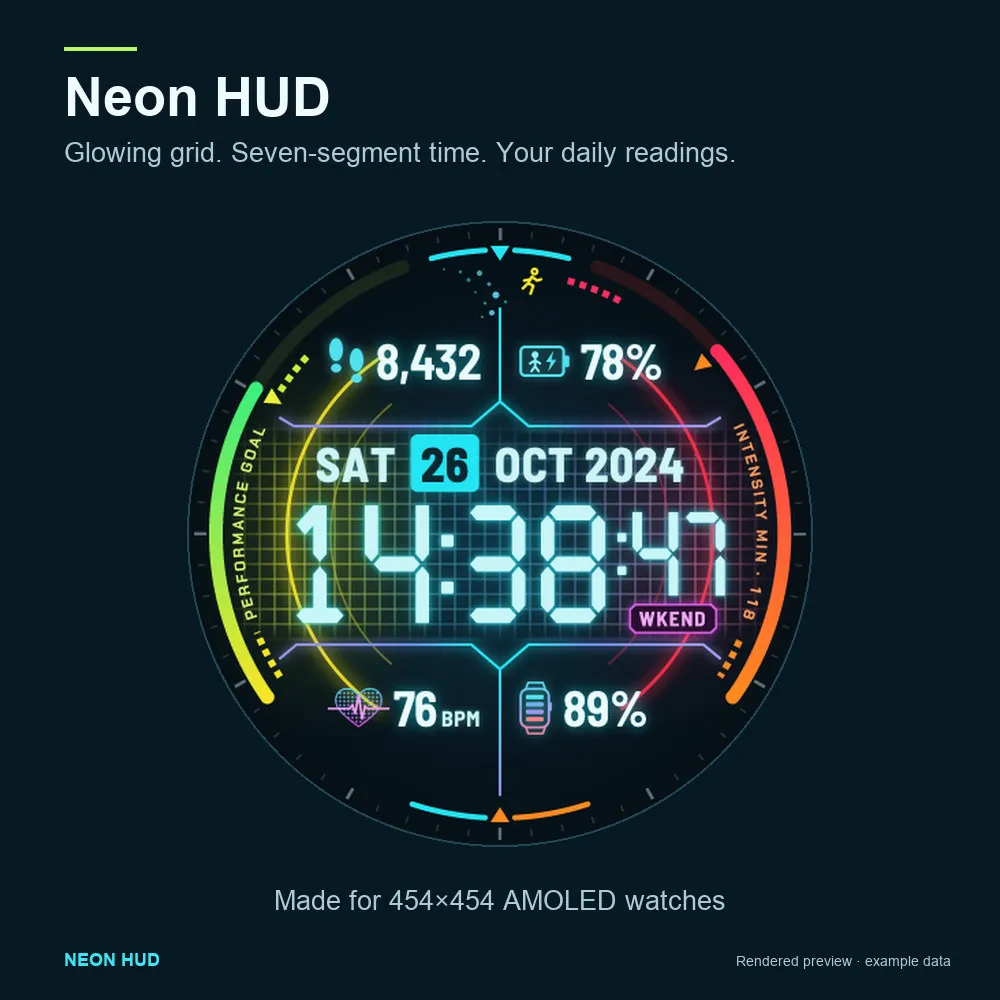
Bring a glowing neon grid to your wrist. Neon HUD combines seven-segment digital time with the daily readings you choose, in six coordinated colour themes for supported Garmin AMOLED watches.
Free to download and use. No purchase or activation key is required.
MAKE IT YOURS
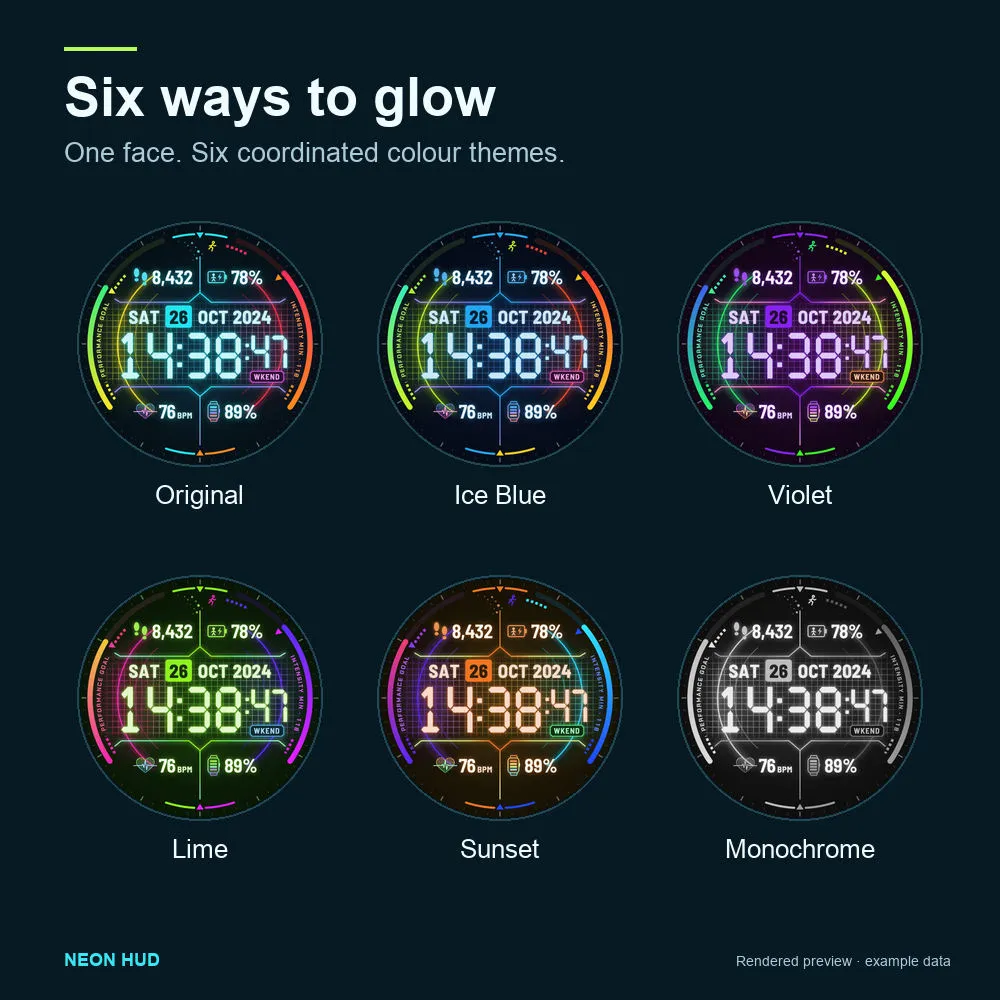
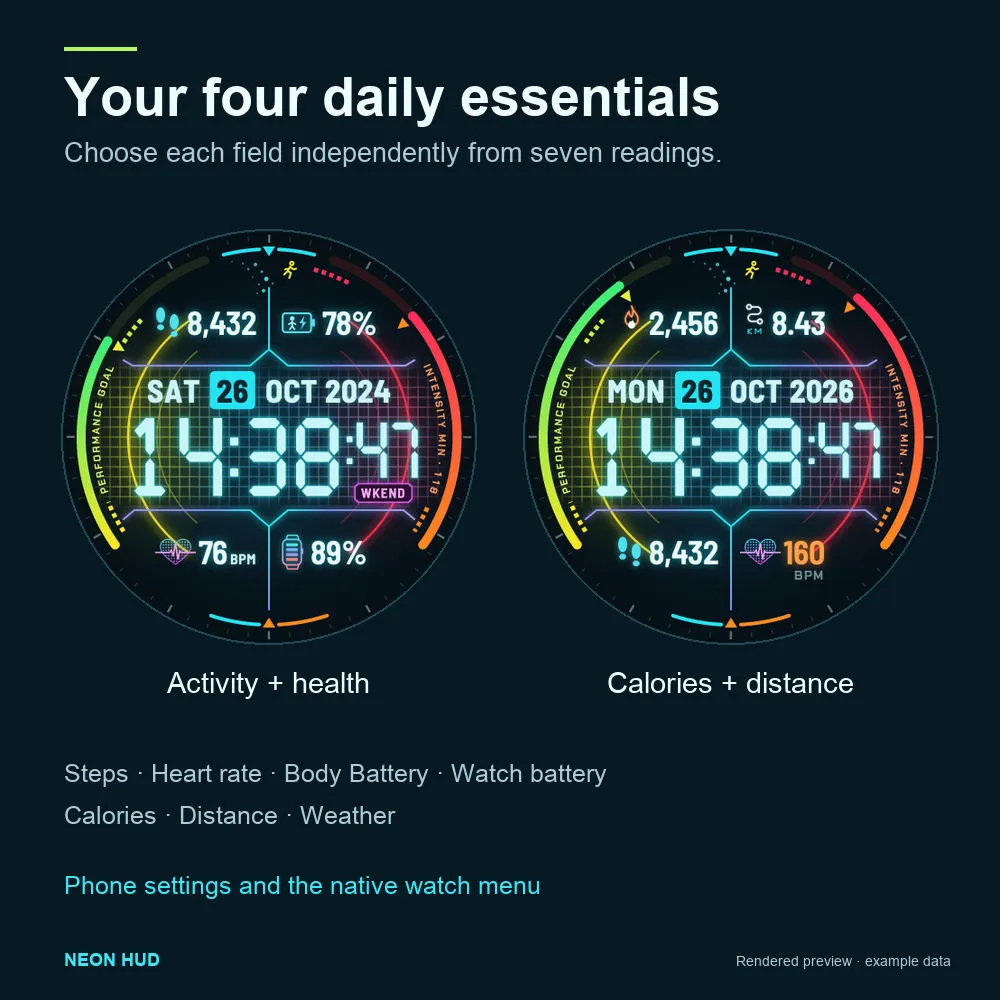
Choose Original, Ice Blue, Violet, Lime, Sunset or Monochrome. Select each of the four data positions independently: steps, heart rate, Body Battery, watch battery, daily calories, daily distance or weather. Keep the original layout or arrange the readings around your day.
TWO GAUGES, YOUR GOALS
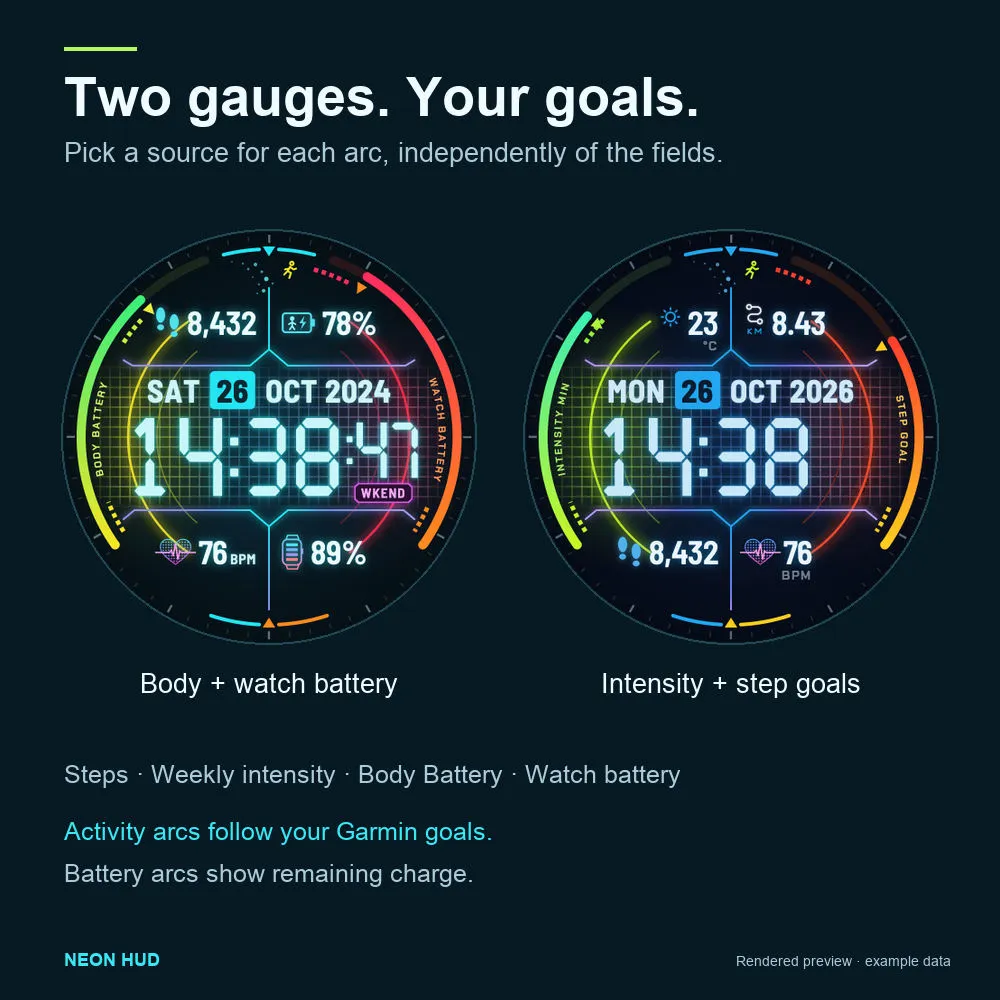
Set either progress arc to your daily step goal, weekly intensity-minutes goal, Body Battery or watch battery. Activity arcs follow your Garmin goals; battery arcs show remaining charge.
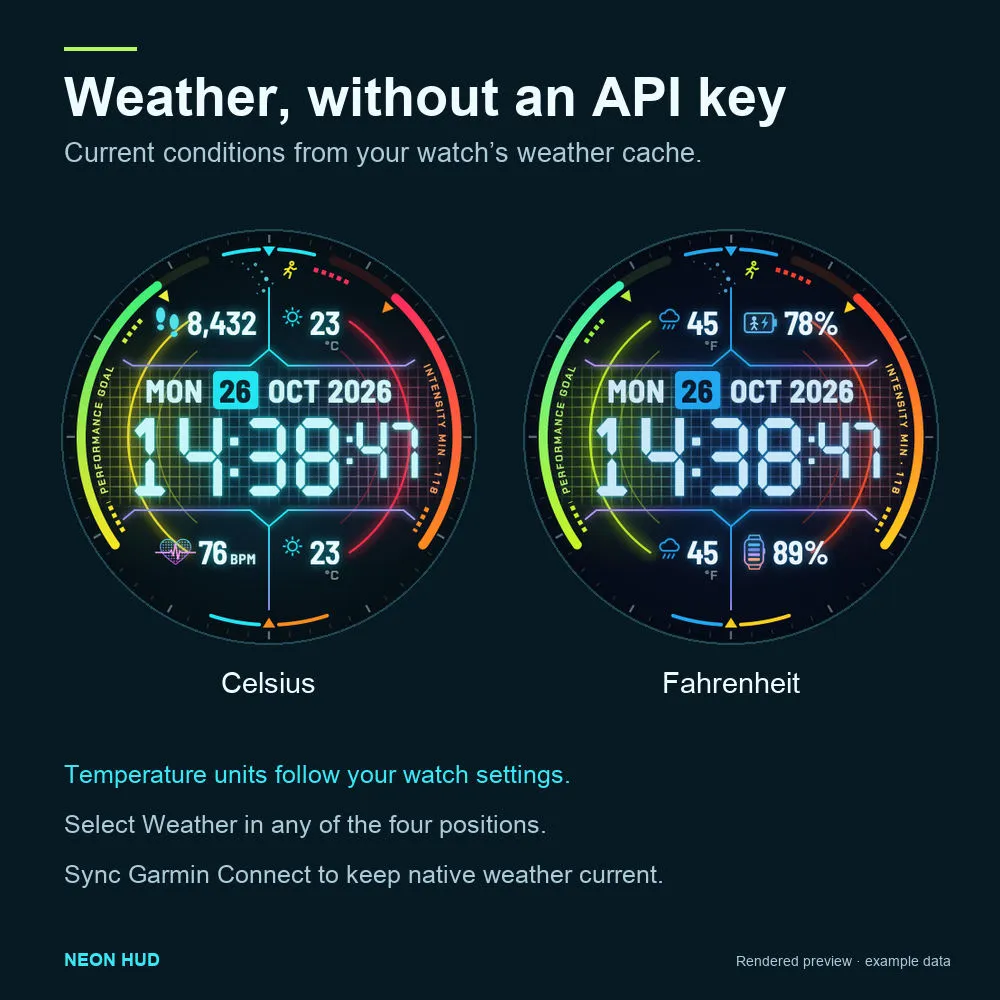
WEATHER WITHOUT AN API KEY
See current temperature and a condition icon using your watch's cached weather. Celsius or Fahrenheit follows the watch's temperature setting. Sync Garmin Connect to keep native weather current. Missing or stale weather shows --.
TOUCH AND HOLD TO OPEN
On the awake face, hold a supported reading to open its native Garmin card: Steps, Heart rate, Body Battery, Calories or Weather. Battery shortcuts work when the firmware supplies a matching app. Daily distance has no shortcut. Availability depends on the watch, firmware and touchscreen settings.
YOUR CLOCK, YOUR FORMAT
Choose Follow watch, 12-hour with AM/PM, or 24-hour time, with optional seconds. The neon face is visible while awake; idle mode shows a black screen. Distance and temperature use the watch's separate unit preferences. The date is currently in English.
EASY TO CONFIGURE
Change themes, time format, seconds, fields and gauges in the Connect IQ phone app's watch-face settings or Neon HUD's native watch settings menu. No weather API key is required.
SUPPORTED MODELS
Forerunner 965; Forerunner 970; Venu 3; epix Pro (Gen 2) 51mm; D2 Mach 1 Pro; tactix 7 AMOLED Edition. Smaller-screen variants and Venu 3S are not included.
PERMISSIONS
Sensor history supplies Body Battery. User profile supplies heart-rate zones for the heart-rate colours. Complication access finds native cards for touch-and-hold shortcuts. The face uses the watch's existing readings and weather cache; it has no account, telemetry or custom weather-server flow.
The gallery uses rendered previews with example readings. Actual readings, native cards and appearance depend on your watch and settings.
For help or to report a problem, email [email protected]. Include your watch model, firmware, Neon HUD version and the settings used.
업데이트 노트
• Reduced the download size while preserving the original neon artwork and six colour themes.
• Added a basic clock fallback for recoverable artwork-loading errors.
스크린샷