설명
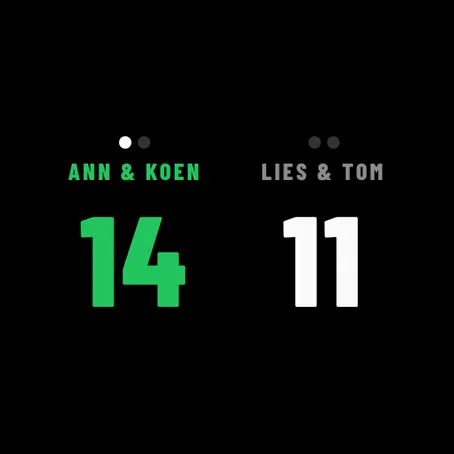
Keep the score of your match from your wrist. SKOOR counts badminton, tennis, padel, squash, table tennis, pickleball, volleyball and more, and timed games such as basketball and football.
ONE BUTTON FOR EACH TEAM
• UP: a point for the left team. DOWN: a point for the right team. BACK: undo.
• When you play yourself, your own team is always on UP, whichever side you are on.
• Touch scoring can be switched on in the menu (off by default: sleeves and sweat tap too).
START A GAME ON THE WATCH
• Choose the sport, the players and the game length, and play.
• Guests without the app can play along.
PLAY AT YOUR CLUB
• Join a match being played at your club right now.
• Everyone keeping the score, on a phone or a watch, sees the same score at once. The first press counts; a press that came too late is not counted, and the watch tells you why.
• The big screens at the venue follow every point.
HELP DURING THE GAME
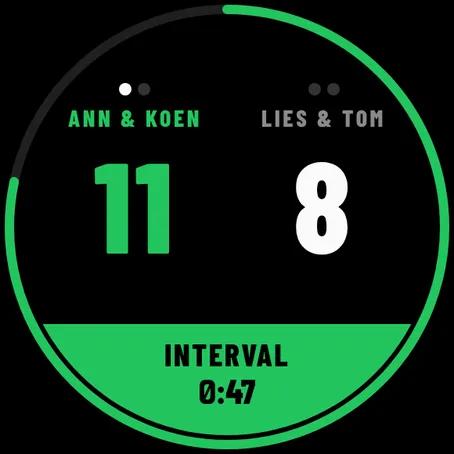
• A buzz and a green card at the interval and when you change ends.
• Who serves is shown in green.
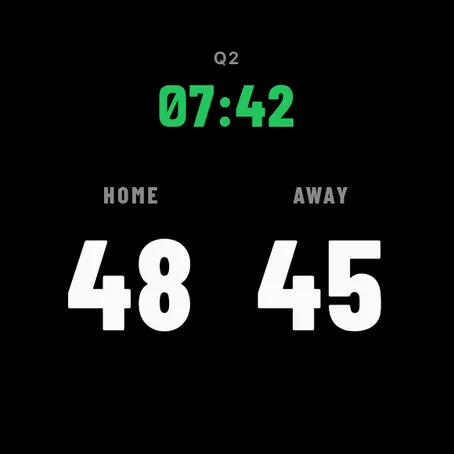
• Timed games: the clock runs on the watch. START stops and starts it; points still count while it is stopped. Basketball: +1, +2 or +3.
• Your heart rate during the match, when you switch recording on in the SKOOR app.
EVERYTHING SAVED
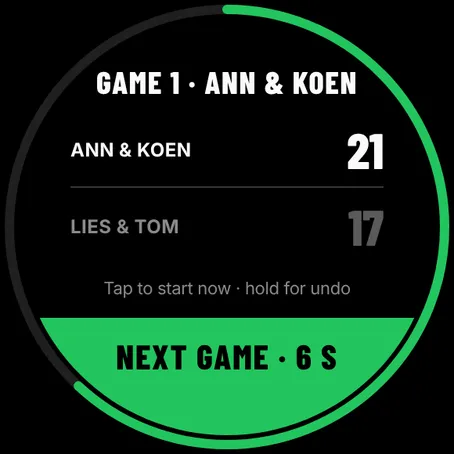
Every point is saved to your SKOOR account, with statistics, rankings and the results of your club evenings in the SKOOR app.
HOW TO START
You need a free SKOOR account. The first time, the watch shows a QR code and a key. Scan the code with your phone, or type the key in the SKOOR app under You → Watches, and confirm. That is all.
The watch talks to SKOOR through Garmin Connect on your phone, or over Wi-Fi.
Play it. SKOOR it.
스크린샷

지원 언어 (1)
호환 기기 (69)
D2™ Air X15
D2™ Mach 1 Pro
Enduro™ 2
epix™ (Gen 2)
epix™ (Gen 2)
epix™ Pro (42mm)
epix™ Pro (47mm)
epix™ Pro (51mm)
fēnix® 6
fēnix® 6
fēnix® 6 Dual Power
fēnix® 6 Pro
fēnix® 6 Pro
fēnix® 6 Pro Dual Power
fēnix® 6 Pro Solar
fēnix® 6 Solar
fēnix® 6X Pro
fēnix® 6X Pro
fēnix® 7
fēnix® 7
fēnix® 7 Pro
fēnix® 7 Pro – Solar Edition (No Wi-Fi®)
fēnix® 7X
fēnix® 7X
fēnix® 7X Pro
fēnix® 7X Pro No Wi-Fi
fēnix® 8 AMOLED (43mm)
fēnix® 8 AMOLED (47mm/51mm)
fēnix® 8 Pro
fēnix® 8 Solar (47mm)
fēnix® 8 Solar (51mm)
Forerunner® 165
Forerunner® 165 Music
Forerunner® 255
Forerunner® 255 Music
Forerunner® 265
Forerunner® 265S
Forerunner® 570 - 42mm
Forerunner® 570 - 47mm
Forerunner® 955 Dual Power
Forerunner® 965
Forerunner® 970
Instinct® 3 – 45 mm, AMOLED
Instinct® 3 – 50 mm, AMOLED
Mercedes-Benz Venu® 2
Mercedes-Benz Venu® 2
Mercedes-Benz Venu® 2S
Mercedes-Benz Venu® 2S
quatix® 6
quatix® 6X
tactix® 7
tactix® 7 – AMOLED Edition
tactix® 8 – 47 mm, AMOLED
tactix® 8 – 51 mm, Solar
Venu® 2
Venu® 2
Venu® 2 Plus
Venu® 2 Plus
Venu® 2S
Venu® 2S
Venu® 3
Venu® 3S
Venu® 4 – 41 mm
Venu® 4 – 45 mm
Venu® X1
vívoactive® 4
vívoactive® 4
vívoactive® 5
vívoactive® 6
최근 지표 추세
평점
리뷰
스냅샷 날짜
2026-11-17 → 2026-11-28