Descrizione
Your to-do list, on your wrist.
See what's due, tick things off, and add what you just remembered, without digging your phone out of your pocket.
**Two ways to use it, you choose on first launch, and can switch any time**
- With Todoist: sign in once and your tasks, projects and sections come to the watch.
- On this watch: no account, no phone, no internet. Your tasks — up to 100 — live on the watch and stay there.
**See what matters now**
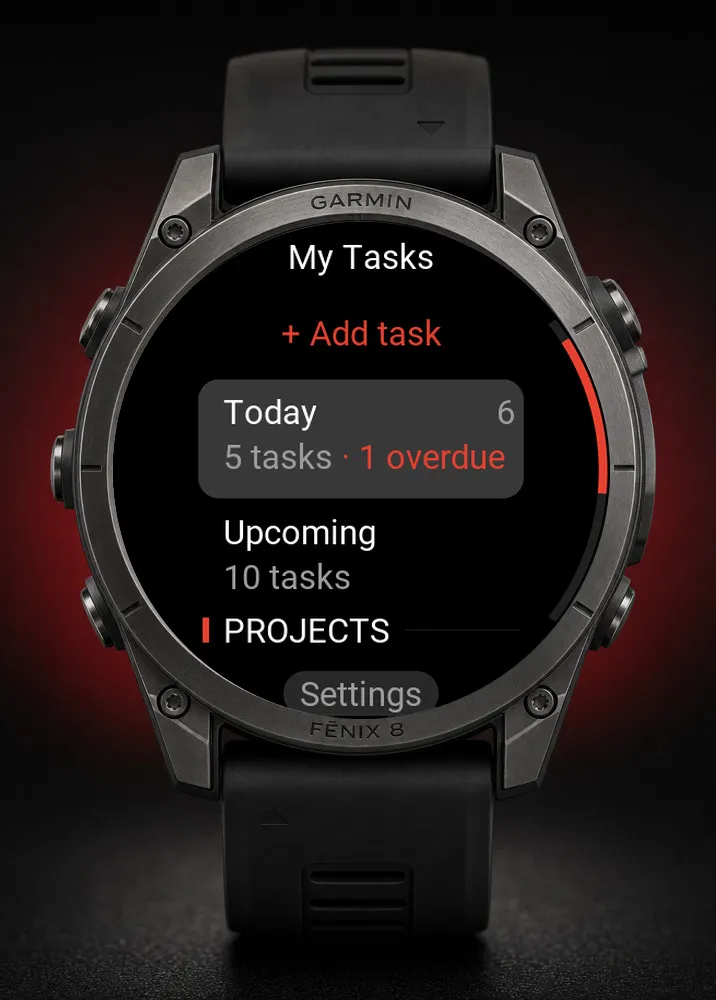
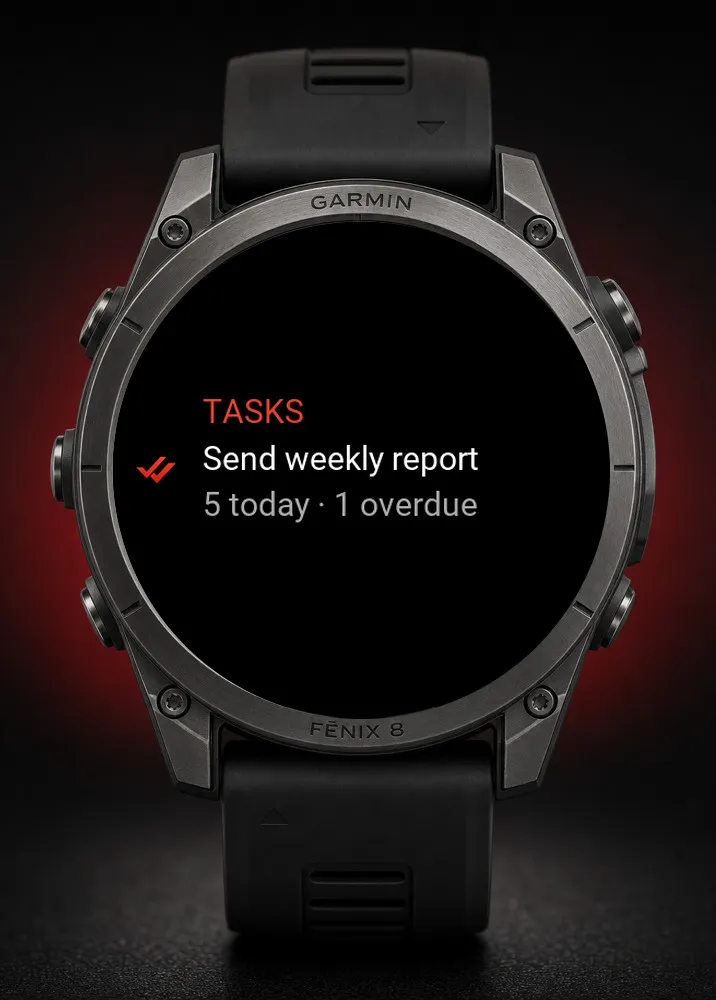
- Home opens with today: how many tasks are due, and how many are late
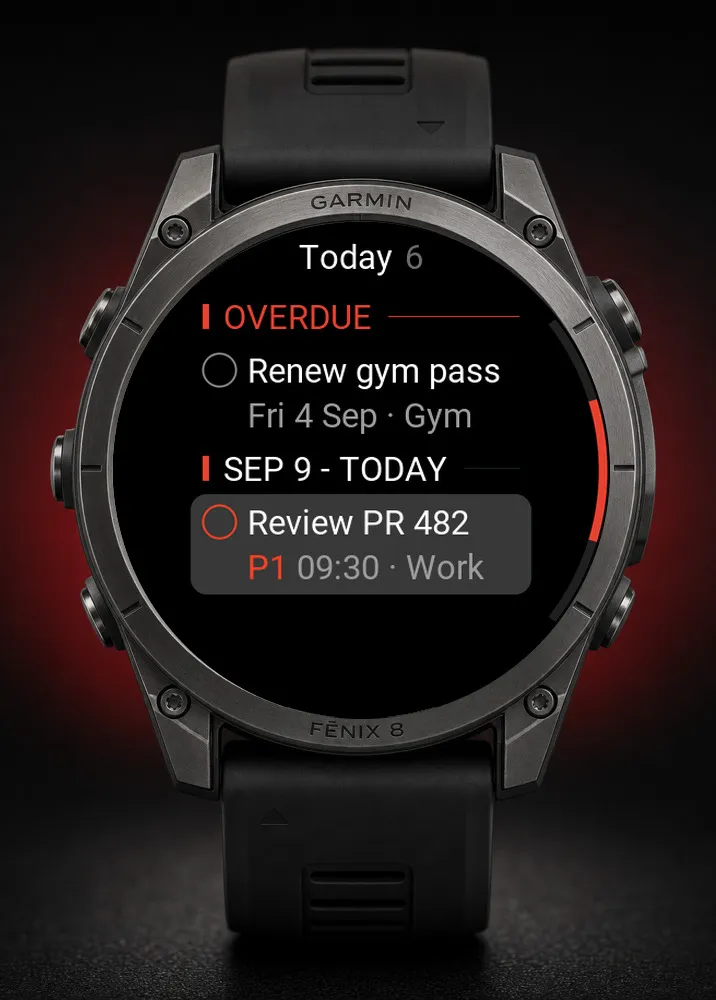
- Today, the next three months, or any single project, grouped by date, priority, label, deadline or section, whichever suits you
- Everything late gathers under one clear "Overdue" heading
- The glance on your watch face shows what's due today and your next task's time; open it to go straight to your list
**Get things done, not just listed**
- Tap the circle beside a task to tick it off
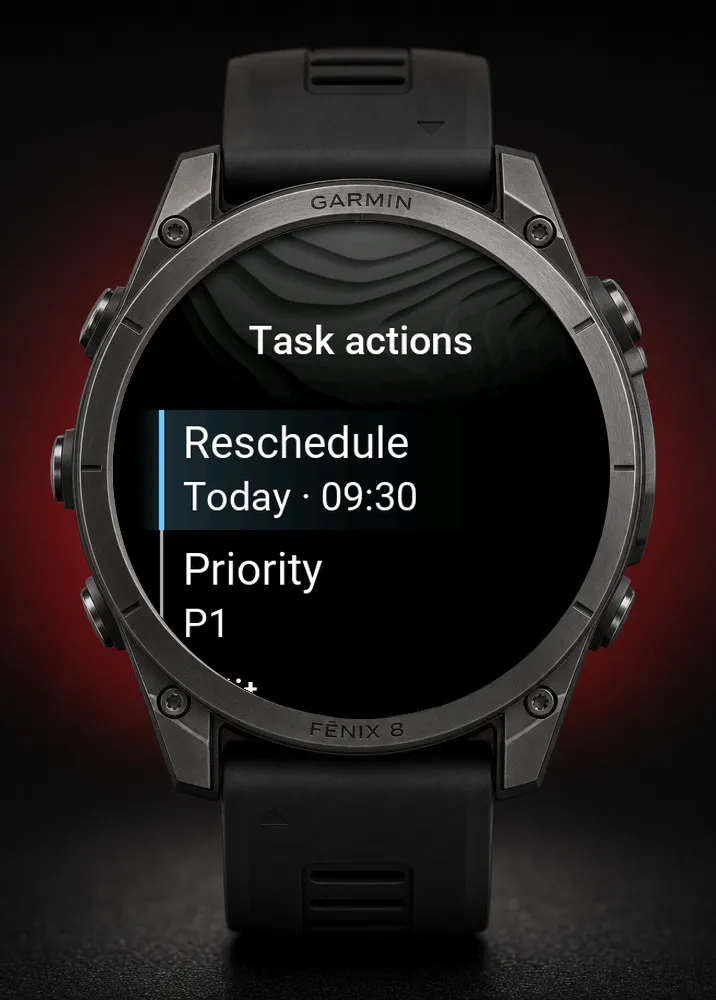
- Reschedule in two taps: today, tomorrow, next week, or an exact date and time. You're never offered a choice that changes nothing, and your time of day is kept
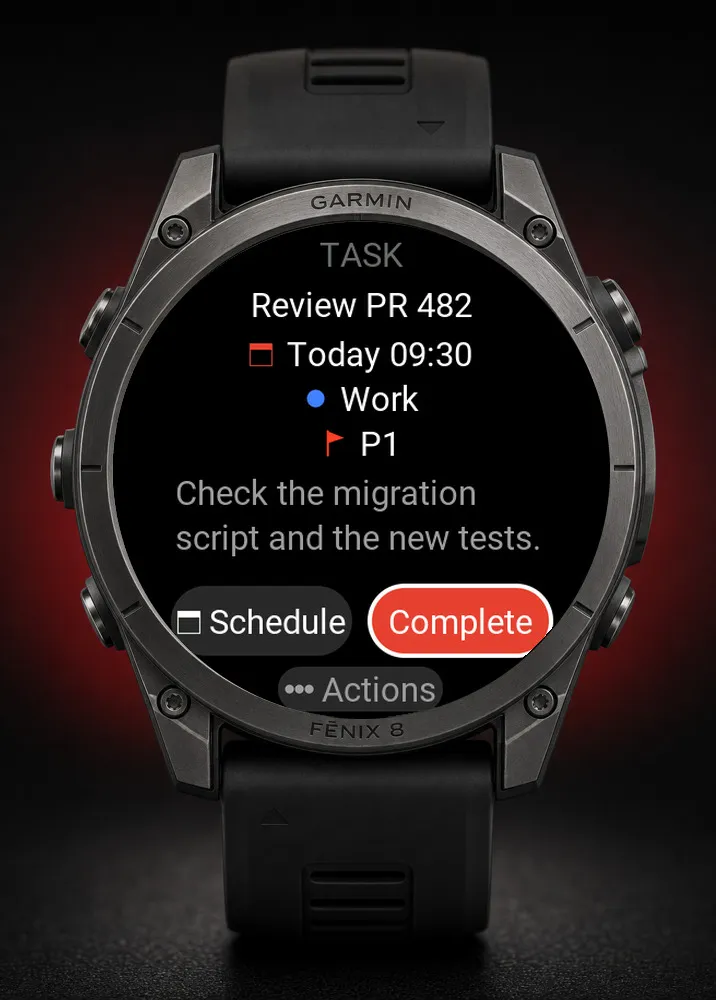
- Open a task for the full name, date, project and priority, with Complete and Reschedule side by side
- Add a task from just its name in seconds. With Todoist you can type "buy milk tomorrow 5pm" and let it work out the date for you
- Break big jobs into sub-tasks. Tick off the parent and the rest come with it, the watch tells you how many first
- Set a task to repeat, or give it as many labels as it needs (with Todoist)
- Add, edit, move and delete: date and time, deadline, priority, project, section and labels
- Look back at the last week of finished tasks, and put one back if you ticked it by mistake (with Todoist)
- Buttons or touchscreen, whichever you prefer
**Reminders that buzz your wrist**
Put a reminder on a task and your watch taps you when it's time, no phone and no account needed, and up to 30 can be waiting at once. This needs a newer Garmin watch; on older ones everything else works exactly as described and no reminder options appear, so nothing shows up that your watch can't do. With Todoist Pro or Business, you can also add and change your Todoist reminders from the watch.
**Make it yours**
Dark, light, or automatic (light by day, dark at night). Five text sizes. Start the app on the list you actually check first. Pin favourites to the top and hide the rest.
**Quiet and private**
Nothing is collected, tracked, or sent anywhere except Todoist. The app asks to notify you and to wake briefly so a reminder can still reach you when it's closed, that is all either permission is used for. There's no constant checking in the background: a day with no reminders means no activity at all.
**Using Todoist (optional)**
You'll need a Todoist account and your phone nearby. The free Todoist plan works for everything above except adding or changing Todoist reminders, which requires Todoist Pro or Business.
To get your token, open todoist.com in a browser, click your picture in the top-left corner, then go to Settings → Integrations → Developer and click Copy API token.
The easiest way in is to paste that token into the app's settings in the Garmin Connect app on your phone (My Device → Task Ahead → Settings). The watch picks it up on its own, with nothing to type. You can also type it on the watch, or sign in with your Todoist account from the watch's sign-in screen. Log out, or go back to watch-only tasks, any time.
This app is not created by, affiliated with, or supported by Doist. Todoist is a trademark of Doist Inc.
Novità
v.2.8.4 - Your tasks now show up faster when you open the app.
Screenshot
Lingua supportata (1)
Dispositivi compatibili (120)
Approach® S50
Approach® S70 (42mm)
Approach® S70 (47mm)
D2™ Air X10
D2™ Air X15
D2™ Mach 1
D2™ Mach 1 Pro
D2™ Mach 2
D2™ Mach 2 Pro
Descent™ G2
Descent™ MK2
Descent™ MK2
Descent™ Mk2S
Descent™ Mk2S
Descent™ MK3 - 43mm
Descent™ MK3i - 51mm
Enduro™ 2
Enduro™ 3
epix™ (Gen 2)
epix™ (Gen 2)
epix™ Pro (42mm)
epix™ Pro (47mm)
epix™ Pro (51mm)
fēnix® 6 Pro
fēnix® 6 Pro
fēnix® 6 Pro Dual Power
fēnix® 6 Pro Solar
fēnix® 6S Pro
fēnix® 6S Pro
fēnix® 6S Pro Dual Power
fēnix® 6S Pro Solar
fēnix® 6X Pro
fēnix® 6X Pro
fēnix® 7
fēnix® 7
fēnix® 7 Pro
fēnix® 7 Pro – Solar Edition (No Wi-Fi®)
fēnix® 7S
fēnix® 7S
fēnix® 7S Pro
fēnix® 7X
fēnix® 7X
fēnix® 7X Pro
fēnix® 7X Pro No Wi-Fi
fēnix® 8 AMOLED (43mm)
fēnix® 8 AMOLED (47mm/51mm)
fēnix® 8 Pro
fēnix® 8 Solar (47mm)
fēnix® 8 Solar (51mm)
fenix® 9 - 43 mm
fenix® 9 – 47 mm
fenix® 9 Pro - 43 mm
fenix® 9 Pro - 47 mm
fenix® 9 Pro - 51 mm
fenix® 9 Pro - Solar 47 mm
fenix® 9 Pro - Solar 51 mm
fēnix® E
Forerunner® 165
Forerunner® 165 Music
Forerunner® 170
Forerunner® 170 Music
Forerunner® 255
Forerunner® 255 Music
Forerunner® 255S
Forerunner® 255S Music
Forerunner® 265
Forerunner® 265S
Forerunner® 570 - 42mm
Forerunner® 570 - 47mm
Forerunner® 70
Forerunner® 70
Forerunner® 945 LTE
Forerunner® 955 Dual Power
Forerunner® 965
Forerunner® 970
Instinct® 3 – 45 mm, AMOLED
Instinct® 3 – 50 mm, AMOLED
Instinct® Crossover AMOLED
MARQ® (Gen 2)
MARQ® Adventurer (Gen 3)
MARQ® Commander (Gen 2) – Carbon Edition
MARQ™ Adventurer
MARQ™ Adventurer
MARQ™ Athlete
MARQ™ Athlete
MARQ™ Aviator
MARQ™ Aviator
MARQ™ Aviator (Gen 2)
MARQ™ Captain
MARQ™ Captain
MARQ™ Commander
MARQ™ Commander
MARQ™ Driver
MARQ™ Driver
MARQ™ Expedition
MARQ™ Expedition
MARQ™ Golfer
MARQ™ Golfer
Mercedes-Benz Venu® 2
Mercedes-Benz Venu® 2
Mercedes-Benz Venu® 2S
Mercedes-Benz Venu® 2S
quatix® 6
quatix® 6X
tactix® 7
tactix® 7 – AMOLED Edition
tactix® 8 – 47 mm, AMOLED
tactix® 8 – 51 mm, Solar
Venu® 2
Venu® 2
Venu® 2 Plus
Venu® 2 Plus
Venu® 2S
Venu® 2S
Venu® 3
Venu® 3S
Venu® 4 – 41 mm
Venu® 4 – 45 mm
vívoactive® 5
vívoactive® 6
Andamento recente
Valutazione
Recensioni
Date snapshot
2026-10-27 → 2026-11-03