Deskripsi
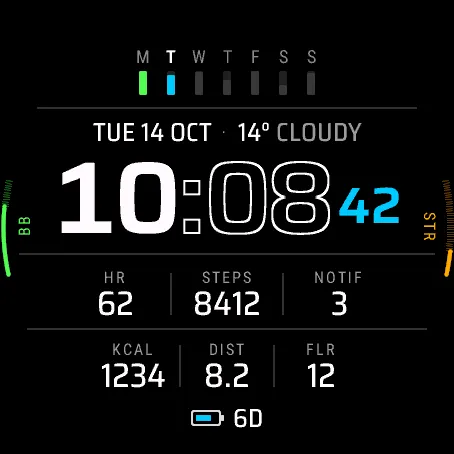
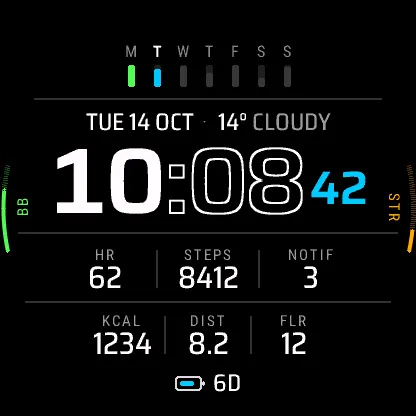
Seven days of steps in one strip, today highlighted, above a six-cell data grid.
Week Grid is a data-rich digital face built around your activity history. The top is a 7 day steps history: a bar for each of the last seven days, with today lit up. It shows steps unless you switch it to intensity minutes or floors.
Below the strip:
- the date with the current temperature and conditions
- a large time with outlined minutes (accent seconds in active mode)
- a ruled 3 + 3 grid: heart rate, steps, notifications, calories, distance and floors to begin with
- a battery icon with days left (or percent, or nothing extra)
And on the sides, two gauges with their labels set along the curve, Body Battery™ and stress by default.
Every one of those can be swapped in the phone settings: left and right gauge, the week strip, the weather line, all six cells and the battery display. Most can be switched off. You can choose heart rate, resting heart rate, steps, distance, calories, floors, intensity minutes, weekly run and bike distance, recovery time, VO2 max, Body Battery™, stress, Pulse Ox, respiration, sleep score, battery, battery days, notifications, alarms, altitude, pressure, temperature, feels-like, humidity, wind, rain chance, weather, sunrise, sunset, daylight left, moon phase, solar intensity, ISO week or a second time zone, depending on the slot and the watch.
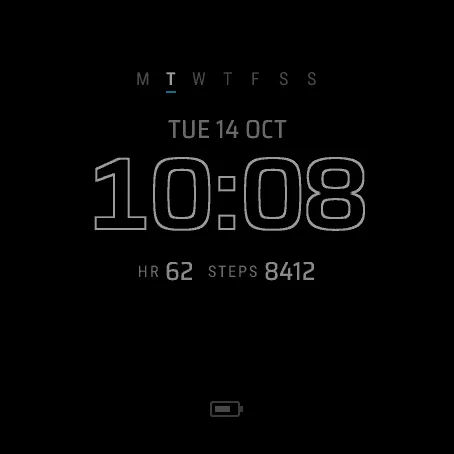
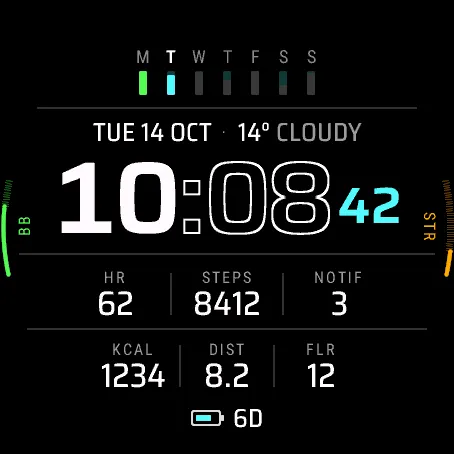
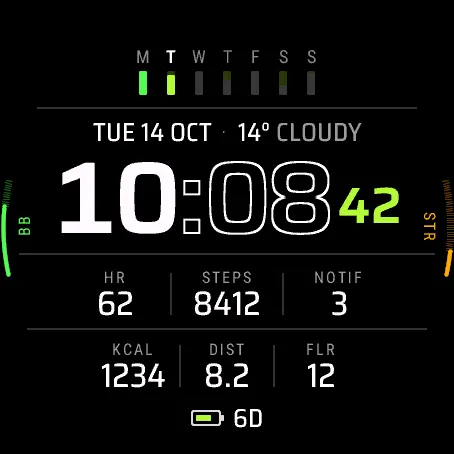
The rest of the settings: Original, Cyan, Lime or Mono theme. 12 or 24 hour time, or the watch's choice, and a leading zero for 12 h. Seconds on or off. Date as TUE 14 OCT, 14 OCT TUE, TUE 10/14 or 2026-10-14. Always-on style Rich, Minimal or Time only. Units from the watch, metric or imperial. Week starting as on the watch, Monday or Sunday. A second time zone (UTC offset and 4-letter label). Touch and hold a field to open its screen on touch watches.
Always-on mode: dim, simplified, updated once a minute, with a slight periodic shift to avoid burn-in.
Please note
Weather uses the last forecast your watch synced from the phone and shows "--" without a recent sync. Settings are changed in the Connect IQ Store app or the Garmin Connect app; there is no on-watch menu in this version. Seconds show in active mode only. Anything your watch model does not measure shows "--". Touch and hold works only on touch watches (Venu® 4). Health data is for general information, not for medical use.
Supported: Venu® 4 41 mm, Venu® 4 45 mm, Instinct® 3 AMOLED 45 mm, Instinct® 3 AMOLED 50 mm. The D2™ Air X15 shares the Venu® 4 45 mm profile and also runs Week Grid.
Privacy: Week Grid collects no data and nothing leaves your watch. It has no internet, background or location permission. It uses Complications (to show data the watch already provides and open the related screen), User profile (resting heart rate and heart-rate zones) and Sensor history (fallback readings such as Body Battery™ and stress history).
Fonts: Roboto Condensed (© 2011 The Roboto Project Authors) and Saira (© 2020 The Saira Project Authors), used under the SIL Open Font License 1.1 (openfontlicense.org).
Price: free.
Support: https://watchfaces.thesako.com/help/ or [email protected]
Not affiliated with or endorsed by Garmin. Device and feature names are trademarks of Garmin Ltd. or its subsidiaries.
Catatan pembaruan
- First release, for the Venu® 4 41 mm and 45 mm, the Instinct® 3 AMOLED 45 mm and 50 mm, and the D2™ Air X15.
- Battery shows days left by default. It shows percent when the watch has no estimate (for example while charging) or less than a day is left.
Tangkapan layar