Kuvaus
Your time fills up as you move.
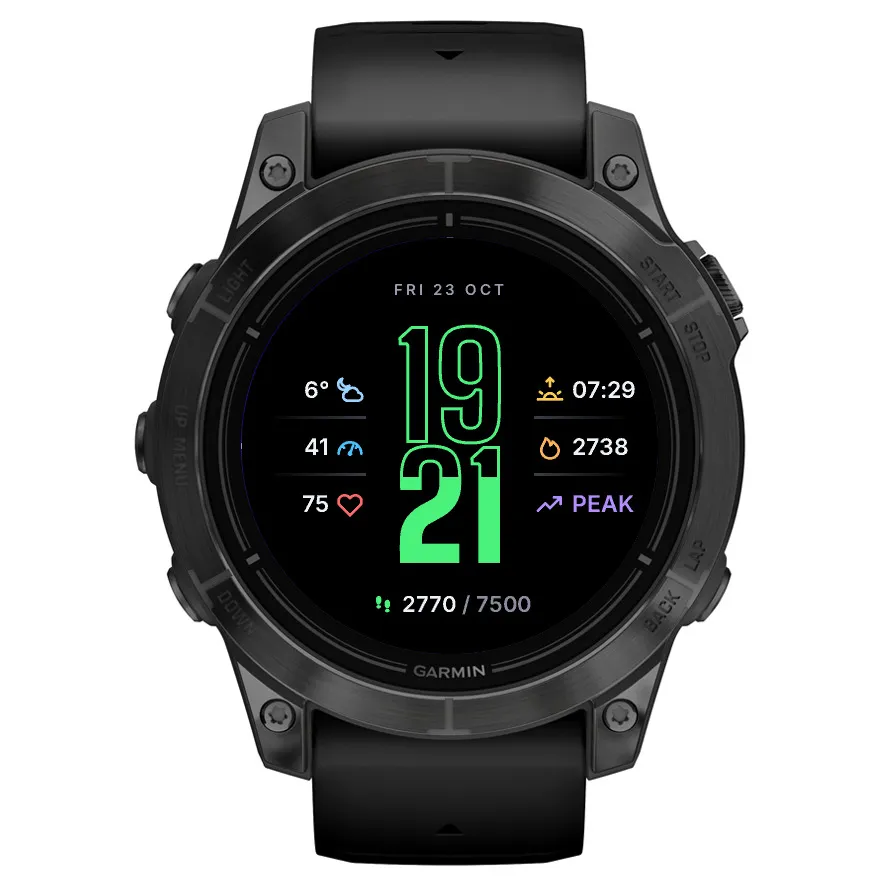
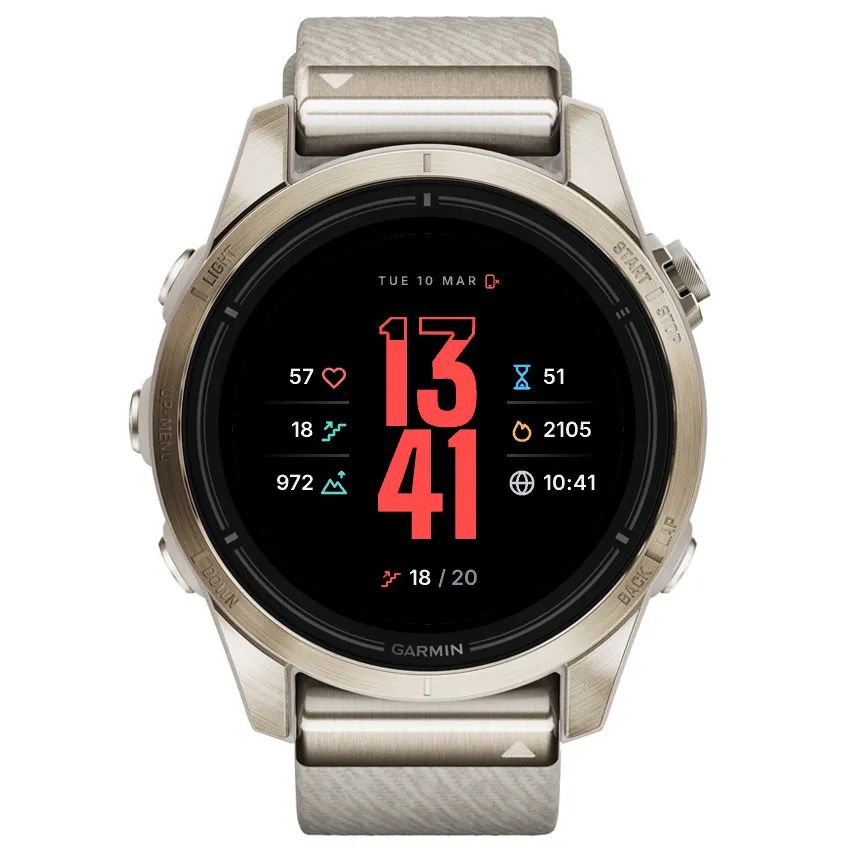
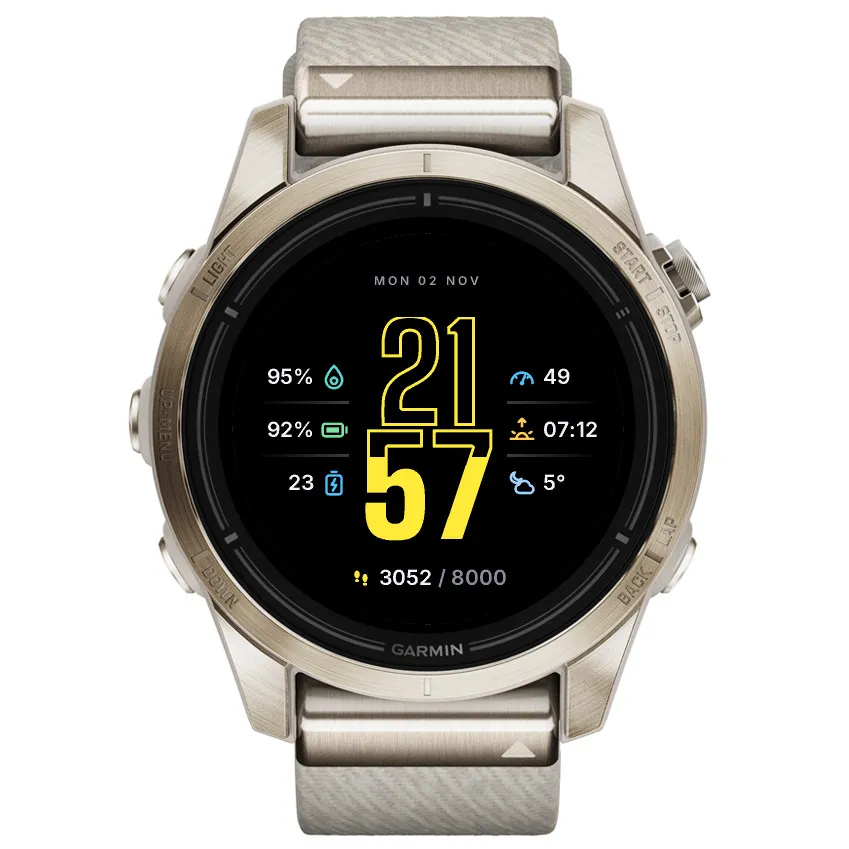
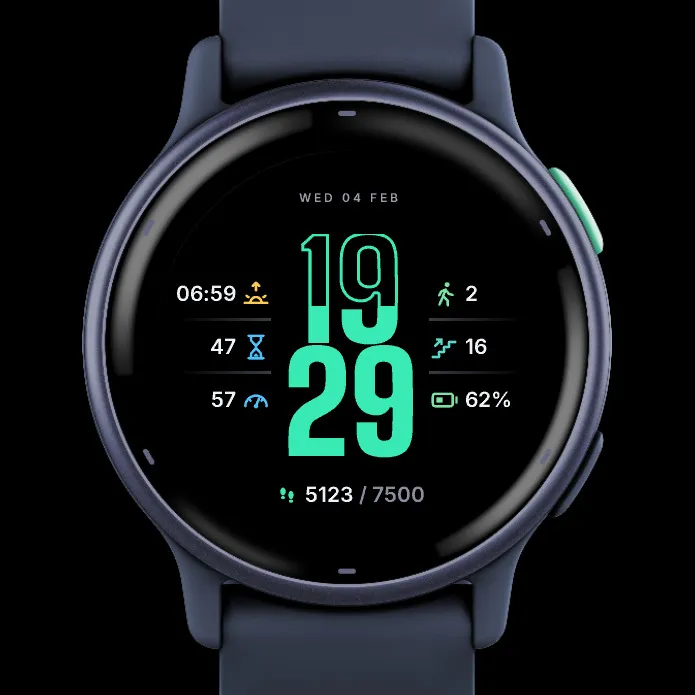
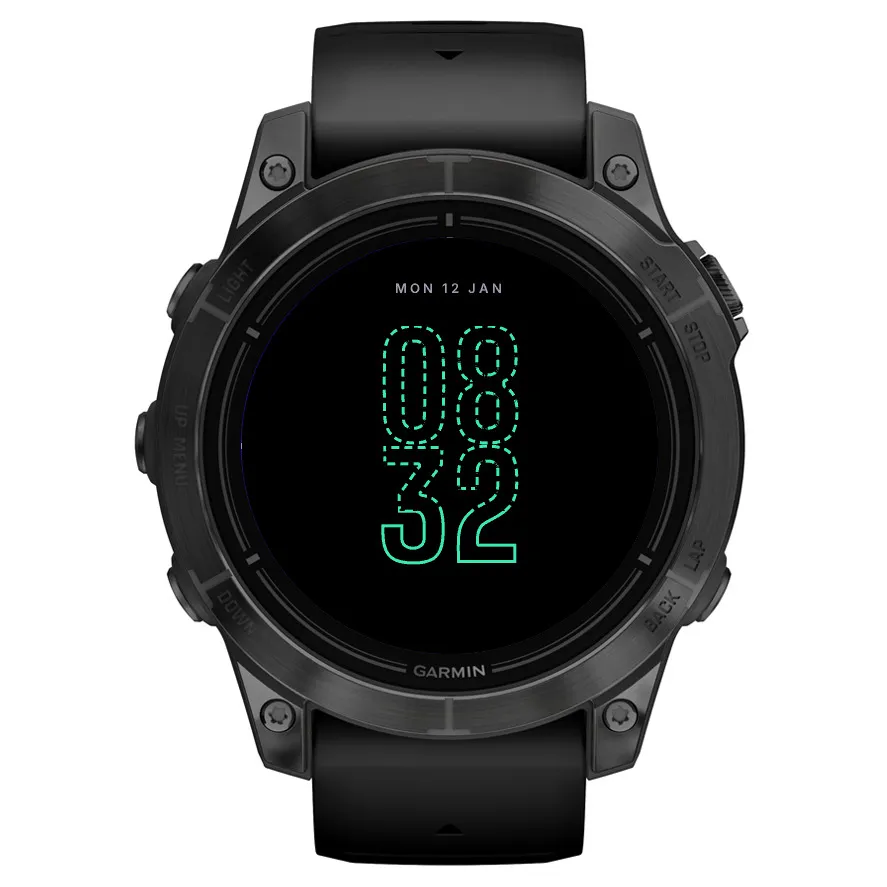
Fill shows the time in big, bold digits that fill with colour from the bottom up as you head towards your daily goal. Halfway through your steps, the digits are half full. Reach your goal and they're solid. You can read your progress at a glance, without a single number.
WHAT'S ON THE FACE
• Large hours and minutes that fill as your goal progresses: steps, floors climbed or intensity minutes
• The goal line below the time: where you are and your target, for example 6700 / 10000
• Up to six data fields in large, readable type, up to three each side of the time. Use fewer and the rest centre neatly.
• The date in your watch's language
• Two status icons beside the date: phone disconnected on the left and low battery on the right. They only appear when they apply, so a normal day stays clean.
DATA FIELDS
Put any of these 35 fields in any of the six slots, or leave a slot empty. Each side closes up around the fields you choose, so three on one side and one or none on the other works too:
• Heart rate
• Resting heart rate
• Body Battery
• Stress
• Sleep score
• Respiration
• Pulse Ox
• Calories
• Steps
• Distance
• Floors climbed
• Intensity minutes
• Move bar level (0-5)
• Weekly run distance
• Weekly bike distance
• Recovery time
• VO2 max
• Training status - Training status uses your watch's own colours in short form: PEAK, PROD, MAINT, RECOV and so on. In languages other than English it shows the first four letters of the status in white color
• Weather
• Temperature
• Today's high / low temperature
• Rain chance
• Wind speed - Wind speed follows your distance unit
• Humidity
• UV index
• Barometric pressure - Pressure shows hPa, or inHg on watches set to Fahrenheit
• Sunrise / sunset
• Sunrise
• Sunset
• Battery, battery % - Battery shows days left on watches that estimate it, and the percentage on the rest. Battery % always shows the percentage
• Solar intensity
• Altitude
• Notifications
• Second time zone
ALWAYS-ON
On AMOLED watches, always-on mode shows the date and the time as a thin outline: dashed above your progress and solid below it. It's designed to stay well under the screen's lit-pixel limit and shifts slightly every minute to protect the display. MIP watches keep the full face on screen all the time.
SETTINGS
Change these on the watch (in the watch face's Customize menu) or in the Garmin Connect app:
• 16 accent colours, Ice Blue by default
• The goal that fills the time: steps, floors climbed or intensity minutes
• The field in each of the six slots
• 12- or 24-hour time follows your watch's setting.
GOOD TO KNOW
• Weather needs your phone connected through Garmin Connect.
• Sunrise / sunset needs a location: from weather, or from a recent GPS activity.
• Any value your watch doesn't measure or hasn't recorded yet shows as "--". Which fields are available depends on your watch.
• Some fields aren't on every watch: respiration, solar intensity, weekly run and bike distance, sleep score and training status. The watch's own menu only lists the ones your watch has; in the Garmin Connect app they're marked with *.
• On MIP watches the date sits on two lines, the day of the week above the day and month.
• Settings menus are in English.
PRIVACY
Fill doesn't collect, share or send any data. Everything it shows is read on your watch and stays there. It asks for location access only for sunrise and sunset times (the last known location is kept on the watch), and for the watch's own data (its built-in complications, sensor history and profile) only to show those data fields.
SUPPORT
If you have any questions, don't hesitate to ask, I'm happy to help! Just use the Contact Developer form to reach me. I'll try to respond within 48 hours! Please specify your device and firmware version in case of bugs.
CREDITS
Digits set in Big Shoulders Display by Patric King. Text set in Inter by Rasmus Andersson. Both fonts are used under the SIL Open Font License 1.1.
Uutta
v1.1.1
• Possible fix for training status showing "--" on some watches, such as the fēnix 9 Pro.
• Minor performance improvements.
v1.1.0
• 16 new data fields: today's high / low temperature, battery %, separate sunrise and sunset, barometric pressure, rain chance, wind speed, humidity, UV index, respiration, solar intensity, weekly run distance, weekly bike distance, resting heart rate, sleep score and training status.
• The watch's own settings menu now lists only the fields your watch can show. In the Garmin Connect app, fields that aren't on every watch are marked with *.
• Added support for fēnix 9 Pro 51mm.
v1.0.3:
• Heart rate, Body Battery, Pulse Ox and altitude now use the Complications API.
• Fixed the tops of the hour digits being cut off on some devices.
v1.0.1:
• Bigger date at the top of the face. On MIP watches it's now on two lines: the day of the week above the day and month.
• Bigger, easier-to-read status icons: phone disconnected on the left of the date, low battery on the right. The do not disturb and sleep mode icons are gone.
• Fewer fields, tidier face: if you use only one or two data fields on a side, the empty slots and their dividers disappear and the side centres vertically.
• The battery field shows days left on watches that estimate it. It turns red when under two days remain. Other watches keep the percentage.
Kuvakaappaukset
Tuettu kieli (1)
Yhteensopivat laitteet (88)
Approach® S50
Approach® S70 (42mm)
Approach® S70 (47mm)
Approach® S72 - 43 mm
Approach® S72 - 47 mm
D2™ Air X10
D2™ Air X15
D2™ Mach 1
D2™ Mach 1 Pro
D2™ Mach 2
D2™ Mach 2 Pro
Descent™ G2
Descent™ MK3 - 43mm
Descent™ MK3i - 51mm
Enduro™ 2
Enduro™ 3
Enduro™ 4
epix™ (Gen 2)
epix™ (Gen 2)
epix™ Pro (42mm)
epix™ Pro (47mm)
epix™ Pro (51mm)
fēnix® 7
fēnix® 7
fēnix® 7 Pro
fēnix® 7 Pro – Solar Edition (No Wi-Fi®)
fēnix® 7S
fēnix® 7S
fēnix® 7S Pro
fēnix® 7X
fēnix® 7X
fēnix® 7X Pro
fēnix® 7X Pro No Wi-Fi
fēnix® 8 AMOLED (43mm)
fēnix® 8 AMOLED (47mm/51mm)
fēnix® 8 Pro
fēnix® 8 Solar (47mm)
fēnix® 8 Solar (51mm)
fenix® 9 - 43 mm
fenix® 9 – 47 mm
fenix® 9 Pro - 43 mm
fenix® 9 Pro - 47 mm
fenix® 9 Pro - 51 mm
fenix® 9 Pro - Solar 47 mm
fenix® 9 Pro - Solar 51 mm
fēnix® E
Forerunner® 165
Forerunner® 165 Music
Forerunner® 170
Forerunner® 170 Music
Forerunner® 255
Forerunner® 255 Music
Forerunner® 265
Forerunner® 265S
Forerunner® 570 - 42mm
Forerunner® 570 - 47mm
Forerunner® 70
Forerunner® 70
Forerunner® 955 Dual Power
Forerunner® 965
Forerunner® 970
Instinct® 3 – 45 mm, AMOLED
Instinct® 3 – 50 mm, AMOLED
Instinct® Crossover AMOLED
MARQ® (Gen 2)
MARQ® Adventurer (Gen 3)
MARQ® Commander (Gen 2) – Carbon Edition
MARQ™ Aviator (Gen 2)
Mercedes-Benz Venu® 2
Mercedes-Benz Venu® 2
Mercedes-Benz Venu® 2S
Mercedes-Benz Venu® 2S
tactix® 7
tactix® 7 – AMOLED Edition
tactix® 8 – 47 mm, AMOLED
tactix® 8 – 51 mm, Solar
Venu® 2
Venu® 2
Venu® 2 Plus
Venu® 2 Plus
Venu® 2S
Venu® 2S
Venu® 3
Venu® 3S
Venu® 4 – 41 mm
Venu® 4 – 45 mm
vívoactive® 5
vívoactive® 6
Mittarien kehitys
Arvosana
Arvostelut
Tilannekuvien päivät
2026-11-14 → 2026-11-24