Kuvaus
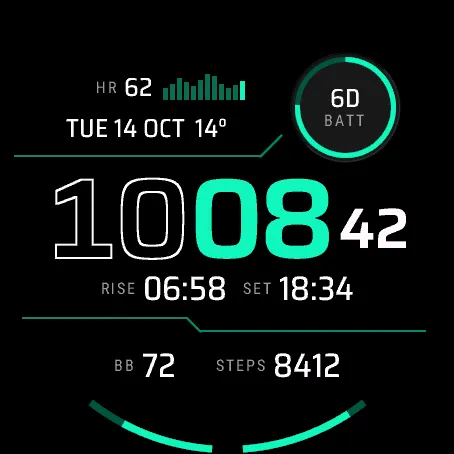
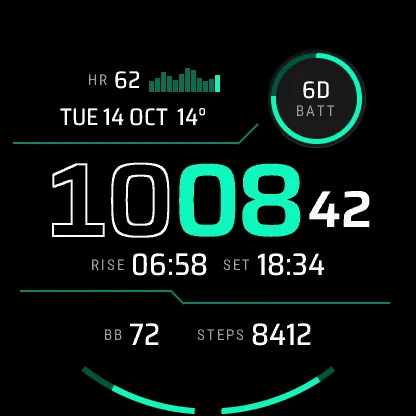
See your last four hours of heart rate as a bar chart, under a two-tone time.
Conduit is the technical digital face of the set. Your heart rate sits at the top next to a 12-bar histogram graph of the past 4 hours. Angled divider lines split the face. The time has outlined hours and solid accent minutes, with seconds in active mode. You also get the date with the temperature, a small ringed dial (battery days left by default), a sun line with sunrise and sunset, and two arc gauges with values that rise from the gap at 6 o'clock (Body Battery™ and steps by default).
The histogram is fixed and the heart-rate value next to it can be hidden. You can change the dial, the date line (temperature or feels-like, or nothing), both sides of the sun line and both arcs, and hide the date-line value and the sun line. Data you can pick: heart rate, resting heart rate, steps, distance, calories, floors, intensity minutes, weekly run and bike distance, recovery time, VO2 max, Body Battery™, stress, Pulse Ox, respiration, sleep score, battery, battery days, notifications, alarms, altitude, pressure, temperature, feels-like, humidity, wind, rain chance, sunrise, sunset, daylight left, moon phase, solar intensity, ISO week and second time zone, as far as the slot and your watch allow.
Settings (on your phone)
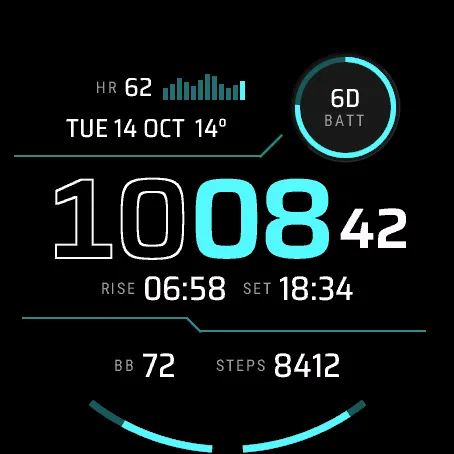
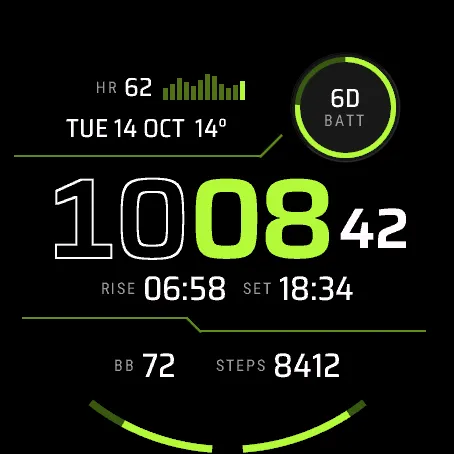
- Theme: Original, Cyan, Lime or Mono
- 12 h, 24 h or the watch setting, plus leading zero for 12 h
- Seconds on or off
- Date: TUE 14 OCT, 14 OCT TUE, TUE 10/14 or 2026-10-14
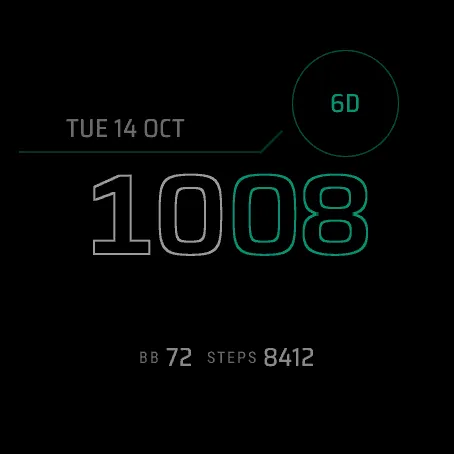
- Always-on: Rich, Minimal or Time only
- Units and first day of the week: follow the watch or set them
- Second time zone with UTC offset and 4-letter label
- Touch and hold a field to open its watch screen (touch watches)
In always-on mode the face dims, drops detail, ticks once a minute and shifts a little now and then to spare the AMOLED panel.
Limitations: weather needs a recent sync from your phone, otherwise "--". There is no on-watch settings menu yet; use the Connect IQ Store app or Garmin Connect app. Values your model cannot provide show "--". Touch and hold is Venu® 4 only. Health data is for general information, not medical use.
Compatible with Venu® 4 41 mm, Venu® 4 45 mm, Instinct® 3 AMOLED 45 mm and Instinct® 3 AMOLED 50 mm. The D2™ Air X15 uses the Venu® 4 45 mm profile and is supported too.
Privacy: no data collected, nothing leaves the watch, no internet, background or location permission. Permissions: Complications (show data the watch already provides and open the related screen), User profile (resting heart rate and heart-rate zones), Sensor history (the heart-rate history behind the chart, and fallback Body Battery™ and stress readings).
Fonts: Roboto Condensed (© 2011 The Roboto Project Authors) and Saira (© 2020 The Saira Project Authors), used under the SIL Open Font License 1.1 (openfontlicense.org).
Price: free.
Support: https://watchfaces.thesako.com/help/ or [email protected]
Not affiliated with or endorsed by Garmin. Device and feature names are trademarks of Garmin Ltd. or its subsidiaries.
Uutta
- First release, for the Venu® 4 41 mm and 45 mm, the Instinct® 3 AMOLED 45 mm and 50 mm, and the D2™ Air X15.
- Battery shows days left by default. It shows percent when the watch has no estimate (for example while charging) or less than a day is left.
Kuvakaappaukset