Beschreibung
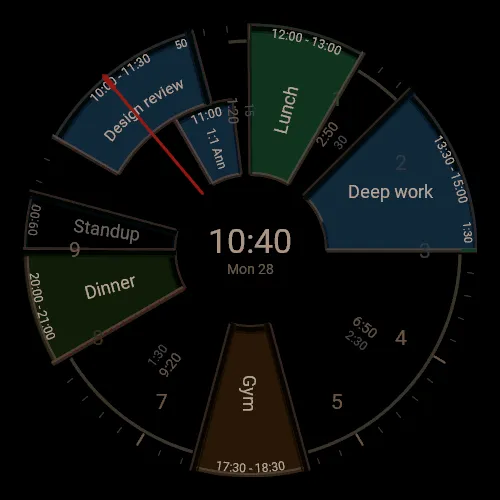
Your Google Calendar as a wheel on your watch: today's events are coloured slots on the 12-hour dial, with titles, times and the gap until the next one. Needs a Google account and your phone with Garmin Connect; pair once at calendarwheel.app. Free while in early access — then a 14-day free trial and $9.99/year at calendarwheel.app.
WHAT YOU SEE
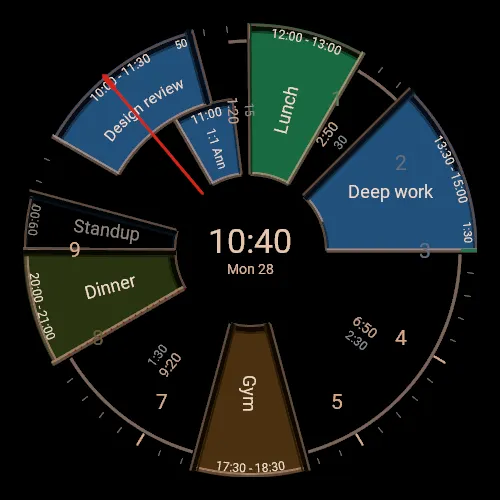
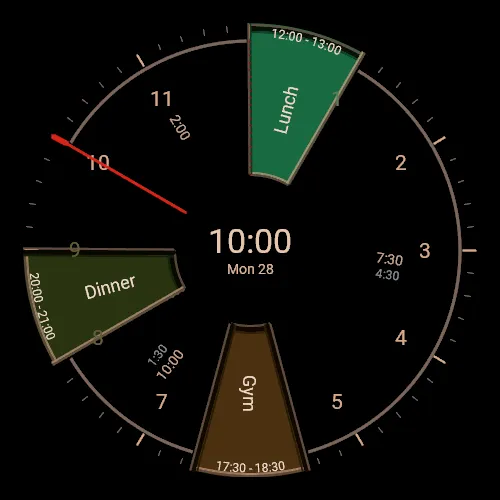
• Each event is a slot on the dial from its start to its end, in its calendar's colour, with its title and times.
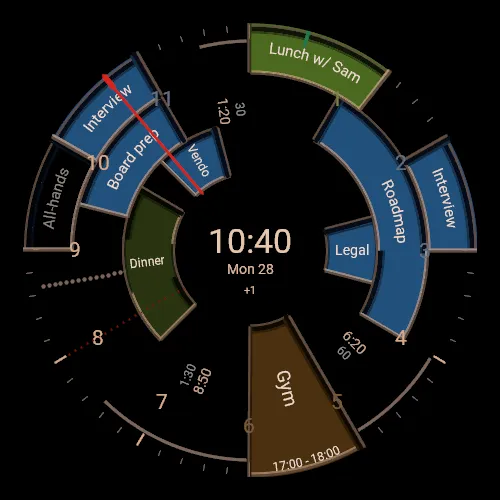
• The dial covers the coming twelve hours, and the red marker is now. The next events are bright, later ones muted, and finished ones become an empty outline.
• Between events: how long until the next one.
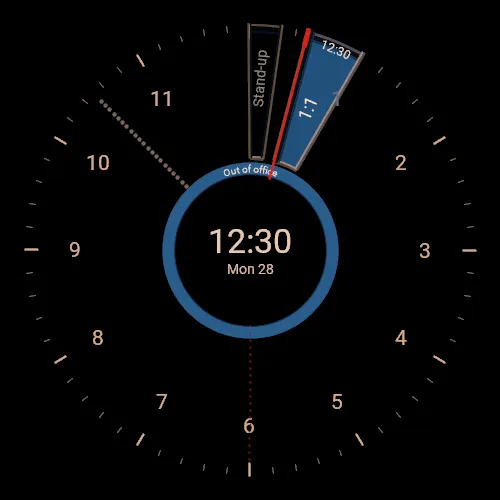
• All-day events and longer stays (holidays, out of office, trips) are rings round the centre.
• Overlapping events stack in tracks.
• Several Google accounts on one watch, for example work and personal, merge into one day.
• Always-on display in three brightness levels (dim, normal, bright), each adapting to how full your day is, or chosen by battery level. Pick one in the watch's own watch-face editor.
SETTING UP
1. Install the face and choose it on your watch. It shows a pairing code and a QR code.
2. Scan the QR code (or open calendarwheel.app/pair and enter the code) on your phone, and sign in with Google.
3. Your day appears on the watch within about five minutes.
WHAT IT NEEDS
• A Google account with Google Calendar.
• The watch connected to your phone with the Garmin Connect app. The face updates about every five minutes through it; without the connection it keeps showing the last day it received.
WATCHES
Made for and tested on the fēnix 9 Pro 47 mm. Also available for the fēnix 9, which has the same 454-pixel screen.
PRICE
Free while in early access. When early access ends, every watch gets a 14-day free trial before anything is charged; after that Calendar Wheel costs $9.99 a year, paid at calendarwheel.app, not through Garmin. No card is needed for the trial. You are only charged if you subscribe yourself, and a subscription renews yearly until you cancel. The terms and the refund policy will be published at calendarwheel.app before anything is charged.
PRIVACY
Read-only: Calendar Wheel can read your calendars but never change them. Event titles and times pass through to your watch and are not stored on our server. No ads, no analytics, no tracking. Privacy policy: https://calendarwheel.app/privacy
SUPPORT
[email protected], answered by the developer, usually within a few days.
Google Calendar is a trademark of Google LLC. Calendar Wheel is not affiliated with Google or Garmin.
Neuerungen
First release (early access)
Screenshots