Popis
A sword in the stone, lightning at every second, and the Round Table one hold away.
Excalibur stands in its stone in a dark cave pool. The time lies under the water on either side of the blade. Every second a bolt leaps from the lion crest on the crossguard to the rim of the face and strikes at that second, with its number beside it. Some seconds stay dark, so the lightning never beats like a metronome.
THE FACE
- Time: the hours on the left of the blade, the minutes on the right, in the color of the water, with a leading zero. 12 or 24 hour follows your watch unless you choose one in the settings.
- Seconds: a bolt of lightning from the crest to the second, with the second written where it strikes.
THE ROUND TABLE
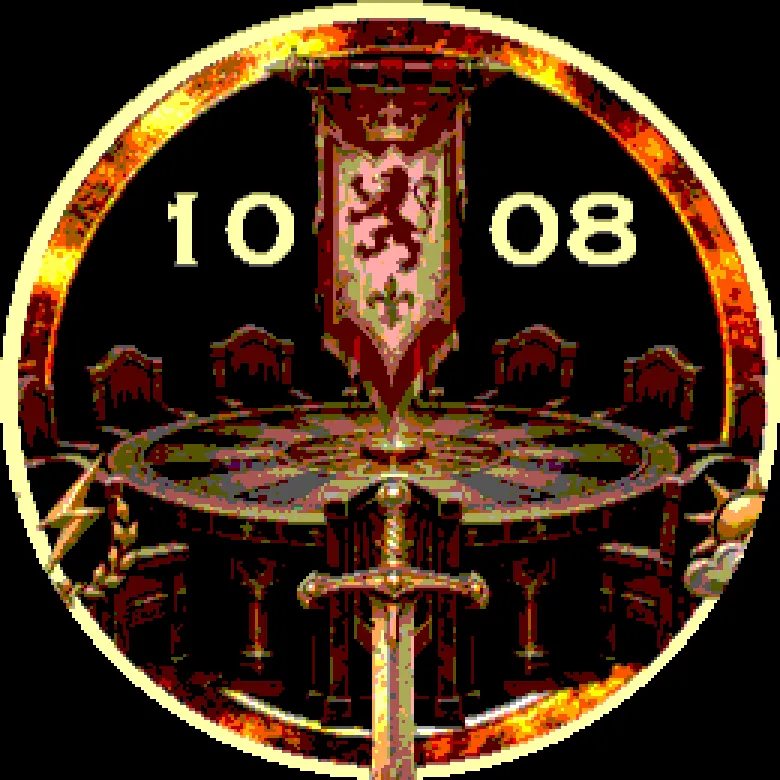
Press and hold anywhere on Excalibur to enter the Round Table, with the time on both sides of the banner. From the table:
- The banner: Health.
- The lightning bolt on the left: Power.
- The weather icon on the right: Weather and Almanac.
- The sword: back to Excalibur.
THE PAGES
- Health: steps toward your goal with heart rate, then active minutes with calories, then distance with floors. A gauge over the top follows the first reading of each page.
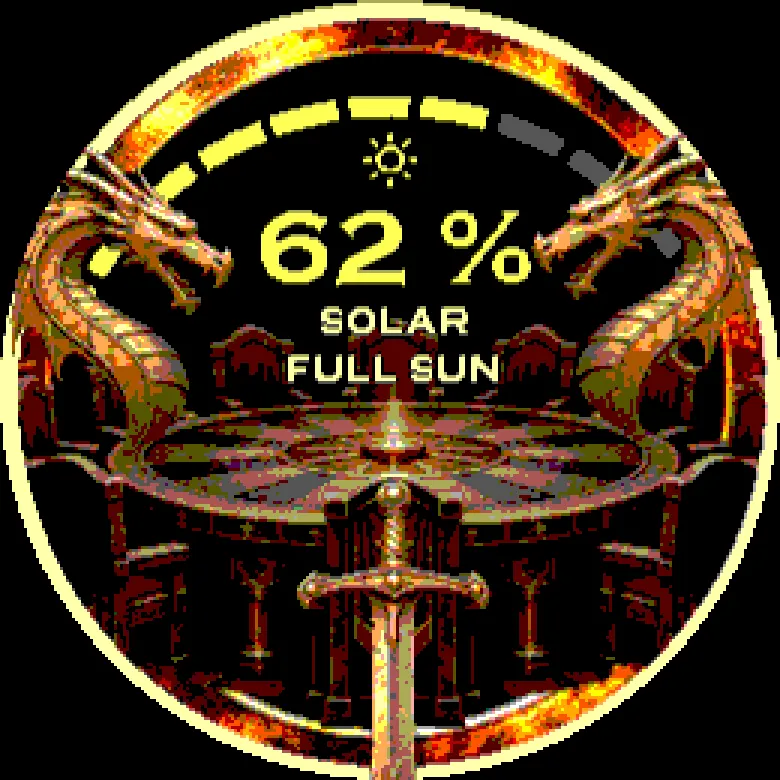
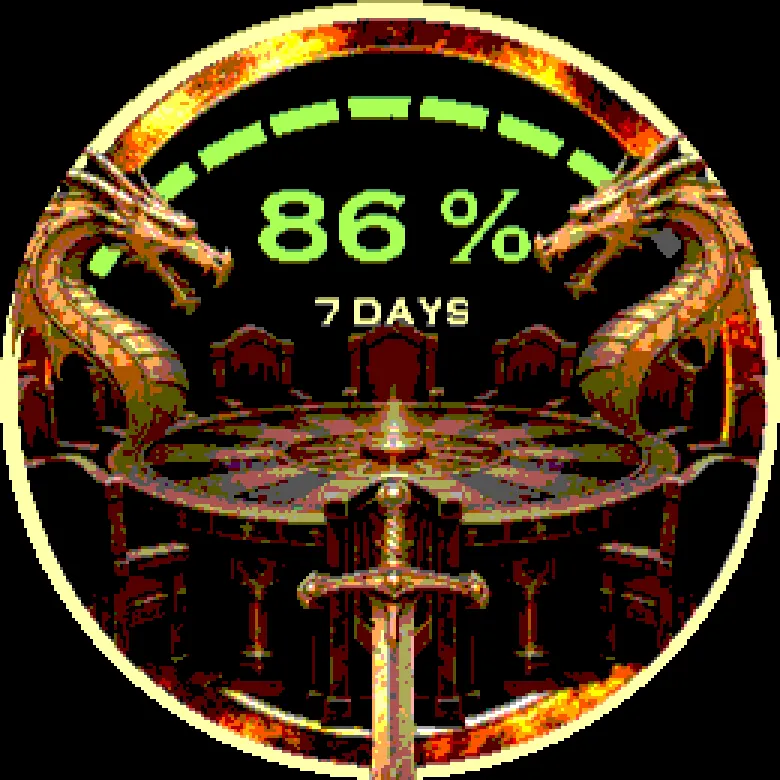
- Power: battery percent with a gauge and days remaining, then a Solar page with the sunlight on your watch.
- Weather: temperature, conditions, today's high and low, the temperature your watch's own sensor reads, and the next three forecast hours as icons. Colors run from cold blue to hot red.
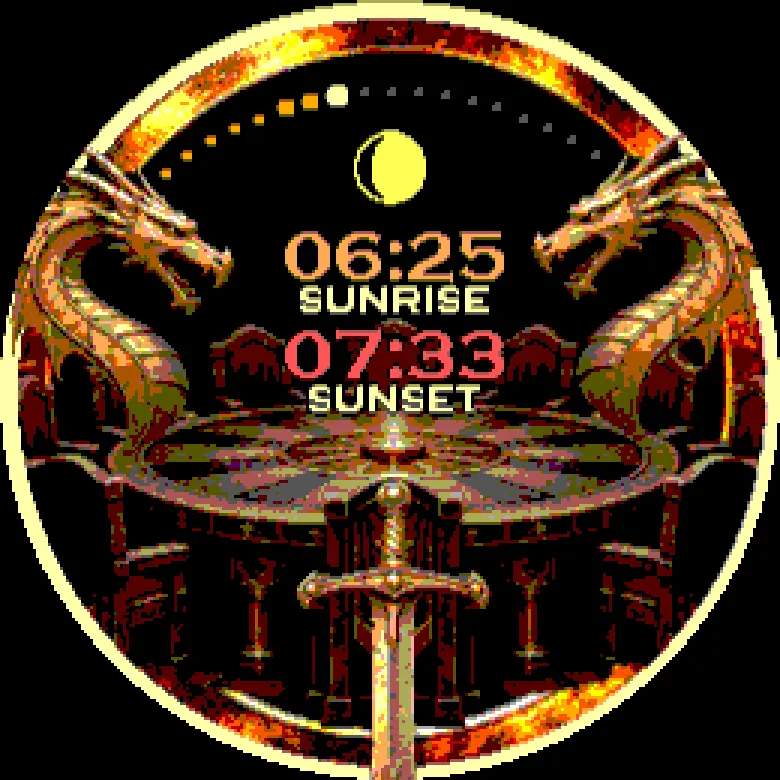
- Almanac: the moon phase, nineteen dots that follow the moon cycle with the full moon in the middle, sunrise and sunset.
PRESS AND HOLD
- On Excalibur: hold anywhere to enter the Round Table.
- On the Round Table: hold the banner, the lightning bolt, the weather icon, or the sword.
- On a dragon page: hold the right dragon to go forward and the left dragon to go back one page, and hold the sword to return to the Round Table.
SETTINGS IN GARMIN CONNECT
- Time format: Follow the watch settings, 12 hour or 24 hour.
- Temperature: Follow the watch settings, Fahrenheit or Celsius.
- Distance: Follow the watch settings, Miles or Kilometers.
- Lightning seconds: On or Off. Off hides the bolt and its number and leaves the scene and the time.
- Second number at the strike: On or Off.
ABOUT POSITION
Position is the last location your watch has available, not continuous navigation, and the face never starts GPS itself. To refresh it, record an outdoor activity such as a walk or a run and then return to the face. If the watch has no stored location, sunrise and sunset show two dashes.
PRIVACY
Excalibur uses the location your watch already has, only for sunrise and sunset. Nothing is sent anywhere. There is no account and no network use of its own.
Data availability varies by watch, sensors and Garmin Connect sync. Weather uses the data Garmin has already provided to your watch. Screenshots show sample values.
Made for fenix 7, fenix 7 Pro, fenix 7 Pro (no Wi-Fi), fenix 7X, fenix 7X Pro, fenix 7X Pro (no Wi-Fi), fenix 8 Solar 47mm, fenix 8 Solar 51mm, fenix 9 Pro Solar 47mm, fenix 9 Pro Solar 51mm, Forerunner 955, Enduro 3 and Enduro 4.
Co je nového
Version 1.0.0: first release.
Snímky obrazovky
Podporovaný jazyk (1)
Kompatibilních zařízení (18)
Enduro™ 2
Enduro™ 3
Enduro™ 4
fēnix® 7
fēnix® 7
fēnix® 7 Pro
fēnix® 7 Pro – Solar Edition (No Wi-Fi®)
fēnix® 7X
fēnix® 7X
fēnix® 7X Pro
fēnix® 7X Pro No Wi-Fi
fēnix® 8 Solar (47mm)
fēnix® 8 Solar (51mm)
fenix® 9 Pro - Solar 47 mm
fenix® 9 Pro - Solar 51 mm
Forerunner® 955 Dual Power
tactix® 7
tactix® 8 – 51 mm, Solar
Nedávný trend metrik
Hodnocení
Recenze
Data snímků
2026-11-17 → 2026-11-28