Popis
Orbital Telemetry turns your Garmin into a personal orbital dashboard. Explore Earth or Mars, put your data in five configurable tiles and make the HUD your own.
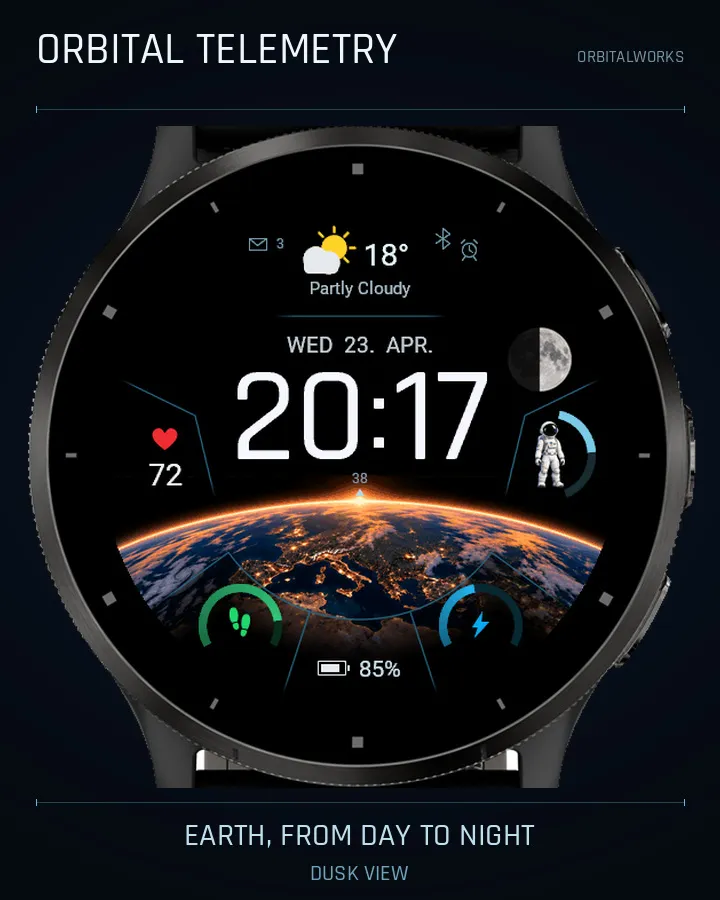
EARTH OR MARS. DAY TO NIGHT.
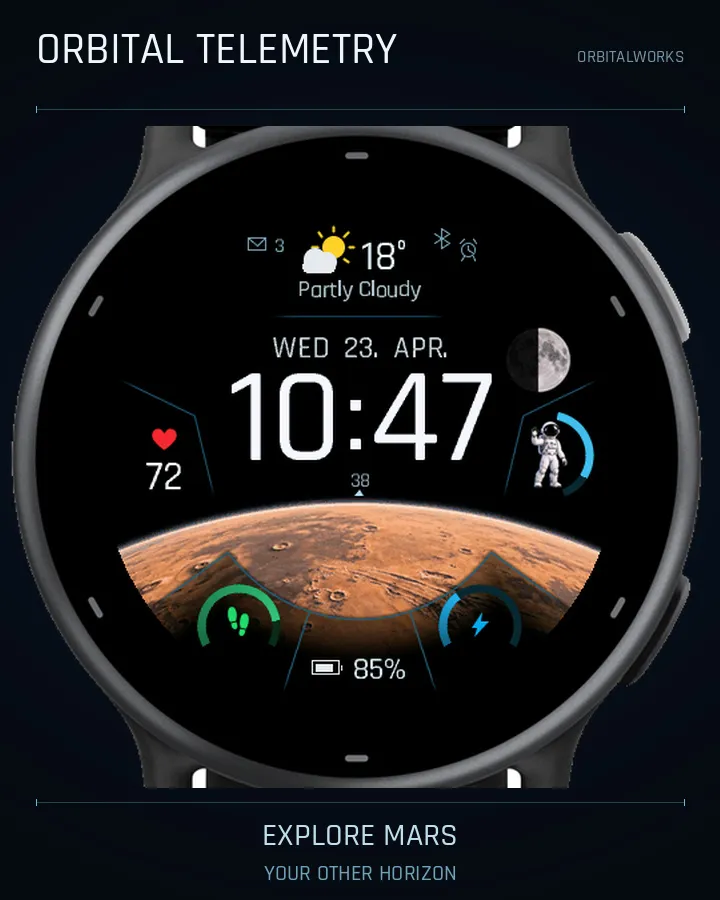
Choose a detailed Earth or Mars horizon with day, dusk and night views. Large angular time digits, fine telemetry lines and an optional Moon phase complete the cockpit look.
FIVE TILES, YOUR CHOICE
Configure the two side tiles and three lower tiles individually. Choose from the metrics available for each position, move your favorites or hide a tile entirely. Try the Daily, Activity and Minimal presets, then save one custom profile on your watch.
Heart rate, Body Battery, steps and daily goal, watch battery, stress, elevation, floors, Pulse Ox, intensity minutes and total calories are available depending on your device. Sleep score is offered only on supported watches. Available choices vary by tile position and device.
CLEAN GAUGES, VALUES WHEN YOU NEED THEM
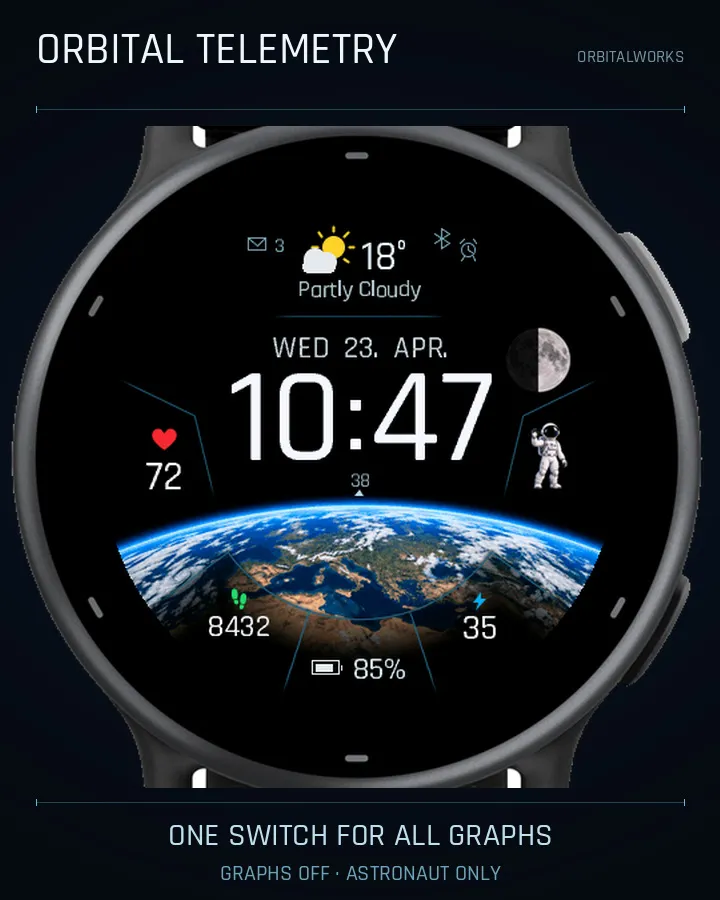
Choose centered symbols for a cleaner gauge view, or keep symbols and numbers. One setting under Appearance / Gauge values controls all gauges; fields without gauges keep their numbers. A separate Show gauges setting turns all data arcs on or off.
In active symbol mode, touch and hold an occupied tile to reveal all gauge values for four seconds. The symbols then return automatically. On watches without a touchscreen, use the menu to switch views.
AN ASTRONAUT THAT FOLLOWS YOUR ENERGY
Five distinct astronaut poses reflect your Body Battery level. With graphs on, the astronaut sits in its gauge; with graphs off, it appears without an arc. The Body Battery number appears when graph values are on. Customize HUD accent colors and the outer ring; subtle HUD glow is AMOLED-only. Show or hide weather, solar times, Moon phase and status indicators. When enabled, an alarm icon appears beside Bluetooth only while an alarm is active; Garmin does not provide the alarm time.
AMOLED AND SELECTED MIP WATCHES
Orbital Telemetry supports 50 AMOLED and 19 selected MIP watch models. MIP displays remain visible in color at rest. The two AMOLED AOD modes and HUD glow are available on AMOLED only.
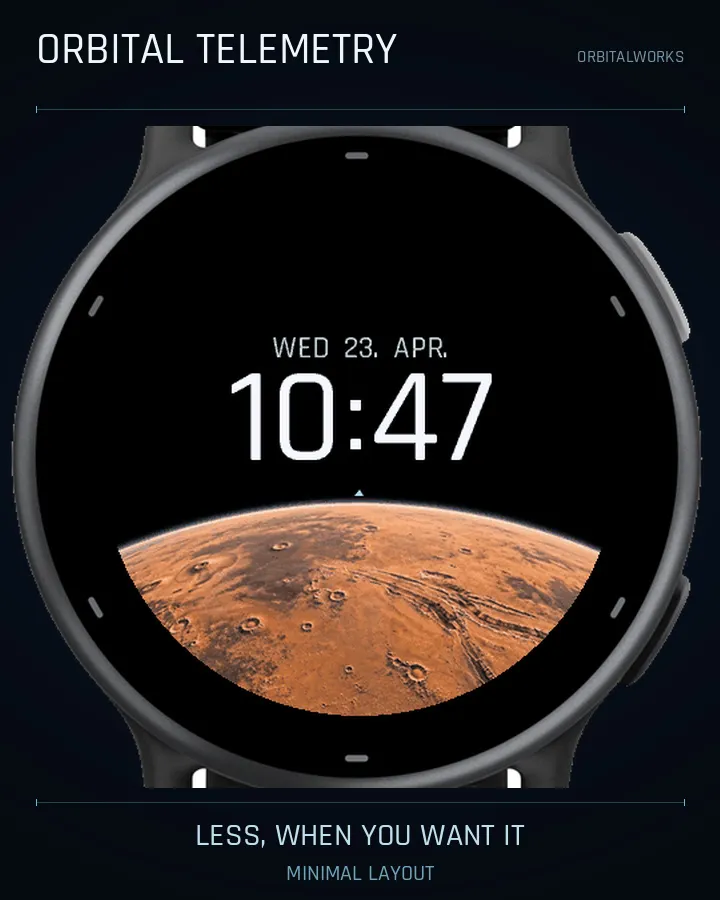
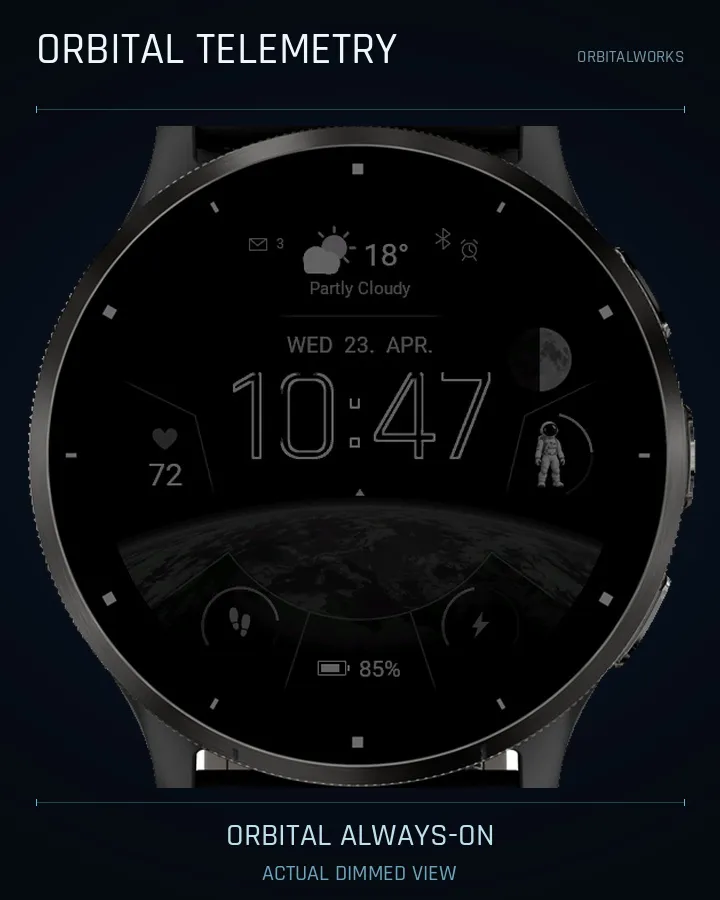
Choose Orbital Always-on with an outline clock, selected widgets and a dim grayscale planet, or the simpler Minimal Always-on. Always-on can also be switched off. The active view supports 12-hour, 24-hour or system time, optional seconds and the system temperature unit.
Settings are available on the watch and through Connect IQ. English, German, French, Spanish and Italian are supported.
PLEASE NOTE
Metrics depend on the watch, permissions and available Garmin data. Missing or stale values appear as --. Pulse Ox and other metrics use available readings; the watchface does not perform an on-demand health measurement. Weather requires current Garmin weather data.
Planet views are decorative, not live satellite maps. Day/dusk/night selection uses available terrestrial sunrise and sunset times, with fixed local times as a fallback. Mars follows these same terrestrial times. Moon phases use the northern hemisphere view. The watchface does not continuously animate; the Store GIF demonstrates different settings and states. Always-on requires support and the corresponding watch system setting; its brightness and update rate differ from the active view.
Simulator images contain sample data. Your watch shows its available data.
SUPPORT
Select “Contact Developer” on this product page.
Co je nového
2.0.3
• Alarm status icon beside Bluetooth when an alarm is active; no alarm time is shown.
• One Show gauges setting controls all data arcs.
• Body Battery astronaut adapts to graph and value visibility.
• Touch and hold still reveals values for four seconds.
2.0.2
• Support for 19 additional MIP device profiles.
• Smoother steps icon and improved text spacing.
• Gauges with symbols or numbers; touch and hold reveals values for 4 seconds (touchscreens).
• Cleaner defaults without bezel or solar times; settings and profiles preserved.
Note: The former Body Battery number setting now controls all gauges.
2.0.1
Added support for Garmin Forerunner 265S, Venu 2S and fēnix 9 Pro (51 mm).
Reduced installation size by up to 84% on selected devices, with the same visuals and features.
Snímky obrazovky
Podporovaných jazyků (5)
Kompatibilních zařízení (89)
Approach® S50
Approach® S70 (42mm)
Approach® S70 (47mm)
Approach® S72 - 43 mm
Approach® S72 - 47 mm
D2™ Air X10
D2™ Air X15
D2™ Mach 1
D2™ Mach 1 Pro
D2™ Mach 2
D2™ Mach 2 Pro
Descent™ G2
Descent™ MK3 - 43mm
Descent™ MK3i - 51mm
Enduro™ 2
Enduro™ 3
Enduro™ 4
epix™ (Gen 2)
epix™ (Gen 2)
epix™ Pro (42mm)
epix™ Pro (47mm)
epix™ Pro (51mm)
fēnix® 7
fēnix® 7
fēnix® 7 Pro
fēnix® 7 Pro – Solar Edition (No Wi-Fi®)
fēnix® 7S
fēnix® 7S
fēnix® 7S Pro
fēnix® 7X
fēnix® 7X
fēnix® 7X Pro
fēnix® 7X Pro No Wi-Fi
fēnix® 8 AMOLED (43mm)
fēnix® 8 AMOLED (47mm/51mm)
fēnix® 8 Pro
fēnix® 8 Solar (47mm)
fēnix® 8 Solar (51mm)
fenix® 9 - 43 mm
fenix® 9 – 47 mm
fenix® 9 Pro - 43 mm
fenix® 9 Pro - 47 mm
fenix® 9 Pro - 51 mm
fenix® 9 Pro - Solar 47 mm
fenix® 9 Pro - Solar 51 mm
fēnix® E
Forerunner® 165
Forerunner® 165 Music
Forerunner® 170
Forerunner® 170 Music
Forerunner® 255
Forerunner® 255 Music
Forerunner® 255S
Forerunner® 255S Music
Forerunner® 265
Forerunner® 265S
Forerunner® 570 - 42mm
Forerunner® 570 - 47mm
Forerunner® 70
Forerunner® 70
Forerunner® 955 Dual Power
Forerunner® 965
Forerunner® 970
Instinct® 3 – 45 mm, AMOLED
Instinct® 3 – 50 mm, AMOLED
MARQ® (Gen 2)
MARQ® Adventurer (Gen 3)
MARQ® Commander (Gen 2) – Carbon Edition
MARQ™ Aviator (Gen 2)
Mercedes-Benz Venu® 2
Mercedes-Benz Venu® 2
Mercedes-Benz Venu® 2S
Mercedes-Benz Venu® 2S
tactix® 7
tactix® 7 – AMOLED Edition
tactix® 8 – 47 mm, AMOLED
tactix® 8 – 51 mm, Solar
Venu® 2
Venu® 2
Venu® 2 Plus
Venu® 2 Plus
Venu® 2S
Venu® 2S
Venu® 3
Venu® 3S
Venu® 4 – 41 mm
Venu® 4 – 45 mm
vívoactive® 5
vívoactive® 6
Nedávný trend metrik
Hodnocení
Recenze
Data snímků
2026-11-10 → 2026-11-26