Popis
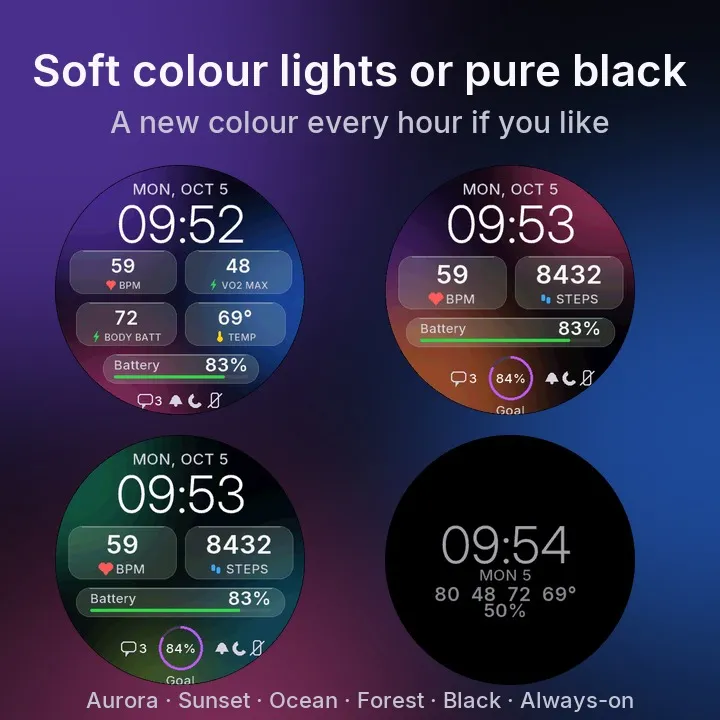
Frosted-glass cards over soft color lights, or pure black. The look of a phone lock screen, on the wrist: one big light number, clean cards, and colour only where it means something.
- Big, light time, with the date above it
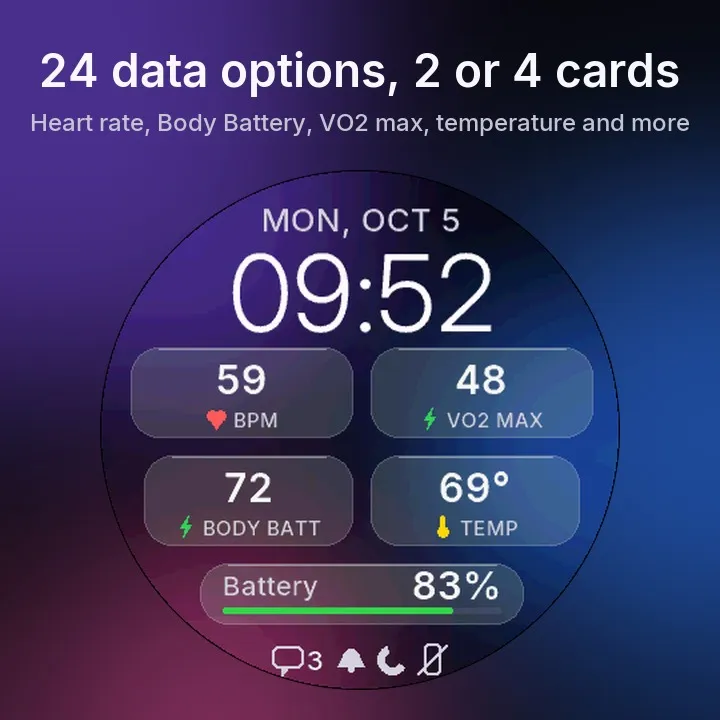
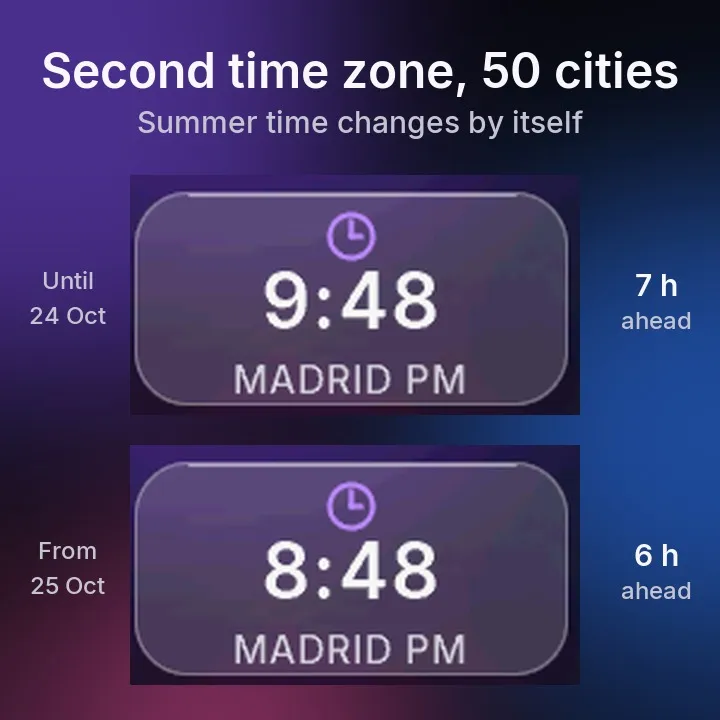
- Two cards, and you choose what goes on each: heart rate, steps, Body Battery, calories, distance, floors, intensity minutes, altitude, temperature, sunrise/sunset, stress, Pulse Ox, recovery time, respiration, VO2 max, weekly running distance, sleep score, barometric pressure, the time of your next calendar event, a second time zone (pick the city and summer time changes by itself), your training status or the weather (sky, high and low)
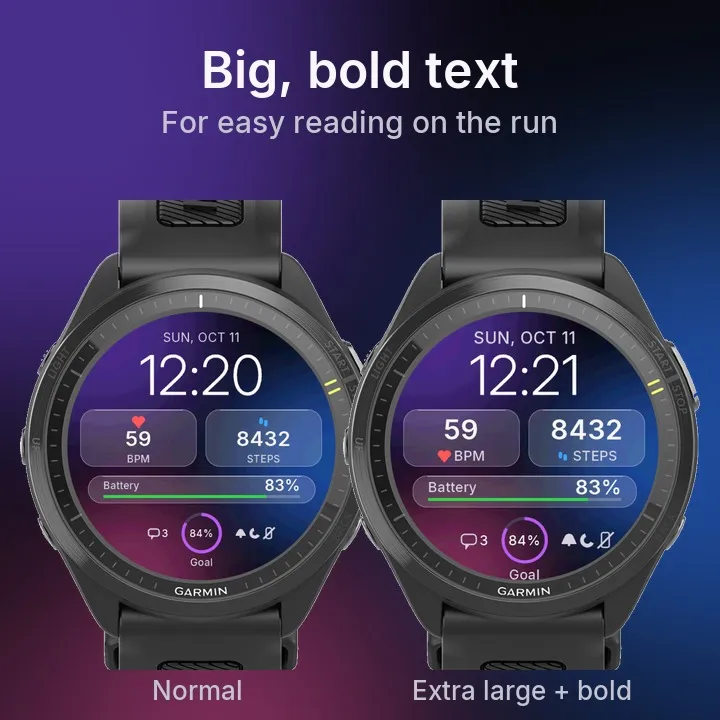
- Text size: Normal, Large or Extra large
- Layout: 2 cards + bar + goal ring, or 4 cards + bar
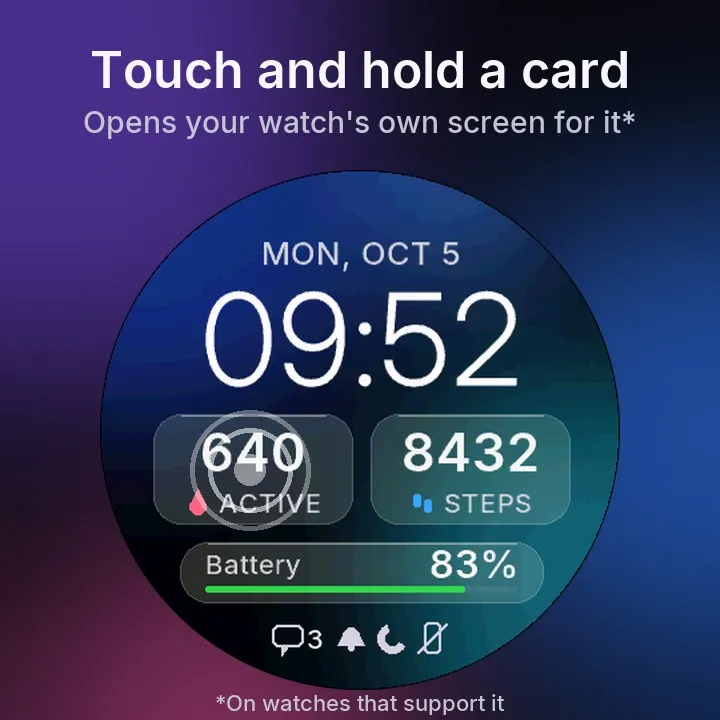
- Touch and hold a card to open your watch's own screen for that data (on supported watches)
- A bottom bar for watch battery, Body Battery, or steps, floors or intensity minutes against your goal
- A goal ring for daily steps, floors climbed or weekly intensity minutes
- Optional seconds next to the time, shown while the screen is on
- Status icons beside the ring: unread notifications, alarm set, do not disturb, phone disconnected. They only appear when there is something to show
- Backgrounds: Aurora, Sunset, Ocean, Forest, Rotate colours (a new one every hour) or Black (the most battery-friendly)
- Always-on display: only the time, date and battery, dimmed, moving a little each minute to protect the screen. You can switch it off
- 12 or 24 hour, or the same as the watch
- English and Spanish
- Text sized for your screen, from 360 to 466 pixels
Made for AMOLED screens: true blacks and crisp type, drawn for this face.
Nothing about you is collected or sent anywhere. Background and Communications are required by the payment library to check your licence. SensorHistory is used only to show the most recent heart-rate reading available on your watch. ComplicationSubscriber lets the cards read the data you choose (like altitude or sunrise) from the watch itself.
Typeface: Inter, (c) The Inter Project Authors, SIL Open Font License 1.1.
You change all of this in the Connect IQ app on your phone: open this watch face and tap Settings. Updates sometimes add new options, so it is worth a look after one.
When the trial ends the watch shows a code; you enter it at kzl.io/code to unlock the face permanently.
Common questions
"A code appeared on my watch and I don't want to buy it."
Switch to another watch face. Nothing is charged and nothing is kept.
"I paid but the code is still there."
Your watch has to sync with your phone first. Open Garmin Connect and give it a minute.
"Who is KiezelPay?"
The company that handles the payment, at kzl.io.
"I updated but the watch face looks the same."
Switch to another watch face and back to Glass Cards. The watch then loads the new version.
"The calendar card shows --."
Your watch has no upcoming event. It comes from your phone's calendar through Garmin Connect: if the event isn't in the watch's Calendar widget, the watch face can't see it either.
Questions or problems: write to me and tell me your watch model.
Disponible en espanol.
If this face stays on your wrist, a review helps more than it looks. Most of mine have one review or none, and that is what anyone deciding sees.
How paying works: 2-day free trial, then $1.99 once. No subscription. You pay on KiezelPay's checkout page with PayPal, Apple Pay or a card (card payments add a $0.30 fee). Your payment details go only to KiezelPay, never to me, and they refund within 30 days.
Want more than one? All 16 of my watch faces are $6.99 together, paid once: choose the bundle when you enter your code.
Also by MarioZ: GMT, a second time zone that changes with summer time by itself: https://apps.garmin.com/apps/420506aa-c3fa-473d-a88e-8ff4bede5962
Follow @marioz.watchfaces on Instagram and TikTok for tips and new faces.
Co je nového
Glucose card: it now finds the Dexcom app on more watches, and shows N/A when the Dexcom app isn't installed. Enjoying it? A rating on its Connect IQ page helps a lot.
Snímky obrazovky
Podporované jazyky (2)
Kompatibilních zařízení (65)
Approach® S50
Approach® S70 (42mm)
Approach® S70 (47mm)
D2™ Air X10
D2™ Air X15
D2™ Mach 1
D2™ Mach 1 Pro
D2™ Mach 2
D2™ Mach 2 Pro
Descent™ G2
Descent™ MK3 - 43mm
Descent™ MK3i - 51mm
epix™ (Gen 2)
epix™ (Gen 2)
epix™ Pro (42mm)
epix™ Pro (47mm)
epix™ Pro (51mm)
fēnix® 8 AMOLED (43mm)
fēnix® 8 AMOLED (47mm/51mm)
fēnix® 8 Pro
fenix® 9 - 43 mm
fenix® 9 – 47 mm
fenix® 9 Pro - 43 mm
fenix® 9 Pro - 47 mm
fenix® 9 Pro - 51 mm
fēnix® E
Forerunner® 165
Forerunner® 165 Music
Forerunner® 170
Forerunner® 170 Music
Forerunner® 265
Forerunner® 265S
Forerunner® 570 - 42mm
Forerunner® 570 - 47mm
Forerunner® 70
Forerunner® 70
Forerunner® 965
Forerunner® 970
Instinct® 3 – 45 mm, AMOLED
Instinct® 3 – 50 mm, AMOLED
Instinct® Crossover AMOLED
MARQ® (Gen 2)
MARQ® Commander (Gen 2) – Carbon Edition
MARQ™ Aviator (Gen 2)
Mercedes-Benz Venu® 2
Mercedes-Benz Venu® 2
Mercedes-Benz Venu® 2S
Mercedes-Benz Venu® 2S
tactix® 7 – AMOLED Edition
tactix® 8 – 47 mm, AMOLED
Venu® 2
Venu® 2
Venu® 2 Plus
Venu® 2 Plus
Venu® 2S
Venu® 2S
Venu® 3
Venu® 3S
Venu® 4 – 41 mm
Venu® 4 – 45 mm
Venu® Sq. 2
Venu® Sq. 2 Music
Venu® X1
vívoactive® 5
vívoactive® 6