Description
- - - - - - - - - - - - - - -
ONE GOAL. ONE LAP.
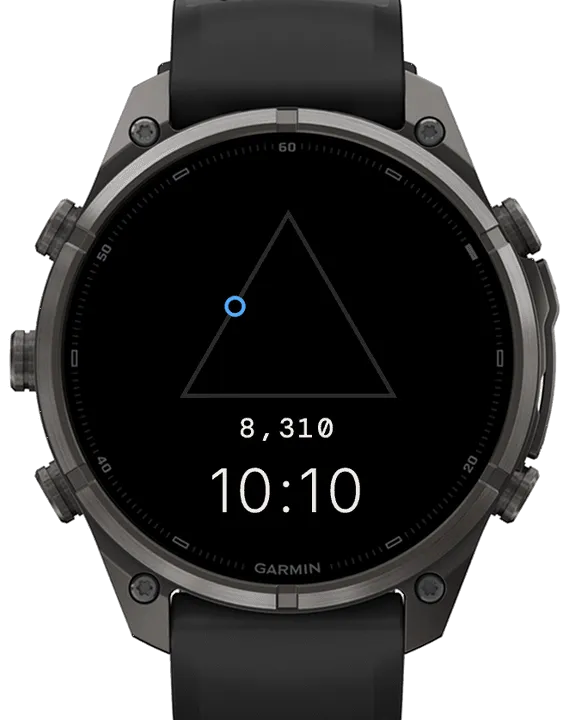
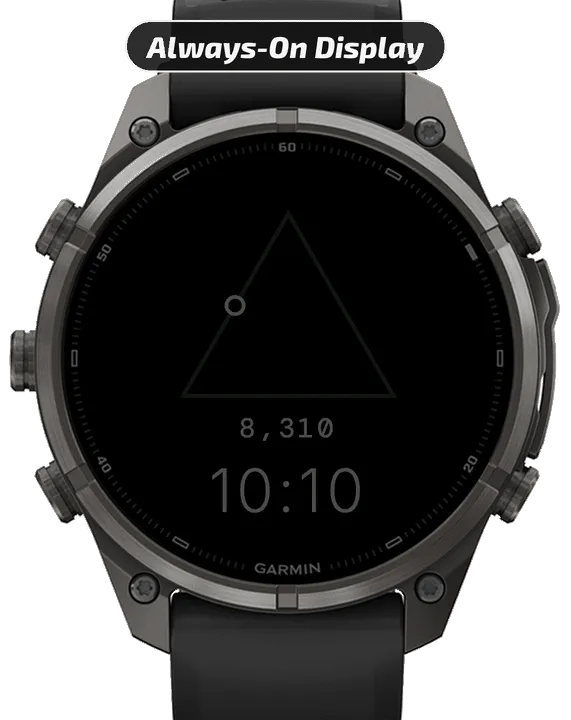
Some days feel a little empty until you've done the one thing you set out to do. Traveler keeps that one thing in view: a small traveler walks the sides of a triangle as you get closer to your goal, hollow the whole way, until the goal is met and it becomes fulfilled.
Free for 24 hours, then $1.99+. Details below.
- - - - - - - - - - - - - - -
THE TRAVELER
- One goal, one traveler: it sets out from the top of the triangle and walks clockwise, round each corner, as the goal fills
- The value sits under the triangle, written out in full, with the time below it
- Pick the goal from ten: Steps, Floors, Floors Down, Intensity Minutes, Pushes, Push Distance, Move Bar, Weekly Running, Weekly Cycling and a Countdown
- Floors Down, Push Distance, Weekly Running, Weekly Cycling and a Countdown walk toward a value you set; the rest use the goals already on your watch
- Move Bar can fill either way: normal, or inverted so it is full when you have kept moving
- The traveler metric defaults to Steps
- - - - - - - - - - - - - - -
COLOR
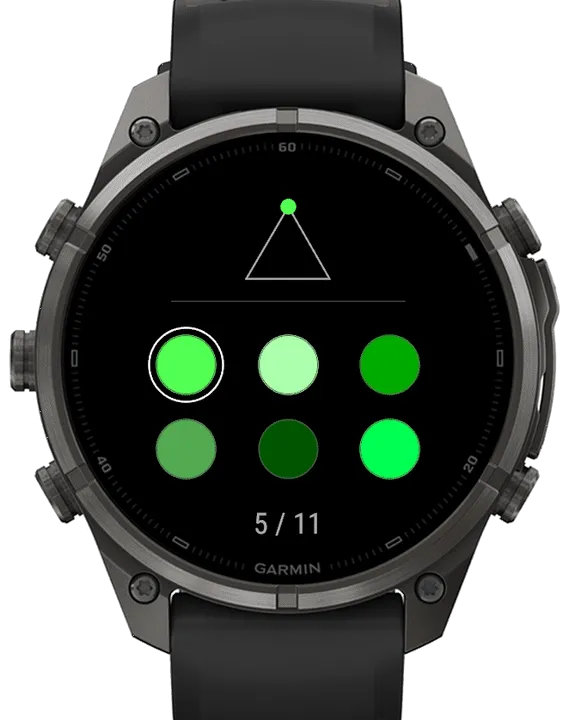
- Pick the traveler's color from 63 on the watch; the rest of the watch face stays black, white and gray
- - - - - - - - - - - - - - -
TOUCH AND HOLD / LONG-PRESS
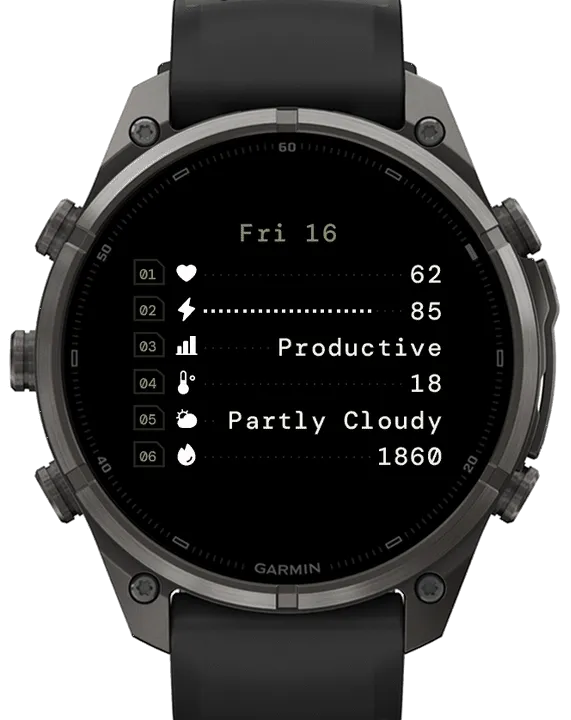
- Touch and hold the watch face to see six more metrics, each with its icon, for as long as you choose: 5, 8 or 10 seconds
- Pick each of the six from 56: Heart Rate, Body Battery, Training Status, the Weather, Calories and more
- The date sits at the top, with options to show the month or not, and put the day or the month first
- - - - - - - - - - - - - - -
ALWAYS-ON DISPLAY
- On AMOLED watches the whole watch face stays with your wrist down, dimmed, shifting slightly each minute to protect the screen
- - - - - - - - - - - - - - -
MORE DETAILS
- Set everything on the watch, or in the Connect IQ app on your phone; the traveler's color is set on the watch
- A countdown's dates are set on the watch; the phone can pick the countdown metric but cannot set its dates
- Weekly Running and Weekly Cycling are Garmin's own weekly totals, counted from the first day of the week set on your watch
- Push Distance and Pushes need a watch with wheelchair mode
- Animations play in the moments after you raise your wrist, as Garmin allows
- If you see "--", it means Garmin has no current data for that metric
- Each metric's Status line, in the Connect IQ app Settings, says what the watch face is showing, or when a metric is not available on your watch
- - - - - - - - - - - - - - -
24-HOUR FREE TRIAL, THEN $1.99+
When the trial ends, scan the QR code on your watch, pay through Ko-fi and follow the steps. Keep your watch connected to your phone so it can check for your purchase. Once confirmed, it unlocks within 5 minutes.
- - - - - - - - - - - - - - -
QUESTIONS OR IDEAS?
Use the Contact Developer button on this page to Email Me. If something isn't quite right, reach out before you leave a review. Feedback like yours is what makes each update better!
- - - - - - - - - - - - - - -
HELLO WORLD.
Thank you for being here. I make watch faces for everyday wear, mostly ones I couldn't find in the store. If one has been worth more to you than what you paid, a donation toward a post-run recovery meal is a lovely way to say so :)
https://ko-fi.com/watchlab
- - - - - - - - - - - - - - -
TAGS
minimal, triangle, geometric, goals, progress, journey, traveler, simple, clean, digital
- - - - - - - - - - - - - - -
Screenshots
Supported language (1)
Compatible devices (67)
Approach® S72 - 43 mm
Approach® S72 - 47 mm
D2™ Air X15
D2™ Mach 1
D2™ Mach 1 Pro
D2™ Mach 2
D2™ Mach 2 Pro
Enduro™ 2
Enduro™ 3
Enduro™ 4
epix™ (Gen 2)
epix™ (Gen 2)
epix™ Pro (42mm)
epix™ Pro (47mm)
epix™ Pro (51mm)
fēnix® 7
fēnix® 7
fēnix® 7 Pro
fēnix® 7 Pro – Solar Edition (No Wi-Fi®)
fēnix® 7S
fēnix® 7S
fēnix® 7S Pro
fēnix® 7X
fēnix® 7X
fēnix® 7X Pro
fēnix® 7X Pro No Wi-Fi
fēnix® 8 AMOLED (43mm)
fēnix® 8 AMOLED (47mm/51mm)
fēnix® 8 Pro
fēnix® 8 Solar (47mm)
fēnix® 8 Solar (51mm)
fenix® 9 - 43 mm
fenix® 9 – 47 mm
fenix® 9 Pro - 43 mm
fenix® 9 Pro - 47 mm
fenix® 9 Pro - 51 mm
fenix® 9 Pro - Solar 47 mm
fenix® 9 Pro - Solar 51 mm
fēnix® E
Forerunner® 165
Forerunner® 165 Music
Forerunner® 170
Forerunner® 170 Music
Forerunner® 265
Forerunner® 265S
Forerunner® 570 - 42mm
Forerunner® 570 - 47mm
Forerunner® 70
Forerunner® 70
Forerunner® 955 Dual Power
Forerunner® 965
Forerunner® 970
MARQ® (Gen 2)
MARQ® Adventurer (Gen 3)
MARQ® Commander (Gen 2) – Carbon Edition
MARQ™ Aviator (Gen 2)
tactix® 7
tactix® 7 – AMOLED Edition
tactix® 8 – 47 mm, AMOLED
tactix® 8 – 51 mm, Solar
Venu® 3
Venu® 3S
Venu® 4 – 41 mm
Venu® 4 – 45 mm
Venu® X1
vívoactive® 5
vívoactive® 6
Recent metric trend
Rating
Reviews
Snapshot dates
2026-10-27 → 2026-11-10