Opis
Modulon TiM // your day on a control panel
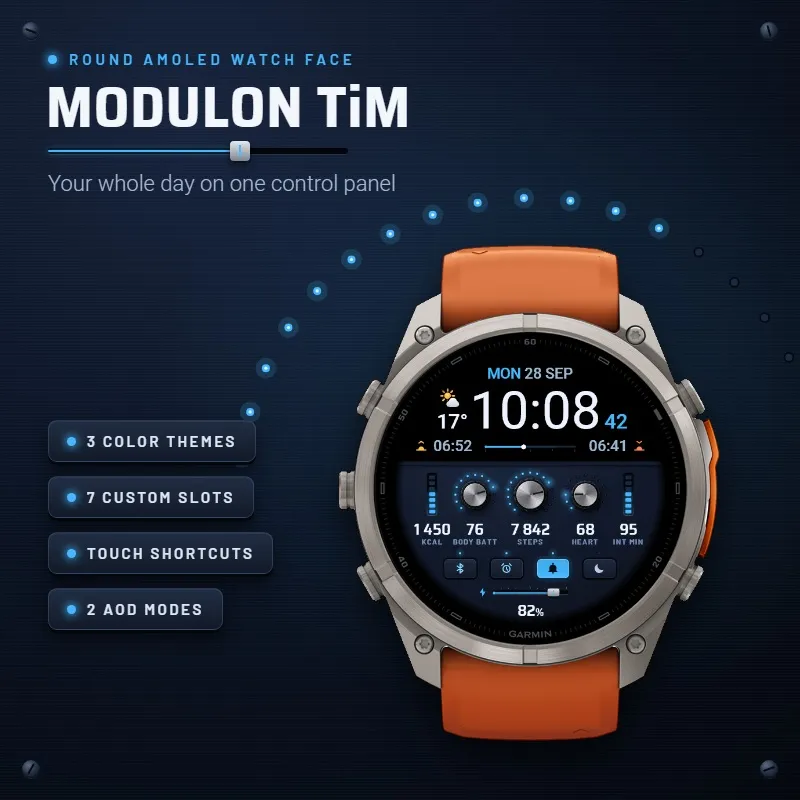
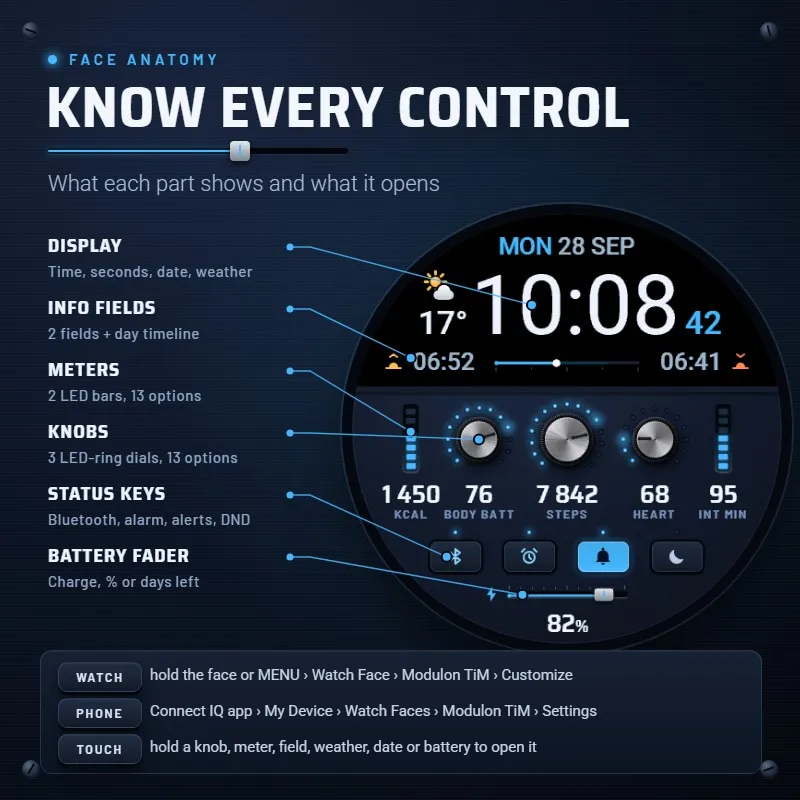
Built like a piece of studio hardware: an edge-to-edge black display on top, rotary knobs with glowing LED rings, LED bar meters, status keys and a battery fader below. Brushed panels, big readable numbers, drawn natively for every round AMOLED Garmin screen from 360 to 466 px.
▸ ON THE PANEL
- Large time with seconds (seconds can be hidden), 24H or 12H from your watch settings
- Date in your watch's language, weather icon and temperature
- Day timeline: daylight between sunrise and sunset, with a marker for now
- 3 rotary knobs with LED rings and 2 LED bar meters
- Status keys for Bluetooth, alarm, notifications and do not disturb: each one lights up when active, the notification key glows while messages wait
- Battery fader with the percentage or the days left, turns red when low
▸ 7 CUSTOM SLOTS
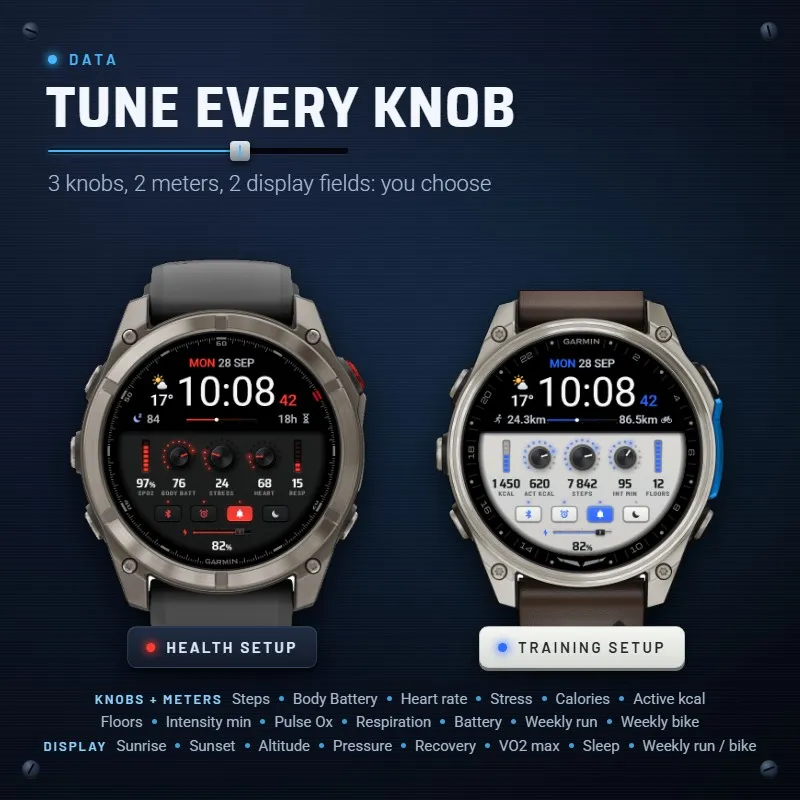
3 knobs and 2 meters, 13 options each:
Steps, Body Battery, Heart rate, Stress, Calories, Active calories, Floors climbed, Intensity minutes, Pulse Ox, Respiration, Battery, Weekly run distance, Weekly bike distance.
2 display fields, up to 14 options each:
Sunrise, Sunset, Altitude, Pressure, Pulse Ox, Respiration, Floors climbed, Recovery time, VO2 max, Sleep score, Next calendar event, Active calories, Weekly run distance, Weekly bike distance.
Calorie and active calorie goals are adjustable, units follow your watch (°C / °F, m / ft, km / mi), pressure in hPa, inHg or mmHg. Values never blink to 0 or "--": slow ones such as Body Battery, stress and Pulse Ox keep their last reading and refresh every minute. Active calories learn your resting burn at night, so they match your watch. Data your watch does not record (e.g. sleep score, floors, pressure on some models) is not offered in its settings.
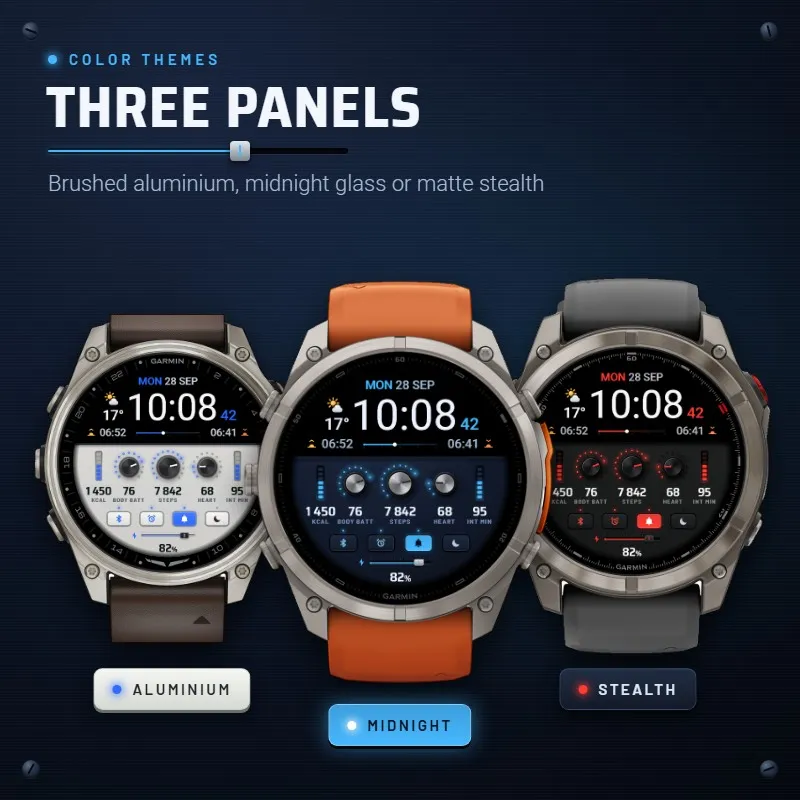
▸ 3 COLOR THEMES
Aluminium · Midnight · Stealth
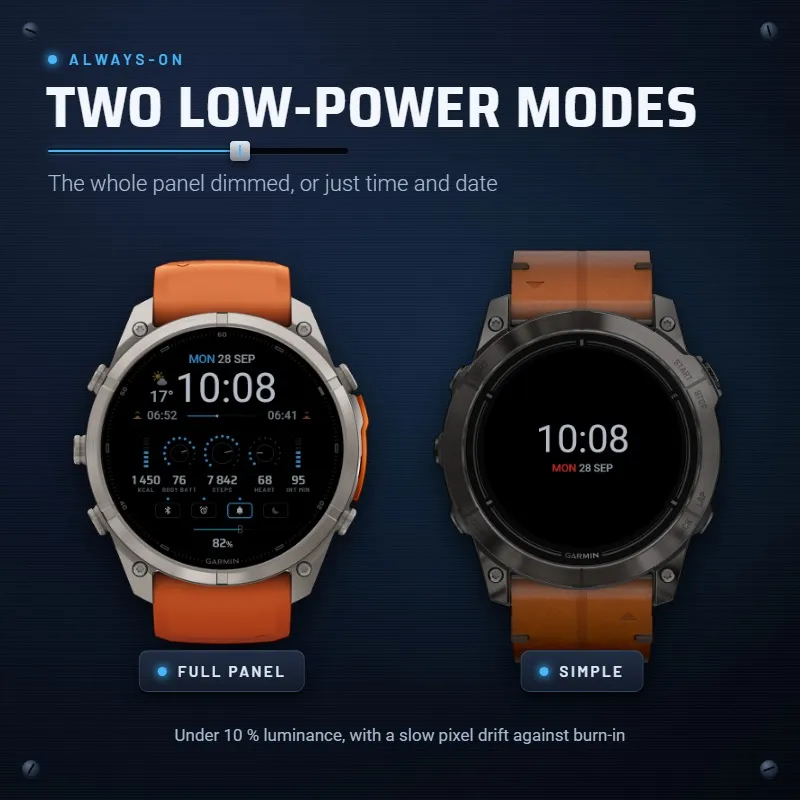
▸ 2 ALWAYS-ON MODES
Full: the whole panel, dimmed.
Simple: just the time and the date.
Under 10 % luminance with a slow pixel drift against burn-in.
▸ HOLD-TO-OPEN SHORTCUTS (touch watches)
Touch and hold a knob, a meter, a display field, the weather, the date, the notification key or the battery to jump to its widget.
▸ SETUP
On the watch: touch and hold the time (or hold MENU) → Watch Face → Modulon TiM → Customize.
On the phone: Connect IQ app or Garmin Connect → watch faces → Modulon TiM → Settings.
Options: Color theme, Left / Center / Right knob, Left / Right meter, Display info left / right, Always-on display, Pressure unit, Battery (percent or days left), Show seconds, Calorie goal, Active calorie goal.
Zaslonske slike
Podprt jezik (1)
Združljivih naprav (62)
Approach® S70 (42mm)
Approach® S70 (47mm)
Approach® S72 - 43 mm
Approach® S72 - 47 mm
D2™ Air X10
D2™ Air X15
D2™ Mach 1
D2™ Mach 1 Pro
D2™ Mach 2
D2™ Mach 2 Pro
Descent™ G2
Descent™ MK3 - 43mm
Descent™ MK3i - 51mm
epix™ (Gen 2)
epix™ (Gen 2)
epix™ Pro (42mm)
epix™ Pro (47mm)
epix™ Pro (51mm)
fēnix® 8 AMOLED (43mm)
fēnix® 8 AMOLED (47mm/51mm)
fēnix® 8 Pro
fenix® 9 - 43 mm
fenix® 9 – 47 mm
fenix® 9 Pro - 43 mm
fenix® 9 Pro - 47 mm
fenix® 9 Pro - 51 mm
fēnix® E
Forerunner® 165
Forerunner® 165 Music
Forerunner® 170
Forerunner® 170 Music
Forerunner® 265
Forerunner® 265S
Forerunner® 570 - 42mm
Forerunner® 570 - 47mm
Forerunner® 70
Forerunner® 70
Forerunner® 965
Forerunner® 970
Instinct® 3 – 45 mm, AMOLED
Instinct® 3 – 50 mm, AMOLED
MARQ® (Gen 2)
MARQ® Adventurer (Gen 3)
MARQ® Commander (Gen 2) – Carbon Edition
MARQ™ Aviator (Gen 2)
Mercedes-Benz Venu® 2
Mercedes-Benz Venu® 2
Mercedes-Benz Venu® 2S
Mercedes-Benz Venu® 2S
tactix® 7 – AMOLED Edition
tactix® 8 – 47 mm, AMOLED
Venu® 2
Venu® 2
Venu® 2 Plus
Venu® 2 Plus
Venu® 2S
Venu® 2S
Venu® 3
Venu® 3S
Venu® 4 – 41 mm
Venu® 4 – 45 mm
vívoactive® 6
Nedavni trend metrike
Ocena
Mnenja
Datumi posnetkov
2026-10-27 → 2026-11-05