Descrição
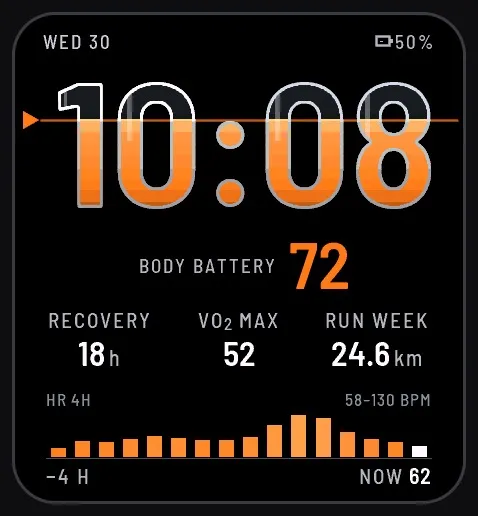
Data watch face for Venu X1 and Venu Sq 2: the hours and minutes are glass vessels filled with glowing liquid up to your Body Battery level. Below: recovery time, VO2 max, weekly running distance and your heart rate over the last 4 hours.
WHAT YOU SEE
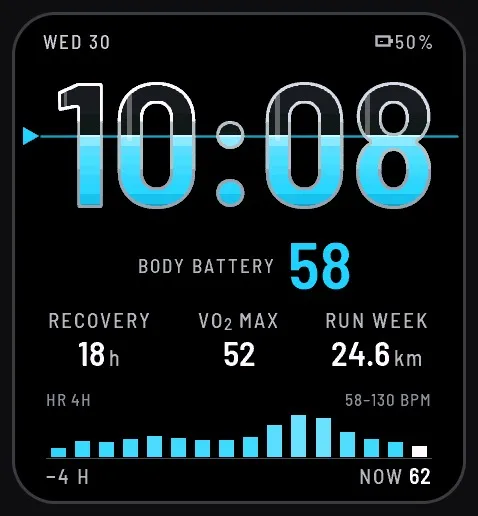
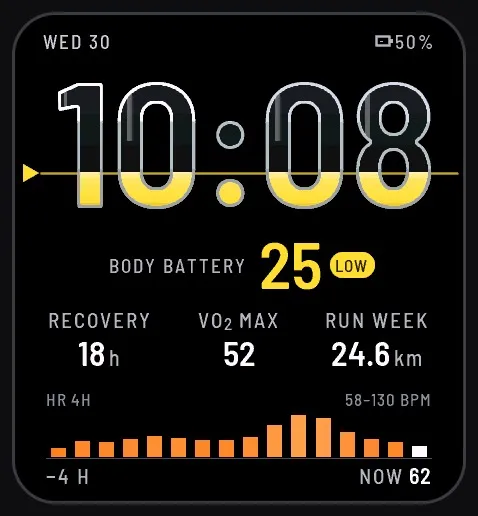
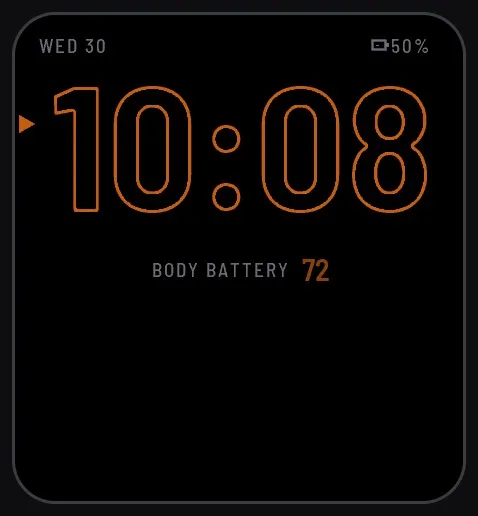
• Large glass digits. The liquid in all four digits stands at one level: your Body Battery on its 0–100 scale. As your energy drops during the day, the level drops with it.
• A pointer at the left edge and a thin level line across the screen mark the same level, and the number is shown below the time.
• At 25 or less the liquid turns yellow with a LOW tag; at 12 or less it turns red with a RECHARGE tag.
• Three data fields. By default: recovery time, VO2 max (running) and weekly running distance.
• Heart rate over the last 4 hours as a bar chart, with the minimum and maximum; the last white bar is now, with your current heart rate.
• Date and watch battery level at the top.
MAKE IT YOURS
• The level in the digits takes any value with a 0–100 scale: Body Battery, step goal, stress, battery, sleep score, blood oxygen or weekly intensity minutes. The LOW and RECHARGE warnings apply to Body Battery only.
• The three fields take any of 38 data types, or nothing, including heart rate, steps, distance, calories, altitude, barometer, temperature, weather, sunrise and sunset, recovery time, VO2 max, training status, race predictor, respiration, sleep score, notifications and the next calendar event.
• Glow colour: orange or cyan.
• Red night mode: off, from sunset to sunrise, or always on.
• Time format: as on the watch, 12 h or 24 h.
• Settings on the watch and in the Connect IQ app on your phone. Units follow your watch. Menu languages: English, Polish, German.
BUILT FOR REAL USE
• Missing data shows "--", never a misleading zero.
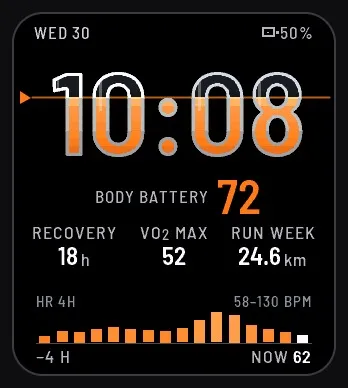
• Always-on display: outlined digits, the level pointer and number, date and battery. It shifts a few pixels every minute and passes the 24-hour screen burn-in test of the Connect IQ simulator.
• Some data types (such as recovery time, VO2 max, training status or sleep score) come from newer watches only; on older models they show "--".
• Made for Venu X1, Venu Sq 2 and Venu Sq 2 Music and tested in the Connect IQ simulator.
TRY IT FREE
"Graticule Metric X Trial" (free) shows the same face with the default fields, in orange, without settings.
PRIVACY
The last known location is stored only on your watch, to calculate sunset and sunrise for the night mode and the sun fields. The face has no internet permission and sends no data anywhere. Privacy policy: https://graticule-watchfaces.netlify.app/privacy.html
MORE FROM GRATICULE
Metric (round watches), Tactical Ops, Tactical Field, Tactical Mono (for Instinct), Hybrid and Analog.
SUPPORT AND FEEDBACK
Something looks wrong on your watch? Write to [email protected] with your watch model and we will fix it.
If you like the face, a rating in the Connect IQ store helps a small studio a lot.
RETURNS
You can return the watch face within 48 hours of purchase, according to the Connect IQ store rules.
Fonts: Barlow Semi Condensed (SIL Open Font License 1.1).
Novidades
1.0.1 Fixed: choosing the Barometer field no longer stops the watch face on watches without a barometer (Venu Sq 2 and Venu Sq 2 Music); the field shows "--" there.
1.0.0 First release.
Capturas de tela