Descrição
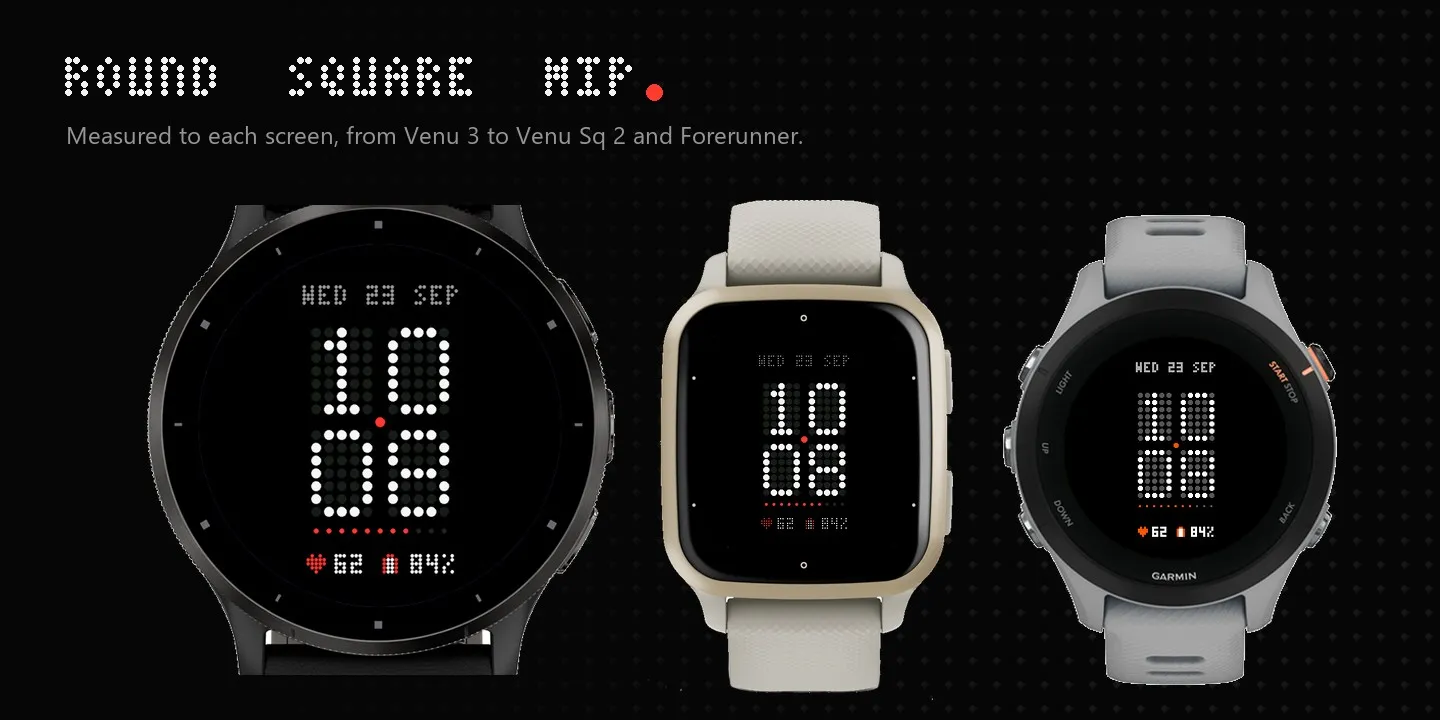
Dotform turns your Garmin display into a single dot-matrix panel. The time is
drawn in large 5x7 dots with the unlit dots faintly visible behind it, like a
real LED display, so it reads at a glance and looks sharp on AMOLED.
Voortly.com
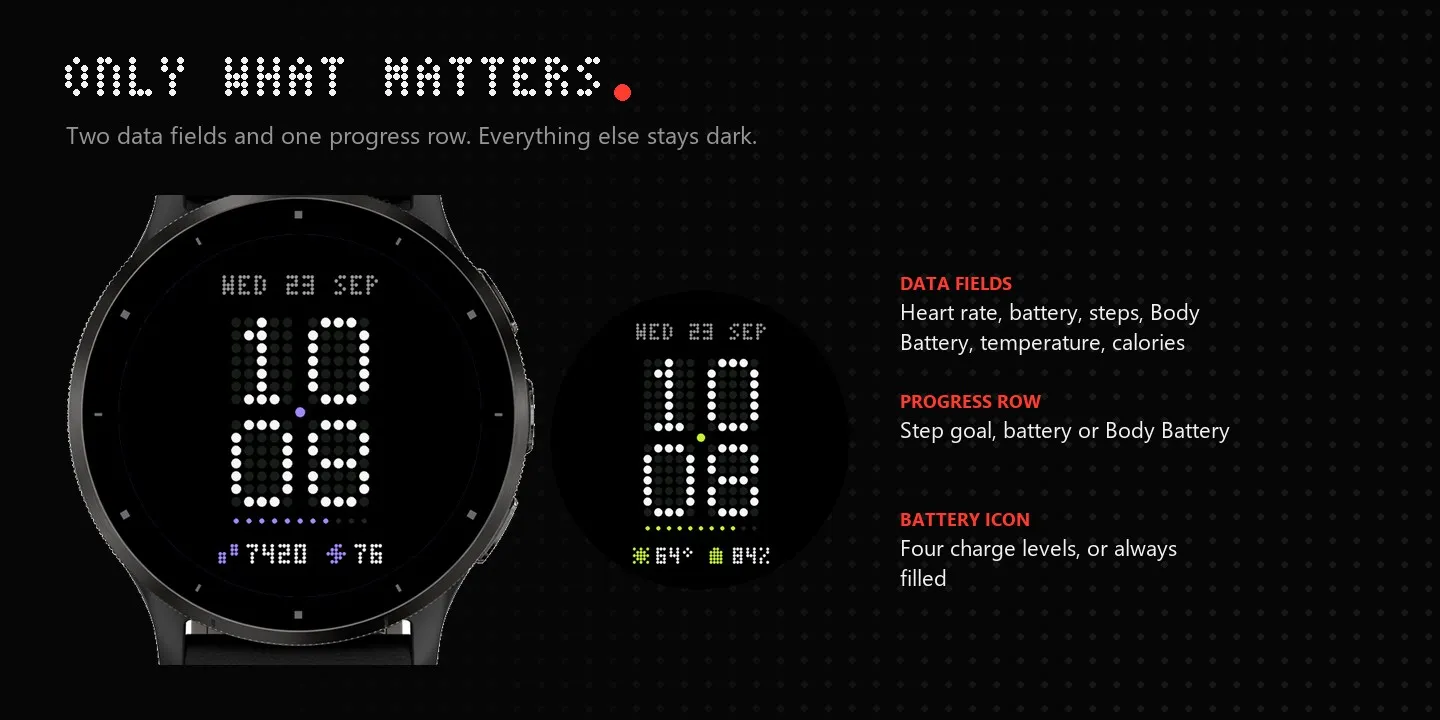
Everything else stays quiet. A small dot-matrix date sits above the time. Below
it, one row of dots fills toward your step goal, battery or Body Battery, and up
to two data fields sit at the bottom. A single accent dot separates hours from
minutes.
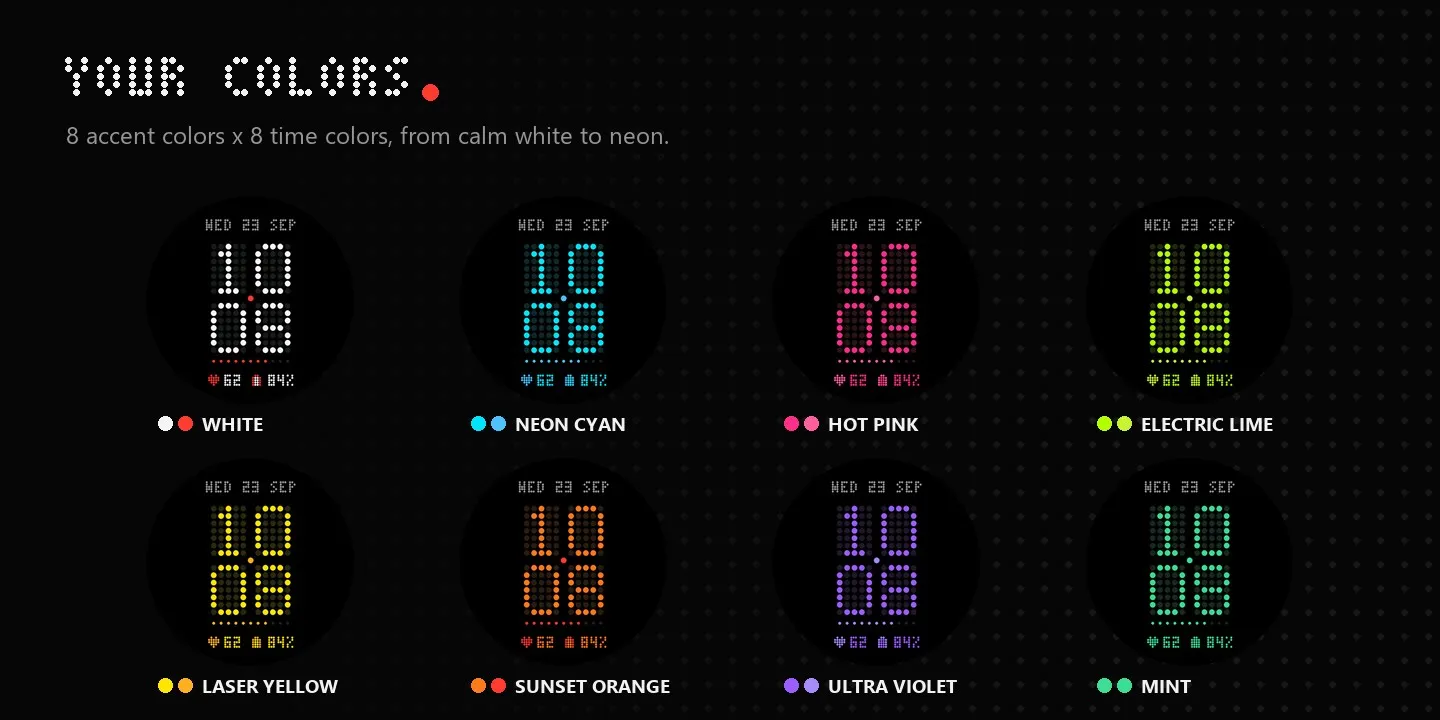
Pick one of eight accent colors (Signal Red, Pure White, Amber, Mint, Ice Blue,
Violet, Pink or Lime) and one of eight time colors for the digits: calm white,
your accent, or flashy Neon Cyan, Hot Pink, Electric Lime, Laser Yellow,
Sunset Orange and Ultra Violet. On AMOLED the unlit dots glow faintly in the
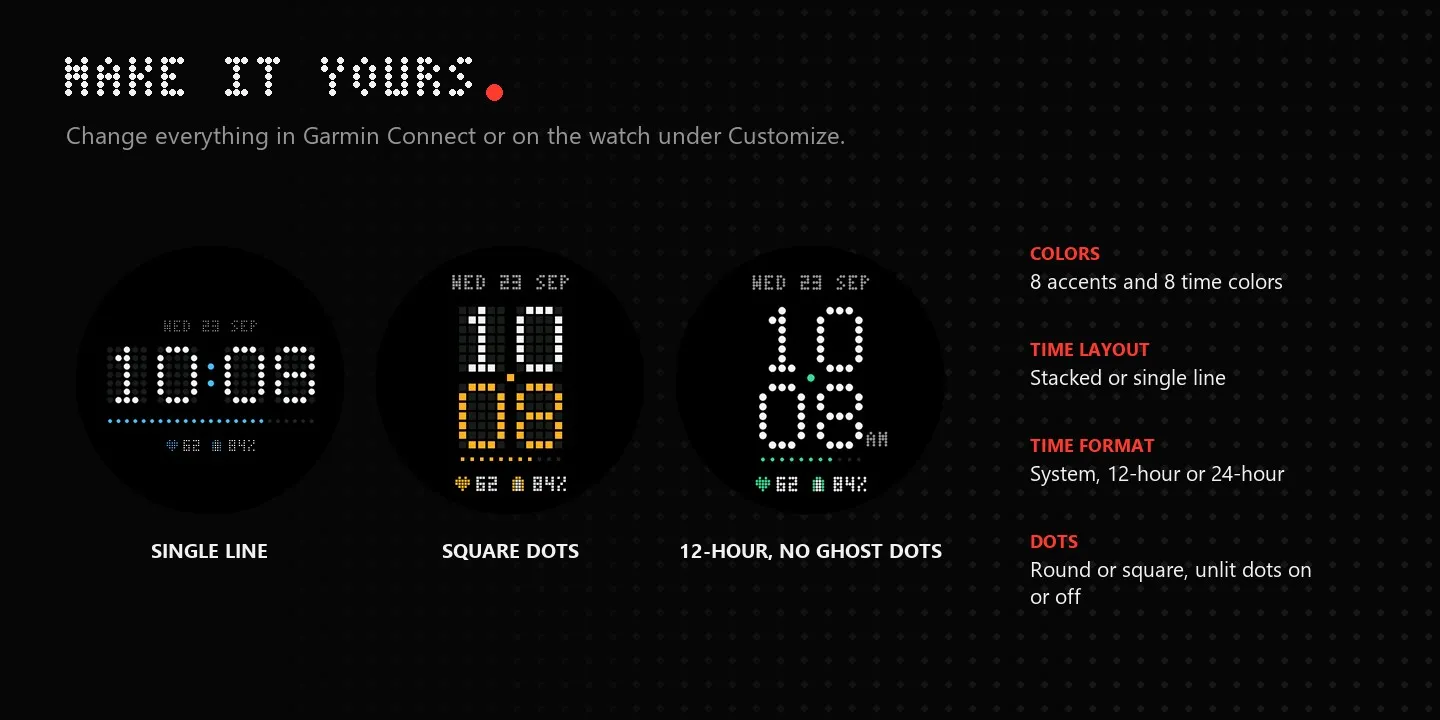
same color, like a real LED panel. Stack the time or put it on one line. Choose round or
square dots, hide the unlit dots for a cleaner look, and color the minutes with
the accent if you like.
Use the watch's own setting, 12-hour with a dot-matrix AM/PM, or 24-hour. Each
data field can show heart rate, battery (with a live battery gauge), steps, Body
Battery, temperature in °C or °F, or calories, or be turned off. The battery
icon fills row by row, so you read the charge at a glance, or stays solid if
you prefer.
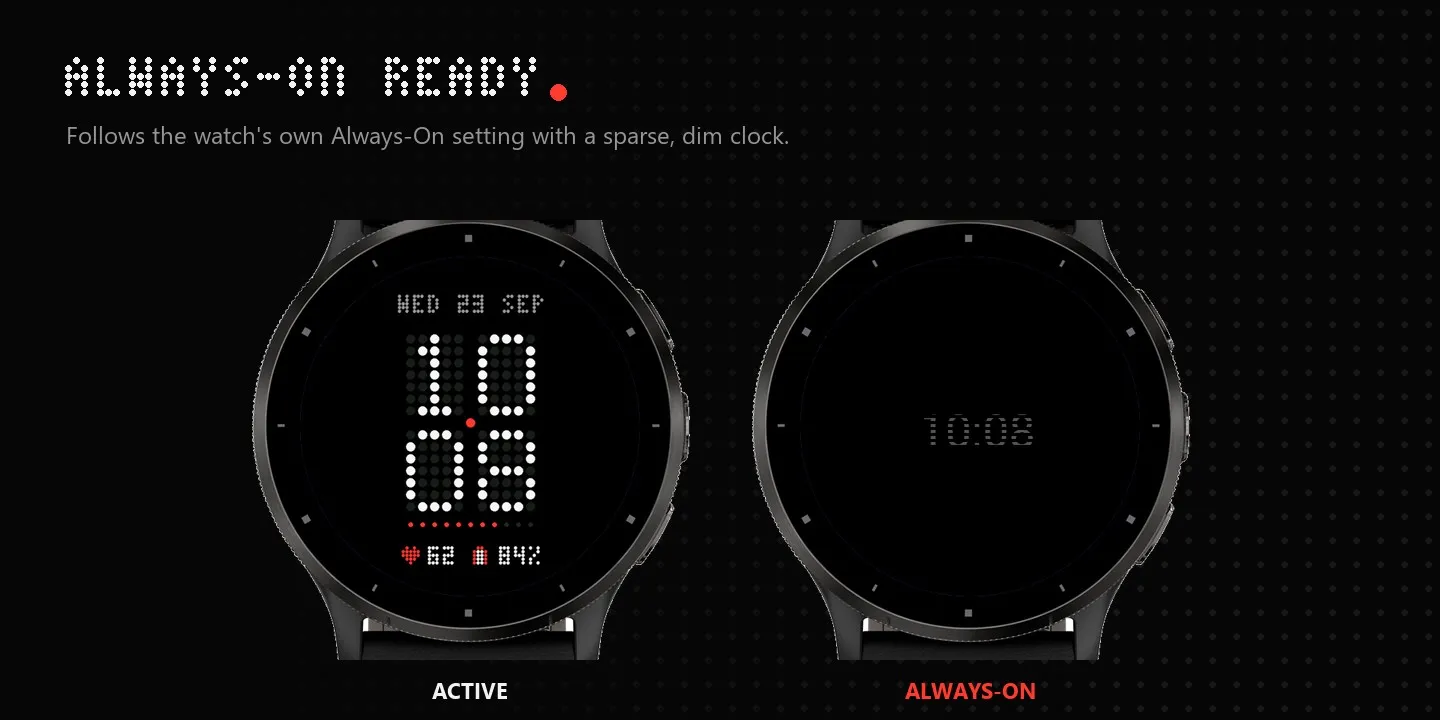
Change everything from Garmin Connect or directly on the watch through
Customize. Dotform follows your watch's native Always-On setting with a sparse,
dim clock that moves every minute to protect the screen, and goes fully black
when the display is off.
## Features
- Large 5x7 dot-matrix time, stacked or on a single line
- Unlit "ghost" dots for an authentic matrix look (optional)
- Eight accent colors and eight time colors, including neon shades
- Round or square dots, optional accent minutes
- System, 12-hour (with AM/PM) or 24-hour time
- Two data fields: heart rate, battery, steps, Body Battery, temperature, calories
- Progress row for step goal, battery or Body Battery
- On-watch Customize menu, no phone needed
- Native Always-On support and a pure-black off state
- Round, square and MIP layouts; English and Dutch dates
Novidades
AOD
Capturas de tela
Idioma compatível (1)
Dispositivos compatíveis (63)
Approach® S50
Approach® S70 (42mm)
Approach® S70 (47mm)
D2™ Air X15
D2™ Mach 1
D2™ Mach 1 Pro
D2™ Mach 2
D2™ Mach 2 Pro
Descent™ G2
Enduro™ 2
Enduro™ 3
epix™ Pro (42mm)
epix™ Pro (47mm)
epix™ Pro (51mm)
fēnix® 7
fēnix® 7
fēnix® 7 Pro
fēnix® 7 Pro – Solar Edition (No Wi-Fi®)
fēnix® 7S
fēnix® 7S
fēnix® 7X
fēnix® 7X
fēnix® 8 AMOLED (43mm)
fēnix® 8 AMOLED (47mm/51mm)
fēnix® 8 Pro
fēnix® 8 Solar (47mm)
fēnix® 8 Solar (51mm)
ForeAthlete 55
Forerunner® 165
Forerunner® 170
Forerunner® 170 Music
Forerunner® 255
Forerunner® 255S
Forerunner® 265
Forerunner® 265S
Forerunner® 55
Forerunner® 55
Forerunner® 570 - 42mm
Forerunner® 570 - 47mm
Forerunner® 955 Dual Power
Forerunner® 965
Forerunner® 970
Instinct® 3 – 45 mm, AMOLED
Instinct® 3 – 50 mm, AMOLED
Mercedes-Benz Venu® 2
Mercedes-Benz Venu® 2
tactix® 7
tactix® 7 – AMOLED Edition
tactix® 8 – 47 mm, AMOLED
tactix® 8 – 51 mm, Solar
Venu® 2
Venu® 2
Venu® 2 Plus
Venu® 2 Plus
Venu® 3
Venu® 3S
Venu® 4 – 41 mm
Venu® 4 – 45 mm
Venu® Sq. 2
Venu® Sq. 2 Music
Venu® X1
vívoactive® 5
vívoactive® 6