Deskripsi
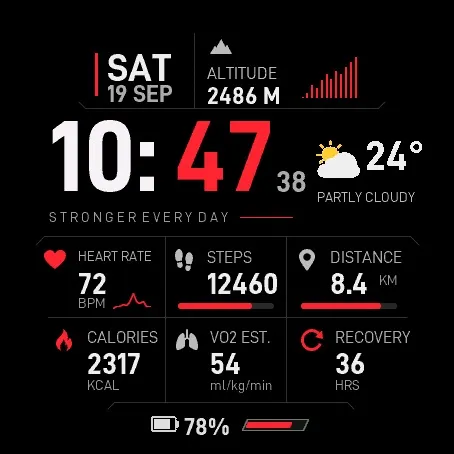
Iron Vector combines precision-cut black panels, bold two-tone time and live activity graphs in a clean technical design.
This watch face costs USD 4, a one-time external Athlete World license purchase.
How to purchase and activate:
1. Buy Iron Vector at https://athleteworld.store/en/themes/iron-vector.
2. Complete checkout and copy the activation code from your Athlete World confirmation email.
3. Install Iron Vector from Connect IQ and open its Settings.
4. Paste the code into Activation code, tap Save, and keep your watch connected to your phone. The first attempt may wait up to five minutes for Garmin's background schedule; connection errors are retried automatically.
One license supports up to 3 watches. Phone connectivity is required for activation.
Features:
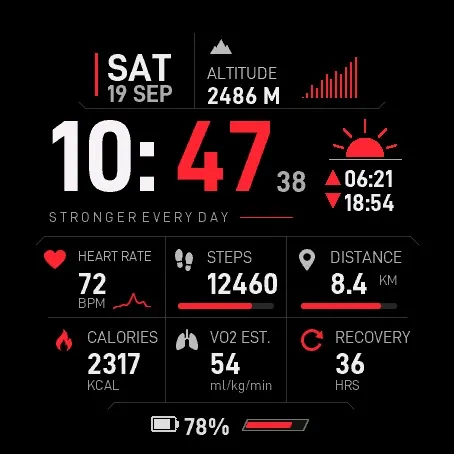
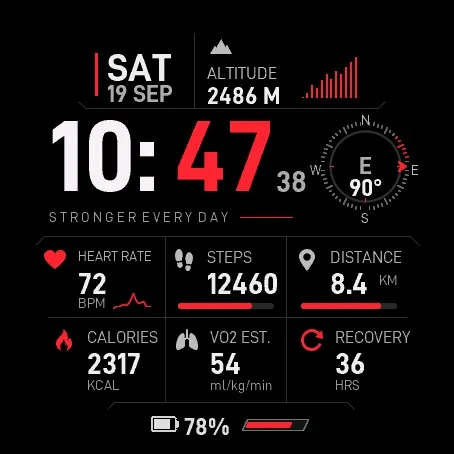
- Right-hand field: Weather (default), Sunrise / Sunset, or Compass.
- Selectable System/km/mi, System/m/ft and System/C/F units.
- 20 color themes, including the original red.
- 7 independently configurable fields with 28 metric choices and a None option.
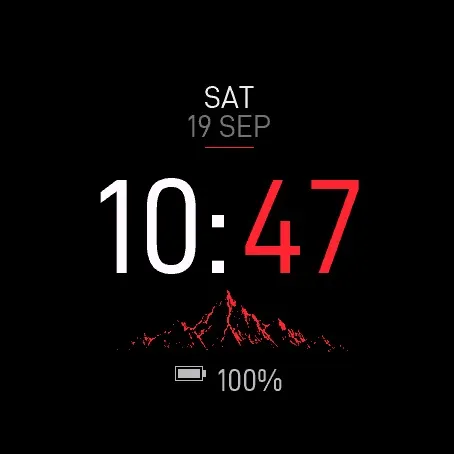
- Classic Always On clock, or optional Full Always On (AMOLED) with the complete dimmed layout and no seconds. Classic AOD is the default; MIP sleep behavior is preserved.
- Optional weekly calendar replaces the bottom row; Monday or Sunday start.
- Alternative time uses a fixed UTC offset, without automatic DST.
- Heart-rate and altitude history graphs; steps, distance and battery progress indicators.
- Dynamic battery icon fill and percentage.
- System, 12-hour and 24-hour time; optional seconds.
- Original date layout plus five alternate date formats.
- English, Spanish, French, German, Italian, Portuguese and Polish labels, dates and settings. Activation and Pass status messages follow the selected language.
- Touch and hold supported fields to open the corresponding Garmin widget, with an optional touch switch.
Metrics, history, recovery time, VO2 Max and heading depend on device capabilities and available data. Missing data is displayed as --. Distance has no assigned widget shortcut. Color rendering varies by display technology.
IMPORTANT NOTE - COMPASS AND GARMIN LIMITATIONS
The compass is a periodic heading indicator, not a live navigation instrument. It works entirely within this watch face; no additional companion app is required.
When Compass is selected, automatic mode requests a background sensor reading every 301 seconds. Garmin requires at least five minutes between temporal background events; execution may be delayed and a new heading is not guaranteed. Device, firmware and sensor availability affect results.
The latest valid background sample is used for up to 15 minutes after receipt. Without a recent valid sensor sample, the compass shows --. License activation and Pass renewal take priority over compass sampling.
To recheck, wake the face and touch and hold the compass, with Touch Complications and the touchscreen enabled. This rereads available data and redraws the compass; it cannot force the magnetometer, bypass Garmin's background interval or guarantee a changed angle. A short tap is not a refresh action. Long-press refresh is inactive in Always On and while the face is hidden or unlicensed.
This update has been tested in the simulator; fresh heading delivery on physical watches is still being validated. Use Garmin's native compass or navigation tools for navigation, not this indicator.
Support: [email protected]
Weather uses the latest data available from Garmin; keep Garmin Connect synced. Sunrise/sunset requires a weather location.
Promotional images are illustrations. Actual simulator captures with example data are also included, not physical-device measurements. Colors and appearance may vary by device.
Privacy policy: https://athleteworld.store/en/privacy
Catatan pembaruan
Expanded configurable statistics on supported devices, with settings managed through Connect IQ. Improved resource caching and wake transitions; current-data subscriptions pause when hidden or in Always On. Existing preferences, purchases and Pass activation are preserved. Retains compass, weekly calendar, background services and the original UTC offset preference.
Tangkapan layar
Bahasa yang didukung (1)
Perangkat kompatibel (60)
Approach® S50
Approach® S70 (42mm)
Approach® S70 (47mm)
D2™ Air X15
D2™ Mach 1
D2™ Mach 1 Pro
D2™ Mach 2
D2™ Mach 2 Pro
Descent™ G2
Descent™ MK3 - 43mm
Descent™ MK3i - 51mm
Enduro™ 2
epix™ (Gen 2)
epix™ (Gen 2)
epix™ Pro (42mm)
epix™ Pro (47mm)
epix™ Pro (51mm)
fēnix® 7X
fēnix® 7X
fēnix® 7X Pro
fēnix® 8 AMOLED (43mm)
fēnix® 8 AMOLED (47mm/51mm)
fēnix® 8 Pro
fēnix® 8 Solar (47mm)
fēnix® 8 Solar (51mm)
fenix® 9 - 43 mm
fenix® 9 – 47 mm
fenix® 9 Pro - 43 mm
fenix® 9 Pro - 47 mm
fenix® 9 Pro - 51 mm
fenix® 9 Pro - Solar 47 mm
fenix® 9 Pro - Solar 51 mm
fēnix® E
Forerunner® 165
Forerunner® 165 Music
Forerunner® 170
Forerunner® 170 Music
Forerunner® 265
Forerunner® 265S
Forerunner® 570 - 42mm
Forerunner® 570 - 47mm
Forerunner® 70
Forerunner® 70
Forerunner® 965
Forerunner® 970
Instinct® 3 – 45 mm, AMOLED
Instinct® 3 – 50 mm, AMOLED
MARQ® (Gen 2)
MARQ® Commander (Gen 2) – Carbon Edition
MARQ™ Aviator (Gen 2)
tactix® 7
tactix® 7 – AMOLED Edition
tactix® 8 – 47 mm, AMOLED
tactix® 8 – 51 mm, Solar
Venu® 3
Venu® 3S
Venu® 4 – 41 mm
Venu® 4 – 45 mm
vívoactive® 5
vívoactive® 6