Deskripsi
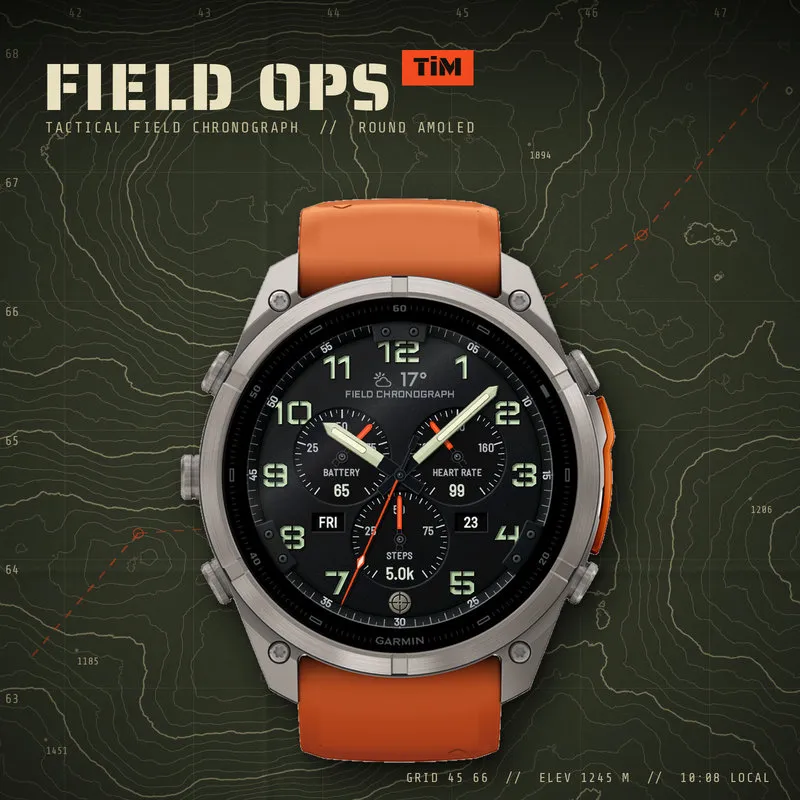
Field Ops TiM – a tactical field chronograph with hi-viz hands and tritium-style lume.
A rugged analog chronograph for round AMOLED Garmin watches: matte field dial, raised stencil numerals, sword hands with glowing tube inserts, hi-viz orange subdial hands and a sloped seconds ring. Built for the field, readable at a glance – and every slot on the dial is yours to set up.
HIGHLIGHTS
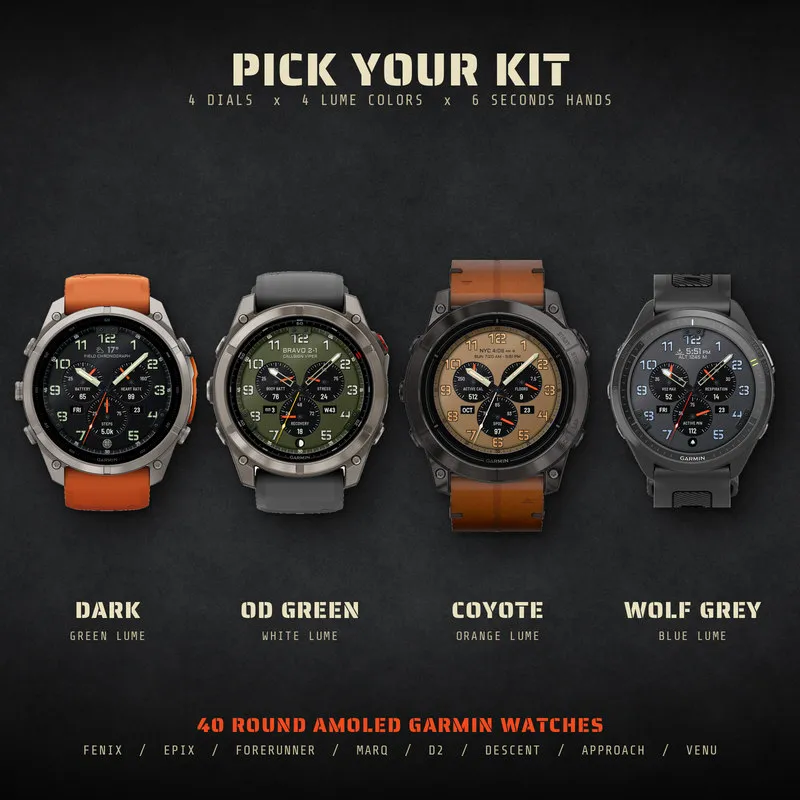
• 4 dial colors (Dark, Coyote, OD Green, Wolf Grey) × 4 lume colors (green, blue, orange, white)
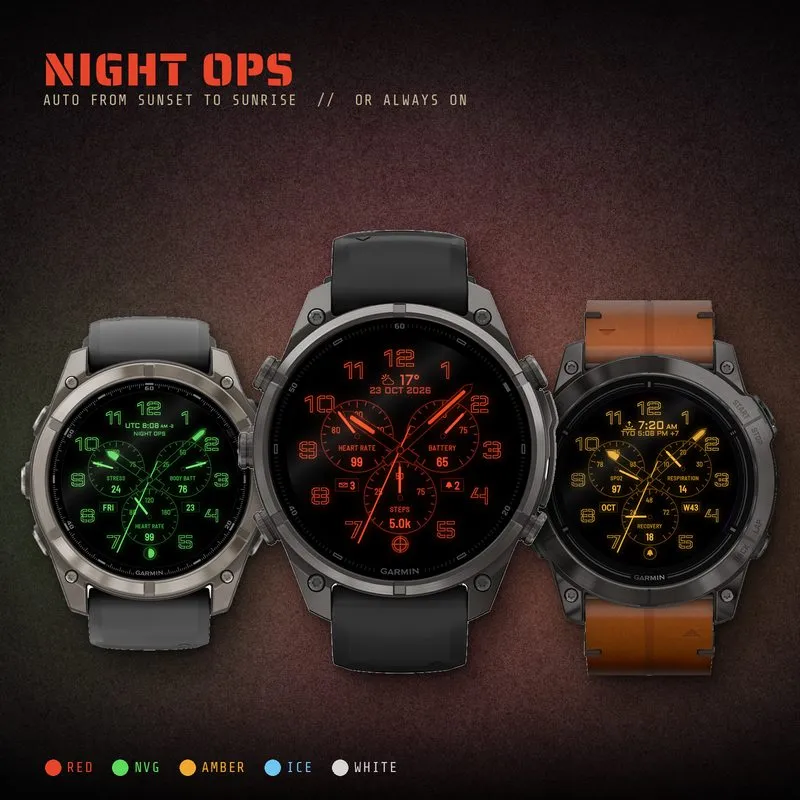
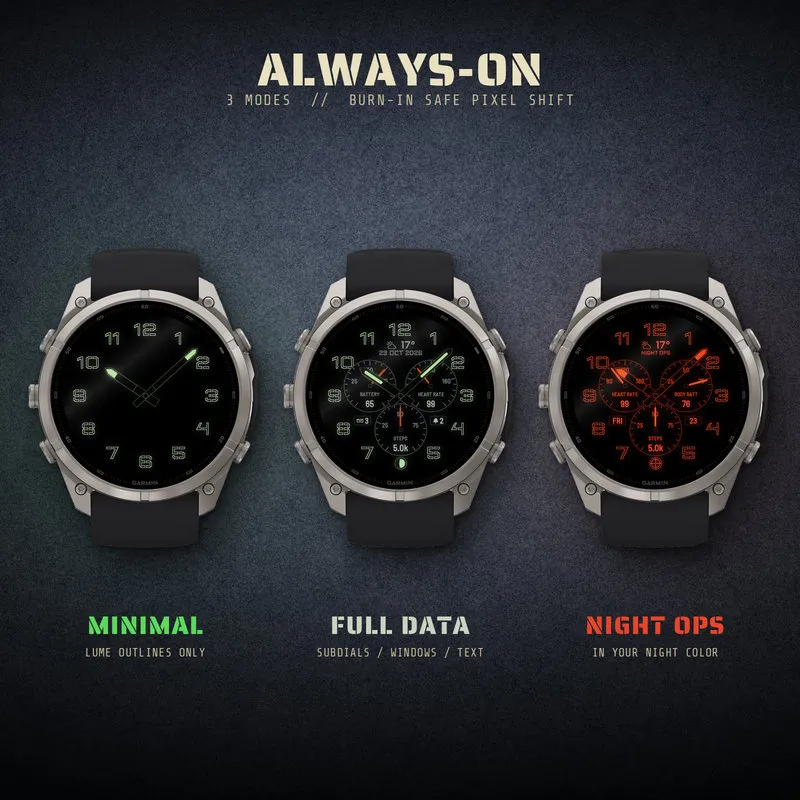
• NIGHT OPS: the whole face switches to one night color – red, NVG green, amber, ice blue or white. On, off, or automatic from sunset to sunrise
• Subdials with real scales: the hand points at the true value (heart rate 40–200, steps as % of your daily goal, VO2 max 20–80 …)
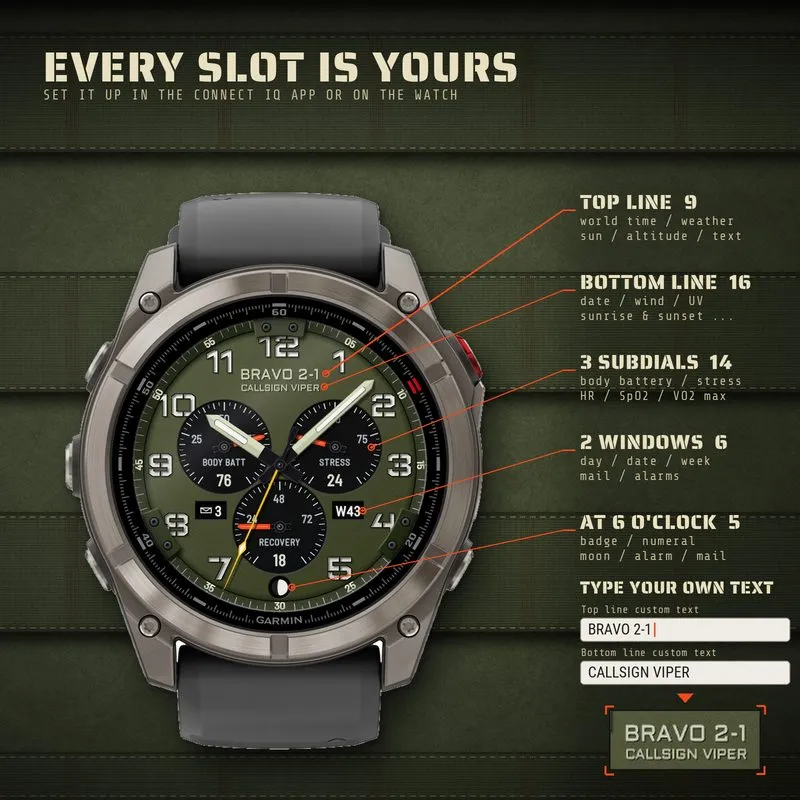
• Your own text on the dial: callsign, unit, name – or 16 data options for the lines under 12
• World time: UTC (Zulu) or 34 cities, daylight saving time is handled automatically
• At 6 o'clock: crosshair badge, numeral 6, moon phase, alarm or notification indicator
• Hands your way: sword or skeleton hands (see the data through them), seconds hand in 5 colors or off, hour and minute hands can be turned off too · seconds ring and screw plates on / off
• Always-on: minimal lume outlines or full data, burn-in safe with pixel shift
• Touch shortcuts: hold a subdial, a window or a line to open its Garmin page
• No empty fields: when a sensor has no fresh reading, the last value stays on the dial
DATA
Subdials (14): Battery, Heart rate, Steps, Body Battery, Stress, Floors climbed, Active minutes (week), Calories, Active calories, Pulse Ox (SpO2), VO2 max, Recovery time, Altitude, Respiration – or Off.
Top line (9): Your own text, Digital time, Weather (icon + temperature), Second time zone, Day of week, Next sunrise / sunset, Sunrise, Sunset, Altitude – or Off.
Bottom line (16): Your own text, Weather condition, High / low temperature, Wind, Feels like, Humidity, Chance of precipitation, UV index, Location, Date, Next sunrise / sunset, Sunrise, Sunset, Sunrise & sunset, Second time zone, Altitude – or Off.
Date windows (6): Day of month, Day of week, Notifications, Alarms, Month, Week number – or Off.
Available data depends on your watch model and its sensors.
HOW TO CUSTOMIZE
On the watch (for example Venu 4): press MENU, swipe left on the watch face picture and choose Customize. The steps can differ a little between watch models.
On the phone: Garmin Connect or Connect IQ app → Watch Faces → Field Ops TiM → Settings.
Every slot, the colors, Night Ops and the always-on mode can be changed there.
SHORTCUTS (touch screen watches)
Touch and hold a subdial, a date window or a line under 12 to open its Garmin page (heart rate, Body Battery, weather, sunrise, calendar, notifications…).
Catatan pembaruan
1.1
- Fixed: on some watches (for example tactix 8 / fēnix 8) the face went black and only the hands were shown
- Wake-up after raising the wrist should be quicker (for example on the Forerunner 265): the face no longer saves its data at that moment, reads the data ahead while in always-on and has less to draw
Tangkapan layar
Bahasa yang didukung (1)
Perangkat kompatibel (50)
Approach® S50
Approach® S70 (42mm)
Approach® S70 (47mm)
Approach® S72 - 43 mm
Approach® S72 - 47 mm
D2™ Air X10
D2™ Air X15
D2™ Mach 1
D2™ Mach 1 Pro
D2™ Mach 2
D2™ Mach 2 Pro
Descent™ G2
Descent™ MK3 - 43mm
Descent™ MK3i - 51mm
epix™ (Gen 2)
epix™ (Gen 2)
epix™ Pro (42mm)
epix™ Pro (47mm)
epix™ Pro (51mm)
fēnix® 8 AMOLED (43mm)
fēnix® 8 AMOLED (47mm/51mm)
fēnix® 8 Pro
fenix® 9 - 43 mm
fenix® 9 – 47 mm
fenix® 9 Pro - 43 mm
fenix® 9 Pro - 47 mm
fenix® 9 Pro - 51 mm
fēnix® E
Forerunner® 265
Forerunner® 570 - 42mm
Forerunner® 570 - 47mm
Forerunner® 965
Forerunner® 970
MARQ® (Gen 2)
MARQ® Adventurer (Gen 3)
MARQ® Commander (Gen 2) – Carbon Edition
MARQ™ Aviator (Gen 2)
Mercedes-Benz Venu® 2
Mercedes-Benz Venu® 2
tactix® 7 – AMOLED Edition
tactix® 8 – 47 mm, AMOLED
Venu® 2
Venu® 2
Venu® 2 Plus
Venu® 2 Plus
Venu® 3
Venu® 3S
Venu® 4 – 41 mm
Venu® 4 – 45 mm
vívoactive® 6