Description
TaskerRemote is a free glance/app designed to add smartwatch functionality to your garmin watch. It does this by allowing you to create custom 'messages' that are sent as notifications to your paired phone. These notifications can be acted upon to do tasks by certain apps on your phone, even the phone's native software. For example, Samsung phones can act on custom notifications natively (via Modes and Routines) and make your phone do jobs you would not usually be able to do from your watch. Examples include, but are not limited to - Emergency phone recording, taking photos, launching a phone assistant or AI for more tasks, better Spotify or music controls, launching apps, sound modes, audiobook, etc.
The main app this is built for is Tasker and Autonotification on android. These do take a bit of time to know but they are powerhouses in phone utility.
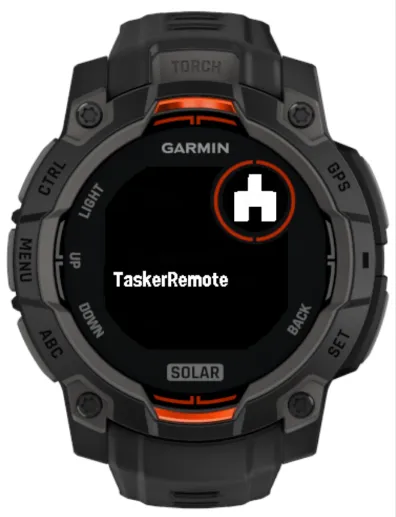
Upon downloading the Glance/App, make sure it is added to your Glance carousel.
DESIGN
TaskerRemote has two main views, configurable via the Connect IQ app after downloading and syncing the watch.
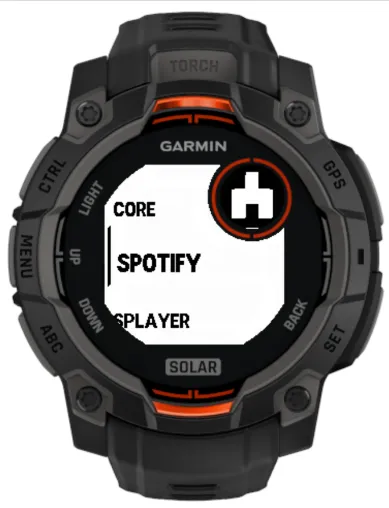
i) Menu View - A list of up to 10 tasks you can assign in a scrollable menu.
- Use Up/Down to navigate and Select to trigger a task.
- If no task is assigned it won't be populated (so you don't scroll through empty tasks).
- The Back button is special - see below.
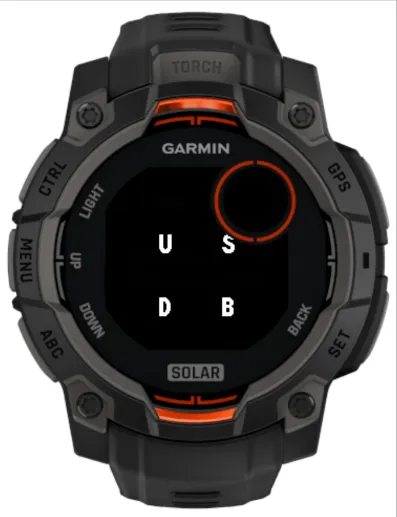
ii) Button View - This works as a Quick select 'pad' where you can assign tasks to the four hardware buttons on your watch- Up, Down, Select, and Back.
- Pressing the button triggers the assigned task.
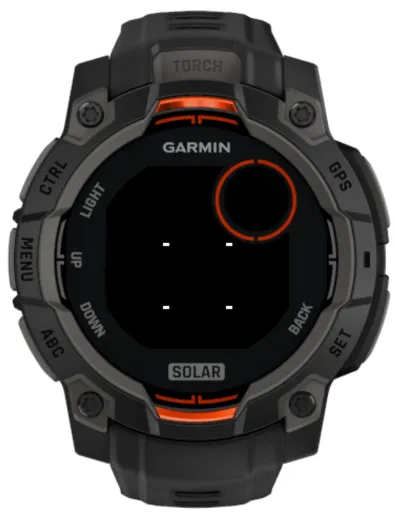
- Unassigned buttons display a “–” and are inactive.
- The Back button has a few jobs. It can function as a Task if it has one assigned to it in the Button view; it is responsible for cycling between Menu and Buttons view; and it is responsible for exiting the glance entirely.
- If the Triple exit toggle in SETTINGS is off, then a single press of the Back button will cycle between button view and menu view. A double press will exit the app. A task will be fired if assigned to the Back Button.
- If the toggle is on, then a single press will trigger the task, a double press will cycle between button and menu view, and a triple press will exit the app. There is a short delay in firing the assigned task to allow for this. (Means you can allocate a Button task without immediately shifting views).
SETTINGS
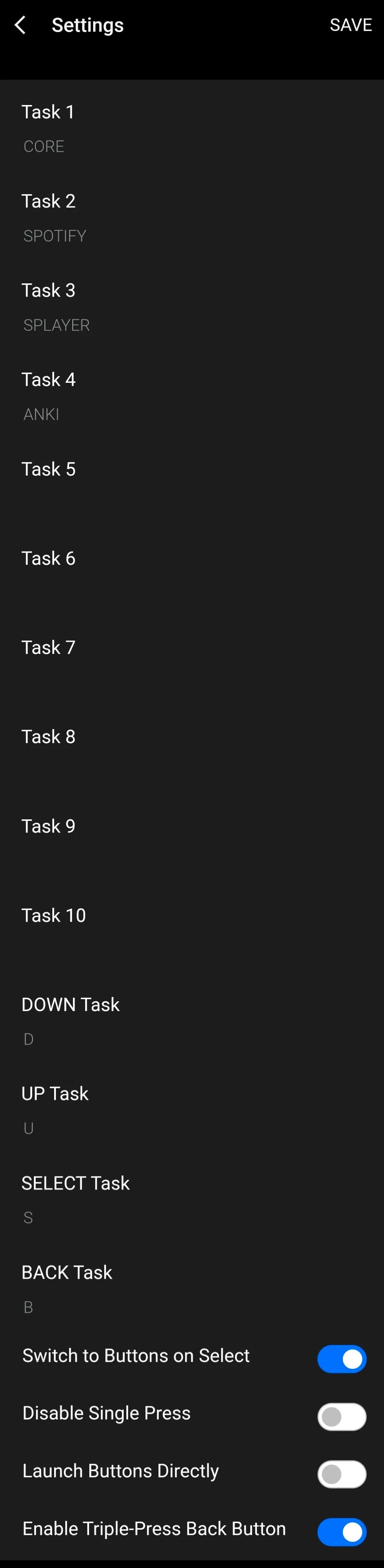
- Configure the Tasks via the Connect IQ app in 'Settings'. Here, you can also customise it further as follows-
- Switch to Buttons on Select- On Selecting a Menu item, the view will cycle to Buttons View. (This is actually how I use it on Tasker, where the Menu list is actually a Global 'Mode' for me, and then I use the Buttons view as a pad for tasks within that mode. I've pasted one of my older Tasker Projects below as a guide).
- Disable Button Access - Forget the Buttons, just use the Menu List view.
- Launch Buttons Directly - Launch directly into the Buttons view, bypassing Menu View.
- Triple Exit toggle - as above.
3. Notes & Bugs
- Pre-existing Tasker profiles are widely available on the Garmin store and Tasker forums.
- Known bug: On the Instinct 3 series, launching a custom glance during an activity may stall a custom datafield. Stopping and restarting the activity resolves this issue. Bug report submitted to Garmin.
4. Credits / Disclaimers
- Built using code from Tasker Trigger by Chelsea Winstone – full credit and thank you for the foundation.
- I am not affiliated with Tasker or AutoNotification. All credit belongs to current developer Joao - thank you.
- Thanks to Flocsy for help with bug testing.
- Updated source code is freely available to the public on github - updates will be infrequent. I am a one person developer, I can't directly test every device, and this is not my primary job. If you are finding this app, or any app / service useful, a positive review goes a long way.
What is new
V3.9 Shift Auto Exit Tasks to 11-15 on user request. Switched Task 1 to permanent slide to buttons (increases button options), as previous if you don't want it don't fill it and it won't populate, trigger resync as below if issues.
V3.8
- Added 5 Auto Exit Tasks to Menu (tasks 2-6 - auto exit on triggering, good for once off tasks). If you don't want them, don't fill them and they won't populate. Trigger a resync with watch attached to Garmin Express if there's an issue to update the cache.
V3.6
- Updated to include new Fenix 9 devices
V3.5
EDIT:
1. I've been made aware of an icon issue (whiteout) - I would appreciate if anyone else experiencing this could advise including watch model etc for troubleshooting.
2. Alternate Tasker Project that replaces Autonotification with native Tasker functions below - combine it with the original project for max effect.
https://taskernet.com/shares/?user=AS35m8kzb0b6gpY9bStc9vqfEb2xmSCrCFe9Q7vuxosbPRpCifzT2k67Ngf%2Bu%2FrxZyiu&id=Profile%3ATASKER_REMOTE_TEMPLATE
Details here
https://www.reddit.com/r/tasker/comments/1u4fjtp/java_code_replacement_for_autonotification_cancel/
- Added toggle for vibration in settings
- Added settings cache
V3.2
- Added Triple press toggle option in the menu. If you liked the original immediate cycle between views, this is the default. If you like the Buttons view and don't want to cycle views with a Back button task, then you can toggle it on.
- Further device support to Instinct 2 line, Fenix 6, and others. PLEASE note I've added Venu, Vivoactive and Edge support, but I can't guarantee it will work fully and properly on touchscreen only devices or devices with less than 4 hardware buttons by nature of the app / glance. For these I would recommend Tasker Trigger by Chelsea Winstone, which Tasker Remote is built upon with thanks.
V3.1
- Added back button delay, allows for back button task firing without view shift
- Description streamlined
V2.8
- Some fairly major changes to streamline the use case-
1. Flipped opening view from buttons to menu view. (Option to disable buttons view or launch straight into buttons if desired still available).
2. New toggle option to automatically switch into buttons view on selecting menu view task ('mode'). This allows for creating 'modes' from menu tasks (in Tasker, set these as Global Variables), and immediately perform further functions in each mode depending on the button pressed in buttons view (eg Play / Pause / Vol up / record etc)
3. Repair and improve double press exit logic in the codebase to allow for a quicker exit
Screenshots
Supported language (1)
Compatible devices (143)
Approach® S50
Approach® S70 (42mm)
Approach® S70 (47mm)
D2™ Air X10
D2™ Air X15
D2™ Mach 1
D2™ Mach 1 Pro
D2™ Mach 2
D2™ Mach 2 Pro
Descent™ G1
Descent™ G2
Descent™ MK2
Descent™ MK2
Descent™ Mk2S
Descent™ Mk2S
Descent™ MK3 - 43mm
Descent™ MK3i - 51mm
Enduro™
Enduro™
Enduro™ 2
Enduro™ 3
epix™ (Gen 2)
epix™ (Gen 2)
epix™ Pro (42mm)
epix™ Pro (47mm)
epix™ Pro (51mm)
fēnix® 6
fēnix® 6
fēnix® 6 Dual Power
fēnix® 6 Pro
fēnix® 6 Pro
fēnix® 6 Pro Dual Power
fēnix® 6 Pro Solar
fēnix® 6 Solar
fēnix® 6S
fēnix® 6S
fēnix® 6S Dual Power
fēnix® 6S Pro
fēnix® 6S Pro
fēnix® 6S Pro Dual Power
fēnix® 6S Pro Solar
fēnix® 6S Solar
fēnix® 6X Pro
fēnix® 6X Pro
fēnix® 7
fēnix® 7
fēnix® 7 Pro
fēnix® 7 Pro – Solar Edition (No Wi-Fi®)
fēnix® 7S
fēnix® 7S
fēnix® 7S Pro
fēnix® 7X
fēnix® 7X
fēnix® 7X Pro
fēnix® 7X Pro No Wi-Fi
fēnix® 8 AMOLED (43mm)
fēnix® 8 AMOLED (47mm/51mm)
fēnix® 8 Pro
fēnix® 8 Solar (47mm)
fēnix® 8 Solar (51mm)
fenix® 9 - 43 mm
fenix® 9 – 47 mm
fenix® 9 Pro - 43 mm
fenix® 9 Pro - 47 mm
fenix® 9 Pro - 51 mm
fenix® 9 Pro - Solar 47 mm
fenix® 9 Pro - Solar 51 mm
fēnix® E
ForeAthlete 55
Forerunner® 165
Forerunner® 165 Music
Forerunner® 170
Forerunner® 170 Music
Forerunner® 255
Forerunner® 255 Music
Forerunner® 255S
Forerunner® 255S Music
Forerunner® 265
Forerunner® 265S
Forerunner® 55
Forerunner® 570 - 42mm
Forerunner® 570 - 47mm
Forerunner® 70
Forerunner® 70
Forerunner® 945 LTE
Forerunner® 955 Dual Power
Forerunner® 965
Forerunner® 970
Instinct® 2
Instinct® 2S
Instinct® 2X
Instinct® 3 – 45 mm, AMOLED
Instinct® 3 – 45 mm, Solar
Instinct® 3 – 50 mm, AMOLED
Instinct® 3 – 50 mm, Solar
Instinct® Crossover
Instinct® Crossover AMOLED
Instinct® E – 40 mm
Instinct® E – 45 mm
MARQ® (Gen 2)
MARQ® Commander (Gen 2) – Carbon Edition
MARQ™ Adventurer
MARQ™ Adventurer
MARQ™ Athlete
MARQ™ Athlete
MARQ™ Aviator
MARQ™ Aviator
MARQ™ Aviator (Gen 2)
MARQ™ Captain
MARQ™ Captain
MARQ™ Commander
MARQ™ Commander
MARQ™ Driver
MARQ™ Driver
MARQ™ Expedition
MARQ™ Expedition
MARQ™ Golfer
MARQ™ Golfer
Mercedes-Benz Venu® 2
Mercedes-Benz Venu® 2
Mercedes-Benz Venu® 2S
Mercedes-Benz Venu® 2S
quatix® 6
quatix® 6X
tactix® 7
tactix® 7 – AMOLED Edition
tactix® 8 – 47 mm, AMOLED
tactix® 8 – 51 mm, Solar
Venu® 2
Venu® 2
Venu® 2 Plus
Venu® 2 Plus
Venu® 2S
Venu® 2S
Venu® 3
Venu® 3S
Venu® 4 – 41 mm
Venu® 4 – 45 mm
Venu® Sq. 2
Venu® Sq. 2 Music
Venu® X1
vívoactive® 5
vívoactive® 6
Recent metric trend
Rating
Reviews
Snapshot dates
2026-10-27 → 2026-10-30