Description
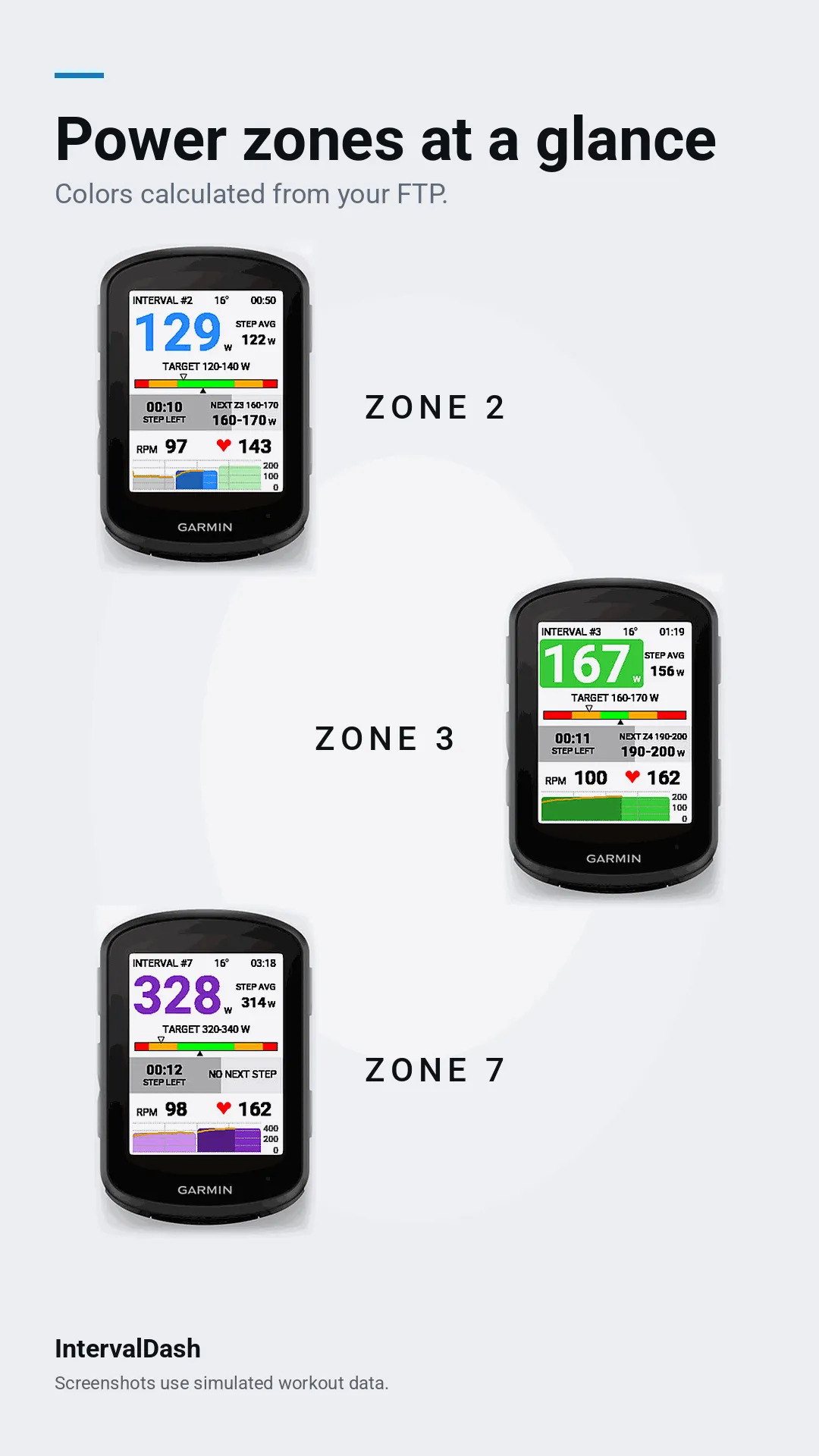
A clear, focused data field for structured cycling workouts. Your power, target, and next step, readable at a glance.
Features
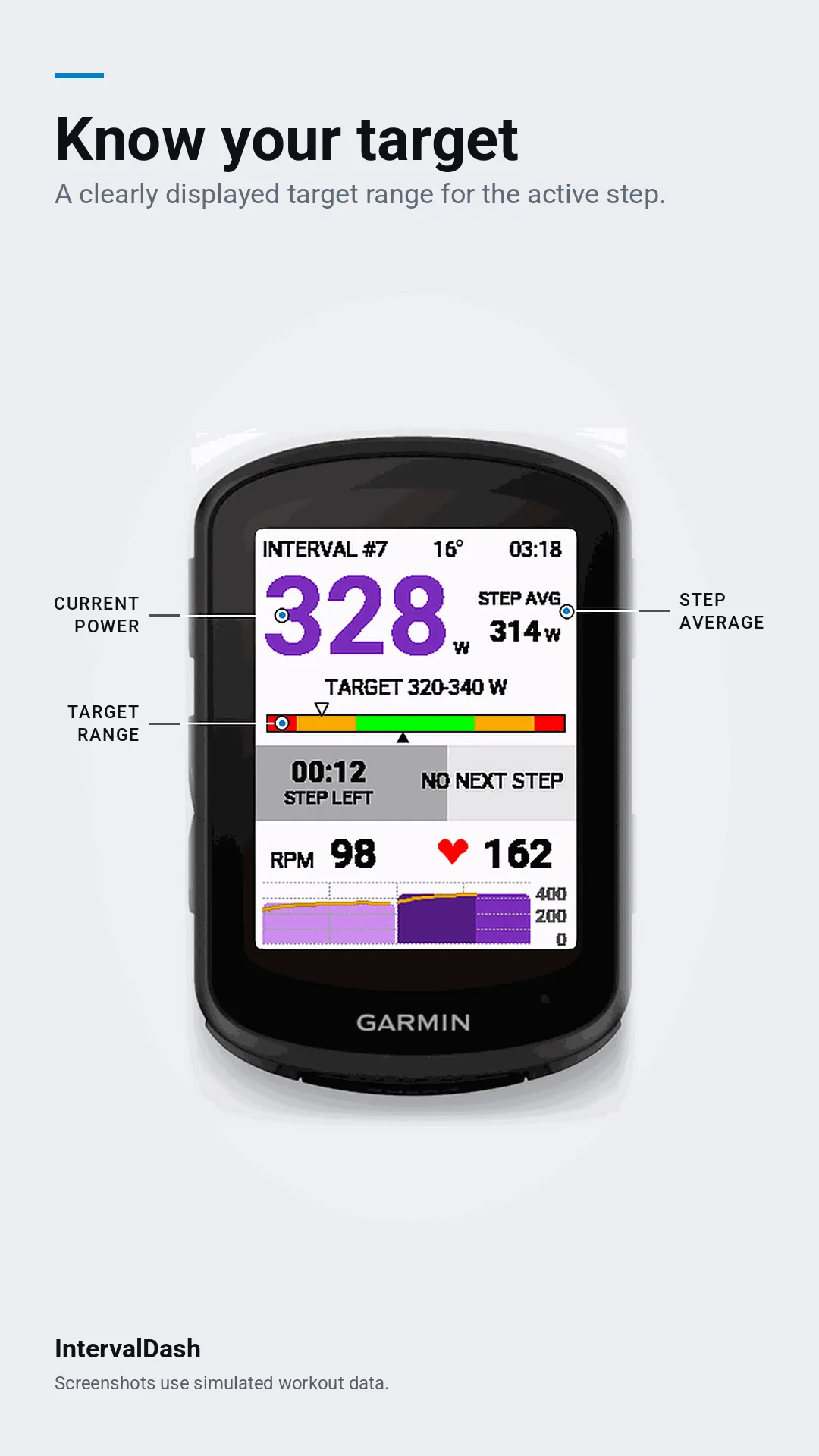
- Current power with 3-, 5-, or 10-second averaging
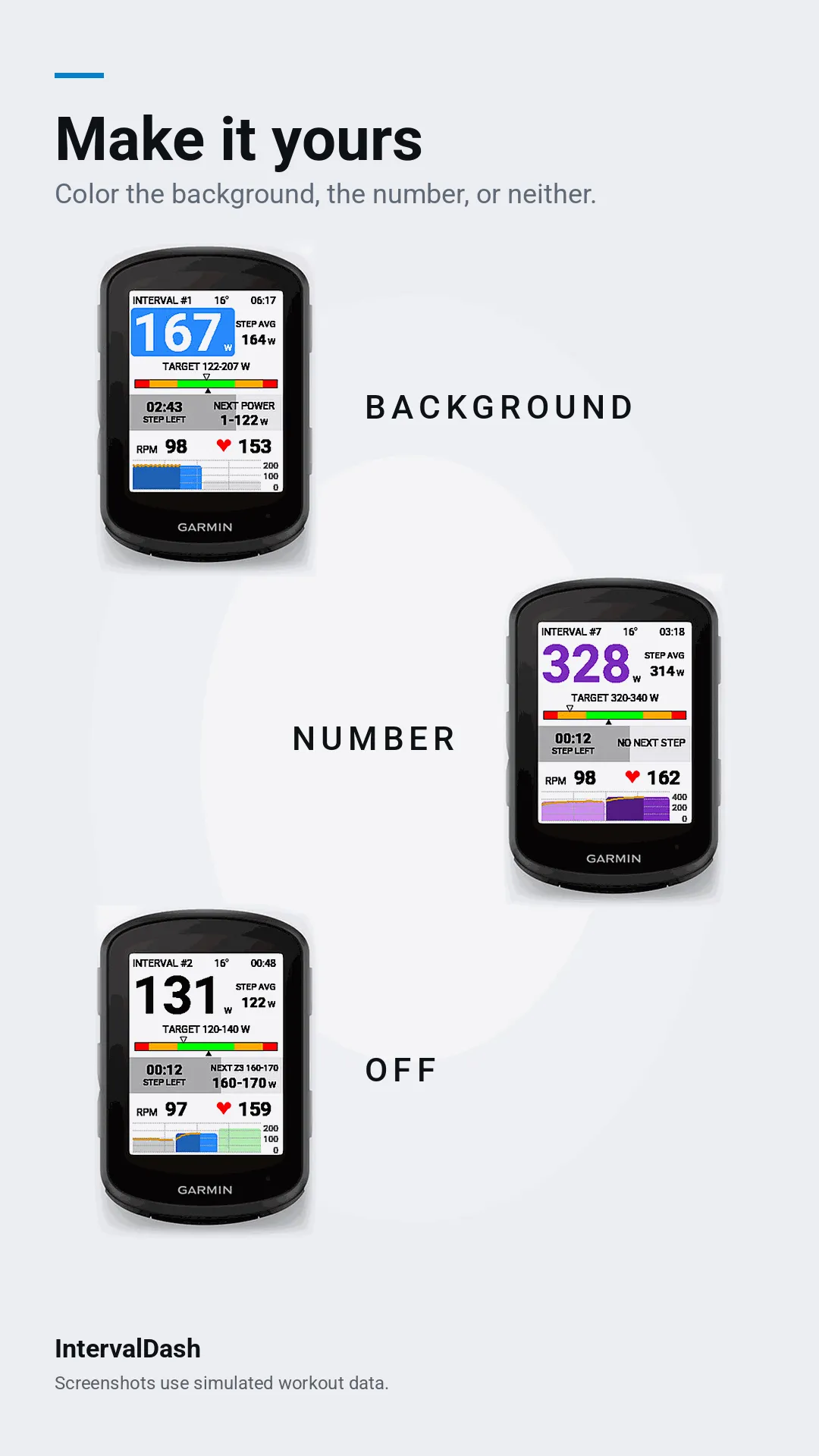
- Target range for the active step, with zone colors based on your FTP
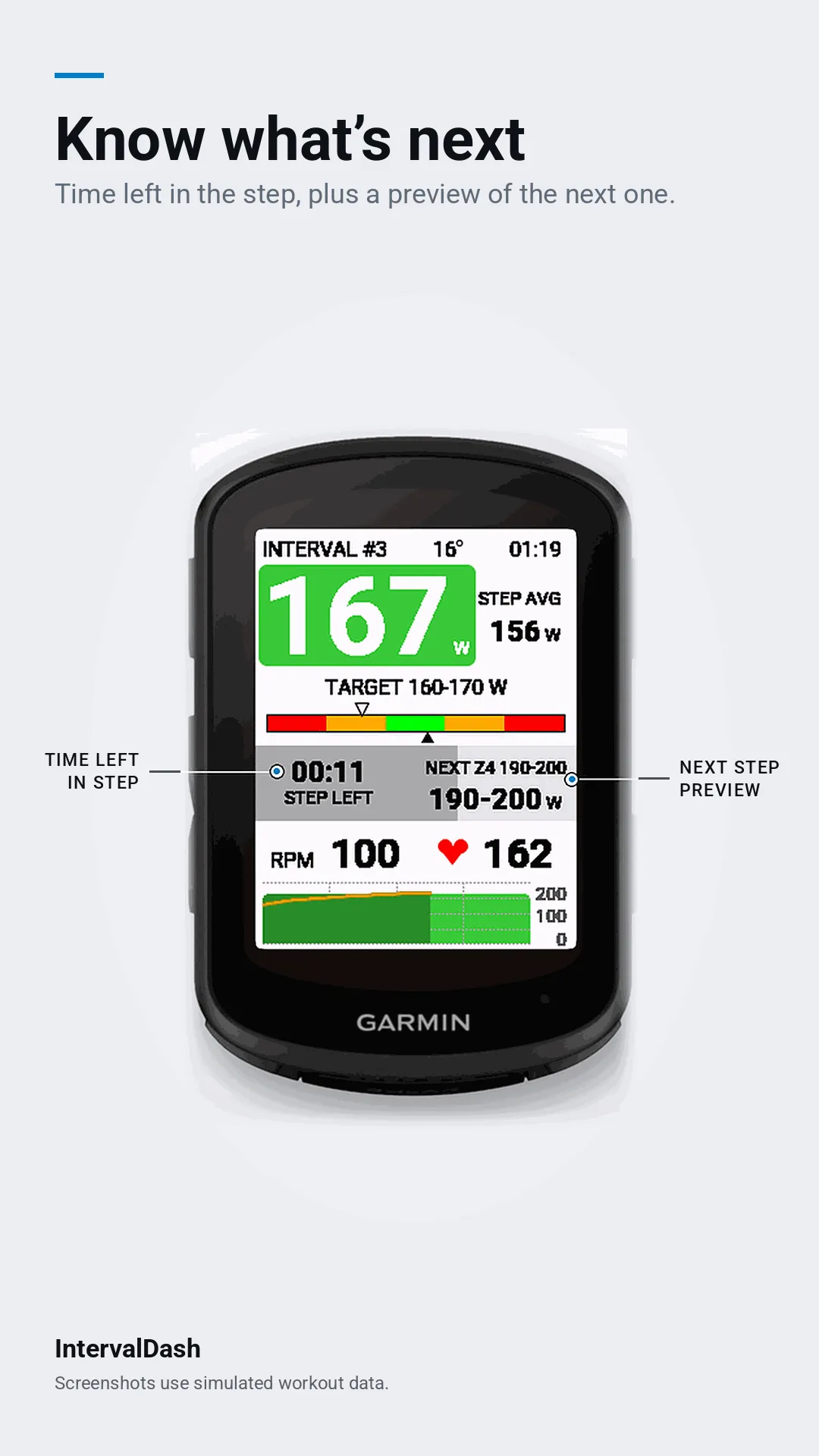
- Step time remaining and progress
- Preview of the next step
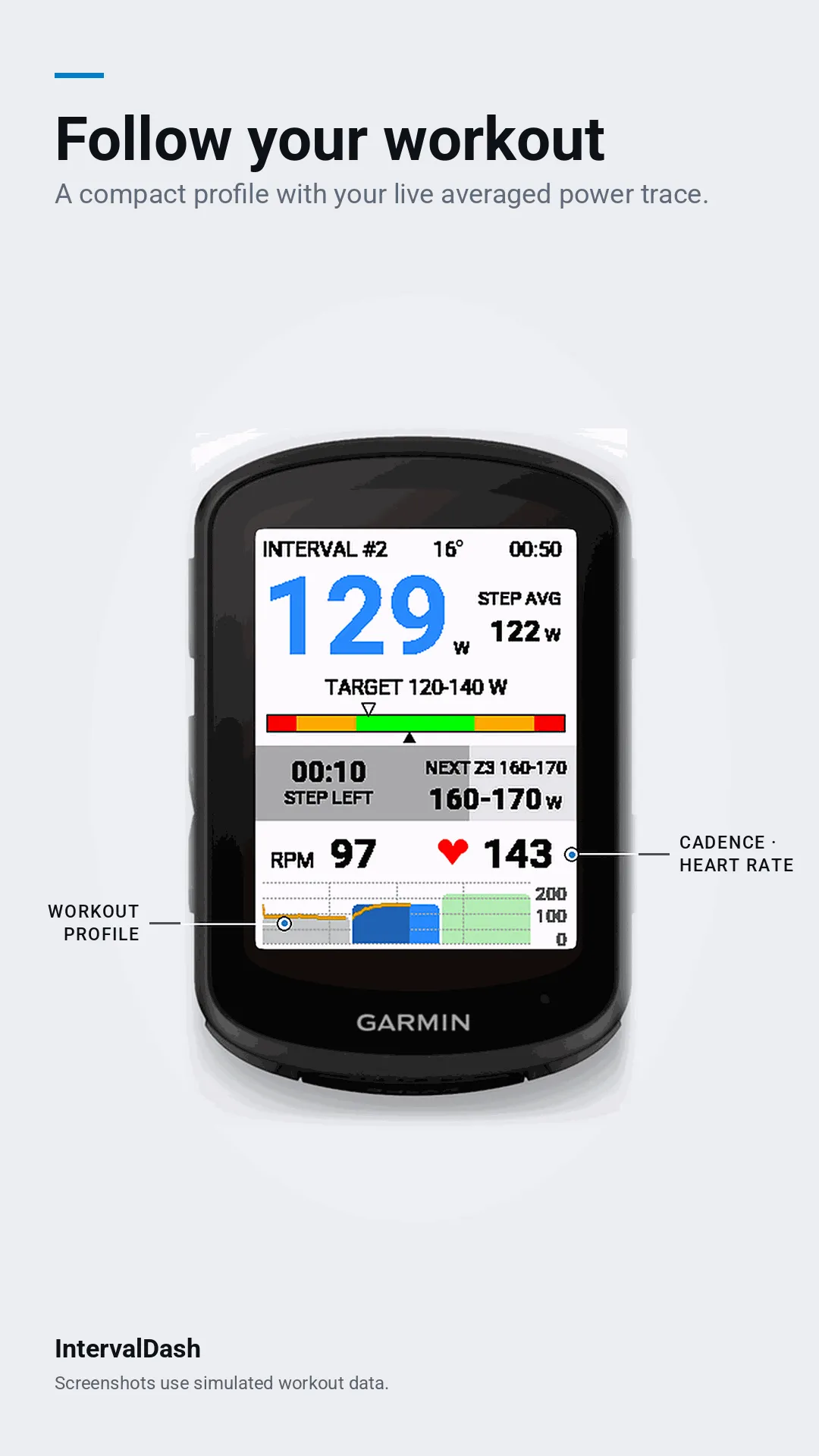
- Workout graph with power steps and a live power trace
- Cadence, heart rate, elapsed time, and temperature
Customization
- Zone coloring on the background, on the number, or off
- Graph shows previous/current/next, current/next, or current only
- Graph power numbers and background are optional
- White, black, or automatic day/night background
Getting started
1. Add IntervalDash as a single-field data screen to your cycling activity.
2. Load a structured workout.
3. Start riding.
Notes
- Garmin provides only the current and next workout steps, so later steps appear as the workout progresses.
- Temperature comes from cached Garmin weather data, not a device sensor, and may occasionally be unavailable.
- Screenshots use simulated workout data.
What is new
What's new in 1.6.0
- Workout elapsed time shows hours, minutes, and seconds after one hour
- Active Z4 power traces have a red outline for improved visibility
- Graph improvements
Screenshots
Supported language (1)
Compatible devices (13)
Recent metric trend
Rating
Reviews
Snapshot dates
2026-10-27 → 2026-11-18