Description
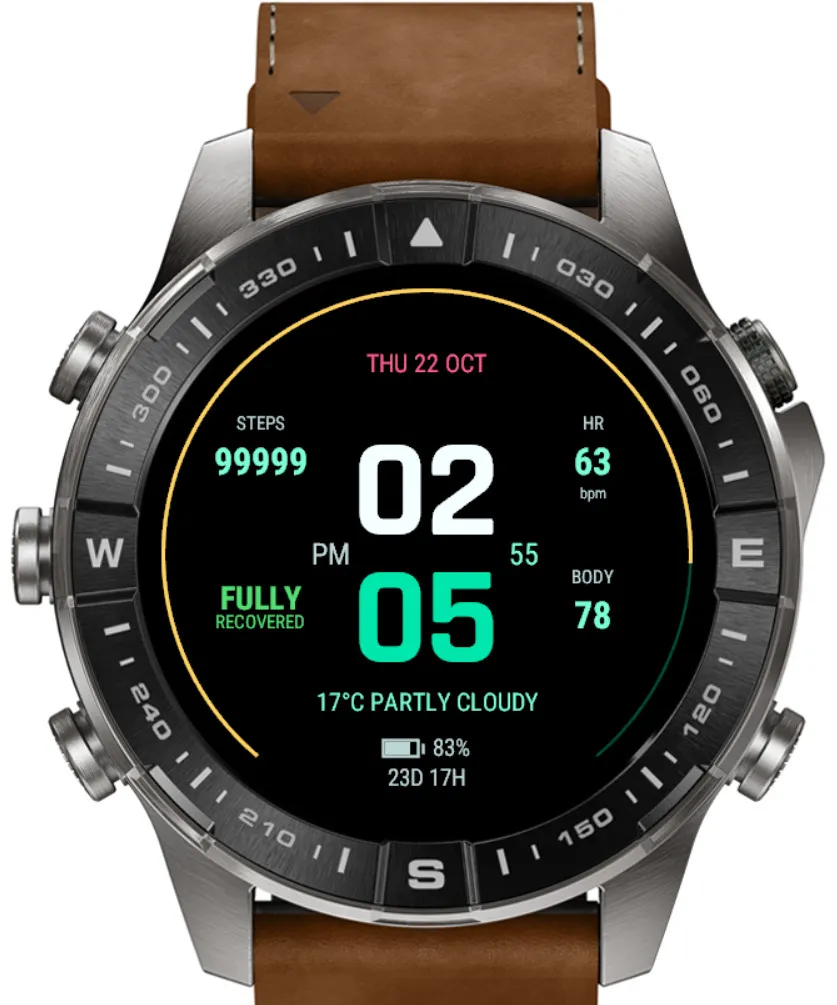
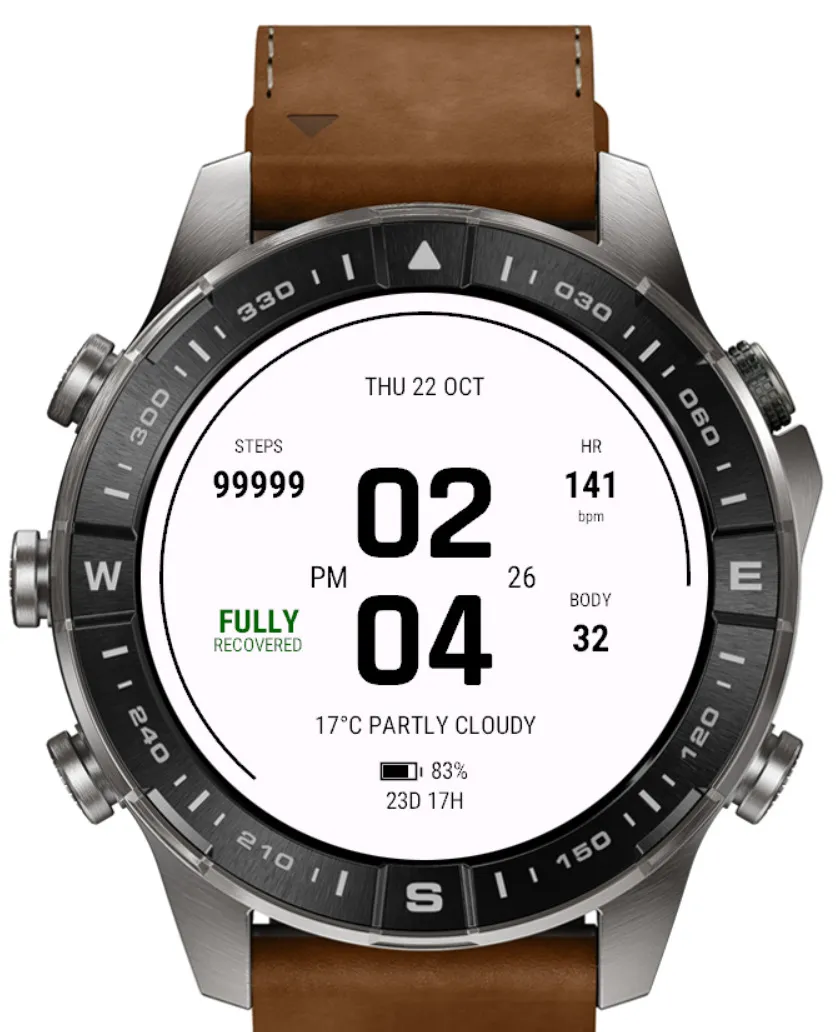
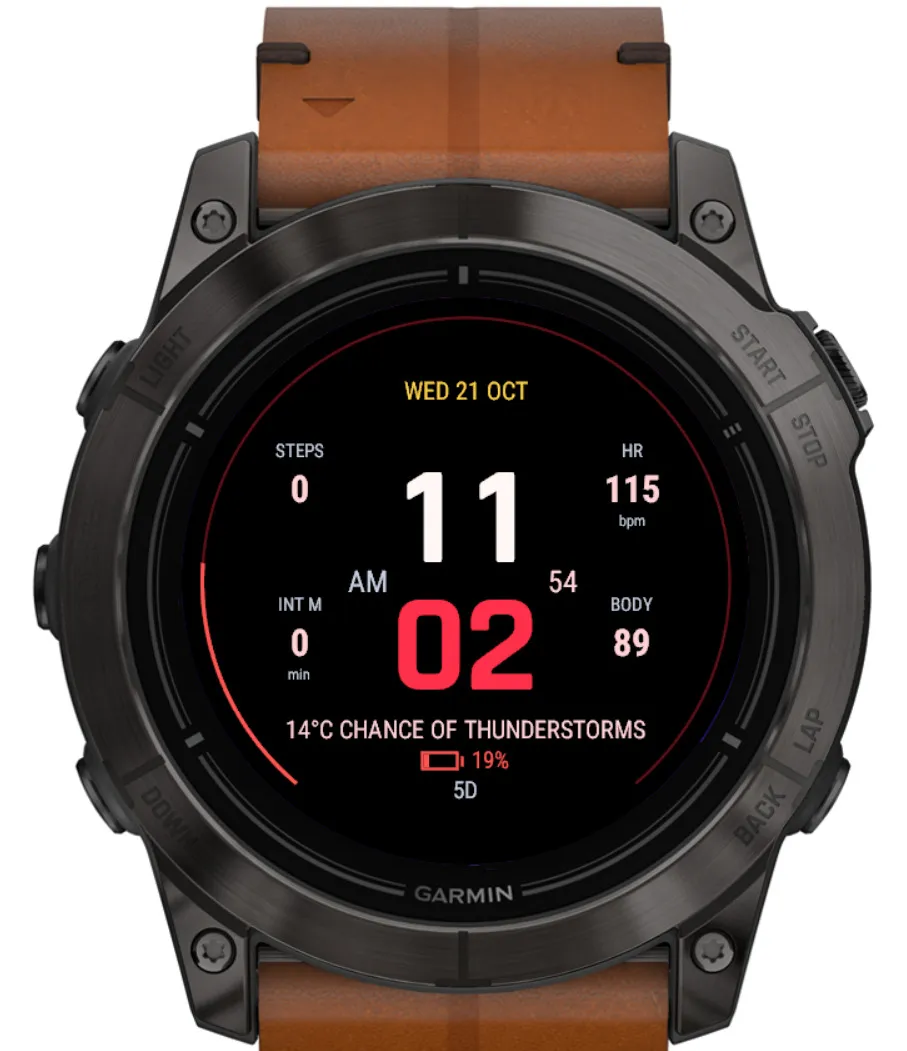
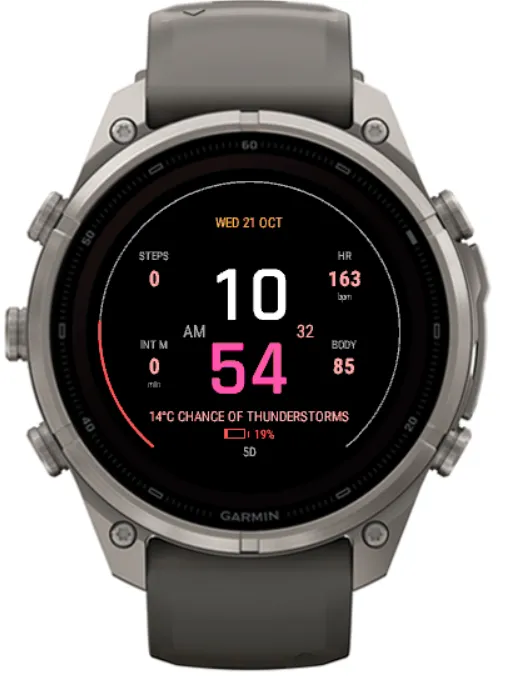
Large stacked hours and minutes give APEX V3 its distinctive look. A slim battery arc frames the display, with your chosen data arranged around the clock. Keep it colourful, go monochrome, or simplify it to the essentials.
Configure your watch face directly on your watch or through the Connect IQ phone app. Both settings routes share your saved choices.
**YOUR LAYOUT**
Four side fields + two footer fields.
Choose each field independently, or turn it off.
Keep activity and health readings beside the time. Place current weather, recovery status or battery information below it. Show or hide field labels, seconds and the battery arc.
**YOUR DATA**
Choose from 22 field options:
• Daily activity: steps, distance, floors climbed, intensity minutes and calories.
• Health and training: heart rate, body energy, stress, recovery time, training status, running VO2 max, sleep score and respiration.
• Outdoors: temperature, current weather, altitude, sunrise, sunset and solar intensity.
• Watch essentials: battery percentage, notifications and phone connection.
Press and hold supported fields to open their related watch glance.
**YOUR COLOURS**
13 colour modes, from subtle neutrals to vivid accents:
Lime · Nomad · Champagne Gold · Miami Sunset · Arctic Blue · Violet Rush · Racing Red · Tropical Punch · Midnight · Mint · MONO White · MONO Black · MONO Light Gray
Start with a colour mode, then personalise:
• Hours and minutes separately.
• Battery arc and its background track.
• Data and date.
• Field labels.
• Display background.
Your custom colour choices stay in place when you change modes. Select “Color Mode Default” to restore any element to its theme colour.
**YOUR TIME**
Follow your watch’s time format, or choose 12-hour or 24-hour time.
Show or hide the leading zero and awake seconds. Choose from five date formats, or hide the date entirely.
Temperature, distance and altitude follow your watch’s unit preferences.
**YOUR BATTERY**
Choose percentage, estimated remaining time, or both.
The outer arc gives a quick view of battery level. Set your low-battery warning threshold from 5% to 50%, or switch it off.
Remaining time is an estimate, not a runtime guarantee.
**YOUR DISPLAY**
Supports compatible AMOLED and MIP watches.
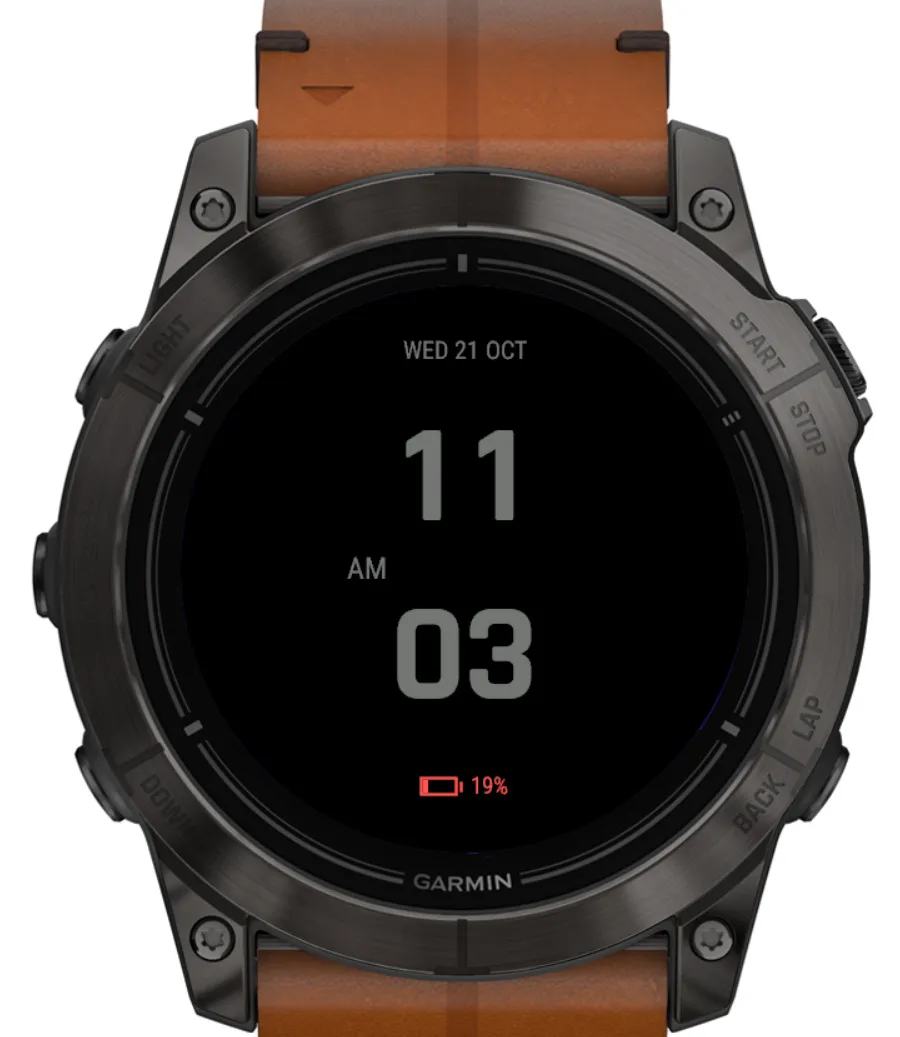
On AMOLED, choose a sleep display with time only, time with date and battery, or the display off.
**SETTINGS AT A GLANCE**
24 settings organised into five groups:
Data Fields → Time and Date → Appearance → Battery → AMOLED Only
Available readings and glance shortcuts depend on your watch and firmware. Active calories are estimated; weather uses current conditions supplied by your watch.
Screenshots
Supported language (1)
Compatible devices (65)
Approach® S72 - 43 mm
Approach® S72 - 47 mm
D2™ Air X15
D2™ Mach 1
D2™ Mach 1 Pro
D2™ Mach 2
D2™ Mach 2 Pro
Enduro™ 2
Enduro™ 3
Enduro™ 4
epix™ (Gen 2)
epix™ (Gen 2)
epix™ Pro (42mm)
epix™ Pro (47mm)
epix™ Pro (51mm)
fēnix® 7
fēnix® 7
fēnix® 7 Pro
fēnix® 7 Pro – Solar Edition (No Wi-Fi®)
fēnix® 7S
fēnix® 7S
fēnix® 7S Pro
fēnix® 7X
fēnix® 7X
fēnix® 7X Pro
fēnix® 7X Pro No Wi-Fi
fēnix® 8 AMOLED (43mm)
fēnix® 8 AMOLED (47mm/51mm)
fēnix® 8 Pro
fēnix® 8 Solar (47mm)
fēnix® 8 Solar (51mm)
fenix® 9 - 43 mm
fenix® 9 – 47 mm
fenix® 9 Pro - 43 mm
fenix® 9 Pro - 47 mm
fenix® 9 Pro - 51 mm
fenix® 9 Pro - Solar 47 mm
fenix® 9 Pro - Solar 51 mm
fēnix® E
Forerunner® 165
Forerunner® 165 Music
Forerunner® 170
Forerunner® 170 Music
Forerunner® 265
Forerunner® 265S
Forerunner® 570 - 42mm
Forerunner® 570 - 47mm
Forerunner® 70
Forerunner® 70
Forerunner® 965
Forerunner® 970
MARQ® (Gen 2)
MARQ® Adventurer (Gen 3)
MARQ® Commander (Gen 2) – Carbon Edition
MARQ™ Aviator (Gen 2)
tactix® 7
tactix® 7 – AMOLED Edition
tactix® 8 – 47 mm, AMOLED
tactix® 8 – 51 mm, Solar
Venu® 3
Venu® 3S
Venu® 4 – 41 mm
Venu® 4 – 45 mm
Venu® X1
vívoactive® 6