Description
Suit up. For moments worth dressing for.
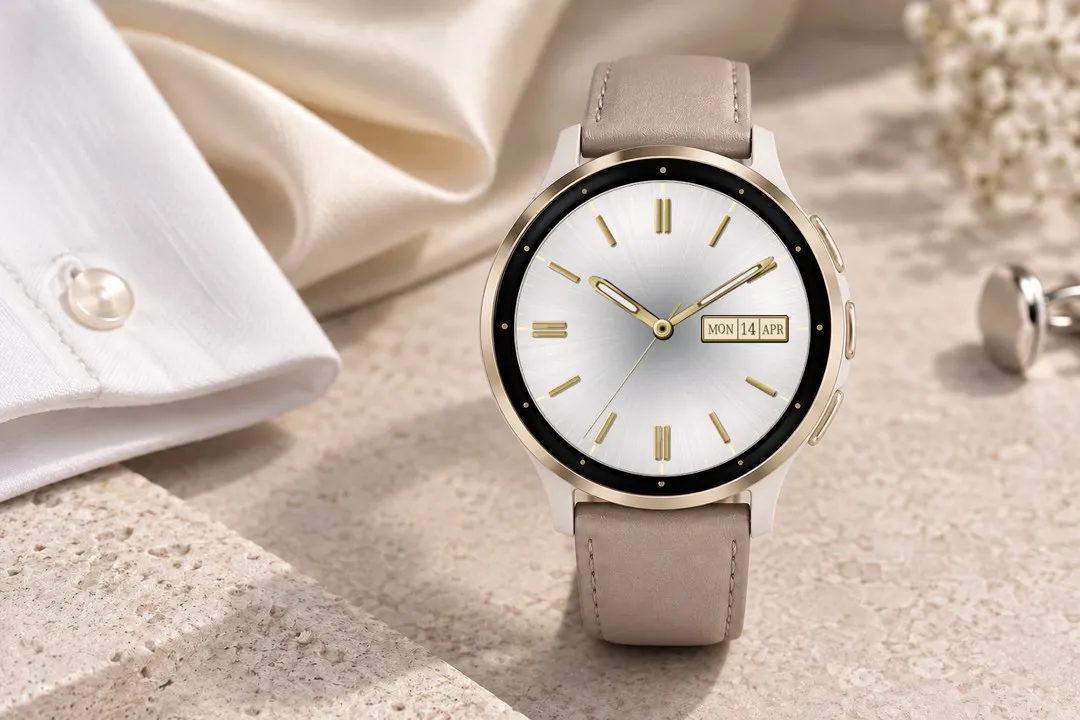
A wedding, a celebration, an evening that matters. Analog Elegance is an elegant analog watch face for Garmin, giving your compatible AMOLED watch a dress-watch look with brushed sunburst dials, metallic hands and one discreet, framed date or data window.
Choose the look that suits the moment:
• Seven dial colors: Navy, Forest, Charcoal, Champagne, Pearl White, Dark Purple and Golden Yellow.
• Silver or gold accents coordinate the hands, hour markers, minute track, rim and complication frame.
• Five hand styles: Dauphine, luminous-style sword, slim baton, rectangular with open tip windows, and solid Arrow hands with broad points.
• Raised baton, Roman or Arabic hour markers, or Off to keep only the rim and minute track. Roman numerals mark all twelve hours; the visible window replaces three. Choose Angled (default) for the readable Night/Day Walker orientation, or Straight for upright Roman and Arabic numerals.
Keep the essentials elegant. Show the day of the month, day and month, or a three-letter weekday with day and month. Or use the same framed window for steps, battery, heart rate, calories, distance or weather, with a condition icon beside the temperature. The window fits its content and sits clear of the outer ring. Switch it off to restore the hour marker at three, provided hour markers are enabled.
The Dauphine hands have softer shoulders and subtler faceted shading.
Choose Battery percentage or Battery days left separately. Days left uses your Garmin watch’s estimate and shows -- when that estimate is unavailable.
On compatible touchscreen watches, touch and hold the window to open the associated Garmin view where available. Daily distance opens the daily activity view.
Customize from your phone or the watch. On-watch visual pickers start at your current choice and preview hands, background, accent and complication on the dial. Large right-side check/Save and Back controls align with the watch buttons. Physical confirmation saves and Back cancels only the current draft. All watch-face settings are together in one menu on the watch. Optional seconds appear while awake. On supported devices, the always-on display retains your chosen hand and hour-marker styles, with a visible minute track and outer ring on black.
The always-on face stays centered. Only the pixel-rest stripes move each minute, preserving a stable dial position while cycling which pixels are black.
Dress for the occasion. Give your wrist the finishing touch.
For supported round AMOLED Garmin devices. Available data depends on your watch. Software hands only; physical-hand models are not supported.
Made with love in Vienna, Austria.
What is new
Enlarge Data Field makes the framed window and its date/value text about 35% taller, awake and in always-on mode. It defaults to Off. Change it on your phone or preview it on the watch before saving.
Choose SpO₂ to show a recorded blood oxygen reading where your watch makes one available; otherwise, -- is shown. The face does not start sensor measurements.
No settings reset is needed. Your existing selections and default window size are retained.
Screenshots
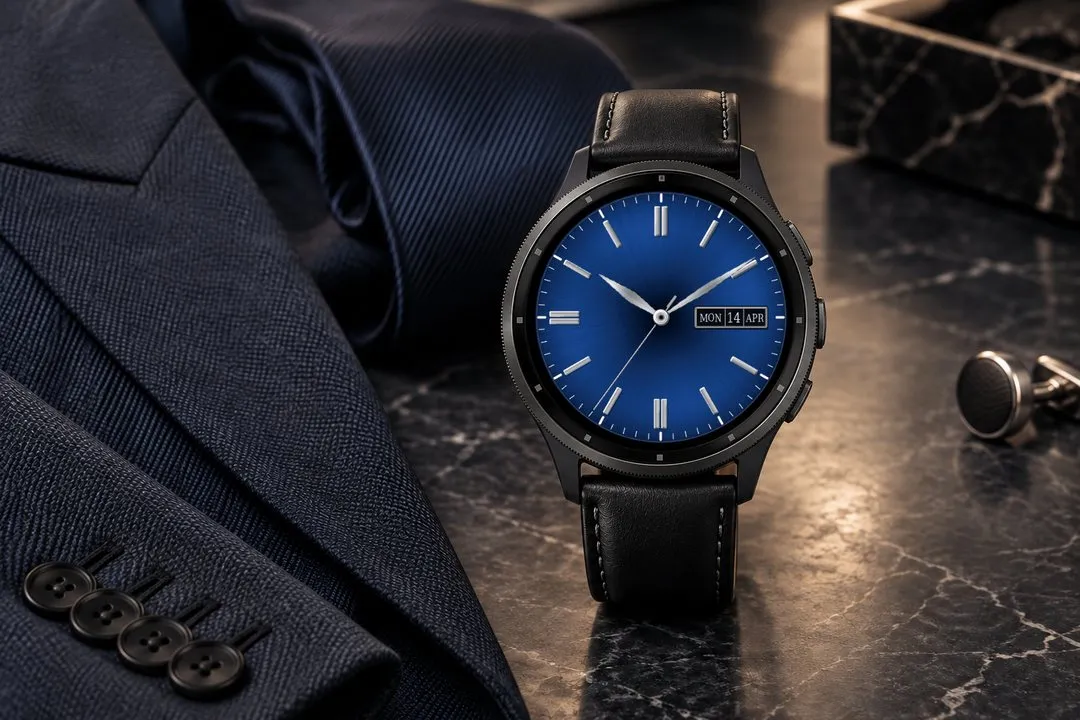
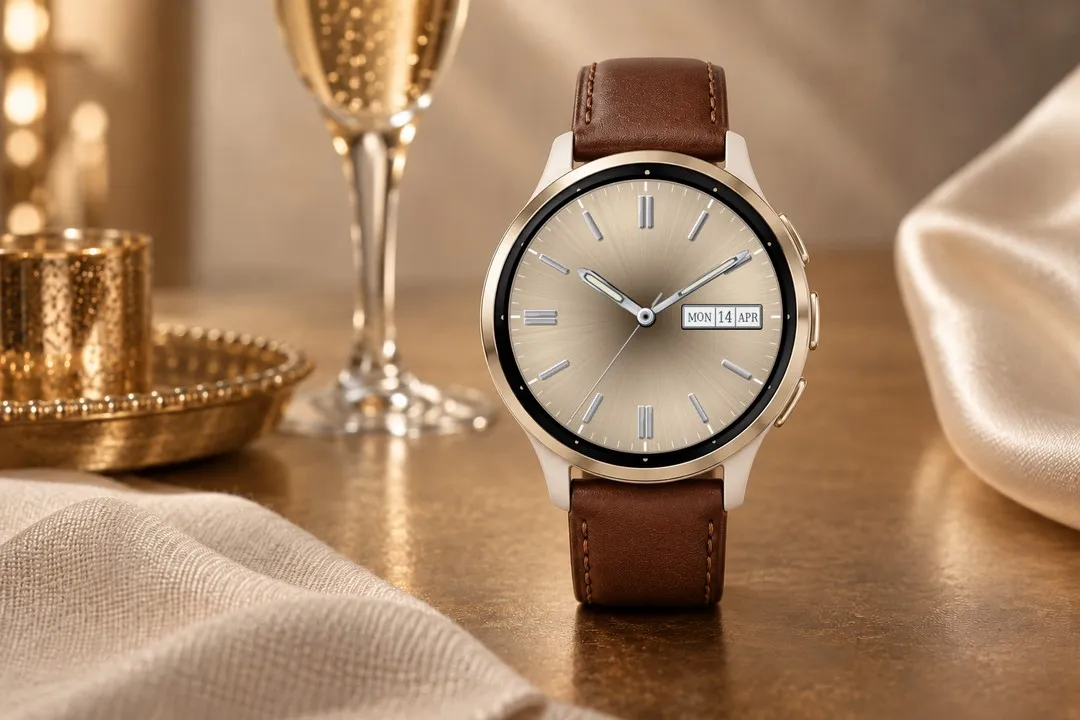
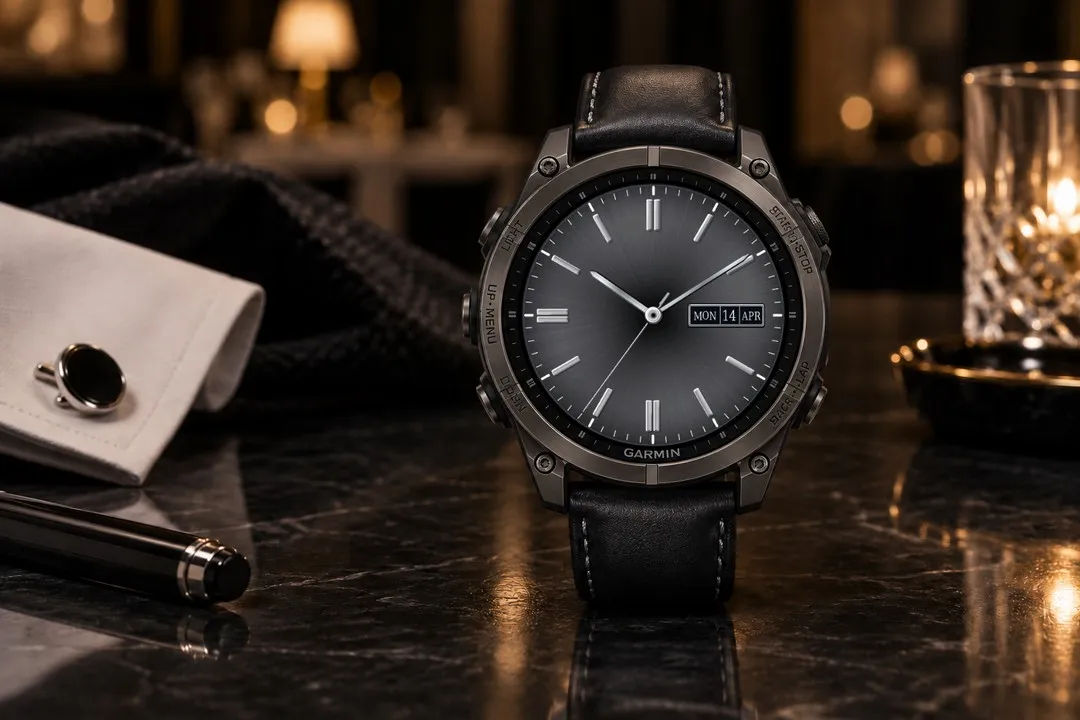
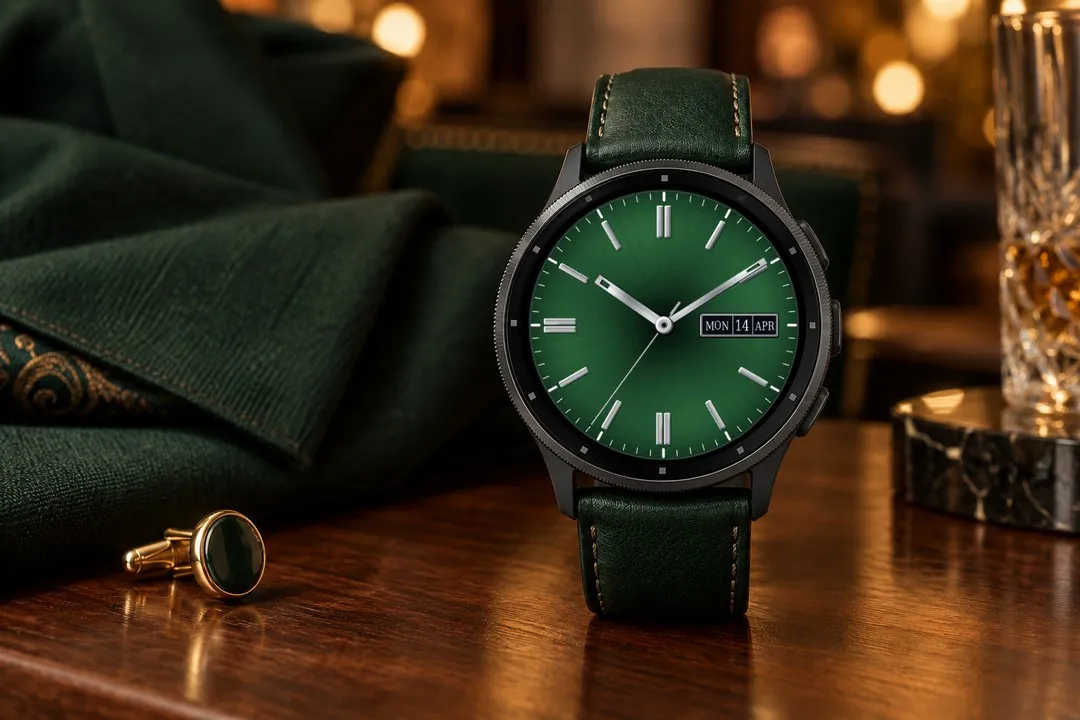
Supported languages (7)
Compatible devices (57)
Approach® S50
Approach® S70 (42mm)
Approach® S70 (47mm)
D2™ Air X10
D2™ Air X15
D2™ Mach 1
D2™ Mach 1 Pro
D2™ Mach 2
D2™ Mach 2 Pro
Descent™ G2
Descent™ MK3 - 43mm
Descent™ MK3i - 51mm
epix™ (Gen 2)
epix™ (Gen 2)
epix™ Pro (42mm)
epix™ Pro (47mm)
epix™ Pro (51mm)
fēnix® 8 AMOLED (43mm)
fēnix® 8 AMOLED (47mm/51mm)
fēnix® 8 Pro
fenix® 9 - 43 mm
fenix® 9 – 47 mm
fenix® 9 Pro - 43 mm
fenix® 9 Pro - 47 mm
fenix® 9 Pro - 51 mm
fēnix® E
Forerunner® 165
Forerunner® 165 Music
Forerunner® 170
Forerunner® 170 Music
Forerunner® 265
Forerunner® 570 - 42mm
Forerunner® 570 - 47mm
Forerunner® 70
Forerunner® 70
Forerunner® 965
Forerunner® 970
Instinct® 3 – 45 mm, AMOLED
Instinct® 3 – 50 mm, AMOLED
MARQ® (Gen 2)
MARQ® Adventurer (Gen 3)
MARQ® Commander (Gen 2) – Carbon Edition
MARQ™ Aviator (Gen 2)
Mercedes-Benz Venu® 2
Mercedes-Benz Venu® 2
tactix® 7 – AMOLED Edition
tactix® 8 – 47 mm, AMOLED
Venu® 2
Venu® 2
Venu® 2 Plus
Venu® 2 Plus
Venu® 3
Venu® 3S
Venu® 4 – 41 mm
Venu® 4 – 45 mm
vívoactive® 5
vívoactive® 6
Recent metric trend
Rating
Reviews
Snapshot dates
2026-10-27 → 2026-10-30