Description
Hours over minutes. Huge, bold and free.
Stack is a clean, chunky watch face from Hourmark. The hours sit on top in white, the minutes underneath in colour, with three rows of your data beside them.
What makes it different:
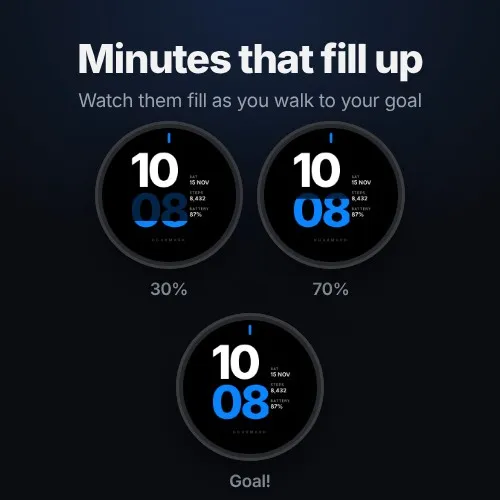
Minutes that fill up: the coloured minutes slowly fill from the bottom as you walk towards your step goal, and turn solid when you hit it.
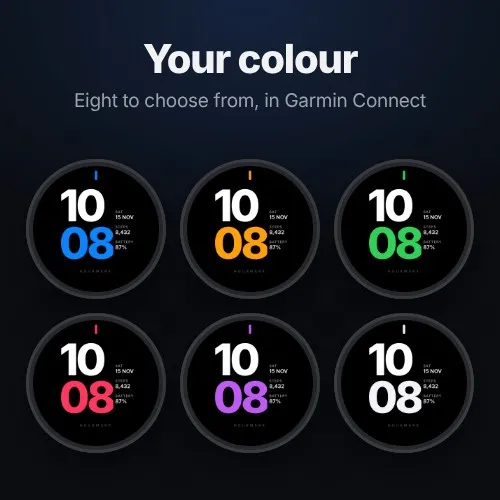
Pick your colour: blue, orange, green, red, pink, purple, yellow or white.
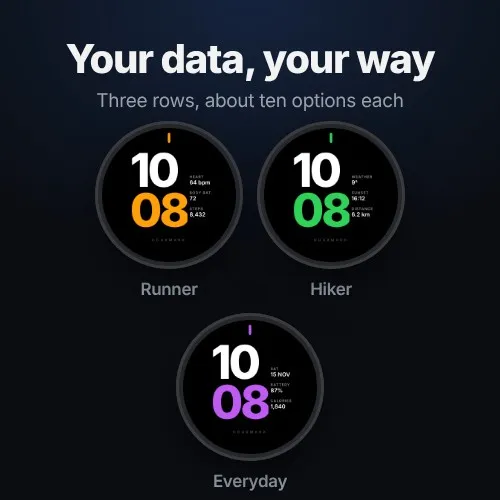
Your data, your way: choose what each of the three rows shows: date, steps, battery, heart rate, weather, sunrise/sunset, Body Battery, calories, distance or floors.
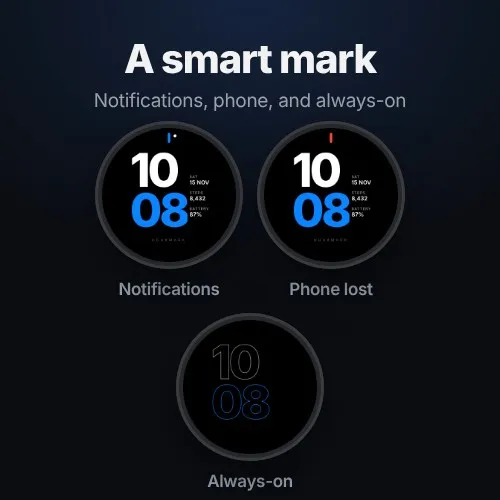
A smart mark: the line at 12 turns red when your phone disconnects, with a small dot when you have notifications.
Always-on, done right: on AMOLED watches it switches to outlined digits when your wrist is down, to protect the screen. Always-on screens keep the full face.
Follows your watch’s 12 or 24 hour setting automatically.
Change the colour and data rows in Garmin Connect: your watch - Watch Faces - Stack - Settings. You can also turn off the small HOURMARK on the dial there.
Free. No trial, no key, no catch.
Love Stack? See more designs at harrysfaces.pages.dev
Help: [email protected]
Screenshots
Supported language (1)
Compatible devices (44)
D2™ Mach 1 Pro
Enduro™ 2
epix™ (Gen 2)
epix™ (Gen 2)
epix™ Pro (42mm)
epix™ Pro (47mm)
epix™ Pro (51mm)
fēnix® 7
fēnix® 7
fēnix® 7 Pro
fēnix® 7S
fēnix® 7S
fēnix® 7S Pro
fēnix® 7X
fēnix® 7X
fēnix® 7X Pro
fēnix® 8 AMOLED (43mm)
fēnix® 8 AMOLED (47mm/51mm)
Forerunner® 165
Forerunner® 165 Music
Forerunner® 255
Forerunner® 255 Music
Forerunner® 255S
Forerunner® 255S Music
Forerunner® 265
Forerunner® 265S
Forerunner® 955 Dual Power
Forerunner® 965
Mercedes-Benz Venu® 2
Mercedes-Benz Venu® 2
Mercedes-Benz Venu® 2S
Mercedes-Benz Venu® 2S
tactix® 7
tactix® 7 – AMOLED Edition
tactix® 8 – 47 mm, AMOLED
Venu® 2
Venu® 2
Venu® 2 Plus
Venu® 2 Plus
Venu® 2S
Venu® 2S
Venu® 3
Venu® 3S
vívoactive® 5
Recent metric trend
Rating
Reviews
Snapshot dates
2026-11-17 → 2026-11-28