Description
Use this data field to quickly change the resistance of your ANT+ indoor trainer right from your Garmin device. It's made for following along with spinning class workouts (e.g. a PELOTON cycling class) without fiddling with your trainer app. Also use it to manually control your 80/20 training by simply adding your FTP in app settings. Then you can set your trainer resistance according to your 80/20 training zones.
Three screen modes (choose in app settings):
1. 80/20 Power Zones (FTP-based), the default
Set your FTP in the app settings and the data field shows a color-coded zone bar with your current target in watts, plus a 4-way control pad:
2. Knob with Watts
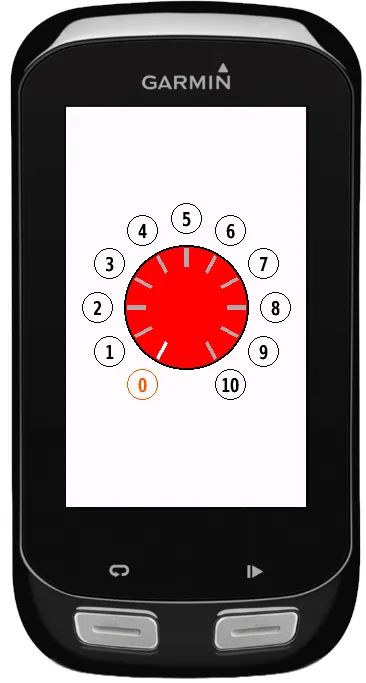
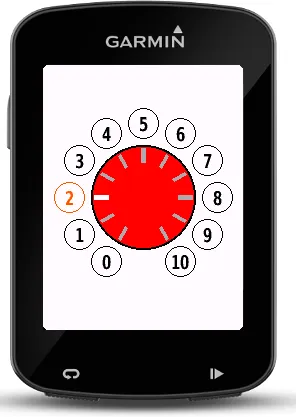
The classic knob layout of a spinning bike with presets 0–10, now mapped to percentages of your FTP:
0 = off, 1–6 = 50–100% FTP, 7–10 = 105–120% FTP.
3. Knob with Resistance
The original mode: presets 0–10 set the basic trainer resistance from 0% to 100%.
In both knob modes, push the middle of the knob (or press the lap button) to toggle back to the last value. The knob design is based on the resistance adjustment knob of a spinning bike (indoor bike), which is what I built this data field for. I couldn't find a simple way to quickly switch between resistance levels on my indoor trainer during spinning class workouts, so I made my own data field. If you have requests or ideas, drop me a message!
What is new
v3.0.0: added more options and layouts
Screenshots
Supported language (1)
Compatible devices (21)
Recent metric trend
Rating
Reviews
Snapshot dates
2026-10-27 → 2026-10-31