Description
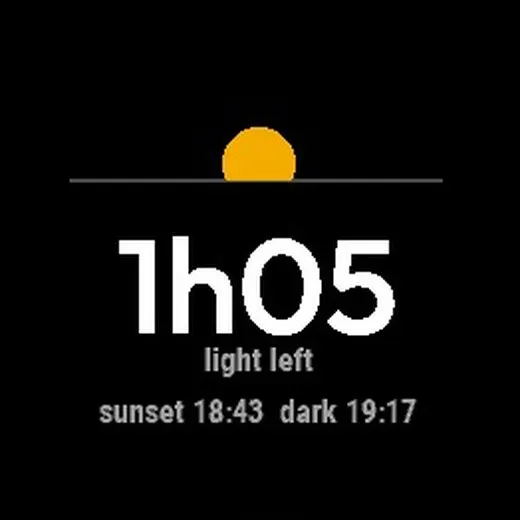
How much light do you have left? Daylight Left counts down to the moment it gets dark, so you know when to head home on an evening run, ride or hike.
It counts to the end of civil twilight: the moment it's too dark to see without a light, usually 30 to 40 minutes after sunset. You can switch to counting down to sunset instead.
- Big, clear countdown: "1h32", then "23m"
- White normally, amber in the last hour, red in the last 20 minutes
- Buzzes 30 and 10 minutes before dark while your activity is running (or 10, or 60/30/10, or off)
- On the full screen, a sun sinks toward the horizon, slips below it in twilight and turns into the moon after dark
- In smaller fields, a compact day / twilight / night bar
- Morning runs too: before dawn it counts down to first light
- Shows sunset and dark times, and when it gets light again
- Works in 1, 2, 3 and 4 field layouts, on black or white backgrounds
Sunrise, sunset and twilight are calculated on the watch from your GPS position during the activity (or Garmin weather's location, or the last place it saw), so it works anywhere in the world and adjusts when you travel.
Made to go with the Daylight Dial watch face.
About the location permission: Daylight Left uses your location only to calculate sunrise, sunset and twilight. It stays on your watch and is never sent anywhere.
What is new
First release.
Screenshots
Supported language (1)
Compatible devices (2)
Recent metric trend
Rating
Reviews
Snapshot dates
2026-10-27 → 2026-10-31